You've built the product, polished the landing page, and picked a launch date. Then you realize the launch still needs a video, and the usual options are either spending days editing or hiring someone you can't justify paying yet. For an early-stage founder, that delay can matter more than another round of visual polish.
A product video maker for startups should turn an existing product URL into a short, clear asset that works without narration or a production team. ShipTeaser takes a pasted URL and produces a 15-second, 1080p, silent motion-graphics teaser in about 2 minutes, with five scenes and exports for common social placements.
Why Launch Videos Fail and How Automation Changes the Equation
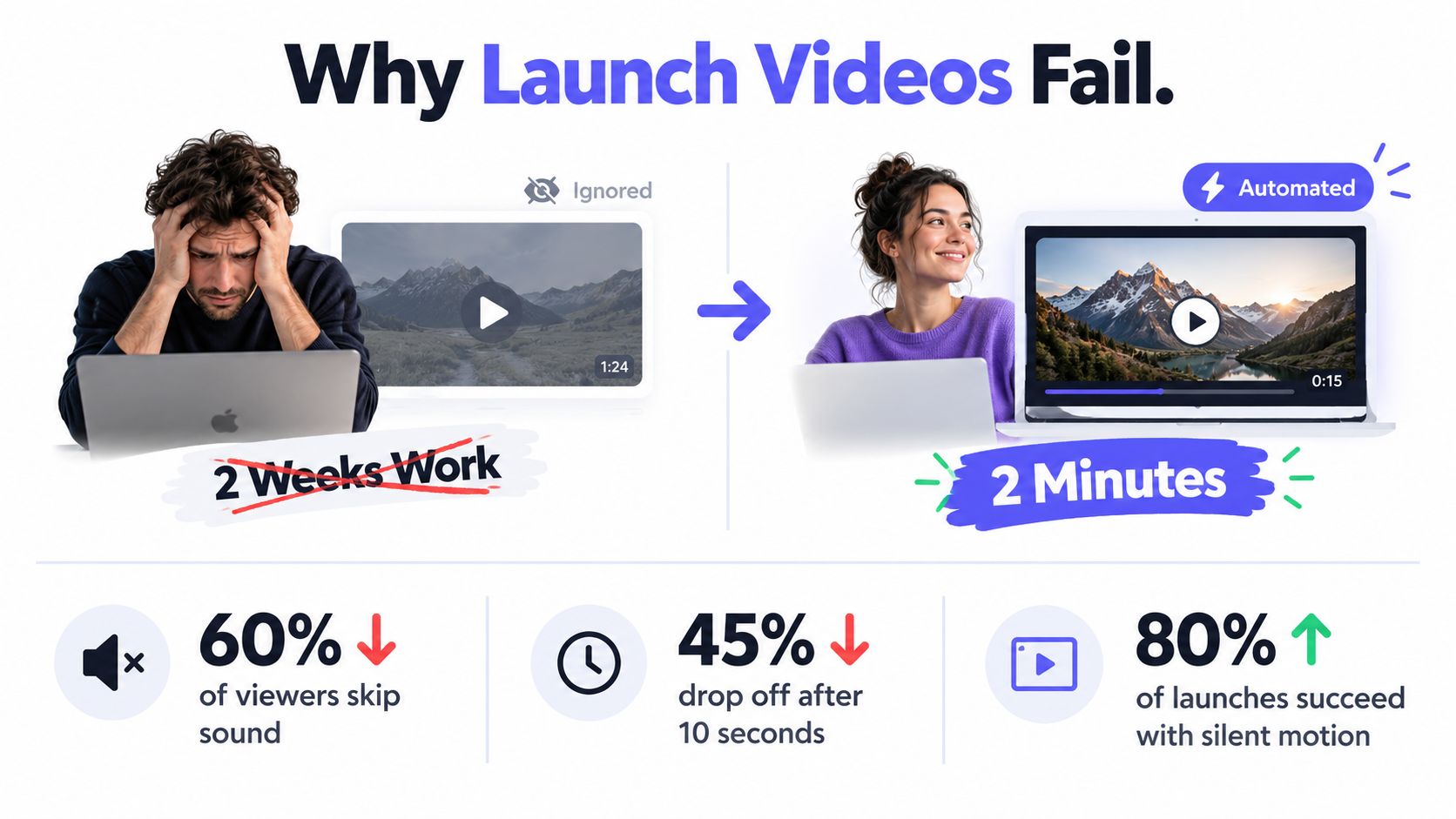
A founder finishes a launch video after two weeks, only to find that the script explains too much, the opening takes too long, and the message depends on sound. On launch day, the post earns impressions, but few viewers reach the product promise. The video looks polished, yet it behaves like an advertisement instead of a fast explanation.
The problem is usually format, not production quality. Launch content is encountered while people scroll, often with audio off and little patience for setup. A teaser must identify the product quickly, show why it matters, and point to the next action. A three-minute demo can consume the launch window while a concise explanation would have made the offer clearer.
The bottleneck is speed
Video is now a standard part of marketing, including for small companies. In 2026, 91% of businesses used video as a marketing tool, 93% of video marketers called it important to their overall strategy, and 92% planned to spend the same or more on video marketing that year, according to marketing statistics. Short-form video led the listed formats for ROI at 49%, ahead of long-form video at 29%.
Those figures clarify the founder's decision. The question is whether one person can produce a relevant asset before the launch message becomes old news. A URL-based product video maker starts with material already available on the landing page, including the product promise, screenshots, visual identity, and call to action.
For an early-stage founder, the target is specific: a silent, scripted teaser created in under two minutes, without hiring an editor or agency. That constraint keeps production tied to the launch message instead of turning a short asset into a full campaign.
Practical rule: A launch teaser should make the product understandable before the viewer has to commit to watching more.
Why silent teasers fit startup launches
A silent teaser can combine animated text, product imagery, and visual proof. Optional music can provide rhythm, but the explanation must work without voice-over. That makes the video suitable for social feeds where viewers may never turn on sound.
The distinction between a teaser and a complete campaign matters. A teaser earns attention and sends viewers to the product page. It does not replace the launch post, documentation, onboarding, or founder explanation. For a closer examination of common launch mistakes, read why launch videos fail.
ShipTeaser matches this narrow use case. Paste the product URL, wait about two minutes, and receive a short motion-graphics asset while the launch is still current. For a solo builder testing an early message, that speed is more useful than building a large production process before learning which promise attracts interest.
Three Paths to a Product Video Maker
There are three sensible ways for a founder to create a product teaser. Manual editing gives the most control. An agency adds outside production capacity. URL-based automation gives the fastest route from a live landing page to a usable asset.
Manual editing
Manual production makes sense when the video needs precise screen actions, unusual pacing, or a very specific visual style. You collect screenshots, write the script, arrange scenes, set timing, choose music, and review every export. Every product change also means another round of edits.
The trade-off is focus. A founder editing by hand is not writing launch copy, fixing onboarding, talking to users, or shipping the product. Manual work is reasonable for one hero video. It is a weak default for recurring teasers when the message and source material already live on a landing page.
Hiring an agency
An agency gives you production help and can handle a more involved brief. This path fits launches with a real budget, a clear creative direction, and enough time for review cycles. It also adds coordination. You need to explain the product, approve the script, supply assets, request changes, and wait for delivery.
That works for a major company announcement. Early-stage founders usually need faster iteration and less ceremony. If the product changes next week, a fixed production cycle can leave you promoting an outdated message.
Using URL-based automation
A product video maker such as ShipTeaser starts with the public product page instead of a blank editing project. The system uses the page's copy, screenshots, and visible brand cues to assemble a short scripted teaser. You lose fine-grained timeline control, but you gain a repeatable workflow that fits a founder's limited production time.
Founders report a different operating model here. Automation shifts video from one-off production to repeatable output, lowers the cost per finished minute, and makes weekly iteration realistic when the launch message changes fast. That matters more than chasing a perfect edit that takes too long to ship.
For teams that want to generate multiple versions from one source, RenderIO's video variation API shows the logic behind variation at scale. It is a different setup from a fixed teaser, but the principle is useful. One source should support repeatable publishing instead of forcing a new production process every time.
For an early-stage software launch, the recommendation is straightforward. Use manual editing when the creative treatment is the product. Use an agency when the launch justifies outside production management. Use a URL-based product video maker when the priority is a clear, silent teaser you can generate and post quickly. ShipTeaser's product launch video maker is built around that path.
How ShipTeaser Turns a URL Into a Teaser
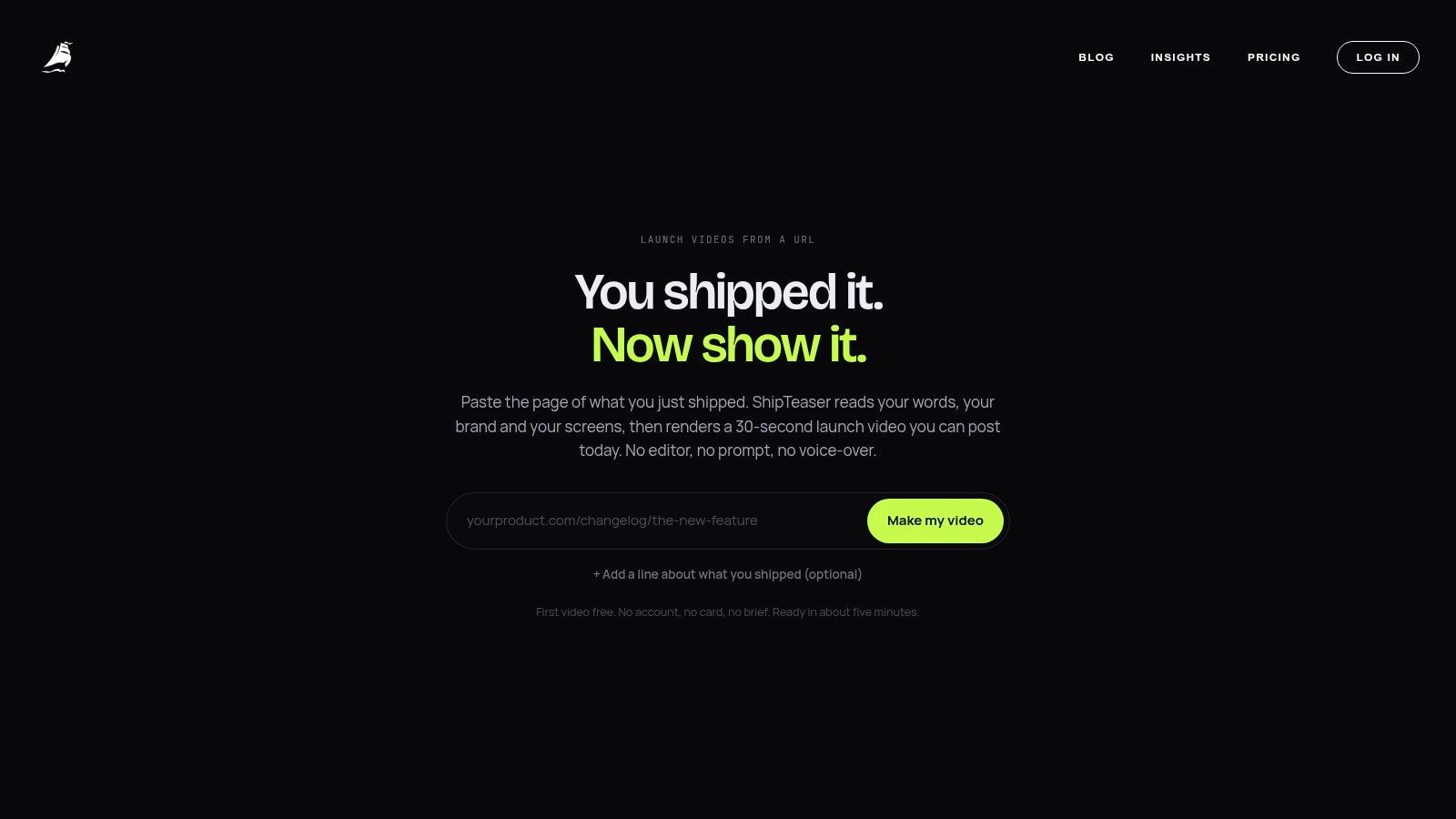
ShipTeaser's workflow is deliberately narrow. You paste a product URL, let the system read the page, and receive a downloadable teaser. The output is a 15-second, 1080p, silent motion-graphics video, with an optional music bed rather than voice-over or narration.
Start with the landing page
Use the page that best represents the launch message. It should explain what the product does, identify the problem, show enough product evidence, and provide a clear destination. A sparse page gives the generator less material to work with, so improve the page before expecting the teaser to communicate more than the page itself.
The workflow has four practical stages:
- Paste the URL. Submit the public landing page for the software product you're launching.
- Let ShipTeaser analyze the page. The system uses page copy, screenshots, and visible brand cues as source material.
- Review the generated teaser. Check whether the promise, product evidence, and CTA match the current launch.
- Download the output. Choose the ratio that fits the destination and publish the file with supporting post copy.
A product teaser is not a miniature product tour. It's designed to lead with the product promise, show visual proof, and close with a clear direction to a product URL, launch page, or signup action. The five-beat structure used by ShipTeaser, hook, problem, solution, proof, CTA, follows a common short-form persuasion pattern for startup launch videos, as described in ShipTeaser's product video marketing guide.
Use the five scenes as a message filter
The hook gives the viewer a reason to keep watching. For a developer tool, that might be a painful workflow or a clear outcome. The problem makes the friction recognizable. Don't list every complaint your audience might have. Choose the one that the product addresses most directly.
The solution names the product's role in resolving that problem. The proof gives the claim visual support through a product screen, interface detail, or page imagery. The CTA tells the viewer what to do next, such as visiting the product URL, joining a waitlist, or starting a signup.
The strongest teaser doesn't explain every feature. It makes one promise believable and gives the viewer a next step.
ShipTeaser doesn't provide AI avatars, voice-over, narration, a video editor, a timeline, screen recording, stock footage, prompt-based text-to-video, dubbing, subtitles, translation, or clip trimming. That limitation is useful to understand before you start. ShipTeaser is for a fixed, silent, scripted teaser generated from a product page, not for assembling a long demo or editing a recorded presentation.
The three exports cover the main placements. 16:9 works for widescreen contexts, 1:1 suits square social feeds, and 9:16 fits vertical mobile viewing. Use the 16:9 version when the page or launch context gives the video more horizontal space. Use 1:1 when the post needs a balanced feed asset. Use 9:16 when the video is meant to occupy a tall mobile frame.
This workflow is also available through ShipTeaser's URL to video path. The key advantage is not a large set of editing controls. It's the short distance between a live landing page and a postable launch asset.
Pricing, Plans, and When to Upgrade
ShipTeaser ties pricing to publishing cadence, which is the right model for founders who only need a short, silent teaser when a launch or update is ready. The first video is free, and no credit card is required to make it. Paid plans are monthly: $99 per month for one video per week, $149 per month for two videos per week, and $199 per month for four videos per week.
Match the plan to your launch rhythm
| Founder situation | Suitable choice | Why |
|---|---|---|
| You're testing the format on one launch | First video free | Validate the message and output before paying |
| You publish one meaningful update each week | $99 per month | Covers a steady weekly cadence |
| You're shipping features and launch posts regularly | $149 per month | Gives you a second weekly asset |
| You're running a frequent founder-led content rhythm | $199 per month | Supports four videos per week |
Start with the free video if you are still checking whether a silent teaser fits your audience. Do not pay for volume before the message works. The landing page should already have a clear promise, usable visual proof, and a CTA that still makes sense when the audio is gone.
The $99 plan fits a founder with one launch moment or product update each week. The $149 plan works for teams that want separate assets for different updates or audiences without stretching the publishing schedule. The $199 plan only makes sense when you already have enough product news and launch material to use four weekly outputs.
Category-wide review data suggests that small teams often see positive ROI within months when they publish video consistently, but results depend on the quality of the message and the cadence. For a practical cost comparison between self-production and recurring generation, use ShipTeaser's guide to product video cost. Start free, publish the first teaser, then upgrade only when your launch calendar can use the higher cadence.
Platform Specs and Posting Strategy
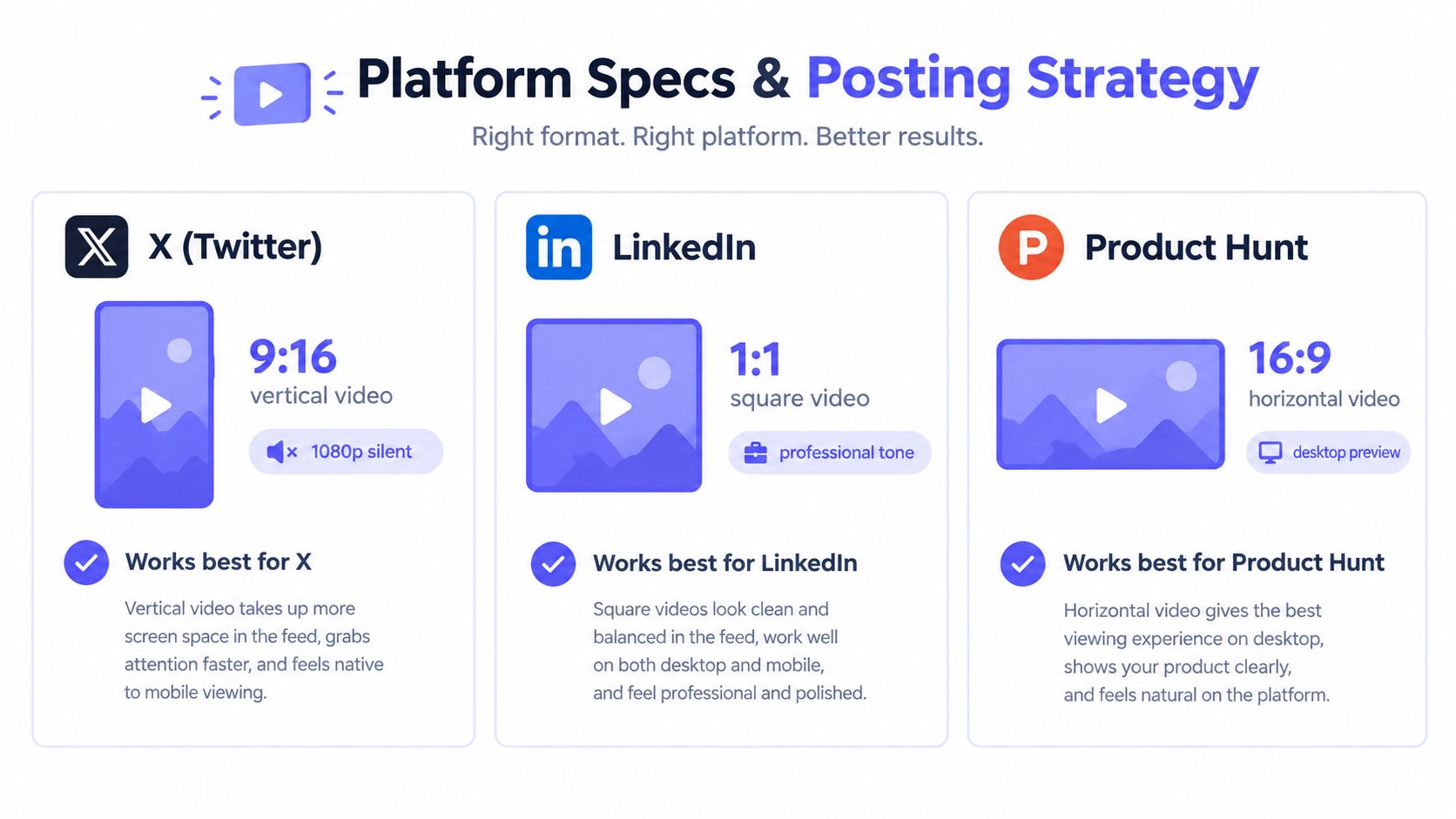
A polished export still fails if the distribution choice is wrong. ShipTeaser provides 16:9, 1:1, and 9:16 versions, so founders can match the same teaser to different placements without rebuilding it.
Choose the ratio before writing the post
16:9 is the standard widescreen format, 9:16 is the vertical smartphone format for short-form content, and 1:1 is the common square format for social feeds, as outlined in the guide to common video aspect ratios. For practical exports, 1080 by 1920 works as a safe default for 9:16, and 1080 by 1080 works as a safe default for 1:1, which fits ShipTeaser's square and vertical outputs.
Use the formats this way:
- X: Use 9:16 when the teaser is meant for mobile scrolling. Keep the hook large on screen and make the CTA readable without sound.
- LinkedIn: Use 1:1 for a clean feed presentation. Pair the video with a short founder note that adds context instead of repeating every scene.
- Product Hunt: Use 16:9 when the teaser sits beside a desktop-oriented product description or launch page. Let the product proof do more of the work.
The ratio does not rescue weak copy. It only gives the message the right frame. Check the first scene on a phone, confirm that the CTA stays legible, and make sure the video still makes sense when muted. A silent-first design should support the written post, not fight it.
A practical Trendy short form video strategy helps with hooks, posting context, and repetition. For early-stage founders, consistency matters more than building a different production process for every channel.
Use a repeatable posting checklist
Before publishing, check the landing page URL, the product promise, the visual proof, and the CTA. Then confirm that the selected ratio matches the destination and that the caption explains why the product matters now.
Keep the supporting copy specific. State who the product is for, name the problem, and give one action. Do not force the teaser to carry pricing, every feature, and the full founder story. The teaser should earn the click. The destination should handle the detail.
Common Mistakes Founders Make With Product Video Makers
More features do not produce a better launch video. For an early-stage founder who needs a short teaser, extra controls usually mean extra decisions and a slower publish.
The first mistake is expecting narration from a silent format. If the teaser has no voice-over, the copy has to do the work. Keep the on-screen text short, make the motion direct, and judge the video by whether the message lands without sound.
The second mistake is treating one teaser as the whole launch plan. A product video maker gives you the visual asset, but you still need the launch post, a landing page that answers questions, and a reply plan for early users. The teaser starts the conversation. It does not replace the rest of the launch.
The third mistake is spending too long refining the timeline. Founders who treat the teaser as a fixed 15-second asset ship faster than those who keep editing for a week. Ship the first clear version, watch the response, then improve the landing page and the message.
The right workflow is simple. Generate, check the hook and CTA, publish, and make a new teaser when the product story changes. A timely, readable teaser tests the message faster than a perfect one that misses the launch window.
Frequently Asked Questions
Does ShipTeaser support custom branding?
ShipTeaser uses visible brand cues from the submitted product page, including its copy, screenshots, colors, and imagery. Before generating, make sure the landing page reflects the brand you want the teaser to represent.
What happens if the landing page has no screenshots?
ShipTeaser can work from the page's available copy and visual material, but missing screenshots reduce the product proof available for the teaser. Add clear product imagery to the landing page before generating when the interface is central to the launch message.
Can I edit scenes after generation?
ShipTeaser isn't a video editor or timeline. Treat the generated file as a fixed teaser, and revise the source landing page or product message before creating a new version.
How often should founders create new teasers?
Create a new teaser when the product promise, launch message, or featured workflow changes. A weekly cadence makes sense only when the product has enough meaningful updates to support it.
ShipTeaser turns a product URL into a 15-second, 1080p silent teaser with hook, problem, solution, proof, and CTA scenes in about two minutes. Start with the free first video, test the message against your next launch, and visit ShipTeaser when you're ready to create the asset.