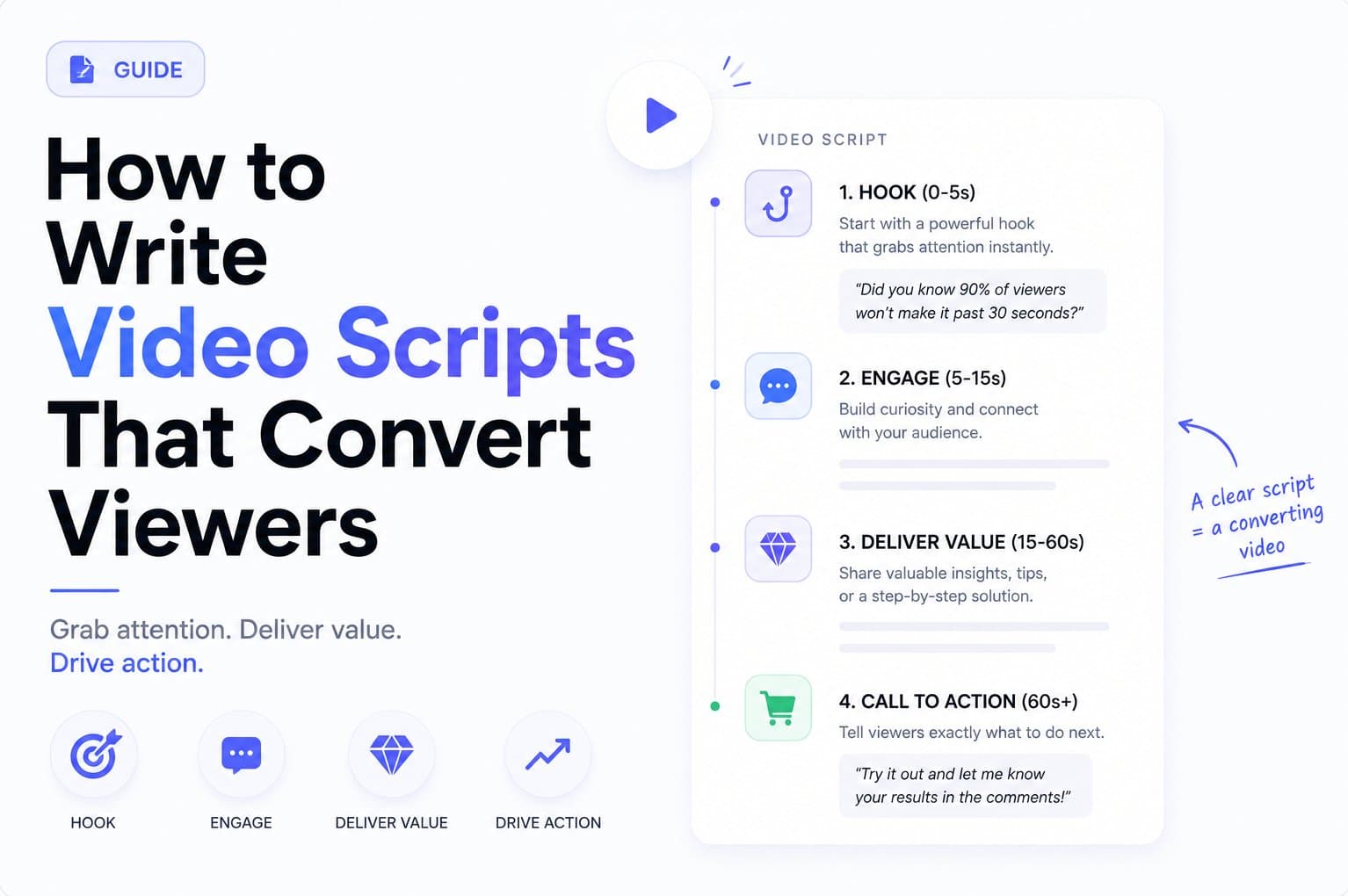
Launch day is close. Your landing page is live, your product works, and you know a short video would help people understand the idea faster. Then you lose an afternoon choosing shots, rewriting copy, and trying to turn a product page into something worth posting.
The practical answer to how to make teaser video is simple: choose one promise, express it through five short scenes, design for silent viewing, and end with one clear action. For a repeatable workflow, start with a product URL and create a 15-second, 1080p motion-graphics teaser that moves from hook to problem, solution, proof, and CTA.
What a 15-Second Teaser Is For
A teaser isn't a compressed product tour. It isn't a trailer, feature recap, or miniature sales page. A good teaser gives a viewer one reason to care and one next step to take.
For an early-stage software founder, that next step might be visiting a launch page, joining a waitlist, starting a trial, clicking a profile link, or replaying the video. Pick one. If the video asks people to understand the positioning, compare features, read pricing, and sign up at the same time, the message will collapse.
Practical rule: If you can't describe the video's job in one sentence, don't storyboard it yet.
Write the job before writing the script:
- Launch page traffic: Make the product promise and destination obvious.
- Waitlist growth: Show the problem, hint at the solution, and ask viewers to join.
- Product validation: Present one use case and watch for meaningful interest.
- Launch announcement: Make the new product or feature recognizable without explaining every detail.
Your landing page should carry the full argument. The teaser should open the loop and send qualified attention there. This is the key difference between a product demo video and a teaser. A demo answers questions. A teaser earns the next click.
Choose the measurement before the edit
Tie the CTA to a metric you can inspect during launch week. Use link clicks when traffic matters, waitlist conversions when demand matters, or profile visits when the launch depends on an audience you're building.
Don't cram social proof, pricing, product architecture, and every feature into fifteen seconds. The source page can handle those details. The video has one job, and every scene should support it.
Short-form video is now a major product discovery format. A 2026 industry roundup reports that 63% of consumers prefer short videos when learning about a product or service, while 66% of marketers call short-form video the most engaging content format. The same roundup reports that short-form video generates roughly 2.5 times more engagement than long-form content, with 95% of consumers watching regularly and 71% watching daily. These short-form video benchmarks support a clear operating choice: make the promise fast, then let the page do the explaining.
The Five-Scene Script Structure
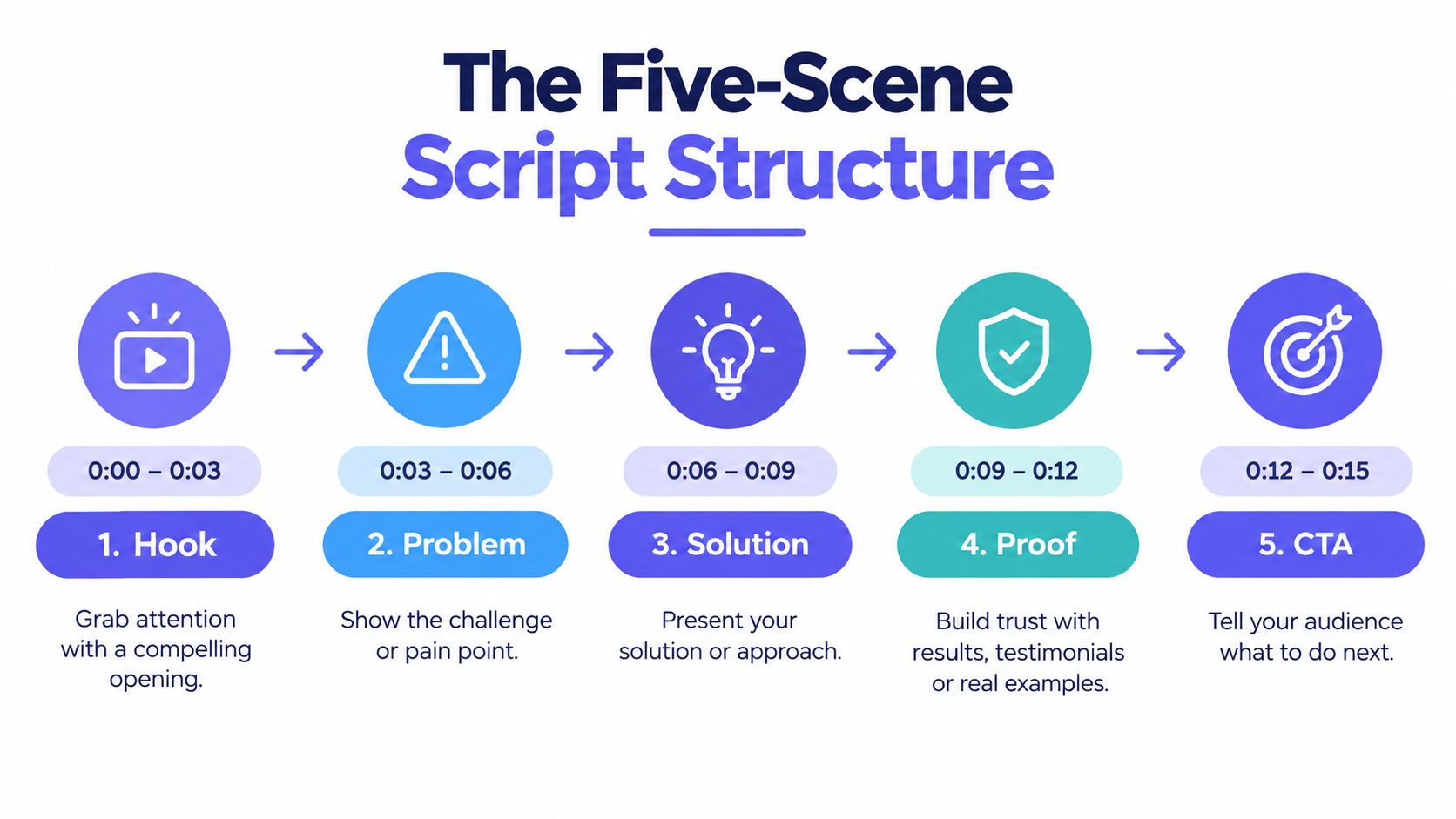
A 15-second teaser needs a fixed structure. ShipTeaser uses five scenes, hook, problem, solution, proof, and CTA, because each beat has a distinct job. Don't add a sixth scene because you found one more feature worth showing.
Assign each scene a job
Hook, 0:00 to 0:03. Lead with the outcome or tension. “Ship product updates without the status meeting” gives the viewer a reason to keep watching.
Problem, 0:03 to 0:06. Name the pain in language your buyer already uses. “Spreadsheets are eating your Sunday nights” is stronger than “Improve workflow visibility.”
Solution, 0:06 to 0:10. Show the product doing one useful thing. Don't flash every screen. Show the action that proves the promise.
Proof, 0:10 to 0:13. Use one credible proof point, such as a customer logo, a product result, or a short testimonial supplied by your team. If you don't have proof yet, show a concrete product state instead of inventing credibility.
CTA, 0:13 to 0:15. Ask for one action in three words or fewer. “Join the waitlist,” “Start your trial,” and “Visit the launch page” are clear. “Learn more” is weak because it hides the destination.
Write one line for each scene before gathering assets:
- “Turn scattered feedback into a clear roadmap.”
- “Your roadmap is a wish list.”
- “Group requests by signal, not volume.”
- “One view for every decision.”
- “Join the waitlist.”
Keep the total on-screen or spoken copy under 40 words. The edit should feel spacious enough to understand, not packed with tiny claims. Research summarized in HubSpot's video marketing report finds that marketers most often consider 21 to 30 seconds optimal, at 42%, followed by 31 to 60 seconds, at 32%. A 15-second cut has less room, so commit to one hook, one proof point, and one CTA.
The sequence also reflects the practical structure documented by ShipTeaser. Each scene should survive as a single line. If it needs a paragraph, move that information to the landing page.
Engineering the First Three Seconds
The opening has to work before the viewer understands your brand. A logo reveal, slow fade, or abstract animation asks for attention without earning it. Muted autoplay makes that mistake worse because the viewer may never hear a voice or music cue.
Build the first frame like a landing-page headline. Lead with an outcome, a contrast, or a conflict:
- Outcome: “Shipped in 11 days.”
- Contrast: “Spreadsheet on the left. Dashboard on the right.”
- Conflict: “Your roadmap is a wish list.”
These lines work because they create an immediate question. How did the team ship so quickly? What changed between the two screens? Why is the roadmap failing? The viewer doesn't need the full answer yet. The viewer needs a reason to stay.
Put movement behind the claim
Pair the line with action in the first frame. Start a cursor mid-click, draw a chart, reveal a screen transition, or move directly into the product state. Motion should clarify the claim, not decorate it.
The historical path of video marketing explains why this format feels so compressed. Video marketing entered the mainstream around 2010, became more accessible to smaller teams about four years later, and followed earlier milestones including Bulova's first TV commercial in 1941, YouTube's launch in 2005, the smartphone era in 2007, and the social-video boom from 2013 onward. This video marketing timeline shows how publishing became easier while viewer expectations became faster.
Don't produce one hook and call the decision finished. Write several alternatives using the same product promise, then compare them against the landing page headline. The strongest hook usually names a problem or outcome the buyer already recognizes, not a clever slogan only the founder understands. ShipTeaser's guide to the three-second hook follows the same principle: make the first moment carry meaning.
Shots, Pacing, and Silent-Friendly Design
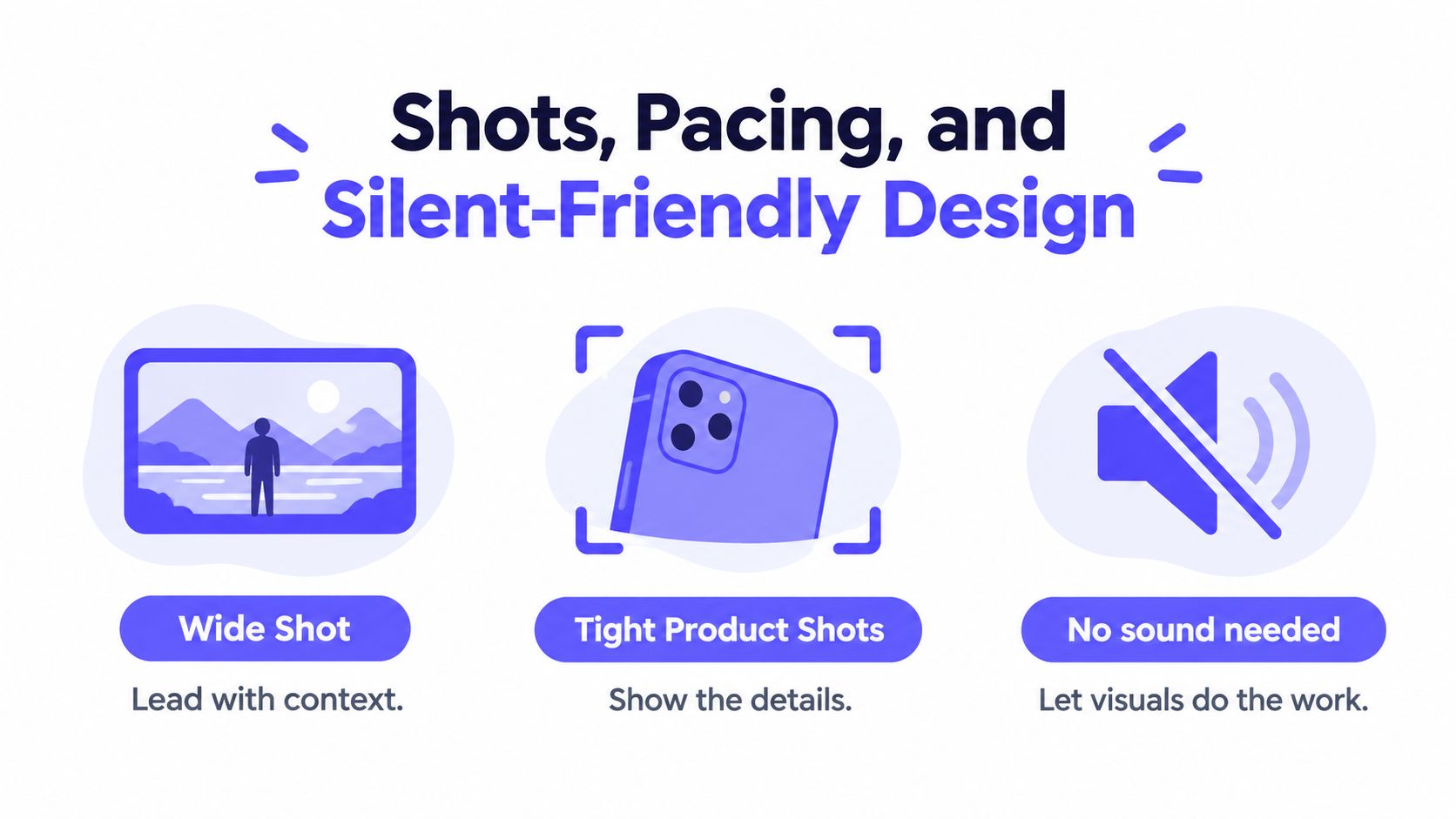
Design the teaser so a viewer can understand it with the sound off. ShipTeaser produces a silent motion-graphics video, meaning there's no voice-over or narration, with an optional music bed. That makes visual hierarchy more important than audio polish.
Use one wide shot to establish context, then move to a tighter product shot that proves the line. For a software launch, the wide shot might show the dashboard and brand color. The tight shot might highlight a filter, report, workflow, or result. Don't show a cursor wandering around the interface. Start with the useful action already underway.
Make every cut readable
Keep each scene focused on one visual idea. A swipe can move between states. A zoom can identify a key metric. A highlight ring can point to the control that matters. If an effect doesn't improve comprehension, remove it.
Use burned-in captions in a bold sans-serif and place them where the interface won't compete with them. Add a small progress bar when it helps the viewer understand that the payoff is approaching. Test the layout inside a narrow phone crop, not only on a desktop preview.
Short-form research supports restraint. One study of short branded videos found that content match, information relevance, storytelling, and emotionality drive likes, comments, and shares more directly than length alone. The study also found that release timing can moderate results. The research on short branded videos points to a useful edit rule: align the visual, caption, and promise so the viewer never has to decode what the shot means.
A teaser shouldn't sound like a feature list. Give the viewer a small story, even if that story is only friction followed by a visible product change. For practical guidance on adapting creative for vertical placements, review how to optimize Stories ads for conversions. The same principle applies here, captions and composition must survive small screens and silent playback.
Turning a Product URL Into a Teaser
The repeatable system starts with a source of truth. For a software product, that source is usually the landing page. It already contains the headline, problem framing, feature language, screenshots, and brand cues. Use those assets instead of reopening a blank project every week.
ShipTeaser accepts a product URL and produces a 15-second, 1080p, silent motion-graphics teaser in about 2 minutes. It can export 16:9, 1:1, and 9:16 versions, with an optional music bed. The workflow is designed for builders who need a usable launch asset without a timeline editor, screen recording, stock footage, voice-over, subtitles, translation, dubbing, or clip-trimming workflow.

Use the page as your production brief
Paste the URL, review the generated copy, and correct any line that doesn't sound like your company. Check the pulled screenshot against the current product. Replace it with a sharper capture when the page image is outdated or too small. Then inspect the five scenes in order:
- Hook: Does the first frame state a meaningful outcome?
- Problem: Does the pain sound familiar to the intended user?
- Solution: Does the product visibly answer that pain?
- Proof: Is the evidence real and relevant?
- CTA: Is there only one next action?
This workflow matters because generic teaser advice treats production as a one-off craft project. A URL-to-video system turns the landing page into an input you can reuse for a launch, a feature release, or a weekly founder-led update. The URL-to-video workflow is useful when speed and consistency matter more than manual control.
Keep a shared document of approved hooks, proof lines, and CTAs. Each new product URL then starts with tested language instead of a blank page. That is the operational advantage. A good teaser is useful today, while a repeatable process keeps producing the next one.
If you're exploring adjacent generative workflows, a category of AI music video tools can help you understand how other systems approach visual generation. Don't confuse that category with ShipTeaser's focused workflow. ShipTeaser generates a product teaser from a page, with motion graphics and optional music rather than prompt-based text-to-video production.
Export Specs and Posting Checklist
Export for the platform before you post. A single horizontal file is a poor default for founders sharing a product launch across feeds, launch pages, and desktop surfaces. ShipTeaser supports 16:9, 1:1, and 9:16, so create the native version that matches the placement.
| Platform | Aspect Ratio | Resolution | Max File Size | Audio |
|---|---|---|---|---|
| X | 9:16 | 1080p vertical | Check current platform limit | Silent, optional music bed |
| 1:1 | 1080p square | Check current platform limit | Silent, optional music bed | |
| Product Hunt | 16:9 or 1:1 | 1080p | Check current upload limit | Silent, optional music bed |
| YouTube | 16:9 or 9:16 | 1080p | Check current platform limit | Silent, optional music bed |
The ratio guidance is consistent across social video recommendations: 9:16 suits TikTok, Reels, and Shorts, 1:1 suits square feed placements, and 16:9 suits YouTube and desktop viewing. This aspect-ratio guide explains why native exports beat a single cropped master.
Check the file and the post
Use a filename that keeps versions understandable, such as product-teaser-v3-launch-9x16.mp4. Before publishing, run this checklist:
- Captions: Read them on a phone with the display dimmed.
- First frame: Judge it as a static thumbnail with no context.
- Final frame: Confirm the CTA remains visible long enough to act.
- Destination: Add a tagged link to the post copy and verify it opens correctly.
- Brand cues: Check that the logo, color, and product name match the current page.
- Ratios: Open every export on the device and platform where it will appear.
For sharper source visuals, practical advice on capture and lighting for sharper video can improve screenshots and recorded product states. The same inspection discipline applies even when the final asset uses motion graphics rather than filmed footage.
Keep the posting copy short. State the product promise, name the audience problem, and repeat the same CTA shown in the final frame. Then publish the relevant ratio to X, LinkedIn, Product Hunt, and YouTube instead of forcing one file into every placement. More export guidance is available in ShipTeaser's launch video specs.
Ship the Teaser Before the Perfect One
A teaser is a launch asset, not a portfolio piece. Your first cuts will reveal weak hooks, vague CTAs, and screenshots that looked clearer in the editor than they do on a phone. That feedback is more valuable than another week of polishing one video in isolation.
Use a simple shipping rule:
If the hook stops a scroller and the CTA is unambiguous, post it.
The first three versions may underperform. The next one may land because you finally used the customer's language instead of the founder's language. Weekly production gives you sharper instincts, a library of proven hooks, and a faster way to announce product changes.
A repeatable URL-to-video pipeline makes same-day production normal. ShipTeaser's first video is free with no credit card. Ongoing plans are $99 per month for 1 video per week, $149 for 2 per week, and $199 for 4 per week. Those plans fit a founder who wants a steady launch cadence rather than a single polished asset.
Don't wait to test every possible hook before posting. Pick one feature, open ShipTeaser, paste the URL, inspect the five scenes, and ship a teaser today.
FAQ
How long should a teaser video be?
A product launch teaser is commonly 15 to 30 seconds for social platforms, according to industry guidance on product launch teaser videos. A 15-second version works well when the video has one promise, one proof point, and one CTA.
Does a silent teaser need music?
A silent teaser doesn't need voice-over or narration. ShipTeaser can add an optional music bed, but the captions, product visuals, and motion must communicate the message without sound.
What should the final frame say?
The final frame should ask for one action, such as “Join the waitlist,” “Start your trial,” or “Visit the launch page.” Keep the CTA short and make sure the post copy leads to the same destination.
Can a product URL create the whole teaser?
ShipTeaser accepts a product URL and generates a 15-second, 1080p motion-graphics teaser from the page's copy, screenshots, and brand cues. Review the generated scenes and copy before posting so the final video matches the current product and your voice.
Should founders make several teasers each week?
Founders should produce teasers weekly when they have real product updates, launch milestones, or new use cases to communicate. A consistent process builds a reusable library of hooks and reduces the time between shipping a feature and explaining it.
ShipTeaser turns a product URL into a 15-second, 1080p silent motion-graphics teaser in about 2 minutes, with five scenes and exports for 16:9, 1:1, and 9:16. Visit ShipTeaser, paste your landing page URL, and create the teaser your next launch needs today.