In 2024, 75% of surveyed marketers reported using an AI video generator for video creation. A software founder still needs something narrower than a generic clip: one postable teaser built from the page that already sells the product.
Popular advice says to film a long walkthrough, add a voice, and explain every control before you ship. That advice burns a launch week. Many feeds start muted, strangers scroll, and a narrated demo never earns its second sentence. The page already holds the claim. An AI product video should show that claim, not invent a bigger one.
An AI product video is a 15-second, 1080p, silent motion-graphics teaser that ShipTeaser builds from one product URL in about two minutes. Five scenes carry the whole file: hook, problem, solution, proof, and CTA. There is no voice-over, an optional music bed can sit underneath, and the only proof that belongs on screen is proof the landing page already makes.
What an AI Product Video Gives You
A landing page can make the case for a product in detail. A launch teaser has a narrower job: give a stranger a fast, visual reason to look closer. Keep its claims tied to what the page already proves.
The teaser is the spec in the table below: fifteen seconds, five scenes, pulled from one URL. ShipTeaser turns the page's copy, screenshots, and visible brand cues into a scripted, downloadable video. Review the on-screen claims before posting. If a line misstates the product, correct the landing page and generate the teaser again.
| Spec | What you get |
|---|---|
| Length | 15 seconds |
| Resolution | 1080p |
| Sound | Optional music bed, no voice-over |
| Input | One product URL |
| Scenes | Hook, problem, solution, proof, CTA |
| Ratios | 16:9, 1:1, 9:16 |
| Turnaround | About 2 minutes |
| First video | Free, no credit card |
What the file is for
The download is ready to post. It is a finished teaser, not an editing project that still needs assembling. Use it to present the product's promise and the proof already visible on its page. Save a fuller walkthrough for viewers who want to understand the product after that first look.
A launch post, feature announcement, or launch thread can all give the teaser a clear job: earn attention and send interested viewers to the page. It cannot fix a vague offer or a page that fails to support its claims. If signups stall after the click, find marketing funnel bottlenecks before blaming the video.
The useful standard is simple: show only what the published page supports. That keeps the teaser aligned with the product, gives viewers a concrete next step, and makes the video easier to review before it goes live.
How a Product URL Becomes the Teaser
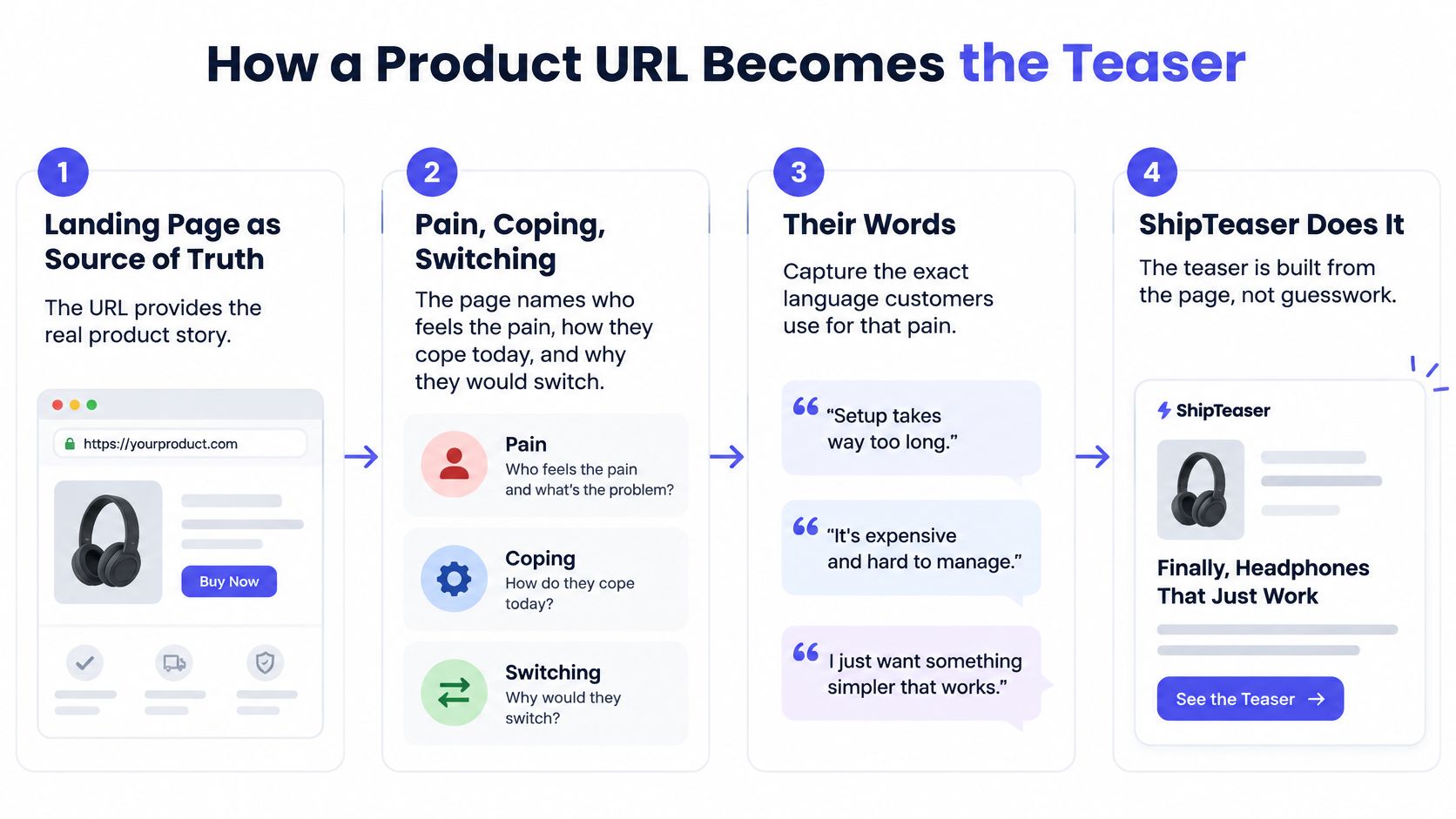
Treat the landing page as the single source of truth. Founder-focused launch guidance from PeerPush says a useful page names who feels the pain most acutely, how they cope today, why they would switch, and the words they use for that pain. ShipTeaser doesn't ask for a shot list. The page is the brief.
Five moves, in order
- Paste the public product URL. ShipTeaser starts from that one link. Private staging pages and login walls don't count, because the pipeline can only read what a stranger can already see.
- ShipTeaser reads the page. On-page copy, screenshots, and visible brand cues such as colors and product imagery become the raw material. There is no separate brand kit to upload.
- ShipTeaser writes a five-scene script from that page. The scenes are hook, problem, solution, proof, and CTA. Claims come from lines that already exist, not from a prompt you type beside the URL.
- ShipTeaser assembles a silent motion-graphics teaser. Screens and type move. There is no voice-over. An optional music bed can play, so the file isn't a silent vacuum, but nobody talks.
- Download a 1080p file. Pick 16:9, 1:1, or 9:16. Generation takes about two minutes. The first video is free and doesn't require a credit card.
There is no timeline, no clip trimming, and no separate prompt box. You don't rearrange scenes after the fact. You change the page, then you generate again.
When the page is thin
A vague headline produces a vague hook, because the pipeline can't invent a sharper claim than the page states. "The modern way to work" becomes a mushy opening frame. "Stop rebuilding invoices from memory" becomes a hook a stranger can judge.
Practical rule: Fix the headline, the problem line, and one proof line, then generate again. Three honest sentences beat a paragraph of atmosphere.
If the page has no screenshot, the solution scene has nothing real to show. If the only proof is a vibe, leave proof off rather than invent a quote. The next pass assigns one job to each of the five scenes, and a thin page will fail that test in public.
Why 15 Seconds Beats a Long Demo
For an early-stage software launch, a repeatable 15-second teaser is the asset. A long narrated demo is a later extra.
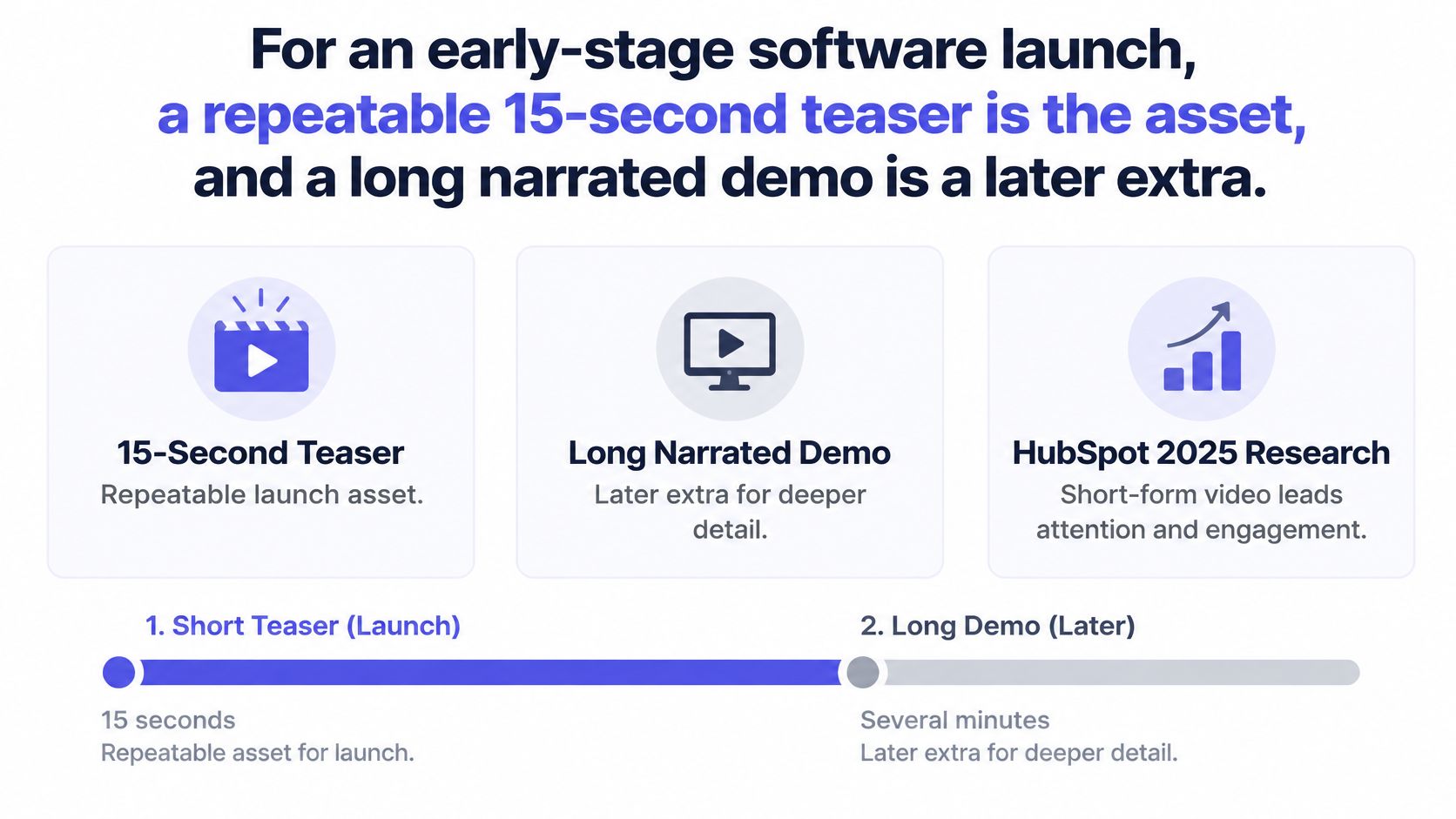
HubSpot's 2025 marketing research calls short-form video the highest-ROI content format, chosen by 21% of marketers, ahead of images at 19% and livestreaming video at 16%. That research treats short-form as typically under 60 seconds, so a 15-second file sits inside that band with room to spare. ShipTeaser locks the length into five scenes: hook, problem, solution, proof, and CTA.
Fixed length is the feature
A founder can review five lines instead of a timeline. A fixed length also forces one claim, which is what a muted feed can absorb. You aren't choosing between a good film and a bad film. You're choosing whether the post exists before the launch thread goes up.
The opening three seconds are the filter. If the hook frame is a logo fade, the rest of the 15 seconds never gets a chance. Put the pain in words on frame one, large enough to read with no voice carrying it. A tighter look at the three-second hook is worth doing before you export every ratio. If you are also posting vertical, find the best length for Reels and keep this teaser inside a length people finish.
A product demo explains every control. An AI product video only has to make a stranger stop, see the pain, see the product, and know the next click.
Post on the calendar you already have
This is a weekly communications format for launches and feature posts, not a film you make once a year. Four moments justify a teaser:
- Beta open: one promise and the signup.
- Feature drop: one new behavior, not the whole roadmap.
- Proof post: a screenshot that is already on the page.
- Public launch day: the same CTA as the button.
Each one is a reason to post, so the weekly cadence follows the calendar rather than the other way round. Don't manufacture a fifth moment because a content calendar looks empty.
Five Scenes in a Software Launch
Say a solo founder is launching LedgerHour, a time tracker for freelance designers. The page already says designers lose billable hours in a notes app, then guess a total at month end. The button says "Start free." A weekly billable total is already on the page as a screenshot. That is the entire script.
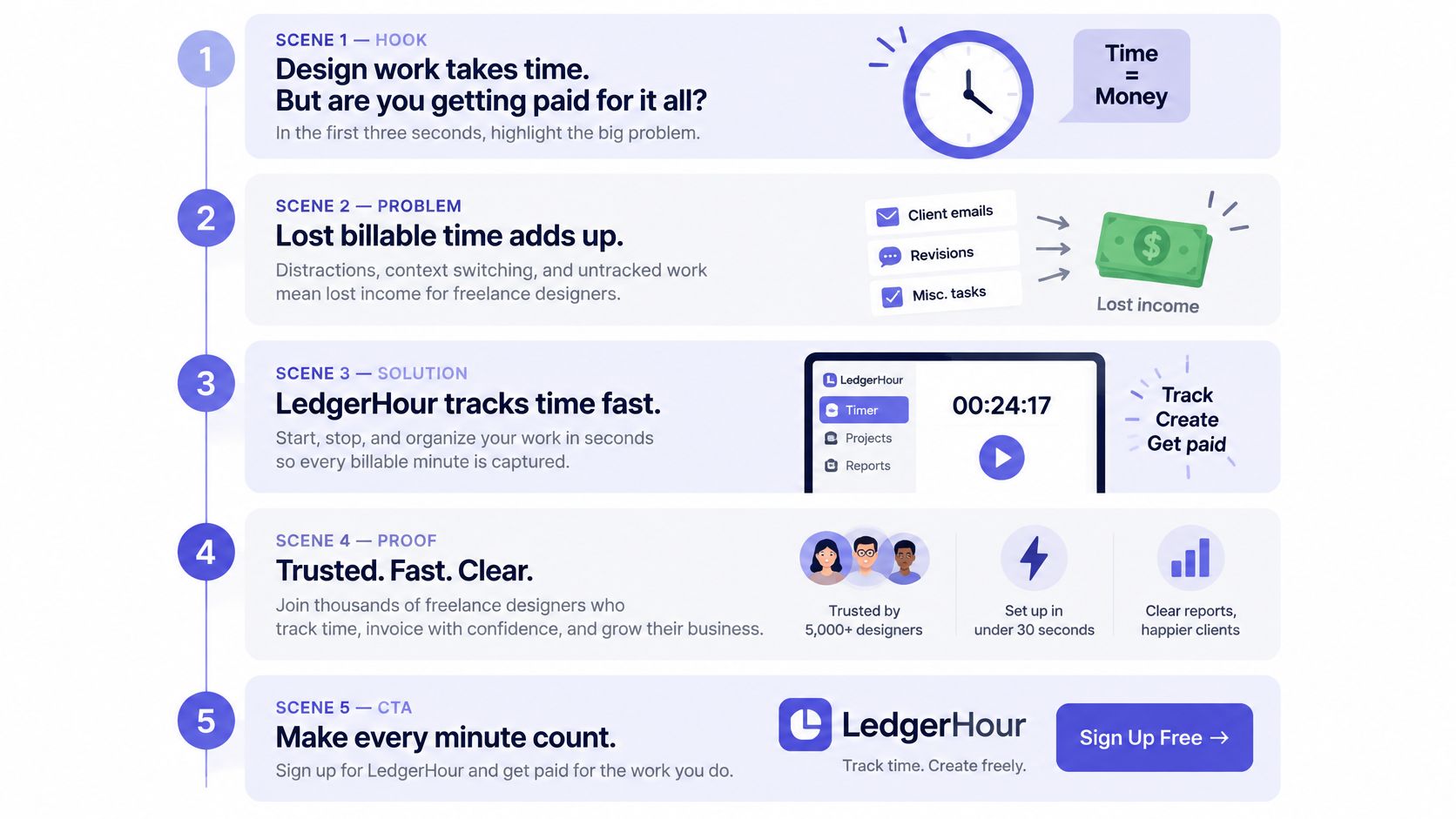
One job per scene
Scene 1, hook, about the first three seconds. Frame one reads "Stop rebuilding invoices from memory." No logo animation. If the first frame is a wordmark, you spent the only guaranteed glance on a name the stranger doesn't care about yet.
Scene 2, problem. The current workaround is a notes app and a guessed total at month end. One pain. Don't also mention taxes, late clients, and scope creep. Those are other posts.
Scene 3, solution. The product UI does one impressive thing: a timer tied to a client. Not a tour of settings. A stranger should see the product doing the job the hook named.
Scene 4, proof. Use the weekly billable total already on the landing page. Not a made-up testimonial. If LedgerHour's page doesn't show that number, this scene doesn't get to pretend it does.
Scene 5, CTA. The same action as the page button: "Start free." A different verb ("Book a demo," "Join the waitlist") sends people to a promise the page doesn't keep.
These five jobs are the whole 15 seconds. If a scene repeats the hook, cut a claim. Don't add a sixth idea. A product video script that tries to teach the product will not fit, and it shouldn't.
Same words, three frames
Use 16:9 when the post sits in a wide player, 1:1 for a square feed crop, and 9:16 for a vertical scroll. The words stay the same. Only the frame changes. Type must be readable with sound off, because there is no narration to rescue a muddy line. ShipTeaser pulls those lines from the page, so write them on the page first, in the size and contrast a phone can read.
If you wouldn't put the sentence on the hero, don't expect the teaser to make it true.
Features to Demand and Limits to Accept
The spec table tells you length and resolution. It doesn't tell you whether the file is honest. Judge the file against a short checklist, then accept what ShipTeaser will not do.
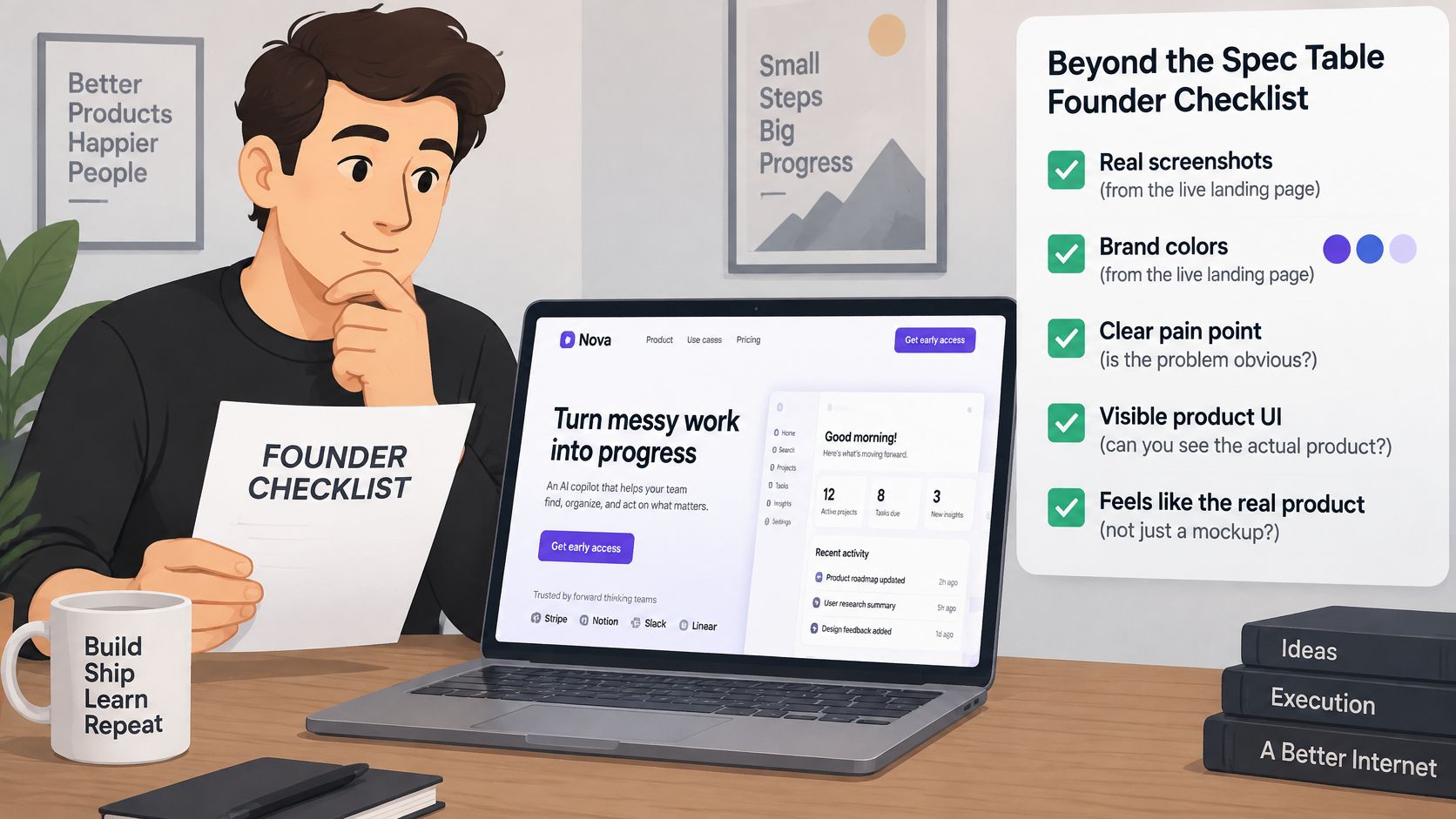
Demand these
- Live-page visuals: Screenshots and brand colors come from the live landing page, so the teaser shows the actual product rather than a generic mockup.
- Type that carries the story: On-screen words work alone, because the file has no narration to explain a blurry label.
- A file you can post: An optional music bed, plus a download you publish without further assembly. The launch video specs worth caring about are the ones you can check in two minutes, not a color grade you will never touch.
Accept these limits
ShipTeaser does not make AI avatars. ShipTeaser does not add a voice-over or narration. ShipTeaser does not include a video editor or a timeline. ShipTeaser does not screen-record, pull stock footage, or turn a freeform prompt into video. ShipTeaser does not dub, subtitle, translate, or trim clips.
Silent means no voice-over. It doesn't mean a file with no audio at all, because an optional music bed is available.
A founder who wanted an editor will be frustrated. A founder who wanted a postable teaser before lunch will not. The proof scene can only use claims the landing page already makes. That limit is the product, not a missing feature.
Disclose AI Use Without Losing Trust
Label AI use in the post caption. Readers judge a launch by its honesty, and a fast teaser still looks slippery if you pretend a person filmed it.
A global survey of 2,385 consumers found that transparency materially affects confidence in AI-generated video, and 59.5% preferred an explicit in-video label or icon when AI was used. Use that preference as the default. Say in the caption that the teaser was built from your product page, so the screenshots are real. One sentence is enough. You don't need a disclaimer essay.
Don't present a generated clip as filmed footage of a customer or a user. The proof scene is only credible when the claim is real. A fake quote next to a real screenshot poisons both. When you have a real screen recording or a filmed reaction, post it as its own asset instead of hiding it behind motion graphics.
- Check proof. Every proof line already exists on the landing page. If it doesn't, delete it from the page's hero before you generate, or don't generate yet.
- Name the method. Write one caption sentence that names the teaser as built from the page.
- Sequence the posts. Post the teaser, then a real demo later when you have one.
A synthetic teaser can still undermine credibility if it hides how it was made. The disclosure costs one sentence and protects the launch.
Pick a Weekly Plan Before Launch Week
Plans are a publishing cadence, not unlimited generation. Buy the week you plan to post.
HubSpot reports that 75% of marketers planned to maintain or increase their investment in short-form video, while 90.35% planned to maintain or increase overall video investment. The same research says 30% of both B2B and B2C marketers use short-form video, and it ranks as the highest-ROI format. ShipTeaser maps that habit to three volumes, not to a pile of unused files. The product video cost only makes sense against posts you will publish.
| Plan | Price per month | Videos | Fits a founder who |
|---|---|---|---|
| One a week | $99 | 1 per week | Posts one launch or one follow-up |
| Two a week | $149 | 2 per week | Posts a feature drop and a proof clip |
| Four a week | $199 | 4 per week | Posts four distinct product moments |
| First video | Free | 1 video | Wants to test the page before paying, no credit card |
Match the plan to the week
Choose $99 if you're shipping one launch film and a single follow-up that week. Choose $149 if a feature drop and a proof post both need to go out. Choose $199 only if you're posting four distinct product moments in the same week, such as a beta open, a screenshot of the core loop, a customer proof line already on the page, and the public launch.
Don't buy the largest plan to stockpile files you won't post. Four teasers of the same headline is one post wearing four outfits. The practical next step is to paste the product URL, take the free 15-second file, and only then pick the weekly volume that matches the calendar.
FAQ
Does ShipTeaser add subtitles or other languages?
No. ShipTeaser doesn't dub, subtitle, or translate. The on-screen lines are pulled from the landing page, so the language of the page becomes the language of the teaser. If you want a French line, write that line on the page, then generate again.
Can one teaser run in all three ratios?
Yes. The words stay the same across 16:9, 1:1, and 9:16, and only the frame changes. Check the hook in each ratio before posting, because a line that fits a wide frame can collide with the edge of a vertical one.
Can a founder edit the file after it is generated?
No. ShipTeaser has no timeline and no clip trimming. Change the landing page copy, then generate again to get a new file. That loop is faster than a cut you would make by hand, and it keeps the teaser tied to claims the page still makes.
ShipTeaser turns one product URL into a 15-second, 1080p motion-graphics teaser in about two minutes, with a hook, problem, solution, proof, and CTA you can post the same morning. The first video is free, no credit card, and it will only be as sharp as the page you paste. Paste your launch URL at ShipTeaser and judge the file against the claims you already published.