Launch day exposes every shortcut you took in the six weeks before it. In 2024, 45.1% of go-to-market professionals reported having a clearly laid out product launch process, according to MysteryDemo's State of GTM 2024 summary. The rest improvised, and the busiest day your product has ever had is a bad time to start.
A product launch checklist works because it removes decisions from launch week and turns them into work you finished earlier. This one runs as a single timeline of 10 steps in order: set a goal, build an audience, prepare your assets, tighten your page, wire up tracking, pick channels, staff the day, gather proof, plan the weeks after, and test the flow end to end. Video sits inside step three as a first-class item, not as something you record the night before.
Work the list in sequence. Each step feeds the one below it, and skipping ahead is how founders end up writing landing page copy on launch morning because the goal was never specific enough to write against.
The timeline to hold: goal and audience six to eight weeks out, page and tracking two weeks out, assets and dry runs in the final week, then four weeks of follow-up content after launch day.
1. Set One Measurable Launch Goal
Pick one number the launch has to move and write it at the top of the document: 300 waitlist signups, 100 trials in the first week, or 50 paid conversions. Every other line on a product launch checklist serves that number. Launch work is a job, not a side effect of shipping, and in 2025, 80.9% of product marketing professionals listed managing product launches as a main responsibility, according to Product Marketing Alliance survey data. A job with no number attached can't be judged.
Set the target from your own traffic rather than from hope. Take last month's visits and trial rate, assume a good launch triples traffic for a week, and put the goal a little below that so it's both reachable and worth talking about.
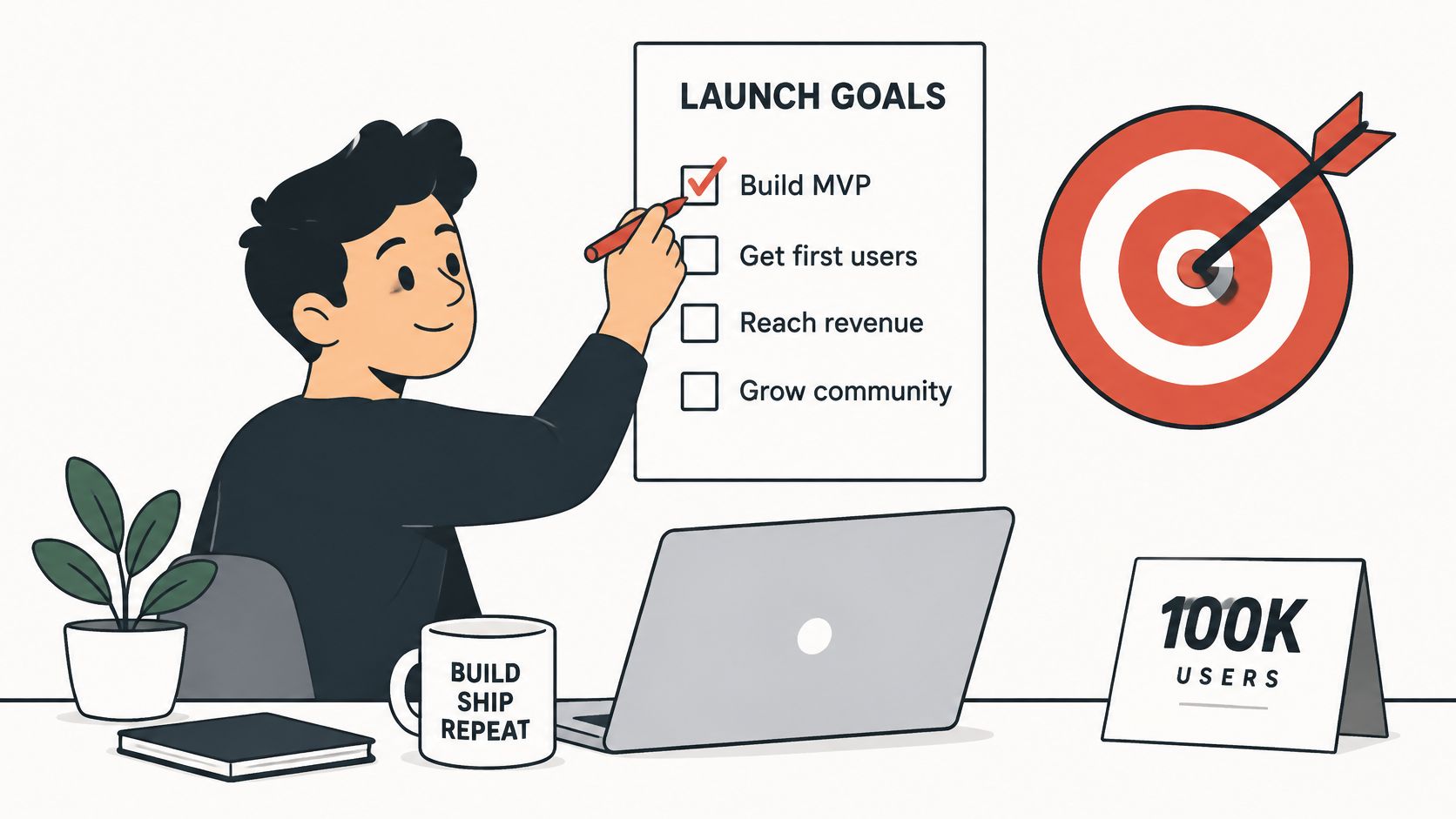
Upvotes are not a goal
A launch that gets 400 upvotes and 12 trials is a worse outcome than one with 60 upvotes and 90 trials. Impressions tell you a post was seen. The one number tells you whether the product fit. Without a target set in advance, you'll celebrate whichever metric looks best on the day.
Write it on the first page: the goal goes above the tasks, so every weekly review starts there.
Review it every week: a goal you check on launch day is a report, not a plan.
Say a solo builder targets 200 trials in seven days and tracks progress daily in a shared sheet. On day three the sheet shows 40 trials, most of them from one channel, so the next two days go into that channel instead of the planned newsletter swap. The number steered the launch instead of grading it.
2. Build a Waitlist Before You Launch
A waitlist is the difference between launching to strangers and launching to people who asked to hear from you. Atlassian's product launch checklist recommends starting at least 6 to 12 months before the target launch date, which sounds absurd for a solo builder until you split it: use the early months to validate the problem and the positioning, and the final six to eight weeks to collect names.
Put a single email field on a page that explains the product, then send a short update every week until launch. Frequency beats length. People who joined early become your first buyers, your first testers, and the voices in the comments on launch day.
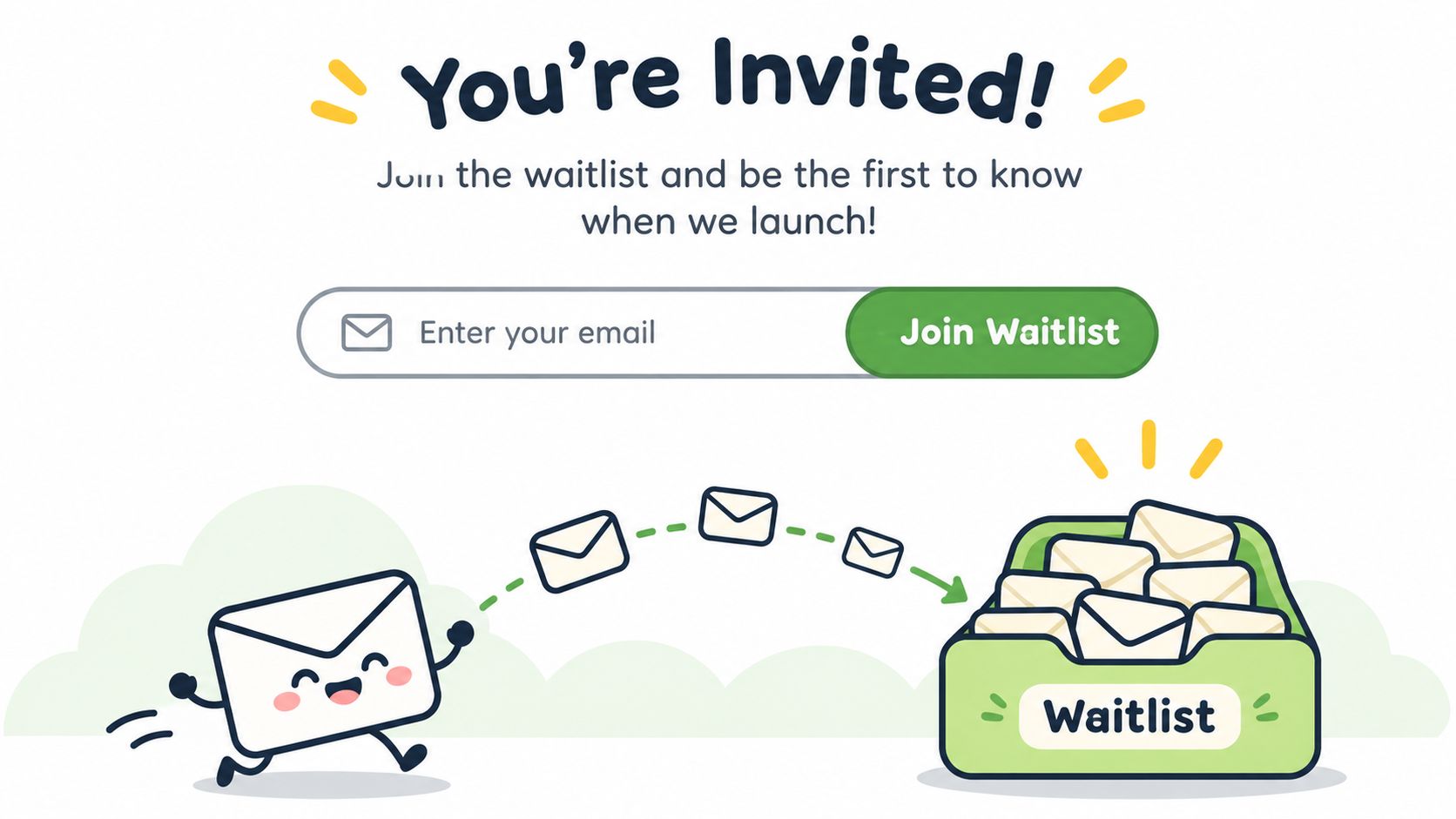
Ask one question at signup: "What do you use for this today?" The answers become landing page copy, teaser scenes, and objection handling.
Send the date 72 hours out: one email with the launch date, a one-line description, and the link. Don't ask people to remember.
Keep the list warm: a weekly note beats a single blast after six weeks of silence.
Dropbox built demand with an explainer video and a waitlist before its public beta, and solo builders copy the pattern because it costs almost nothing. This rundown of seven lead capture patterns covers the placements that convert best.
3. Prepare a Launch Asset Kit With a Teaser Video
A launch asset kit is the small set of files you post on launch day: one teaser video, three or four screenshots, a one-line description, and a short thread. Video belongs in that kit because the audience expects it. Elogic's launch readiness checklist cites survey figures showing 91% of businesses used video for marketing in 2026 and 69% of video marketers favored social video.
Different feeds want different shapes. A reference on social video aspect ratios maps 16:9 to standard YouTube video, X, embedded players, and OTT placements, 9:16 to Reels, Shorts, TikTok, and Stories, and 1:1 to a broadly compatible square format, with example resolutions of 1920 by 1080, 1080 by 1920, and 1080 by 1080. Pick your channels before you build the kit so the screenshots and clips match the placements.
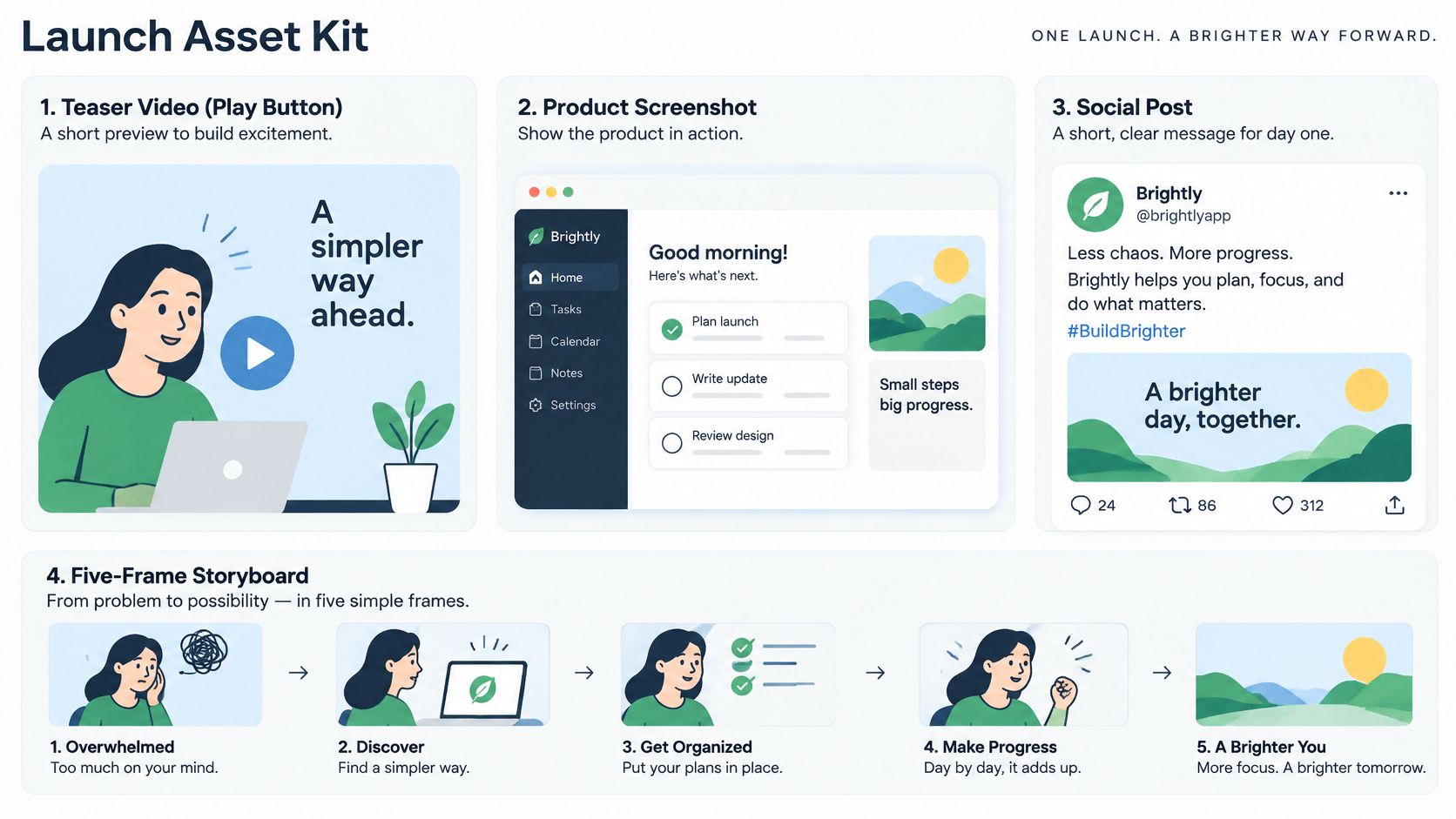
ShipTeaser covers the video line of that kit. Paste your product URL and it renders a 30-second 1080p MP4 with five beat-cut scenes: hook, problem, solution, proof, and call to action. The file is built for silent feeds, ends with your own call to action, needs no export settings, and is ready for X, LinkedIn, Product Hunt, or your launch page. Before you commit, the free audit needs no account and returns the five launch angles your page can carry: the named pain, the outcome, the number, the time saved, and the gesture, along with the lines that carry them and what is missing. The SaaS launch video workflow shows the full run order.
Fix the headline first: the teaser reads your page copy word for word, so generate it after the copy is final.
Watch every render: generated video can misread the brand or state a fact wrong, so review each cut before it ships.
Generate a week out: you want room for one more pass after review, not a scramble on launch morning.
A solo founder pastes the landing page URL, generates the teaser, uploads the MP4 to YouTube as a public video, and pastes the full URL into the Product Hunt gallery, all in the same afternoon.
4. Write a Landing Page That Explains the Product in Five Seconds
Launch traffic arrives fast and leaves faster. Your first screen needs one headline, one sub-headline, one primary call to action, and two or three proof points you can verify. If a visitor can't answer "what does this do and who is it for" without scrolling, more traffic won't save the launch.
Speed is part of the message. A practical SaaS launch checklist from TapCub sets a performance gate of Largest Contentful Paint at 2.5 seconds or less at the 75th percentile, so three in four visitors see the main content inside that window. A page that paints in five seconds loses people before the headline lands.
A developer tools founder swaps a feature list for the outcome the customer gets, then runs the new headline for a week before launch. The test costs seven days and tells you whether the page explains the product before you point a launch crowd at it.
The read-aloud test
Read the headline to someone who has never seen the product, then ask what it does. If they guess wrong, rewrite it. You learn more from that one conversation than from a week of dashboard watching.
One primary call to action: every other link on the page is secondary and should look it.
Pair page and video: use a landing page video that carries the same headline so the first five seconds work with the sound off.
5. Set Up Analytics and Conversion Tracking
Before launch day, confirm you can see visits, signups, and activation for every channel on its own. Without that split you can't tell which post brought the users who paid, so you can't repeat it. Speed isn't the problem any more: the State of Product Launches report from Appcues finds that 75% of marketers are shipping faster, yet only 7% believe their launch process is keeping up. The gap is measurement, not output.
Tag every link with source and campaign parameters. A unique UTM per post turns "social did well" into "one community post drove more trials than three paid ads combined", which is a finding you can act on next week.
Test on two devices: click every link and fire every event on a phone and a desktop before launch.
Write the baseline down: save last week's visits, signups, and activation numbers in one file. You need a comparison, not a memory.
Keep one naming scheme: pick it early and don't invent a new one at 9am on launch day.
If a number can't change a decision next week, it doesn't belong on the dashboard.
A founder tags each post separately, finds that a mid-week community post outperformed paid spend, and moves next month's budget to community. That decision doesn't exist without the tag. This breakdown of product launch metrics covers the shortlist worth a dashboard.
6. Choose Launch Channels and Build a Dated Plan
HubSpot's product launch checklist treats channel setup as its own step, separate from positioning, assets, and testing. That separation earns its place. A channel with no date and no owner rarely gets the post it needs.
Pick three to five channels where your buyers already spend time. Product Hunt, subreddits that allow promotion, indie maker communities, LinkedIn, and X are the usual set for a software launch. Five is the ceiling, not the target.
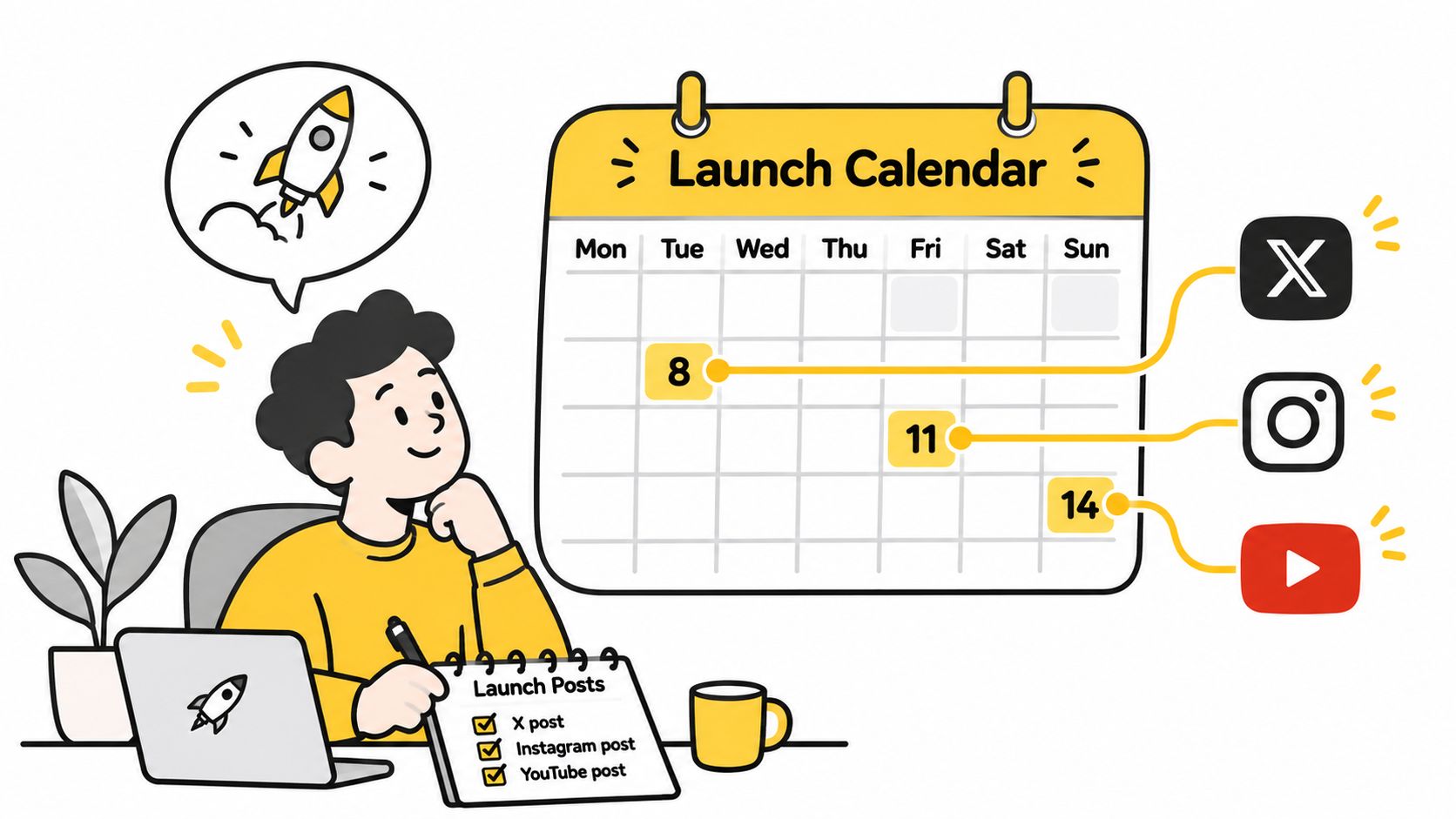
One date, one format, one owner
Give every channel all three. A solo builder launches on Product Hunt on a Tuesday, posts a teardown in an indie maker community on Wednesday, and shares a customer story on LinkedIn on Thursday. Three posts, three dates, one person, no ambiguity about what happens when.
Read the rules first: every community has a self-promotion policy, and a removed post on launch day is a wasted week.
Reserve launch day for replies: broadcast posts schedule themselves. Conversations don't.
This guide to the best places to launch a product is a useful check on which communities still tolerate a launch post, and where to launch a software product narrows the list to channels that produce trials rather than traffic.
7. Staff Launch Day With Fast Support and Feedback Capture
Launch day brings questions, bug reports, and signup friction within hours, and the first four hours set the tone for the week. Block the day on your calendar. Keep a support inbox or a dedicated channel open and reply to every comment and email for the first 24 hours.
Log feedback in one shared document, tagged by type: bug, confusion, feature request, pricing question. Fix the top three issues before week two.
Launch day is a support shift with a marketing post attached. The founders who answer within the hour earn more trust than the ones with the best-designed announcement graphic.
Pre-write five answers: pricing, data handling, "how is this different", roadmap, and where to get help. Copy and paste beats composing under pressure.
Set a triage rule: anything that blocks signup or payment gets fixed the same day. Everything else waits for the week-two list.
Book one hour a day in week one: read the feedback, tag it, and decide what ships next.
A broken signup link reported in the first hour is a ten-minute fix if you're watching, and a lost afternoon of traffic if you're at your day job.
8. Collect Early User Proof Before You Need It
Proof is what turns a stranger into a trial user. Ask your first 10 to 20 users for one line about the product, a before-and-after number, or a screenshot of how they use it, and get written permission to publish. That proof then goes in three places: the landing page, the proof scene of your teaser, and every post you write for the next month.
The validation bar is more concrete than most founders assume. One indie launch checklist recommends speaking with at least 20 potential users through real conversations, studying five direct competitors, and preparing several versions of the elevator pitch. Those conversations are where the quotable sentences come from.
Ask within 48 hours of a user's first successful result, while the relief is fresh. A specific line about time saved beats a five-star review, because a reader can check it against their own week.
Get permission in writing: a screenshot of the user's approval in a message is enough, and it protects you when the quote travels.
Use real numbers only: if the user confirms a time saving in writing, quote it. If not, run the quote without a number.
A founder asks five beta users for one sentence each about time saved, then uses the strongest quote in the teaser's proof scene and in the launch post. One sentence, three placements.
9. Plan a Weekly Content Cadence After Launch
A launch creates a spike, and the spike fades within days unless you keep posting. Plan four weeks of follow-up before launch day: a teardown, a customer story, a feature update, and one short product tip. Four posts, four weeks, one recognizable format.
Treat the period after launch as a measurement window, not a victory lap. Userpilot's product launch guidance recommends tracking pre-launch demand, launch traffic and signup conversion, trial-to-paid conversion, and post-launch activation, retention, churn, and revenue, then comparing adopters with comparable non-adopters at checkpoints such as Day 60 and Day 90. It also suggests comparing weekly-cadence users with one-off users, which is exactly the question a content plan should answer.
The question the series has to answer
If the people who arrived during a weekly series retain better than the ones who arrived on launch day and never saw another post, the cadence is doing real work. If they don't, you're producing videos for the archive.
ShipTeaser's Starter plan is $99 per month for 4 videos and Growth is $199 per month for 8 videos, which maps to one or two posts a week without opening a timeline editor. Start on the lower plan and upgrade when four straight weeks have shipped.
Keep the format identical: same opening beat, same pacing, same end card, so the series is recognizable in a feed.
Match the plan to your real cadence: a plan you can't keep produces four videos and then silence.
A solo founder runs a weekly teaser for four weeks, each one on a different feature, and compares which week brought the most trial signups. That answers a question launch-day traffic can't.
10. Test the Signup and Onboarding Flow End to End
Sign up with a fresh email address on a phone and on a desktop, then complete the first key action a new user is supposed to complete. Note every step that confuses you or takes longer than a minute. Broken email confirmations and missing first-run guidance cost more signups than any headline problem.
Run it with a stranger
Sit someone who has never seen the product in front of the flow and watch where they hesitate. Write their words down verbatim, not your interpretation of them. The first ten seconds of confusion is usually the most valuable fix of the week.
Check the confirmation email: Gmail, Outlook, and one work domain. If it lands in spam, fix the sending domain or put a note on the signup page.
Freeze the product 48 hours out: critical fixes only. Every change in the final two days is a change nobody has tested.
Walk the payment path with a real card: a small charge and a refund is cheaper than finding broken checkout at peak traffic.
A founder discovers the confirmation email lands in spam for one email provider and adds a clear note on the signup page before launch. One sentence of copy saves a hundred support tickets.
The 10 checklist steps at a glance
| Step | Phase | Key deliverable | Time investment | Difficulty |
|---|---|---|---|---|
| 1. Set one measurable launch goal | Planning | A primary metric with a target, due date, supporting metrics, and owners | Low; review weekly | Low |
| 2. Build a waitlist before you launch | Pre-launch | An email waitlist with a clear offer and weekly updates | Ongoing; start 6–8 weeks before launch | Moderate |
| 3. Prepare a launch asset kit with a teaser video | Pre-launch | A teaser video, screenshots, product description, and launch post | Low; video generation takes about 2 minutes | Low |
| 4. Write a landing page that explains the product in five seconds | Pre-launch | A focused landing page with a clear headline, call to action, and proof | Moderate; allow time to test messaging | Moderate |
| 5. Set up analytics and conversion tracking | Pre-launch | UTM-tagged links, signup and activation events, and a dashboard | Moderate; setup and testing required | Moderate |
| 6. Choose launch channels and build a dated plan | Planning | A dated two-week channel calendar with post formats and owners | Moderate; research and scheduling required | Moderate |
| 7. Staff launch day with fast support and feedback capture | Launch day | A staffed support channel and shared feedback log | High; block launch day for support | Moderate |
| 8. Collect early user proof before you need it | Pre-launch | Approved user quotes, results, or screenshots for launch materials | Ongoing; depends on early user activity | Moderate |
| 9. Plan a weekly content cadence after launch | Post-launch | A four-week content calendar with repeatable teaser posts | Ongoing; weekly effort and budget | Moderate |
| 10. Test the signup and onboarding flow end to end | Pre-launch | A tested signup-to-activation flow and prioritized fixes | Moderate; test across devices and browsers | Moderate |
Run the Checklist, Then Ship
A launch checklist earns its place when it keeps decisions out of launch week. Put every task in one document, assign one owner to each, and attach evidence: the asset, a tracking screenshot, or permission to use a customer quote.
Set the goal and start building the waitlist six to eight weeks out. That leaves room to adjust the product and audience. Lock the landing page and tracking two weeks before launch, when late changes are more likely to introduce risk than improve the launch.
The last seven days
Use the final week to finish assets and run dry runs. Build the kit, generate the teaser from the finished page copy, and test signup on a device you do not normally use. ShipTeaser reads your product page and creates a 30-second, 1080p MP4 for launch channels. Review the video for factual errors and brand accuracy before publishing.
Launch day is a support shift with a marketing post attached. Reply quickly and log feedback. The work continues after the first post, as you answer questions and fix bugs.
Pin the timeline where the team can use it:
Six to eight weeks out: set the goal, start the waitlist, confirm positioning, and talk to the target audience.
Two weeks out: lock the landing page, test tracking, and assign owners and dates to channel posts.
One week out: finish the asset kit, generate and review the teaser, complete dry runs, and open the feedback log.
Launch day: answer replies, record feedback, fix urgent issues, and hold new features.
Month after: publish weekly for four weeks, review results on Day 30, and record lessons for the next launch.
Keep the post-launch cadence for four weeks. Compare people who arrived through that series with launch-day visitors, then measure both groups against the goal you set at the start. Record what to change next time. That note gives the next launch a practical starting point.
A launch run in this order gives the team clearer responsibilities, cleaner measurement, and a defined point to assess results.
ShipTeaser turns a product page into a 30-second, 1080p video made of five scenes: hook, problem, solution, proof, and call to action. The MP4 is ready for X, LinkedIn, Product Hunt, or a launch page, with no export settings to configure. Paste the URL, review the video before publishing, then post it during launch week. Run the free audit at ShipTeaser to see the five launch angles your page can carry before committing to a video. The check takes one URL and a short review pass.