The landing page went live at nine in the morning. You posted the link in three places, refreshed the analytics dashboard eleven times before lunch, and ended the day with a few hundred views, a handful of signups, and no real idea whether any of it worked. Treating a launch as a single announcement day leaves that gap open: attention arrives, then fades before anyone has decided what would count as working.
A product launch process is a staged sequence that runs from positioning to a post-launch review, with five stages: positioning and research, pre-launch build, launch readiness, launch day, and post-launch review. Each stage has one named owner, one required output, and a decision that must be made before the next stage starts. The sequence exists to produce evidence on a fixed timetable about whether people keep using the product after the attention fades.
Launch Stages, Owners and Outputs at a Glance
Five stages, five outputs, and a decision that closes each one. Positioning and research, six to eight weeks out, produces the target user, the core promise, and the proof points. Pre-launch build, two to four weeks out, produces the landing page, the screenshots, the launch video, and the access details. Launch readiness, the final week, produces a go or no-go checklist with tracked links. Launch day produces the announcement and the first replies. Post-launch review, from 30 to 180 days, produces a decision: change the message, change the product, or keep going.
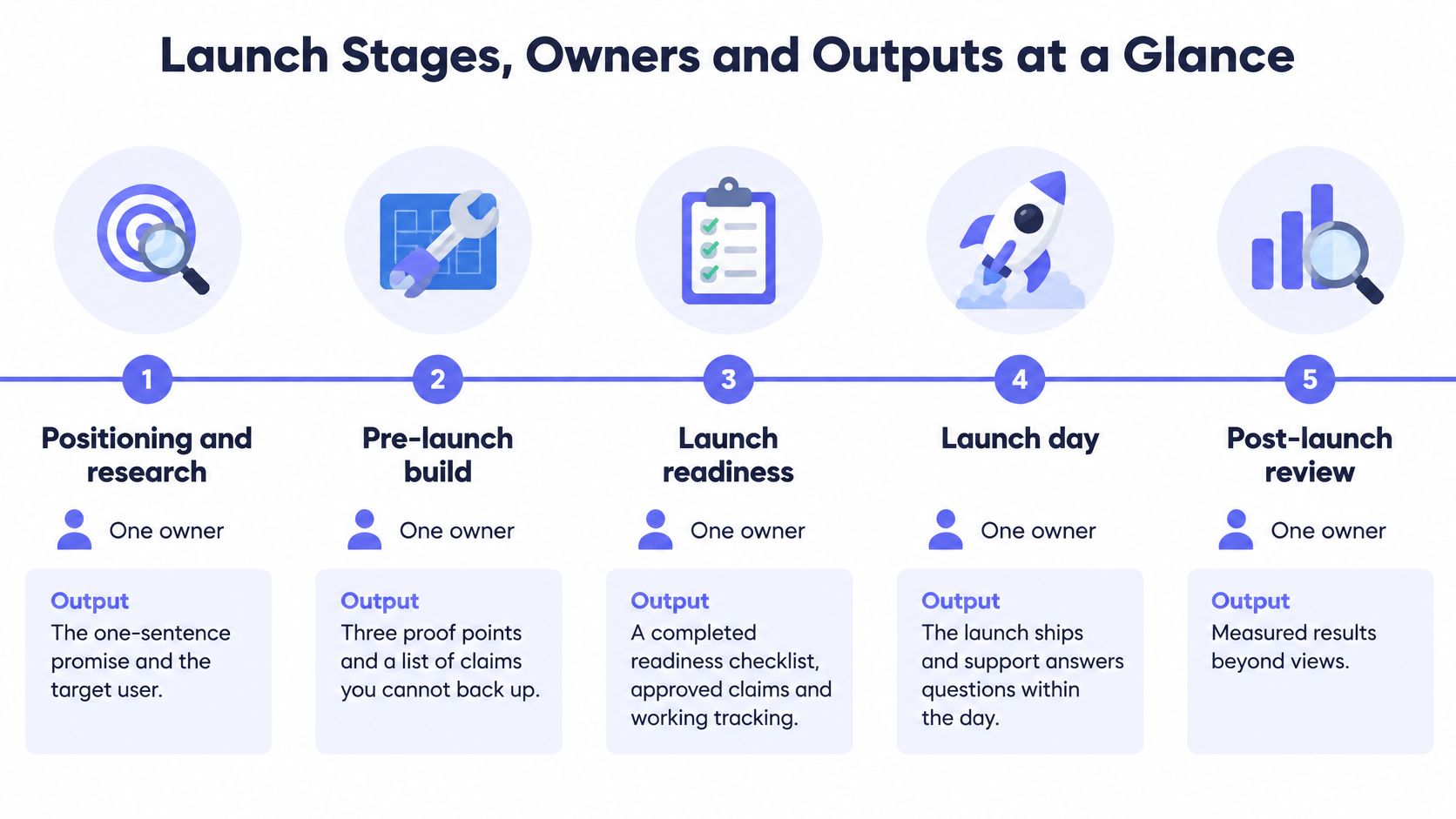
The rule that keeps this from collapsing is one owner per stage. Not a committee, not "product and marketing" in the abstract. One person whose name sits next to the stage and who signs off that the output exists as a link or a document. Shared ownership at this scale means nobody checks.
Here's the whole map in one place, so you can find the stage you're in rather than the one you planned to be in.
| Stage | Typical timing | Owner | Required output |
|---|---|---|---|
| Positioning and research | 6 to 8 weeks before launch | Founder or product lead | Target user, core promise and proof points |
| Pre-launch build | 2 to 4 weeks before launch | Product and marketing | Landing page, screenshots, launch video and access details |
| Launch readiness | Final week | Whole team | Go or no-go checklist and tracked links |
| Launch day | Launch day itself, plus the first 72 hours | Founder with support | Announcement posts and first replies |
| Post-launch review | 30 to 180 days after launch | Product marketing and founder | Decision on messaging or product fixes |
Plenty of teams run this sequence with holes in it. In 2024, 45.1% of go-to-market professionals said they had a clearly laid-out product launch process, while 41.2% said they only somewhat had one, according to the State of GTM 2024 survey summarized by MysteryDemo. The remainder work from memory and momentum, which is fine until the launch that matters.
If your product ships through app stores, the release mechanics sit underneath this timeline and can move it. LetsDeployIt's app release guide covers the review windows, staged rollouts, and rollback planning that determine whether your launch date is a choice or a wish.
How to read the map: find the stage you're in, write the owner's name beside it, and don't advance until the output exists somewhere you can link to.
Then move to the next row. That's the entire discipline.
How to Run the Pre-Launch Stages Step by Step
A launch usually fails because evidence arrives in the wrong order: assets get polished before the promise is approved, and channels are chosen before anyone defines the event that proves demand. 75% of marketers say their products ship faster than the prior year, while only 7% say their launch process is keeping pace, according to the State of Product Launches survey summarized by Appcues. More output, same amount of thinking.
What works is a fixed order of work with an approved input at the front.
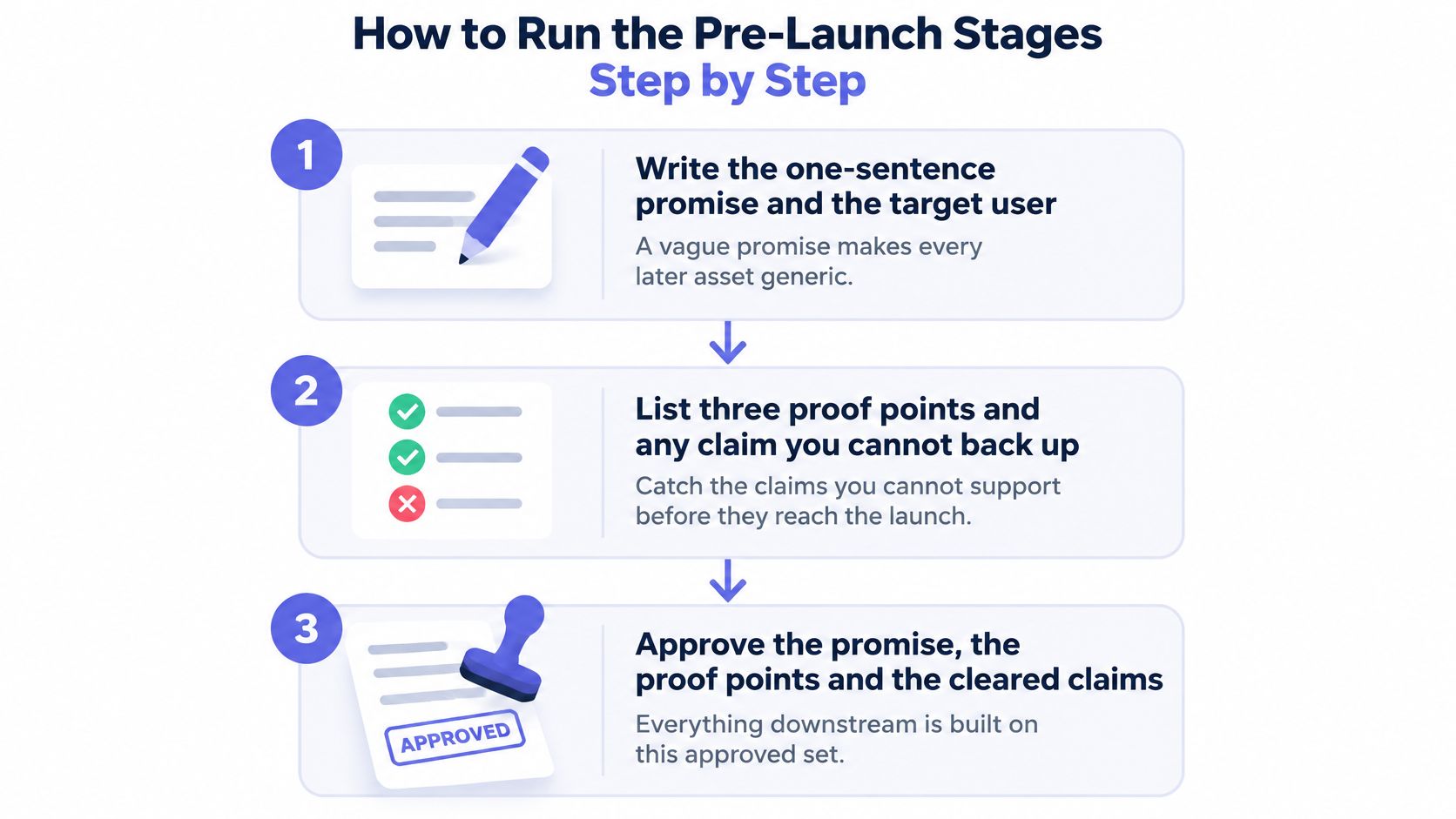
Write the one-sentence promise and the target user. Use the fill-in frame "For [who], [product] does [what] so they can [outcome]." A weak version names the category, such as "a better way to manage projects," instead of the change the user gets; if the sentence could sit on another product's page, keep working.
List three proof points and every claim you can't back up. Put them in two columns on the same page. The right-hand column becomes the prohibited claims list, so a commenter does not assemble it for you in public.
Set the launch date, the channel list, and one conversion event. Choose one event, such as a signup or an activation. If page views become the report, the team is measuring attention instead of demand.
Build a source-of-truth brief. Include the approved promise, audience, proof points, prohibited claims, visual rules, captions, transcript, and localization notes. The brief is the decision record: two people producing content from memory will produce two different products.
Produce the assets in native formats. Build a landing page, screenshots, and video in 16:9, 1:1, and 9:16 so each placement gets a file made for it. In Google Ads format guidance, Google reports that adding a vertical asset to a Demand Gen campaign produced more than a 35% increase in Shorts conversions, and adding vertical video to a Video View campaign increased Shorts view-through rate by more than 40% compared with horizontal assets alone. The common slip is cropping one master file for every feed and calling it done.
Run a readiness check. Confirm tracked links, mobile load, captions, and a second-person read of every claim. The common slip is finding the broken signup link at 9am on launch morning, in front of an audience.
Assign roles for the first 48 hours. Name who answers comments, who watches the conversion event, and who is allowed to change copy. Unowned work at launch hour gets postponed.
What Ready Looks Like
Every stage output exists and is linked. The conversion event is tracking and you've seen it fire with your own test signup. Anything short of that is a hold.
Solo builders still need the roles. Write each one on the brief and give it a separate block of time, because the failure mode is answering comments, watching the dashboard, and rewriting the headline simultaneously. Mark which decisions need a second reviewer, starting with any claim about results. If no second person exists, leave 24 hours between writing a claim and publishing it, then read it again cold.
Teams that want an audience waiting before day one can borrow the reservation mechanics in PledgeBox's Kickstarter pre-launch playbook, which map cleanly onto a software waitlist.
Approve the Launch Video Before You Post
The video belongs inside step five, after the brief is approved, never before it. The production barrier that stops teams here is documented: 37% of marketers who weren't using video didn't know where to start, and 26% cited lack of time, according to Wyzowl's 2025 video marketing report summarized by Bunker Hill Media.
A URL-based generator narrows the job to one input. Paste a product URL and ShipTeaser renders a 30-second 1080p MP4 built from five beat-cut scenes: hook, problem, solution, proof, and call to action. The tool reads the live page for copy word for word, colors, type, logo, and real screenshots, so there is no asset collection and no separate brief to assemble. Any context you push only enriches that extraction. The output is silent motion graphics with no faces and no voice-over, so any message that needs narration or frame-precise editing belongs on the landing page.
Thirty seconds is the right length for what this asset does. HubSpot's marketing statistics summary reports that 51% of respondents consider 30 to 60 seconds optimal and 91% consider videos under two minutes effective, so a 30-second cut sits at the short end of the range viewers already accept. It works as an attention and click unit that earns the visit to the page, where the full demonstration lives.
Every teaser gets read against the brief before it ships. Generated videos can contain factual errors or misread the brand, so the reviewer checks the promise, each proof point, and the CTA line by line. Five minutes of review beats a correction in a public thread. If the opening line feels weak, this guide to writing a product video script covers how to compress the promise into one sentence. A weak scene can be steered with a short brief and natural-language revision instructions, so you fix the line instead of starting over.
Posting has one mechanical step worth doing before launch morning. Product Hunt gallery videos are added as YouTube links, so the MP4 must be uploaded to YouTube, set to public, and its full URL pasted into the gallery. Do that upload the day before. Then generate, check, and put the 30-day checkpoint date on the calendar before you post.
What Happens on Launch Day and the First 72 Hours
Launch day is a schedule, not a mood. Publish the landing page first and confirm the conversion event fires, so that every link you post lands somewhere working. Then post to your channels in a fixed order, strongest first, with the same message on each. If the order changes on the day, so does the meaning of your data.
Reply to every early comment within the first hour. Early replies set how the launch reads: a fast, specific answer signals a working product and a founder who's present, while an unanswered thread signals a dead one. This is the founder's job on day one, not a delegated task.
Track the conversion event hour by hour, not just as a daily total. Log where each signup came from, and note the time. You're building a timeline you'll read later, and the shape of the first six hours tells you which channel is carrying the launch.
The Three Signals to Record in the First 72 Hours
Don't diagnose yet. Just write these down with a timestamp and a source.
- The same question, twice. When two strangers ask the same thing, the page failed to answer it. Copy the exact wording they used.
- Arrivals without signups. People reached the page and left. Note which channel sent them and whether the count is large enough to matter.
- A claim that draws a correction. Someone replies that a number is wrong or the feature doesn't work as described. Screenshot it before you fix anything.
Freeze the page for 24 hours: don't change copy or layout during the first day unless a claim is factually wrong or a link is broken. Early edits make the data unreadable and you'll never know which version produced what.
Channel order decides how much of this you see. Where to launch your product covers how the strongest-first sequence changes the volume and quality of first-day feedback.
Carry the three-signal list straight into the review. Don't act on it mid-launch.
Measuring Launch Results Without Vanity Metrics
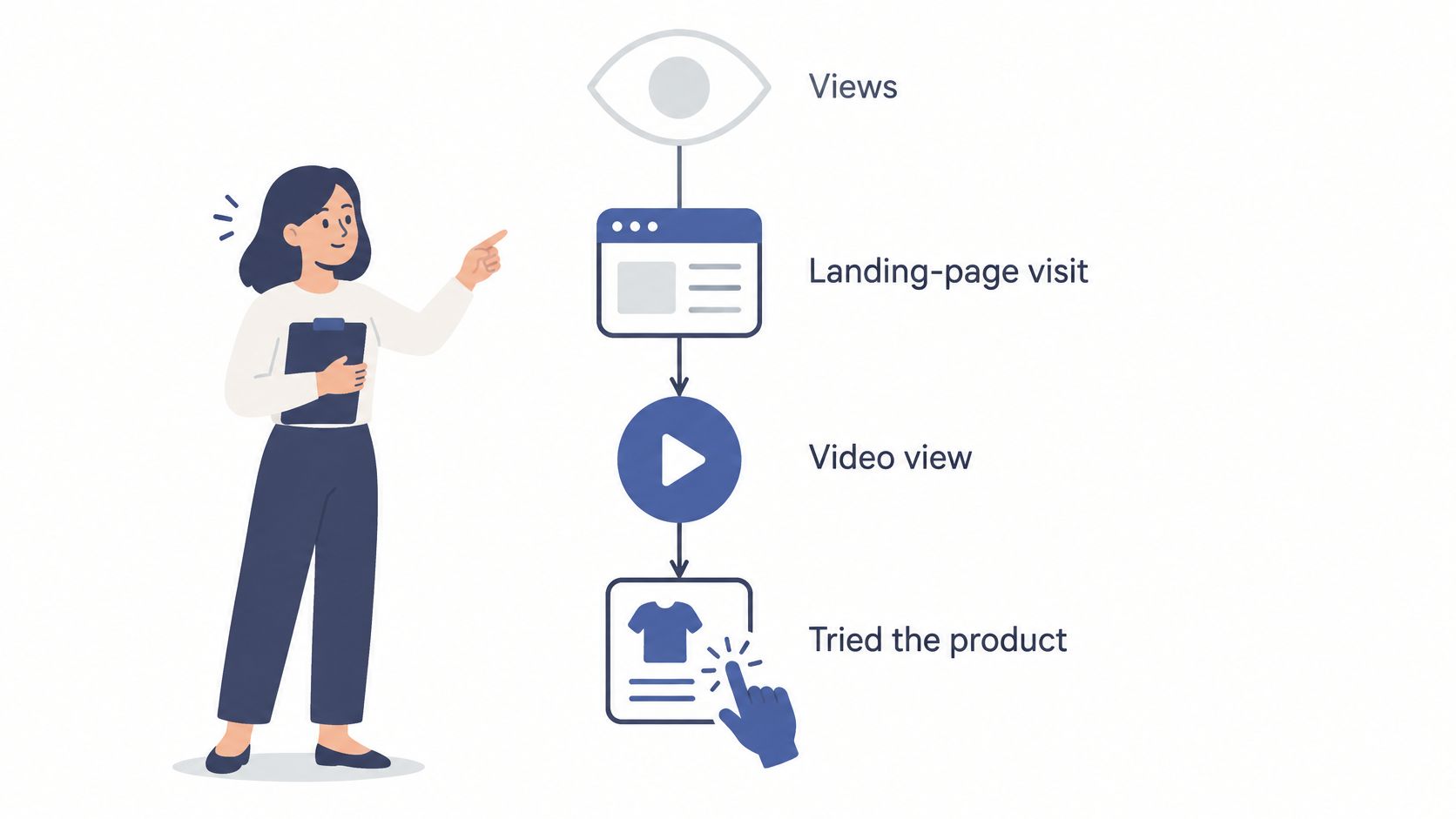
Views measure how far the announcement traveled. They don't measure whether anyone tried the product. A launch can pull six figures of impressions and produce no second session from a single user, and both facts belong in the same report, in the same paragraph.
Build the measurement chain in order: landing-page visit, video view, three-second view, click, signup, activation. Each step filters the audience further, so each one needs its own number and its own definition. Write the definitions before launch day, including the time window and the data source, because the same word can mean three different things to three people in the same room.
Apple's 2007 iPhone launch is the classic demonstration of why. Opening weekend produced overlapping numbers that got reported as though they were the same measure: AT&T reported 146,000 activations during that weekend, an analyst estimate cited by Reuters put sales through Apple and AT&T stores at approximately 525,000, and the New York Times later reported about 270,000 units in the first two days and one million by early September 2007, as recorded in the History of the iPhone account. Sales, activations, shipments, and purchases aren't interchangeable. Name which one you're counting, or you'll argue about your own launch.
Here's where each metric sits in the chain, and what it can't tell you.
| Metric | What it tells you | What it misses |
|---|---|---|
| Views | How far the announcement reached | Whether anyone tried the product |
| Three-second views and completion rate | Whether the opening holds attention | Whether attention leads to a click |
| Click-through rate | Interest in the next step | Whether the signup happens |
| Signups | Interest in trying the product | Whether the user gets value |
| Activation | Whether the product delivered a first win | Whether the user stays over time |
The softer metric usually wins the reporting meeting. Video marketing benchmarks compiled by ClickMinded report that 67% of video marketers prioritize views, 63% engagement, and 52% leads or clicks as primary KPIs, which is exactly why a launch report needs a rule rather than a preference.
Reporting rule: never call a launch a success on views alone. Pair one attention metric with one outcome metric, side by side, every time.
Which metric answers which question, and how to instrument each one, is covered in more detail in this breakdown of product launch metrics. The short version: pick your outcome metric before launch day, or you'll pick it after, based on what looks good.
Deciding Whether to Go, Hold or Iterate
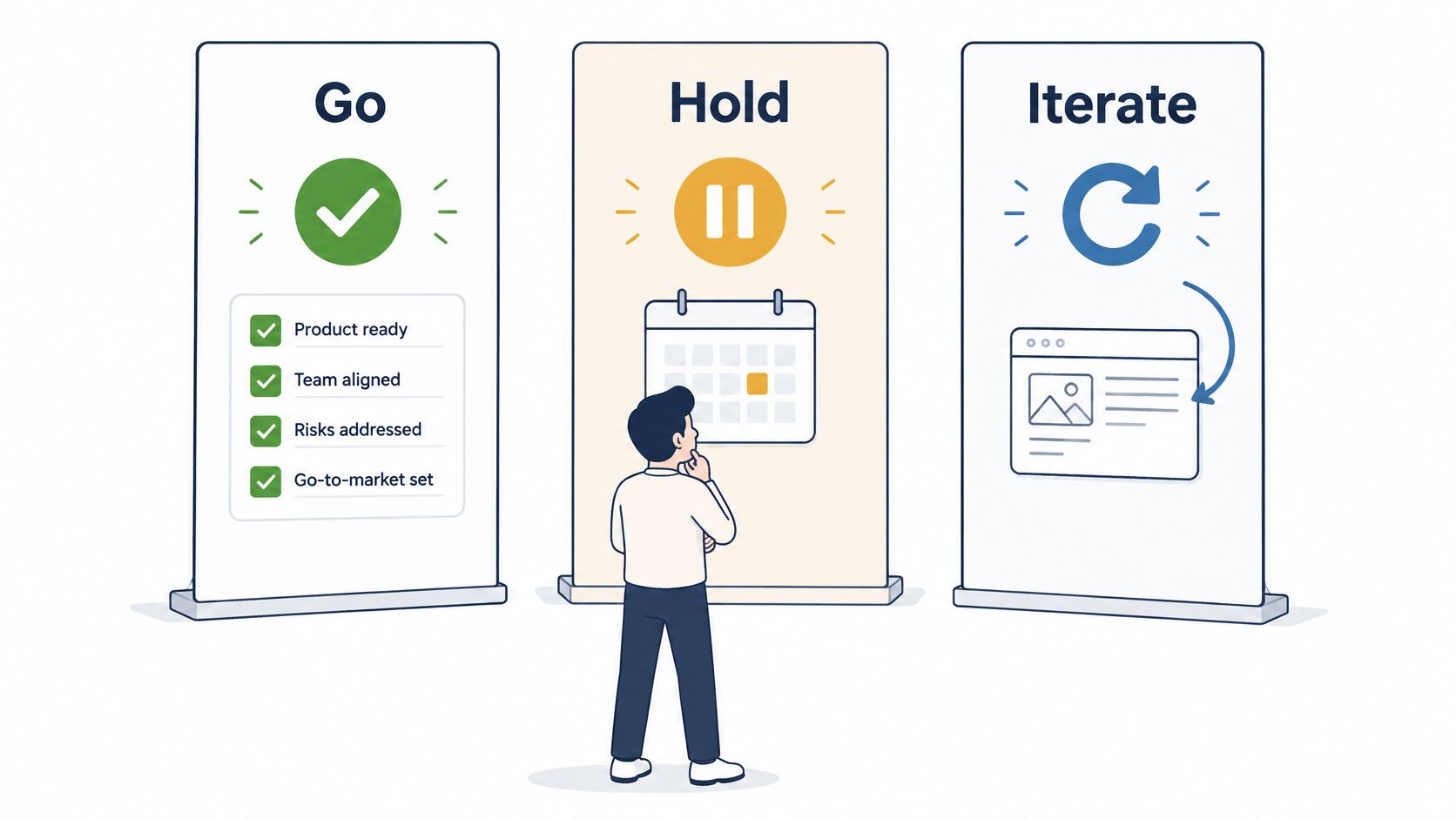
The week after launch should produce exactly one outcome, and it's one of three.
Go means the readiness checklist is complete, the claims are approved, tracking works, and someone can answer a support question within the day. Ship it and leave it alone for a week.
Hold means a blocker exists. A broken signup path, an unverified claim, a missing proof point, or no way to measure the conversion event. Fix the blocker before more traffic arrives, because volume on top of a broken path just wastes the audience.
Iterate means the launch is live and working on some level, but one part underperforms. This is the most common outcome and the one often misread.
Diagnosing by Signal
Where the chain breaks tells you what to fix. Guessing here is expensive, because the instinct is almost always to change the product when the message is the problem.
- They watch but don't click: the opening claim or the CTA is wrong. Change the first three seconds or the closing line, and leave the product alone.
- They click but don't sign up: the problem sits in the landing page offer. Check the headline, the proof points, and how much work the signup demands.
- They sign up but don't return: the problem sits in onboarding. No amount of promotion fixes a first session that doesn't deliver a win.
Change one variable per week so the cause stays clear. If you change the headline, the video, and the pricing page in the same week, you've learned nothing and you've spent your whole audience finding out.
Before any change, answer two questions: which single signal would prove this change worked, and when exactly will you check it?
If you can't answer both, the change is a guess dressed as a decision.
The walkthrough below covers how to sequence readiness, launch, and the review without letting the announcement eat the evaluation window.
Post-Launch Checkpoints at 30, 90 and 180 Days
The 30-day checkpoint separates the spike from actual use. Ask whether anyone is still using the product now that the announcement traffic has drained away. Check repeat visits, activation rate, and the themes in support messages. If activation is flat and the same question keeps arriving, you have a message change or an onboarding fix on your hands, and the answer is usually onboarding.
At 90 days, ask whether attention turned into conversion: signup to paid, or signup to active use. Check feature adoption and the exact point in the flow where users drop out. The decision here is usually about pricing, onboarding sequence, or positioning, and it's a bigger change than the first checkpoint allows.
At 180 days, ask whether usage holds. Retention, revenue per user, and churn answer that, and they tell you whether to keep, scale, or retire each channel. One channel that produced clean signups and retained users beats four that produced a spike.
The windows aren't arbitrary. One launch framework suggests 30 to 60 days to judge feature adoption and 60 to 90 days to judge new-product conversion, per Guideflow's product launch guide. A review on day 7 mostly measures your announcement, not your product.
| Checkpoint | Question to answer | Metrics to check | Decision it supports |
|---|---|---|---|
| 30 days | Is anyone still using the product after the launch spike? | Repeat visits, activation rate, support themes | Message change or onboarding fix |
| 90 days | Is attention turning into paid or active use? | Signup to paid conversion, feature adoption, drop-off points | Pricing, onboarding or positioning change |
| 180 days | Does usage hold over time? | Retention, revenue per user, churn | Keep, scale or retire the channel |
The long window matters because failure compounds after the launch. In a peer-reviewed study published in Marketing Letters covering 83,719 new consumer packaged-goods products launched in the United States between 2002 and 2009, 25% were no longer purchased one year after introduction, and that share rose to about 40% two years after launch. A day-7 review cannot see that pattern. It can only see the announcement.
Name the owner and the calendar date for each checkpoint before launch day. A review with no date and no name doesn't happen. If you're not sure what the first week should look like, this guide to the post-launch week walks through the sequence.
FAQ
How long does a product launch process take?
From positioning to the final review, plan on roughly seven to nine months of calendar time: six to eight weeks of positioning and research, two to four weeks of build, one week of readiness, launch day, then reviews at 30, 90, and 180 days. The review window is the longest stage and the one teams most often skip. If you need to launch faster, compress the build rather than the measurement, because a launch you cannot evaluate is just an expense.
Who should own a product launch?
The roles are smaller than they sound, so a solo builder can hold all of them as long as each one is used deliberately. Write positioning in the founder seat, run the build in the product seat, then switch to a reviewer's seat for the readiness check and the later reviews. Label decisions with the role rather than the person, because the 30-day review reads differently when you can see which seat made which call. What breaks a launch on a small team is a decision that belongs to everyone at once, since shared ownership is where outputs stop existing.
What's the difference between launching and shipping?
Shipping means the product is available. Launching means people know about it and you can measure what they do next. A team can ship on a Tuesday and launch three weeks later, and often should, because the gap buys time to fix onboarding before strangers arrive. Treating the two as the same event is why so many launches produce a traffic spike and no learning.
How do you know a launch didn't work?
When the chain breaks early and stays broken. Visitors arrive and don't watch, or watch and don't click, or click and don't sign up, and the pattern holds across two weeks and multiple channels. One weak number isn't a failed launch; a consistent break in the same place is. The useful next question is never "did it work" but "which step failed and what single change would fix it."
One gap remains in the build stage for many teams: the page is approved and the launch video still isn't made. Paste the URL into ShipTeaser and it returns a 30-second 1080p MP4 of silent motion graphics built from the page's own headline, colors, and screenshots, ready to post before launch day.