The popular advice to build hype before a launch skips the harder job: making the product understandable and the response measurable. A founder can publish a polished video, collect applause, and still have no evidence that anyone wants the software.
A product launch announcement should name the product category, identify the user, promise a concrete outcome, and explain when and how to get access. Choose the release date first, build the preparation schedule backward, and test each channel's copy against a named conversion metric rather than judging the launch by views.
What Every Product Launch Announcement Must Say
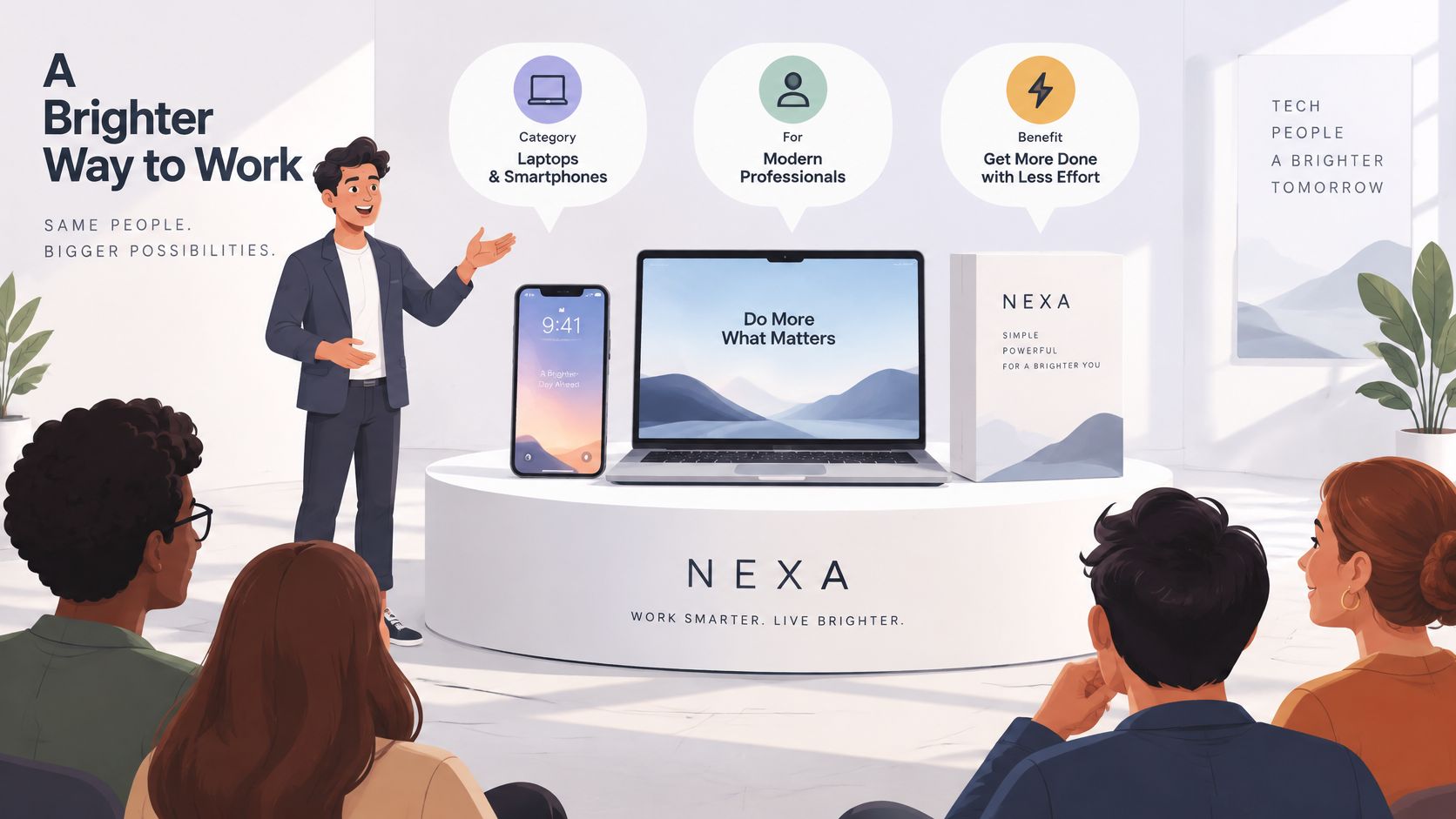
A product launch announcement works when it makes one clear promise and supplies the specifics a stranger needs to act. Open with the category, the intended user, and the outcome. Don't make readers decode an unfamiliar product name before learning why they should care.
Apple's January 9, 2007 announcement framed the iPhone as three products in one: a widescreen iPod with touch controls, a mobile phone, and an internet communications device. The same iPhone announcement supplied U.S. availability in June 2007, Europe in late 2007, Asia in 2008, configurations priced at $499 for 4 GB and $599 for 8 GB, and distribution through Apple and Cingular stores.
The lesson is to combine a memorable product definition with commercial facts.
Use a promise-to-action template
Write the announcement in the order a new reader scans it. These illustrative lines are starting points, not claims to publish without checking your product.
Parts of a launch announcement
| Part | What to write | Example line |
|---|---|---|
| Headline promise | The outcome in one sentence | Send invoices and get paid in one click |
| Specifics | Release date, access route and price if public | Available today through the signup page, with pricing shown before registration |
| Proof | One result or a real screen from the product | A live dashboard screenshot, not a mockup |
| Availability and price | Where to get it and what it costs | Free to try, paid plans listed on the pricing page |
| Call to action | One action only | Join the waitlist |
The headline must describe something the software does. If sending an invoice and collecting payment require separate steps, don't compress them into an inaccurate promise.
Put proof on the destination page. A real product screen should show the relevant workflow or result, not a decorative interface that nobody can use. Remove private customer information before publishing.
For alternative ways to frame the message, SendX's new product announcement ideas can help you explore presentation without changing the underlying promise.
Clarity test: Read the opening sentence to someone unfamiliar with the product. Ask what the software does and who should use it.
Give that test a couple of minutes. If the listener can't repeat the promise, rewrite the sentence before polishing the graphics. Replace vague availability language with a release date or an explicit access route, and keep the call to action to a single step you can count.
Set the Release Date and Build the Timeline Backward
Choose the release date before scheduling the announcement. Pick a day when your intended users can respond and you can handle onboarding problems. A launch that sends interested users into a broken signup flow wastes the attention you worked to earn.
Write down four items: the release date, the primary conversion goal, the current baseline, and the metric you'll report seven days after release. Treat that reporting interval as a planning choice you own, since it fixes when you judge whether the announcement worked.
Research published in the Journal of Product Innovation Management connects launch performance with market testing, customer feedback, advertising testing, cross-functional decisions, timing, and post-launch support. That evidence favors a staged sequence where each phase has its own goal and review point.
Separate announcement, access, and proof
Apple announced the iPhone in January before releasing the device in the United States on June 29, 2007; its later sales milestone announcement reported the millionth sale within 74 days of release. For a software founder, the useful pattern is the order: announcement, access, then fresh evidence.
Use this suggested workback schedule, shortening or extending preparation according to product readiness.
Launch stages, actions and goals
| When | What goes live | Goal |
|---|---|---|
| This week | Release date and four written items | Fixed date and recorded baseline |
| 3-4 weeks before | Landing page and waitlist | Baseline traffic and signup rate |
| 2 weeks before | Soft rollout to a small group | Test the headline and call to action |
| 1 week before | Final video, link and brand check | Lock every asset |
| Release day | Website, email, social and Product Hunt | One synchronized announcement |
| 1 week after | Follow-up with one proof point | Renew attention with evidence |
During the soft rollout, ask users to explain the value proposition before asking whether they like the announcement. Praise won't tell you which sentence confused them. Change the headline or CTA separately, keeping audience sources comparable so the metric you picked still means something.
Leave room for production and support
I'd order the final video at least a week before the planned post date. ShipTeaser does not guarantee uninterrupted availability, and rendering is queued and may be delayed. A fast expected turnaround isn't a reason to cut your review buffer. Generated video can also misread the brand or state something your page doesn't say, so check every render against the live page before the assets lock.
A timeline worksheet can help you coordinate pre-launch and post-launch tasks rather than tracking only publication. Decide where to launch your product before finalizing assets, because each destination adds preparation work: a Product Hunt gallery video must be a public YouTube link, so uploading the MP4 and setting its visibility belongs in the final-check week.
On release day, publish the selected channels within the same few hours and stay available for replies. Don't rewrite the central promise at the last minute unless you discover a factual error. If an asset misses the lock deadline, launch without it rather than moving the date.
Write the Announcement for Each Channel
Keep the product promise constant while changing the entry point. An email reader already gave you an address and expects a direct ask. A feed post has to explain enough to earn the next action on its own.
Give every channel one named metric. Copy review becomes concrete: you judge whether a sentence earns a click, a qualified reply, or an activated signup. "Sounds impressive" is not a metric.
Match the opening to the reader
Email should name the outcome. A workable subject line: Send invoices and collect payments from the same workspace, now available. Restate the promise in the opening sentence, add a linked video still, and route readers to the release page. Judge the message by unique click rate; opens measure subject-line curiosity more than intent. The launch email guide covers the rest of the message structure, so you avoid stacking competing requests into one send.
X should lead with the claim. Example: Your launch page should show what the software does before asking people to sign up. Attach the video and include a single destination link. Test the opening sentence against landing-page sessions per post impression, and keep the platform's impression definition consistent across posts.
LinkedIn should start with a recognizable problem. Example: A polished launch page still fails when a buyer can't explain what the software does. Follow with a concrete outcome and a real proof point. Keep the founder voice direct, and measure qualified replies; raw reaction counts include plenty of people who will never buy.
Product Hunt needs matching positioning. Example tagline: Turn a product page into a clear launch teaser. Keep the description aligned with the same audience and outcome. Product Hunt gallery videos are added as YouTube links, so upload the MP4 to YouTube, set it to public, and paste the full URL into the gallery. Judge referred traffic by signup conversion rate.
The landing page must deliver on the announcement. Example headline: Show prospective users what your software does before they sign up. Place the video near the opening message without pushing the primary action out of easy reach. Measure activated signups, with activation defined as completing a meaningful product action.
Make the message survive silent viewing
A channel post should make sense before someone presses play.
ShipTeaser videos are silent motion graphics built from your own brand: 30 seconds, 1080p, ending with your own call to action. There is no voice-over, so the surrounding copy has to carry the product name and the outcome by itself.
Keep the tone consistent across surfaces. A mysterious teaser headline on social followed by a literal product description on the landing page makes the click feel like a change of subject. Preserve the promise, then let the destination page answer the practical questions the short post leaves open.
Launch Asset Checklist and Aspect Ratios to Ship
One video file has to survive three crops: 16:9 for horizontal placements, 1:1 for square feeds, and 9:16 for vertical viewing. Review each layout separately rather than cropping one composition.
Google's video asset guidance reports that adding a vertical asset lifted Shorts conversions by more than 35% in Demand Gen campaigns and Shorts view-through rate by more than 40% in Video View campaigns. Treat that as a reason to prepare placement-specific layouts, not as a forecast for your launch.
Video ratios and where they fit
| Ratio | Orientation | Best placements |
|---|---|---|
| 16:9 | Horizontal | X, LinkedIn, YouTube and the website hero |
| 1:1 | Square | Feed posts on LinkedIn and X |
| 9:16 | Vertical | YouTube Shorts and phone-first feeds |
A placement may accept several ratios. Pick the layout that keeps the copy readable and the product recognizable, then check the current requirements in the launch video specifications guide.
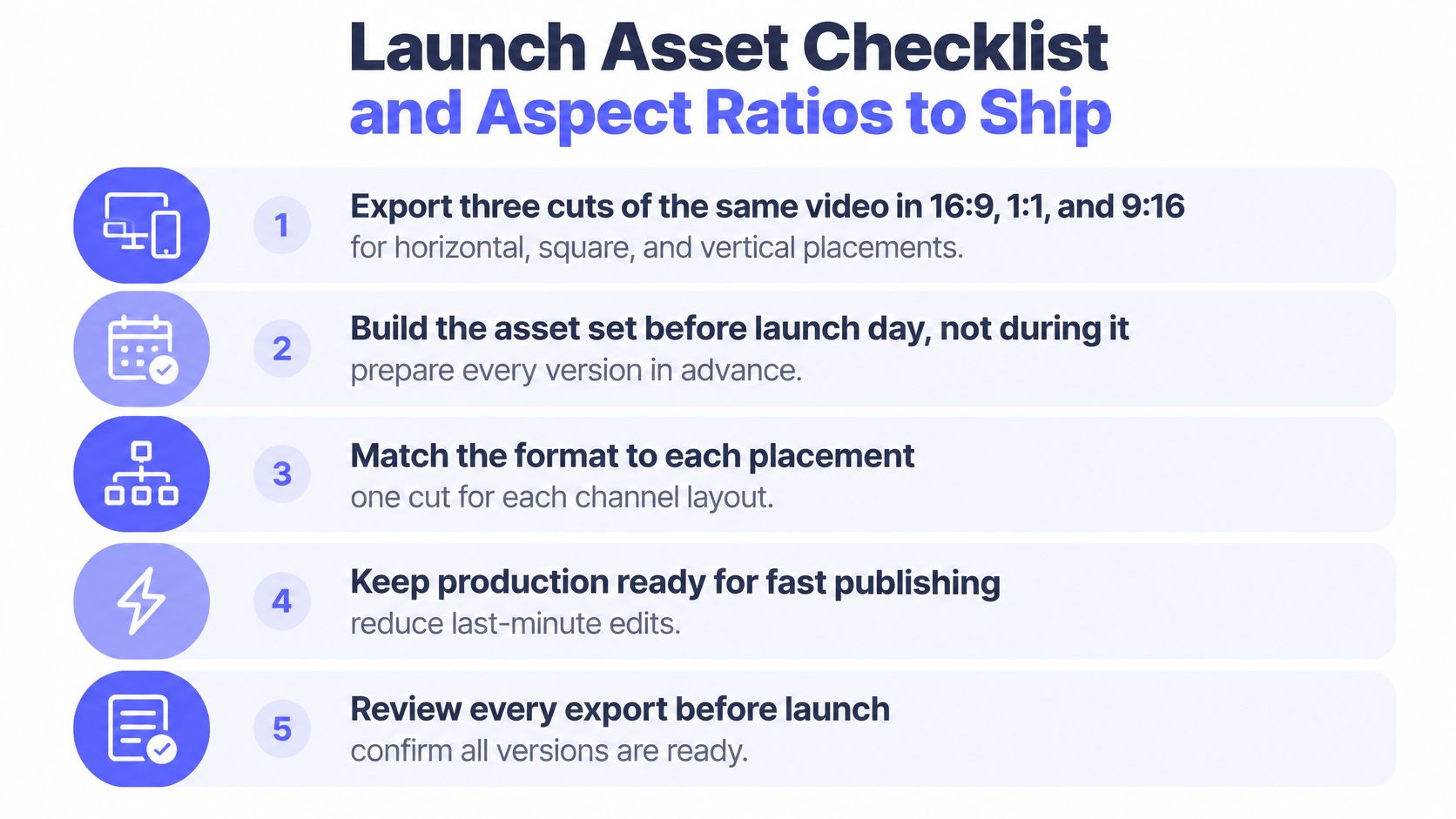
Review in publishing order
- Check the composition. Keep the product category, outcome, and final action readable in every layout. Don't shrink an entire desktop interface until the labels become meaningless.
- Confirm silent comprehension. Put the claims that carry the outcome on screen inside the video itself, so it reads with the sound off.
- Inspect brand details. Compare the logo, colors, typography, and screenshots with the live product. Pay particular attention to text inside screenshots.
- Verify every claim. Generated videos can contain factual errors or misread the brand, so review every ShipTeaser video before publishing. Confirm pricing, availability, and feature wording against the current release.
- Test the destination. Open the final URL in a private browser window on a phone. Tag each channel with its own UTM parameters so you can attribute sessions and signups per placement, then complete the signup flow end to end.
- Prepare the post wrapper. Save a product-revealing thumbnail or first frame. Write useful alt text where supported and a short caption that states the outcome.
Watch the opening three seconds with the sound off as a final editorial check. If the category is unclear, fix the opening rather than hoping the post caption will compensate.
A readable outcome and a recognizable product screen beat a rapid sequence of tiny claims. Leave the full feature list on the landing page.
Measuring Whether Your Launch Announcement Worked
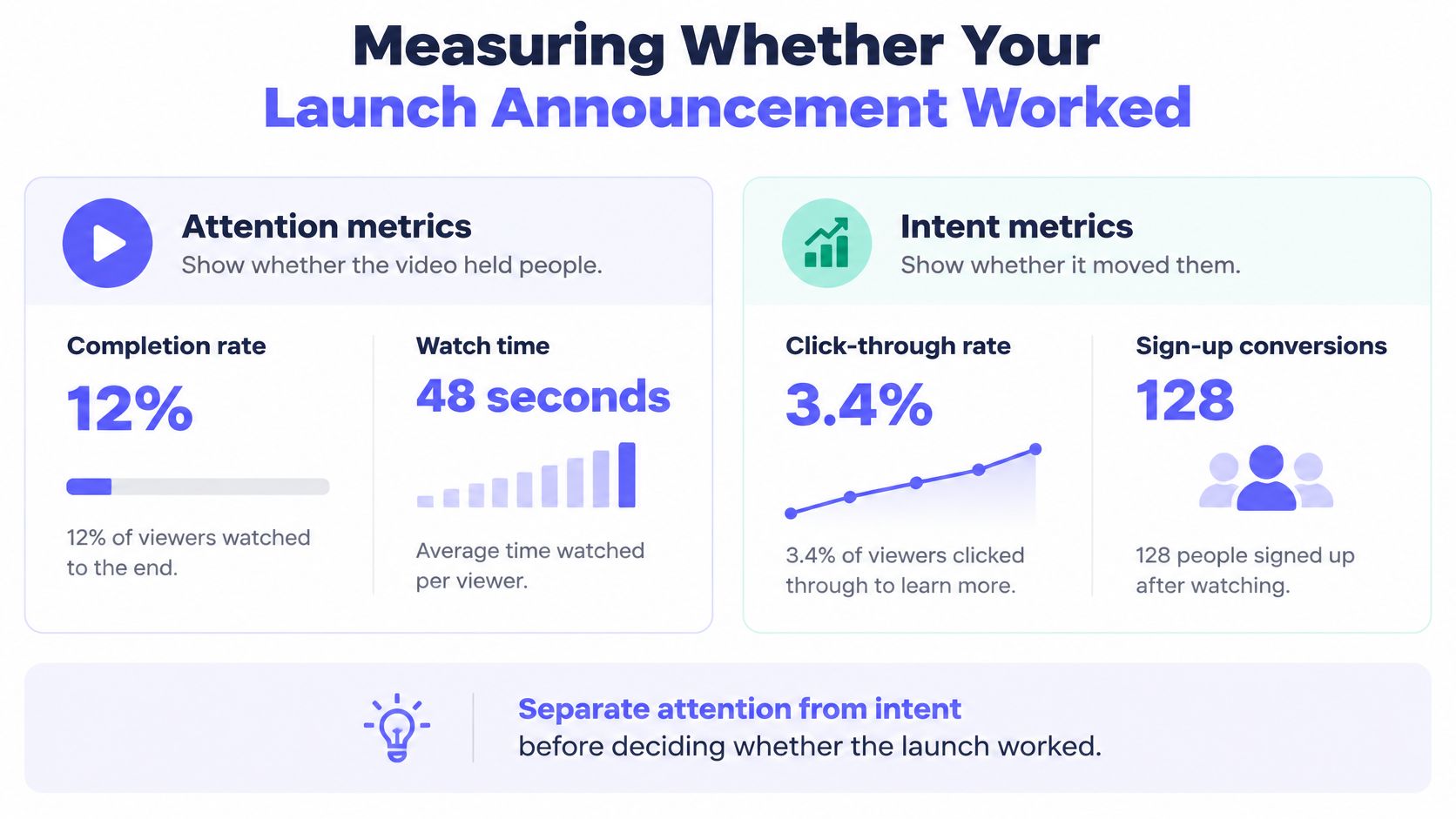
Separate attention from intent before declaring success. Completion tells you whether viewers stayed; signups and qualified replies tell you whether the announcement created useful product interest.
Wistia's 2025 State of Video report announcement says product or service launches drove video production for 52% of respondents and reports an 11% year-over-year increase in video conversion rates. Those are different measures. Publishing a launch video isn't evidence that your own launch converted.
Launch metrics and how to calculate them
| Stage | Metric | How to calculate |
|---|---|---|
| Attention | Completion rate | Completions divided by starts |
| Attention | CTA rate | Clicks divided by starts |
| Intent | Landing-page sessions | Count sessions attributed to each channel's UTM tag |
| Intent | Signups or waitlist additions | Signups divided by sessions for the conversion rate |
Keep raw signup totals alongside the conversion rate. Sessions aren't unique people, so don't relabel session counts as unique visitors.
Diagnose the weakest transition
Consider a hypothetical launch with 200 video starts, 90 completions, and 12 clicks. Completion rate is 45%, and CTA rate is 6%.
The click step deserves inspection, but those figures alone don't prove the CTA failed. Check the destination's signup rate, the audience source, and a comparable baseline before deciding which stage is weakest.
The illustration below shows a sample dashboard, not launch benchmarks or measured ShipTeaser results.
Compare like with like
Use a fixed reporting window, such as the planned seven-day review. Give channels separate UTM tags and, where useful, matching landing-page variants. Keep the offer and signup requirements constant so the comparison remains interpretable.
Where your audience size allows, randomly hold back the video from a comparable group. Compare conversion rates between exposed and holdout audiences to estimate incremental impact, while acknowledging small samples.
You can check your LinkedIn engagement percentage with Linkboost for a platform-level attention check. Don't substitute engagement for the qualified replies or signups you chose as the channel objective.
A polished teaser can entertain without creating demand. A low-view announcement can still succeed when the right founders click and activate.
Use the product launch metrics guide to keep reporting definitions consistent. Change one variable in the next version, aimed at the weakest evidenced transition, rather than replacing everything after a disappointing view count.
FAQ
Can I launch without a waitlist?
Yes. Send users straight to a release page with working signup access. A waitlist only earns its place when access isn't ready, where it sets a pre-release signup baseline. Choose the primary conversion deliberately and hold its definition constant across each test. Waitlist enrollment and paid activation demand different commitment levels, so treat them as separate results.
Should every channel get a different video?
One core video covers every channel when you export 16:9, 1:1, and 9:16 versions for horizontal, square, and vertical placements. Adapt the surrounding copy to each channel while keeping the product promise identical. Commission a different concept only when you have a specific hypothesis to test, not because another publishing destination exists.
What if my video gets views but no signups?
Views measure attention; acquisition needs signups. Check completion rate and CTA click rate first, then inspect the destination page and signup flow. If viewers click but leave without registering, a stronger hook won't repair a weak landing page. Change the weakest stage in the next version and compare results using the same audience source and reporting window.
Do I need a paid plan to test the announcement?
You can evaluate your page before spending anything. The free ShipTeaser audit needs no account and reports which of the five launch angles your page can carry, the lines that carry them, and what is missing. Weak results mean fixing the page first, so the teaser has real material to work with. When you pick a plan, choose a cadence you can review and measure rather than producing more assets than you can use.
Can the teaser go in a Product Hunt gallery?
Product Hunt accepts gallery videos as YouTube links. Upload the MP4 to YouTube, set it to public, and paste the full URL into the gallery. The same file posts directly on X and LinkedIn without that step.
Paste your product URL into ShipTeaser to get a 30-second, 1080p, silent motion-graphics teaser built from your page's own headline, colours, and screenshots. Renders are queued, so allow a short buffer rather than expecting instant output. Five beat-cut scenes carry the announcement: hook, problem, solution, proof, and CTA. Review the video for factual accuracy, then publish against the release date and conversion goal you already chose.