Your launch post is live, comments are arriving, and half the checklist is still unfinished. Someone asks about pricing while another user gets stuck during signup, and you're fixing both instead of learning whether anyone wants the product.
A useful MVP launch checklist follows eight gates: define the user and problem, validate demand, cut scope, instrument activation, prepare launch assets, test onboarding, prepare distribution, and verify pricing and payments. Each gate needs a deliverable, a place in the calendar, and a decision that determines whether the next step should start.
Launch in weeks, not quarters. Treat a 30 to 60-day schedule as a planning constraint, not a promise that every software idea can ship that quickly. If you're launching a minimum viable product, reduce the workflow until the schedule becomes credible.
The sequence below separates decisions from busywork. You can draft posts while development continues, but don't commit to a public release before users can finish the core task, you can measure the result, and checkout works.
1. Define one problem and one target user
Calendar position: the opening discovery window, before substantial development. Write a sentence that names the user, the painful task, and the outcome they want. If the sentence needs several kinds of users or a chain of unrelated outcomes, narrow the MVP.
For example, suppose you're building release-note software. “Help software teams communicate” is too broad to guide development. “Help solo SaaS founders turn merged changes into a customer-facing release note” tells you whose workflow to inspect and what the first release must produce.
Ask about the last occurrence
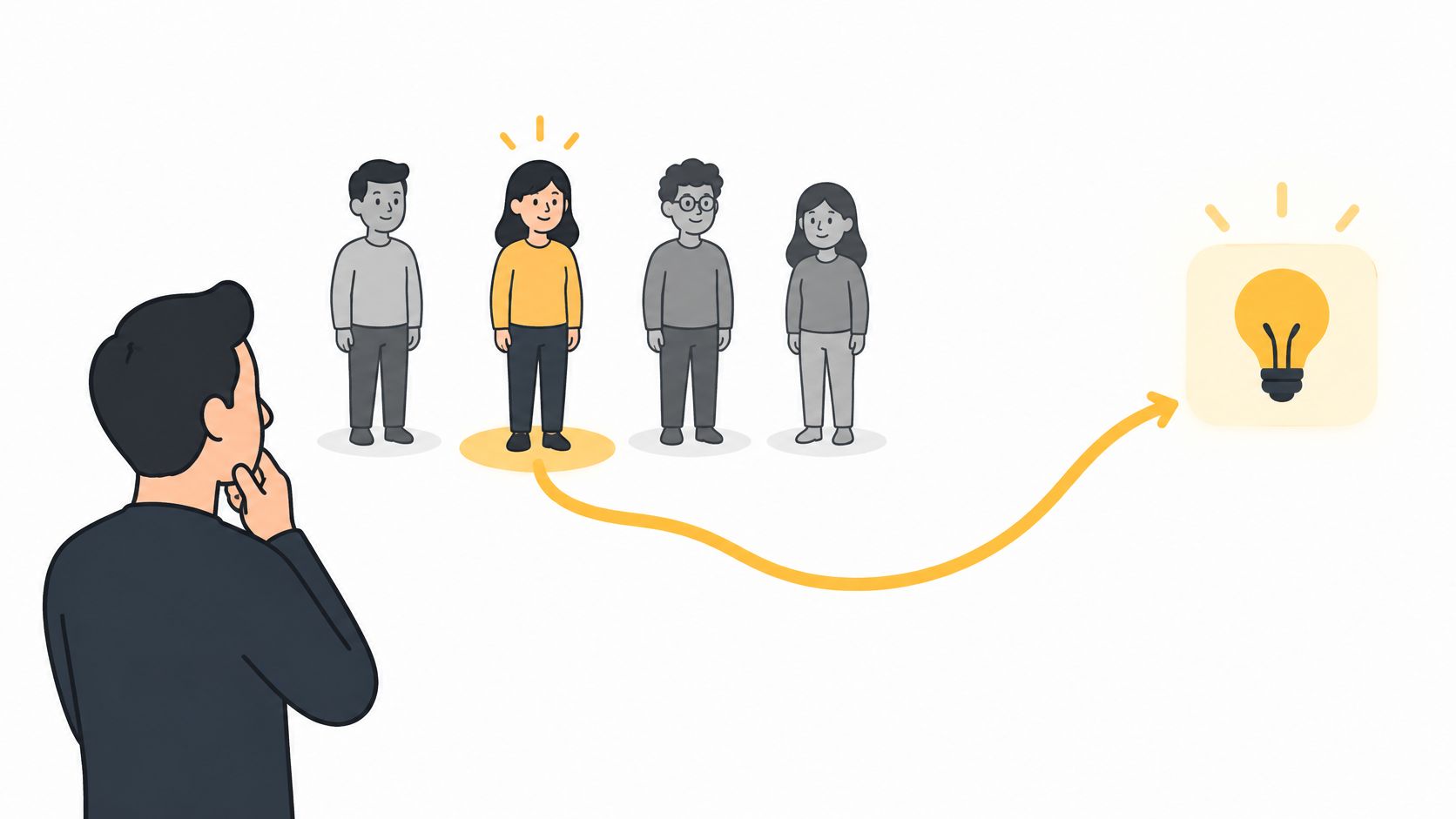
Interview people who already do the task. Ask them to walk through the last time it happened, including the workaround, delay, and consequence of leaving it unfinished. Don't pitch until you understand the current behavior.
- Find the trigger. What makes the user start this task?
- Inspect the workaround. Ask to see the document, spreadsheet, message, or existing workflow.
- Identify the cost. Look for lost time, missed revenue, duplicated effort, or an unpleasant recurring obligation.
- Separate buyer from user. Establish who experiences the problem and who can approve payment.
Definition of done: a written problem statement, a clear target segment, and concrete examples of the existing workaround. Rewrite the statement when interviews contradict your assumptions, not whenever someone suggests an interesting feature.
Decision before proceeding: does this segment experience a sufficiently painful problem to change behavior? If you can only collect compliments about the idea, keep investigating rather than opening the development backlog.
2. Validate demand before the build is finished
A waitlist tests whether someone will leave an email address. A paid commitment tests something harder. Don't treat those actions as equivalent evidence.
A peer-reviewed study in Computers examined 29 interviews with founders from 16 software startups and found no clear relationship between the number of validation events and startup performance; stronger-performing startups tended to obtain higher-quality evidence before substantial MVP development. Payment before a complete product existed represented the study's strongest evidence level.
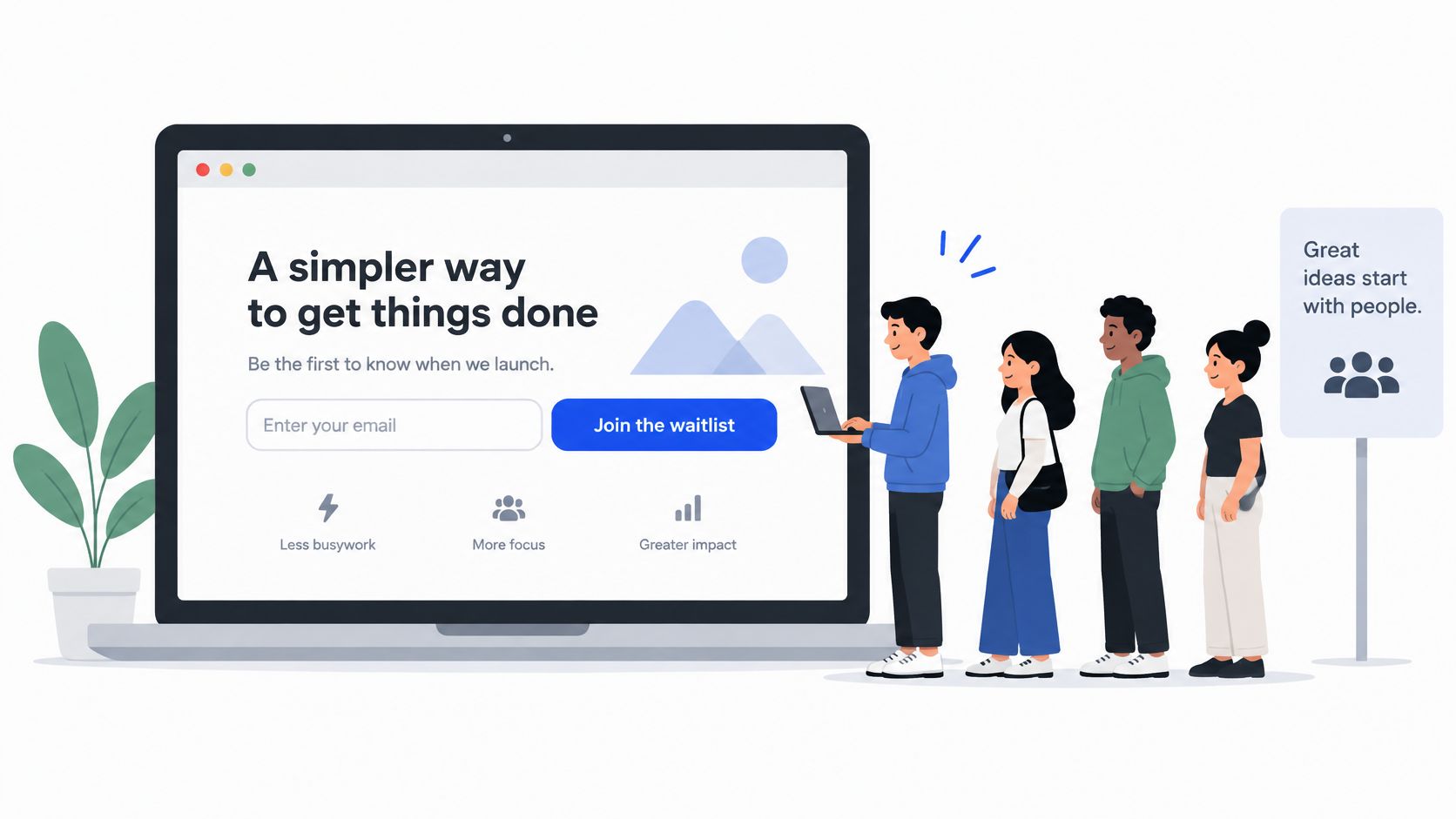
Calendar position: after problem discovery, before committing to the full build. Publish a focused landing page with the promised outcome, intended customer, limitations, and a meaningful next action. The approach behind concept testing with SpecStory is relevant here: test the assumption before making the implementation expensive.
Choose the commitment before sending traffic
For the release-note example, invite founders to submit a recent set of changes and book a paid pilot. A visitor who supplies real input and discusses a purchase gives you more useful evidence than someone who clicks a general interest button.
Practical rule: Ask for the commitment that matches your business risk. If willingness to pay is uncertain, another survey won't settle it.
Define your go-or-stop condition before promoting the page. Use qualified prospects and record objections alongside completed actions, rather than optimizing for cheap, unrelated visitors.
Definition of done: a demand test with a named audience, an explicit action, recorded results, and a decision rule. Decision before proceeding: build the narrow offer, change the positioning, or stop. Don't redefine success after seeing weak results.
3. Cut the scope to a single core job
A release-note MVP needs to receive a set of changes, produce a draft, and let the founder copy the finished note. That is the whole product at launch, and it is the only path that belongs in the build.
Calendar position: immediately after the demand gate, before estimating the build.
Name the core job in one sentence. If you cannot, the estimate is fiction. For the release-note example, team permissions, a public changelog, scheduling, and custom themes can wait unless an actual buying commitment depends on them. Most of those features are cheap to add later and expensive to carry now.
Cut breadth, not basic reliability
A smaller product still needs understandable errors, safe access controls, and a way to recover work. Dropping those moves preventable failures into support, where they cost more to fix than they would have cost to build.
- Keep the first win. Include the actions required to receive, inspect, and use the result.
- Defer adjacent workflows. Move collaboration, customization, and extra integrations out of the launch scope unless they block adoption.
- Allow manual operations. Handle unusual setup or account provisioning yourself when automation would not change the validation decision.
- Declare limitations. Tell users which inputs and environments the MVP supports.
Test the core workflow under ordinary device and network conditions. Google's Core Web Vitals guidance sets good Largest Contentful Paint at 2.5 seconds or less and good Cumulative Layout Shift at 0.1 or less. Those frontend checks do not replace backend testing, but they stop a polished desktop demo from becoming your only acceptance test.
Definition of done: a bounded workflow, a deferred-feature list, and acceptance tests for success and failure. Decision before proceeding: can the team deliver the promised outcome within the launch window? If not, cut another workflow before extending the deadline.
4. Set up analytics and an activation metric
A signup tells you someone entered. Activation tells you whether they reached the first useful result. Define that distinction before inviting users, because missing events can't be reconstructed reliably from enthusiasm or support messages.
Calendar position: during the core build, before beta traffic. Microsoft's MVP guidance identifies activation, retention, conversion, time to value, and reliability as core launch measures, alongside observing real users under realistic conditions. Use those categories to organize a small dashboard, not to justify tracking everything.
Write the value event in plain English
For the release-note product, activation could mean that a founder submits changes, receives a draft, and copies or exports an approved note. Draft generation alone proves that the backend ran. Export or acceptance provides a stronger signal that the output was useful.
Record the meaningful transitions:
- Input submitted. Capture whether the user supplied a usable starting point.
- Processing completed. Distinguish successful output from timeout or failure.
- Result accepted. Record the action that indicates the user can use the output.
- User returned. Separate repeat value from launch-day curiosity.
- Payment completed. Connect commercial behavior to the activation journey.
Keep account identifiers consistent, exclude internal testing, and avoid storing sensitive content when event metadata will answer the question. Use a product launch metrics plan to keep event names and definitions stable.
Definition of done: complete the journey yourself and confirm that events arrive in order, with failures visible separately. Decision before proceeding: can you distinguish acquisition problems, onboarding problems, and output-quality problems? If every dashboard ends at signups, instrumentation isn't finished.
5. Prepare launch assets, landing page, screenshots, and a demo video
Most launch pages promise more than the product delivers on day one. The calendar position for this step is once the core workflow is stable, before beta invitations expand. Your landing page, screenshots, and launch post should make the same promise, and that promise should describe the narrower thing the product delivers.
Start with the headline. Name the user's outcome, show an honest product screen, and place the next action where visitors can find it. If you need to build a site with Web Mage, keep the page focused on the offer rather than filling a template with sections that exist to look complete.
Separate a teaser from a walkthrough
A promotional teaser introduces the problem and outcome. A walkthrough shows the actual workflow, including the input and finished result. Use the format that answers the visitor's question, and don't imply that motion graphics are a screen recording.
ShipTeaser turns a product URL into a 30-second, 1080p launch video built for silent feeds, with your own call to action. For a SaaS launch video, that gives a solo founder a concise promotional asset derived from the live product page. Review every generated video before publishing, because generated output can contain factual errors or misread the brand.
Your launch asset should make the product easier to understand before it makes it look finished.
For the release-note example, show the submitted changes and the resulting customer announcement. Use sample content that's clearly identified, and keep invented customer praise and unmeasured time savings out of the proof section.
Screenshots are the cheapest credibility you have. Capture the screen at a readable size, and resist the blur that hides a half-built state, because visitors read a smudged panel as a product that isn't ready.
Definition of done: approved page copy, accurate screenshots, reviewed video, working links, and a clear CTA. Decision before proceeding: can a target user understand the offer without a private explanation? If not, fix the message before buying more attention.
6. Build onboarding and a feedback loop for the first 50 users
Treat the first 50 users as a deliberately managed learning cohort, not a universal benchmark. Invite them in batches you can support. A founder who can observe the first session will learn more than a founder who sends an invitation and waits for a testimonial.
Calendar position: after instrumentation and before broad promotion. DigitalOcean's launch checklist recommends giving beta testing a defined feedback objective and a dedicated reporting channel. Choose the question first: can users finish setup, understand the output, or get enough value to return?
Observe before explaining
Ask a founder to create a release note from their own changes. Watch where they hesitate, what they misunderstand, and whether the final result fits their intended use. If you intervene, record the intervention so you don't count assisted success as independent activation.
- Contact completers. Ask what made the result useful and what they did with it.
- Contact drop-offs. Ask what they expected at the point where they stopped.
- Record recurring friction. Group problems by blocked task, not by the loudest feature request.
- Close the loop. Tell users when a reported issue is fixed and invite another attempt.
Prepare a beta launch announcement that states who should join, what works, what remains limited, and how to report trouble.
Definition of done: observed sessions, categorized feedback, resolved critical onboarding blockers, and a support owner. Decision before proceeding: can users reach value without your narration? Personal onboarding is useful. A product that only works while you explain every click isn't ready for broad distribution.
7. Pick two launch channels and prepare them early
Distribution needs preparation, but a solo founder can't hold useful conversations everywhere at once. Choose two launch channels as an operating limit: one place for concentrated discovery and another where you can reach qualified people directly.
Calendar position: select channels after the audience is clear; finalize posts after beta results support the promise. Product Hunt plus a relevant founder community could work. A niche newsletter plus an existing waitlist could work too. Choose based on audience fit and your ability to participate, not the platform's prestige.
Prepare conversations, not just posts
For the release-note MVP, a technical founder community may produce better feedback than a broad startup audience. Explain the specific workflow, show the output, and disclose your connection to the product. Read promotion rules before posting.
- Draft the announcement. Include the problem, intended user, evidence, limitations, and next action.
- Prepare replies. Have clear answers about pricing, supported inputs, privacy, and known gaps.
- Tag acquisition sources. Preserve the connection between each channel and downstream activation.
- Reserve support time. Don't schedule promotion while you're unavailable to handle broken flows.
Use a shortlist of places to launch your product to compare fit, then stop collecting channels and prepare the chosen ones.
A busy comment thread is a distribution result. Users completing the core task is a product result.
Definition of done: approved posts, channel permissions, working destination links, source tracking, and a response plan. Decision before proceeding: can you support the traffic you're asking for? If beta users still encounter critical failures, delay promotion rather than using launch attention as a stress test.
8. Set pricing and payments before launch
A customer upgrades on launch day, pays once, then the renewal card declines three weeks later. The account stays active because no one tested the failed-payment path. That is the kind of commercial hole this step closes.
Calendar position: the last gate before public traffic arrives. Start pricing conversations during demand validation. This step turns those conversations into a clear offer and a tested payment path.
Choose a value unit the customer understands. For release-note software, a subscription tied to publishing volume or a workspace is legible. Take a hypothetical product with a flat $49 per workspace per month and a usage plan at $0.20 per published note above 50 included notes. A 20-note month bills $49 either way. A 400-note month bills $49 on flat and $119 on usage. Run both models against your cost to serve before you pick one. Don't charge by an internal technical measure unless buyers can predict the bill and connect it to value.
Test the whole commercial journey
Write down what customers receive, what happens at the usage limit, when renewal occurs, and how cancellation works. A free tier needs boundaries. Otherwise, you learn that people accept free access without learning whether the business can support them.
- Verify checkout. Test successful payment, declined payment, and interrupted checkout.
- Verify entitlements. Confirm that the purchased plan provides exactly what the page promises.
- Verify account changes. Test cancellation, renewal handling, and access after a plan changes.
- Verify communication. Make receipts, billing explanations, and support contact details understandable.
If usage creates meaningful infrastructure costs, calculate whether the offer leaves room for those costs and founder support. Revenue without workable delivery economics isn't enough.
Asper Brothers' guidance on MVP mistakes emphasizes connecting analytics, feedback, and recurring reviews rather than stopping at release. Apply that principle commercially: review which activated users pay, which customers return, and why others leave.
Definition of done: a published offer, functional checkout, correct plan access, and a working cancellation path. Decision before proceeding: can a stranger understand the price, buy successfully, and receive the promised service? If not, the launch checklist remains incomplete.
The 8-step MVP launch checklist at a glance
The table below is a sequence, not a menu. Each row has a position on the calendar, an output you can point at, and a question that has to get a yes before the next row starts. If a row's question comes back no, you stay there. Skipping ahead is how teams end up with a polished launch for a product nobody asked for.
| Step | Calendar position | Core output | Go/no-go question |
|---|---|---|---|
| 1. Define one problem and one target user | Days 1 to 3 | One-sentence problem statement naming the user and the workaround they use today | Can you name a specific person with this problem right now? |
| 2. Validate demand before the build is finished | Days 4 to 14, while the build runs | Qualified prospects completing a paid or committed action, such as a deposit, pilot agreement, or signed letter of intent | Has anyone done more than praise the idea? |
| 3. Cut the scope to a single core job | End of week 2, before development closes | One core user flow plus a written list of deferred features | Can a new user finish the core job without your help? |
| 4. Set up analytics and an activation metric | Week 3, before any traffic arrives | A defined activation event and funnel events verified in a live session | Have you watched a real session fire the events in the right order? |
| 5. Prepare launch assets: landing page, screenshots, and a demo video | Week 3 to 4 | Landing page, product screenshots, and a 30-second demo video | Does the page say what the product does before the first scroll? |
| 6. Build onboarding and a feedback loop for the first 50 users | Week 4, before you invite anyone | Guided onboarding and a direct channel to you | Would the first 50 users know what to do on day one without a call? |
| 7. Pick two launch channels and prepare them early | Week 4, with assets ready before launch day | Channel-specific posts, named contacts, and a posting schedule | Do you have a reason to be in each channel beyond everyone else being there? |
| 8. Set pricing and payments before launch | Final gate, before the announcement | Paid plan, trial or free path, and a tested checkout | Has a real payment cleared and unlocked the right access? |
Two columns are worth reading together. The calendar position tells you what you should be doing this week, and the go/no-go question tells you whether last week's work actually landed. A row can be on schedule and still fail its question, which is the point of writing the question down. Print the table, put it next to the build plan, and mark each row only when the output exists in a form someone else could review.
Ship the checklist, then ship the product
The steps run in order, but sequencing is not waiting. You can draft launch copy while the core workflow is still under construction and shortlist communities during discovery. What you can't do is mark an assumption as a decision because the calendar moved past it.
Each step carries a date, a deliverable, and a decision it forces before the next one starts. Eight green ticks with a broken payment path is worse than five cleared gates and three open ones.
The go/no-go question is one: can a stranger who matches your target user reach the core outcome without you in the room, and can you see it happen in your own event data? If the answer is no, the launch date moves or the audience shrinks. Neither is a failure. Shipping to everyone and hoping the demo carries it is.
A launch date earns its keep by forcing trade-offs. Put that pressure on optional scope: the settings page nobody asked for, the second integration, the marketing site rewrite. Keep it off security, off truthful claims, and off the core workflow. If the promise still fails at the end of the window, release to a smaller supported cohort and say so plainly. Twenty people who match the target user teach you more than a public launch to a list that doesn't.
Book the follow-up before you announce. Put a cohort review on the calendar two to four weeks out, look at the users who started and didn't finish, and compare repeat behavior against what people said in interviews. Four outcomes are available: fix onboarding, narrow the audience, revise the offer, or stop investing in this approach. Pick one. A launch that ends without a decision is a marketing event, not a test.
Weak retention does not get fixed with a bigger acquisition campaign. Find out whether customers hit a fixable obstacle or just didn't need the result a second time. Those need different responses, and the second is not a funnel problem.
Pick a launch date this week and start from the problem statement. Give every gate an owner, even when the owner is you, and attach evidence instead of a checkmark. Aim for a usable product and a clear next investment decision.
FAQ
What should an MVP launch checklist include?
MVP checklists usually fail because they reward completed tasks instead of forcing decisions. "Write landing page copy" gets checked even when the page still cannot explain who the product is for. Build each line around evidence: a named user with a recurring pain, a core task a real user can finish, a tracked activation event, and a working payment path. Every item needs an owner and a definition of done someone can inspect.
How long should an MVP launch take?
Set a fixed window, usually two to four weeks for a narrow workflow. The date constrains scope. It does not make broken payments or open access controls acceptable. Stop extending the window when one core task still fails for users after two weeks of fixes. Narrow the cohort or cut the feature before adding another week.
Should founders charge for an MVP?
Charge before the product feels finished once the core task works. A paid pilot or clearly priced early-access offer surfaces objections a free waitlist hides, provided buyers know the current limits and what they get. Free users can validate interest. They rarely validate a business.
What should founders measure after launch?
Track activation, time to value, repeat use, paid conversion, reliability, and why people abandon. Read those numbers by cohort and acquisition source, then talk to the users behind the odd rows. Aggregate traffic hides the difference between a broken first session and a product nobody needs again.
ShipTeaser turns your existing product page into a 30-second launch video, giving your MVP checklist a concrete promotional deliverable. Visit ShipTeaser once your headline, screenshots, and call to action are accurate, then review the generated video before adding it to your launch assets.