A YouTube playlist is a collection of videos that plays sequentially and can be public or private, used to organize and share content with measurable engagement. For a founder, that makes a playlist more than a saved queue. It can guide a viewer from a launch teaser to a product demonstration, proof, and call to action.
You publish a product video, share it, and watch viewers arrive from different channels. Some want a quick introduction. Others need a demo before they trust the product. Without structure, each viewer must decide what to watch next. A focused playlist gives them a clear path.
That matters for startup teams creating practical video content. A playlist can hold a launch sequence, an onboarding series, or a set of product lessons. This guide to video content for startups provides useful context for deciding which videos belong in that sequence.
Introduction to YouTube Playlists
A YouTube playlist is a named collection of videos that can be public or private. The owner can arrange the videos in an intentional order, share the collection, and help viewers continue watching without searching for every next video.
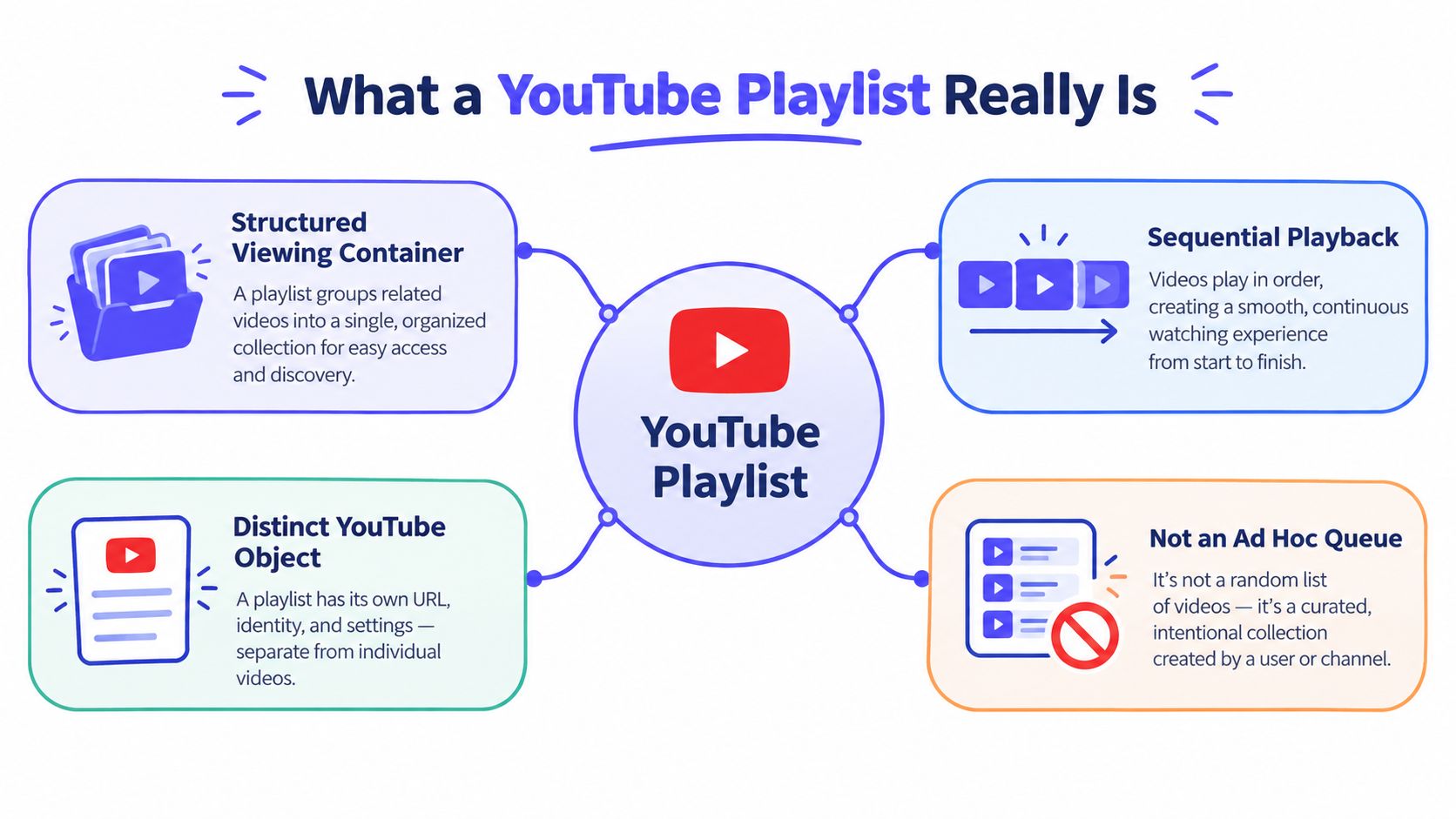
A playlist also has its own viewing context. YouTube provides playlist-focused reporting for activity such as playlist video views, playlist starts, and average time watched. That means creators can evaluate not only whether an individual video attracted attention, but also whether the sequence encouraged people to begin and continue watching. Google's playlist documentation describes playlists as a distinct YouTube object with measurable behavior.
Consider a solo founder launching a lightweight project management app. The founder might publish a short problem video, a product walkthrough, a customer proof video, and a final invitation to try the product. A playlist turns those separate uploads into one guided viewing experience.
For the viewer, the benefit is simple. The next relevant video is already selected. For the founder, the benefit is control over the order and a clearer way to inspect engagement.
Practical rule: Treat a playlist like a small product journey. Each video should answer the question created by the previous one.
A playlist won't fix unclear messaging or weak videos. It can, however, remove unnecessary decisions from the viewing experience. That makes it useful for founders who need every launch asset to support a specific next step.
What a YouTube Playlist Really Is
Start with the basic model. A video is a single unit. A playlist is a structured viewing container that holds multiple units and presents them in sequence.
That distinction matters because an ad hoc queue is usually temporary. A playlist has a title, a description, an owner, visibility settings, an order, and a shareable identity. You can return to it, edit it, and measure behavior connected to that collection.
Think of a playlist as a short curriculum. A good curriculum doesn't place advanced material before the introduction. It gives the learner a sensible path. A good launch playlist works the same way.
The sequence creates context
The first video establishes the problem. The next demonstrates the solution. A later video provides evidence or answers an objection. The final video asks the viewer to take action.
The sequence can also support other jobs:
- Education: Arrange lessons from basic concepts to practical application.
- Onboarding: Move new users from setup to their first successful outcome.
- Product discovery: Group videos by one use case instead of one upload date.
- Launch communication: Give visitors one place to understand a new product.
The order isn't decorative. It sets expectations. If a viewer opens a playlist called “Launch,” the first video should explain what the product does, not assume prior knowledge.
The container creates measurement
YouTube has treated playlist behavior as a formal analytics category for more than a decade. Dedicated playlist reporting arrived on April 24, 2014, and Google says historical data was available from February 1, 2014 in the original reporting rollout. YouTube's announcement of playlist reports describes playlist activity as measurable behavior rather than a simple list of links.
Later playlist reporting expanded to include views, estimated minutes watched, average view duration, playlist starts, views per playlist start, and average time in playlist. Those metrics help answer a sharper question: does the sequence work as a sequence?
A founder shouldn't judge a playlist only by the performance of its first video. Look at whether viewers start the collection, continue into additional videos, and spend meaningful time inside the playlist context.
How YouTube Playlists Work Behind the Scenes
A founder preparing a product launch may have separate videos for the problem, product, demonstration, and next step. A playlist turns those uploads into one viewing path. It also creates a measurable container, with its own ownership, visibility, collaboration, and reporting considerations.
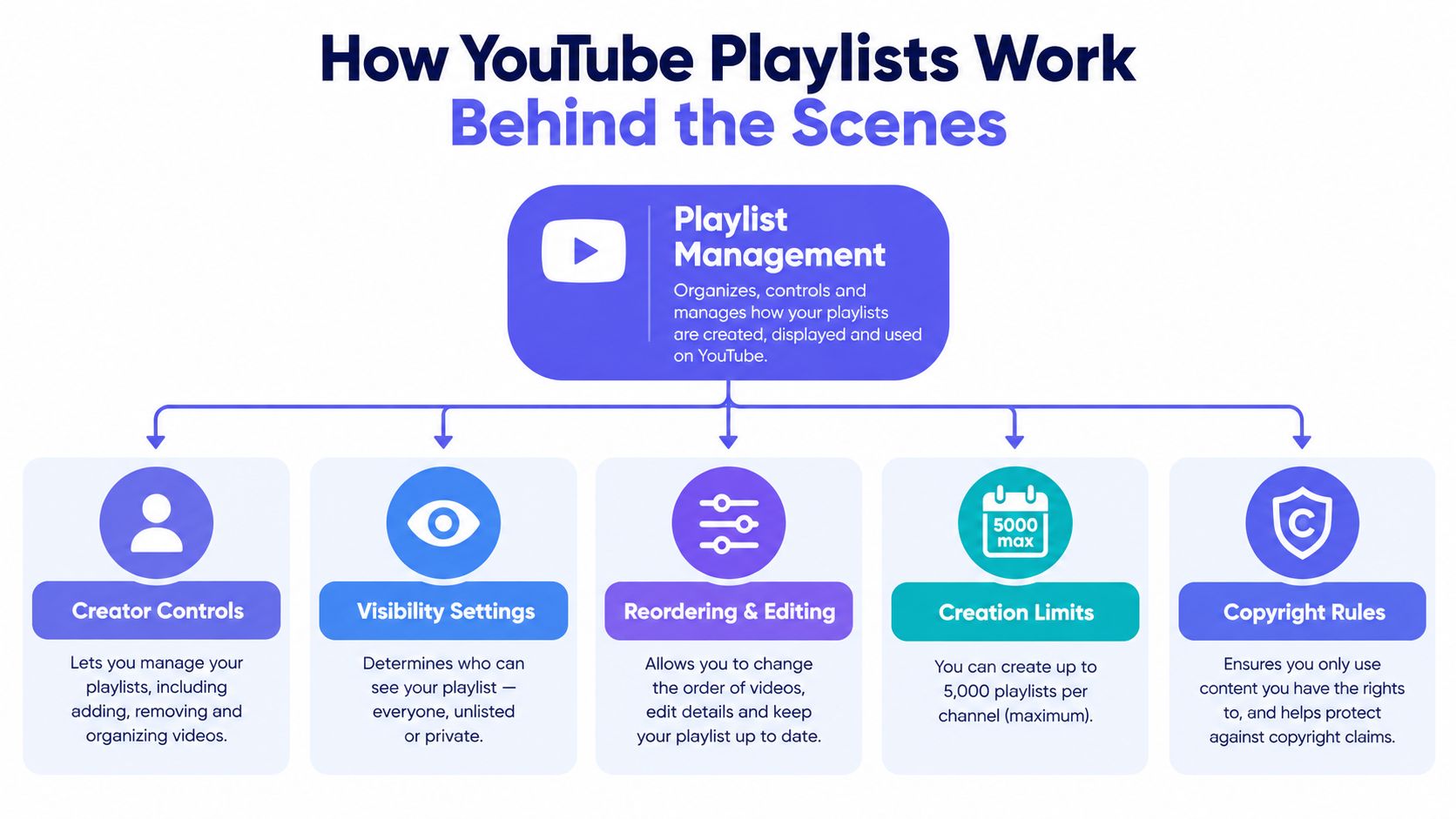
Anyone can create and share a playlist. The owner can also let other people add videos, according to YouTube Help's playlist guidance. That permission changes the operating model. A private playlist can serve as a working draft, while a public playlist can guide prospects through launch content.
Ownership and visibility
Visibility determines who can access the collection. Public supports discovery and sharing. Private keeps a sequence inside the review process. Collaboration determines who can change its contents.
Set the topic and intended order before inviting contributors. Without that boundary, a launch sequence can become a mixed collection with no clear next action. The owner remains responsible for the path viewers see.
Playlist management continues after creation. You can change the title and description, reorder videos, or remove individual items. YouTube's editing instructions explain these controls.
Limits, deletion, and measurement
YouTube Help describes a daily limit for creating public playlists across YouTube Music, the main YouTube app, and the YouTube API. Advanced feature access can raise that limit. A separate Google Help community reply identifies a 5,000-playlist limit, so large channel libraries need a clear naming and ownership system. YouTube's feature access guidance covers the daily creation limit and advanced features.
Playlist reporting makes the container useful for launch analysis. Review whether viewers start the playlist, continue to additional videos, and spend time within its sequence. A strong first video alone does not prove that the path works.
Deleting a playlist removes its URL and title from YouTube Analytics, while watch time remains in broader reports. The collection disappears, but the wider viewing record is not erased in the same way. For music or ambient content, this guide to YouTube Music crossfade explains how sequential playback can affect listening.
Why Playlists Matter for Viewers and Creators
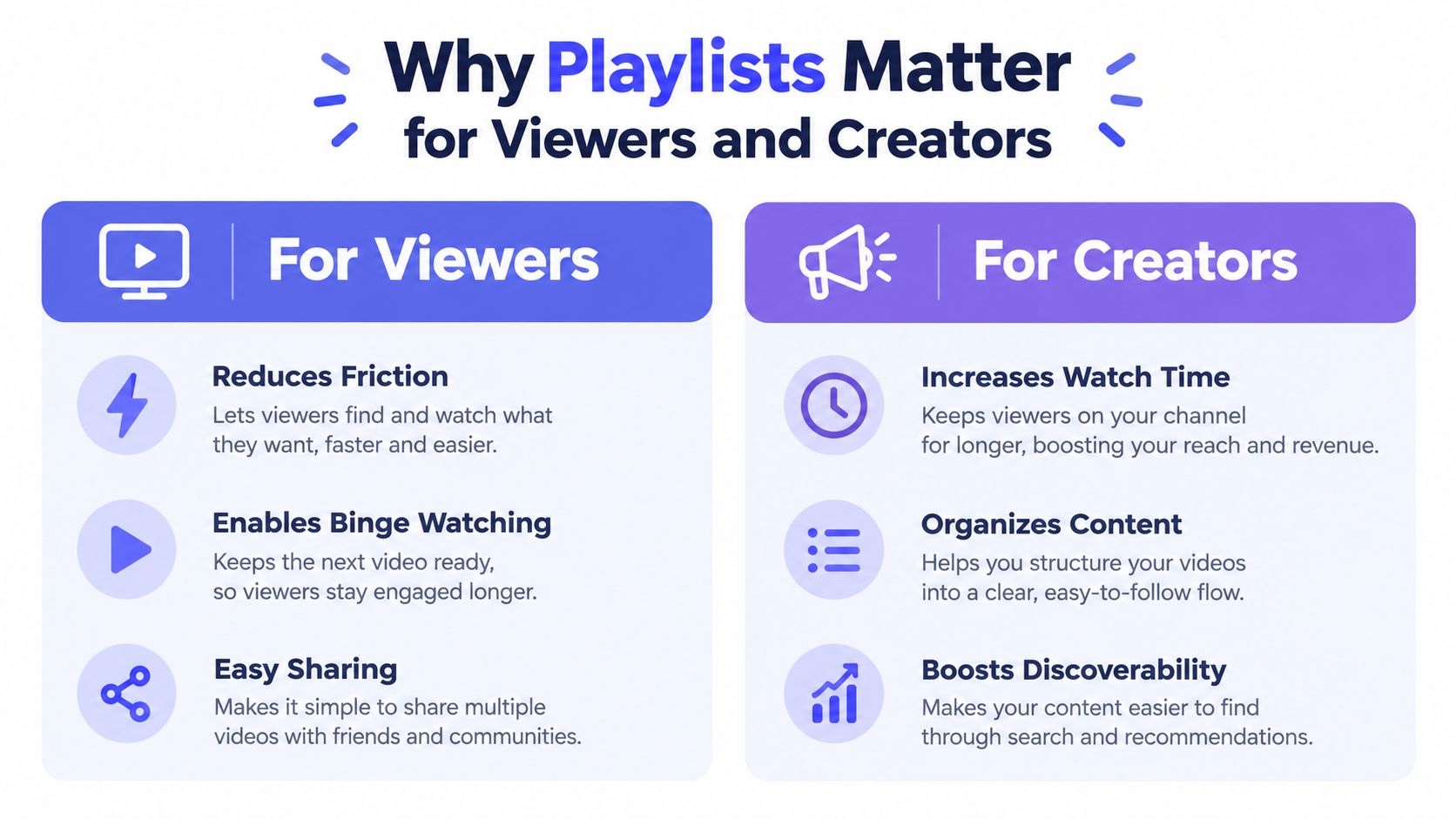
Viewers and creators use the same playlist for different reasons. The viewer wants less friction. The creator wants a clearer path through related content and better visibility into sequence behavior.
The viewer's job
A viewer often arrives with a question, not a content strategy. They want to understand a product, learn a process, or decide whether a claim is credible. A playlist reduces the number of decisions required after the first video.
The viewer can:
- Continue watching: The next relevant item is already selected.
- Follow a sequence: The order can move from explanation to demonstration.
- Share one destination: A single playlist link can represent a complete topic or journey.
- Return later: A named collection is easier to find than a temporary queue.
This is especially useful when videos depend on one another. A product setup series becomes harder to follow when the viewer must search for each installment separately.
The creator's job
Creators need organization and feedback. A channel with scattered videos forces visitors to assemble the story themselves. A playlist groups related assets and gives the creator a deliberate way to direct attention.
Playlist analytics can include playlist starts, views per playlist start, and average time in playlist. These measures differ from a single video's view count. They help a founder see whether people enter the intended path and how much of that path they consume.
A launch sequence might reveal that viewers start with the teaser but rarely continue to the proof video. That doesn't automatically identify the cause, but it gives the founder a concrete place to investigate. The order, transition, title, and opening of the next video all become candidates for improvement.
For a broader framework on planning video around a product launch, see best practices for video marketing. The central principle is simple: every video should have a job, and the playlist should make those jobs easier to follow.
How to Create and Manage a Playlist Quickly
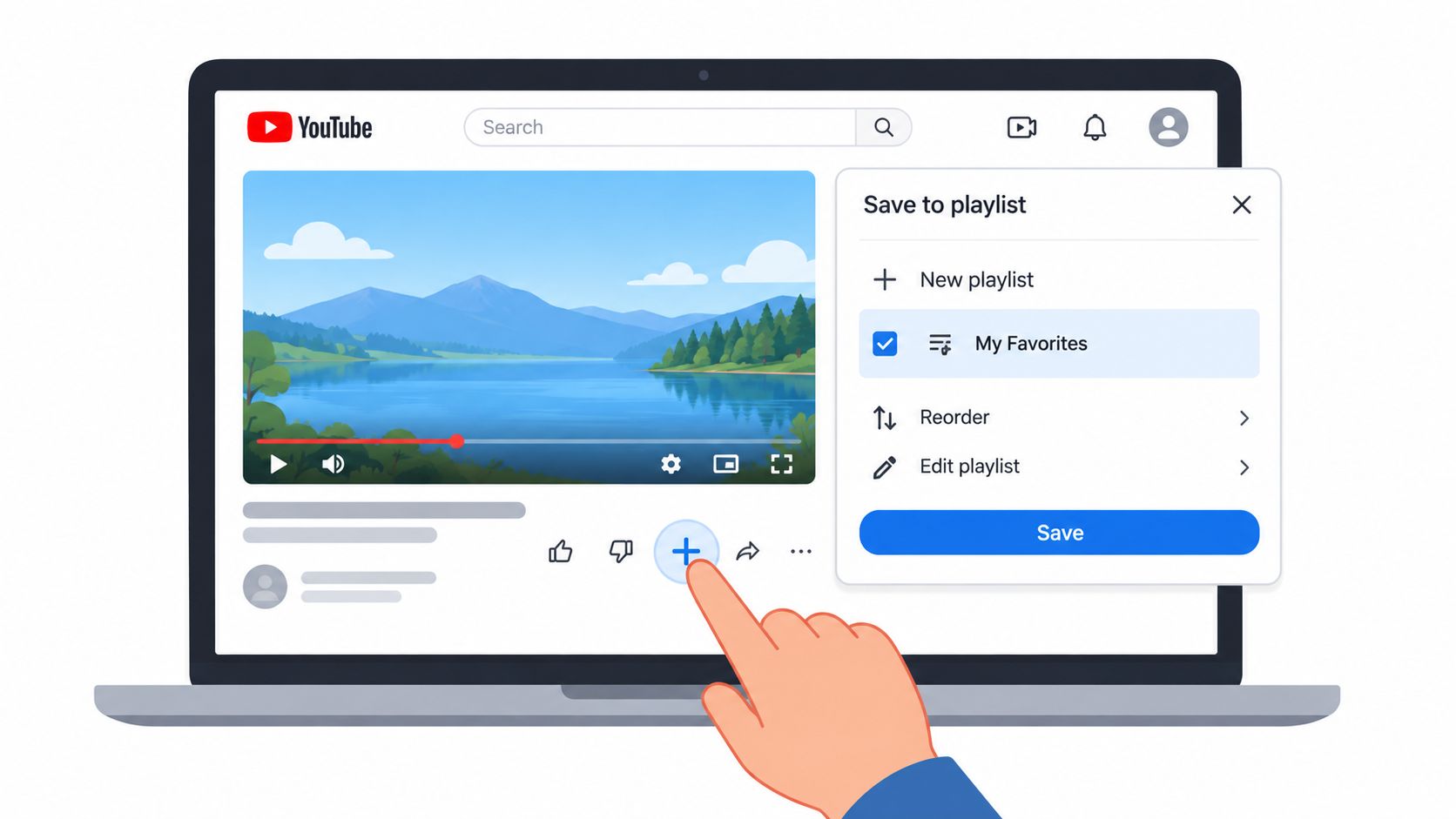
Create a playlist while saving a video or from your channel's playlist area. Give it a focused title, add a description that explains the intended viewing path, and choose the visibility that matches your purpose.
A founder preparing a launch might create a playlist called “Product Launch” and add videos in this order:
- Hook: State the problem the product addresses.
- Problem: Show why the current workflow causes friction.
- Solution: Demonstrate the product's central action.
- Proof: Address trust with evidence available to the founder.
- CTA: Tell the viewer what to do next.
That structure mirrors a concise launch story. Keep the collection focused on one audience and one outcome. A playlist that mixes product education, unrelated announcements, and random behind-the-scenes clips gives viewers no reliable path.
Edit the sequence as the launch develops
Open the playlist controls to change the title or description. Drag videos into a new order when the story changes. Remove videos that no longer match the promise of the collection.
YouTube also lets you delete a playlist from the More menu after confirmation. Delete only when the collection no longer has a useful purpose, because the playlist identity won't remain available in YouTube Analytics after removal.
This practical guide to create playlists for channel growth can help if you want more interface-specific direction. For founders, the important decision isn't the number of clicks. It's the logic of the sequence.
Here's a short visual reference for the save-to-playlist action:
Use a playlist when the videos belong together. Don't create one merely because several uploads exist. A narrow promise makes the collection easier to understand, easier to share, and easier to review.
If you're building a launch asset system, this guide on how to make promotional videos offers additional planning context. The playlist should remain the distribution container, not a substitute for clear product messaging.
Smart Ways Founders Use Playlists for Launches
Founders can use playlists to turn separate launch assets into a guided explanation. The strongest sequence usually follows the buyer's questions.
A viewer may ask:
- What problem does this product solve?
- How does the product work?
- Why should I trust the claim?
- What should I do next?
Put one video against each question. A teaser earns attention. A demo shows the mechanism. Proof reduces uncertainty. A call to action gives the viewer a specific next step.
Build around the launch moment
A founder posting on launch day can send traffic from a product announcement, a social post, or a community discussion to one playlist. That gives each visitor the same starting point and the same intended order.
A solo builder can also create separate collections for different needs:
- Launch sequence: Problem, solution, proof, CTA.
- Product education: One feature or workflow per video.
- New user path: Setup, first task, common mistake, next action.
- Founder updates: Product change, reason, impact, invitation for feedback.
Keep the videos short enough to maintain a clear purpose. ShipTeaser fits this use case by taking a product URL and producing a 15-second, 1080p, silent motion-graphics teaser in about 2 minutes, ready to post. Each output uses five scenes: hook, problem, solution, proof, and CTA. The format supports 16:9, 1:1, and 9:16 ratios.
“ShipTeaser creates silent promotional motion graphics, not narrated videos,” is the right expectation. Silent means no voice-over, while an optional music bed can be included. The service doesn't provide AI avatars, narration, a video editor or timeline, screen recording, stock footage, prompt-based text-to-video, dubbing, subtitles, translation, or clip trimming.
Match output to cadence
The first video is free and doesn't require a credit card. Paid plans are $99 per month for 1 video per week, $149 per month for 2 videos per week, and $199 per month for 4 videos per week. Those options suit founders who want a repeatable flow of short launch assets rather than a one-off production project.
Use a plan video content with Scheduler workflow if you need to coordinate publishing dates around a launch. Then place related videos in a playlist that reflects the product story, not only the order in which the files were created. For a focused product launch workflow, see the product launch video maker.
FAQ About YouTube Playlists
Can other people add videos to a YouTube playlist?
Yes. A playlist owner can share it and let friends add videos. Set a clear topic and viewing order first. Otherwise, collaboration can turn a focused sequence into a mixed collection. YouTube Help explains sharing and collaborative adding.
What happens to playlist analytics after deletion?
Deleting a playlist removes its URL and title from YouTube Analytics. Watch time can remain in broader reports. The playlist-level container disappears, while wider viewing records may remain.
Is there a limit to public playlists?
YouTube sets a daily limit for creating public playlists across YouTube Music, the main YouTube app, and the YouTube API. Advanced features can raise that daily limit. Separate platform guidance states a playlist limit of 5,000. YouTube Help provides the relevant guidance.
Does a ShipTeaser teaser include narration?
No. A ShipTeaser teaser is silent and has no voice-over. An optional music bed can add audio, so silent means no spoken narration.
Use a focused playlist to sequence a launch from product problem to product action. Then create the short assets for each step. Try the free first video from ShipTeaser, paste your product URL, and build the sequence without a credit card.