
You've launched a software product, the landing page is live, and you know a short teaser would help people understand it. But writing a script, planning visuals, editing footage, and exporting the right format can turn a simple announcement into a full production task.
A strong video script template for a 15-second product teaser uses three writing beats, hook, value, and CTA, mapped to five visual scenes, hook, problem, solution, proof, and CTA. Keep the script concise, make every line readable without voice-over, and give the product a visible role from the opening seconds.
What This 15 Second Video Script Template Solves
Early-stage teams launching from a landing page need a repeatable way to turn that page into a short product story that reads in a silent feed. The script must control copy, visuals, pacing, and the final action without becoming a full production plan.
Use one writing spine and one scene map. The writing spine is hook, value, and CTA. The five-scene execution is hook, problem, solution, proof, and CTA. That split keeps the message focused while giving each scene a clear job.
Set a hard copy limit. A 15-second script should contain roughly 30 to 40 spoken words, according to this 15-second short-form script guide. For a silent teaser, treat that range as the upper boundary for on-screen text. Short lines give viewers enough time to read while the product remains visible.
Write the opening for a viewer who is scrolling with sound off. Put the problem or product on screen immediately. Captioned videos are reported to earn 12% more watch time and be 80% more likely to be completed in the video script template resource. Use those figures as directional evidence, not a guarantee. The practical rule is simple: make the first scene understandable without narration.
This framework also prevents a common format mistake. A teaser creates enough interest for the next click. A demo explains how the product works in greater detail. Review this product demo video versus teaser comparison before writing, then choose one job for the 15 seconds. A teaser should show the product's promise, not cram in every feature.
The Fillable 15 Second Template You Can Copy
Start with the copy, not the animation. Fill every bracket, then map each line to ShipTeaser's five-scene logic: hook, problem, solution, proof, and CTA. This keeps the familiar hook, value, and CTA spine while giving each scene one job.
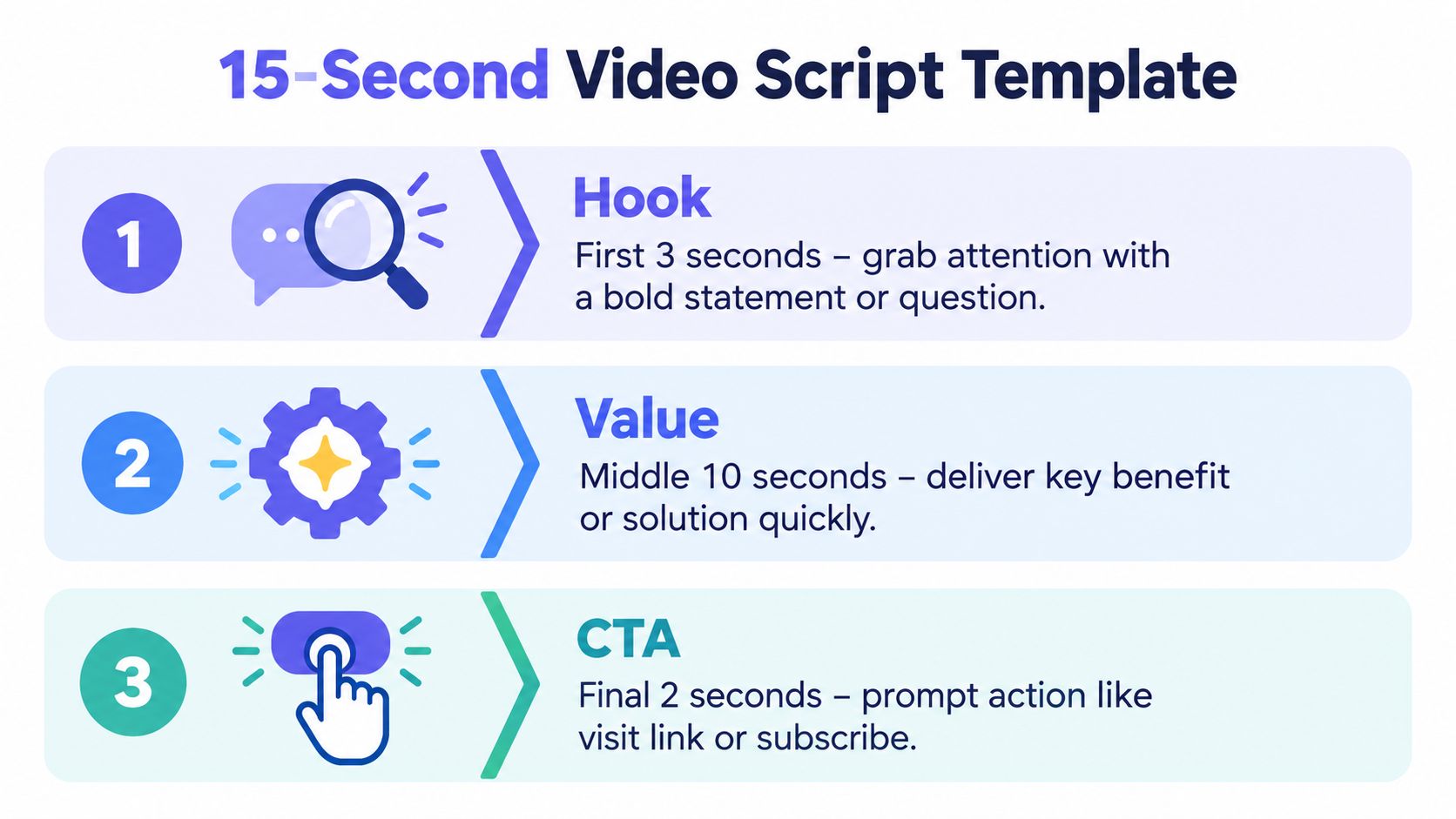
Hook, zero to three seconds
Hook, 6 to 10 words
[Audience] still [painful task]?
or
Stop [frustrating activity].
or
[Product category] without [familiar obstacle].
Name the problem, result, or contrast immediately. Skip the logo animation at the start. The opening must make sense in a silent feed, where the viewer may never hear the narration. Use this short-form video script guidance to keep the first scene focused on the hook.
Value, three to twelve seconds
Problem, 5 to 8 words
You lose time when [specific task].
Solution, 8 to 12 words
[Product] turns [input] into [useful result].
Proof, 4 to 8 words
See [specific screen, workflow, or result].
These three lines carry the value. The problem creates recognition. The solution states the product's job. The proof gives the viewer something concrete to see. Keep one idea per scene. Use a landing page headline as raw material, then choose one product moment instead of listing features.
CTA, twelve to fifteen seconds
CTA, 4 to 7 words
Try it at [URL].
or
See the full launch at [URL].
or
Paste your URL to start.
Ask for one action. Do not combine a site visit, a sales call, and a subscription in one frame. Product launch guidance also supports a clear progression from the opening problem to the product response and a final CTA, as outlined in this product launch video guidance.
Practical rule: Keep spoken copy to roughly 30 to 40 words. Treat that limit as the ceiling for silent on-screen text, and shorten lines further when the interface needs more room.
Use SEO content templates with AI to organize landing-page material before adapting it. Extract one pain, one benefit, one proof point, and one next step. Then check that every scene can stand on its own without narration.
How to Fill the Template From Your Landing Page
Your landing page already contains the raw material. Use its promise, then compress that promise into five scenes. Do not invent a separate campaign message unless the page is unclear. The teaser should prepare viewers for the same idea they see after clicking.
For software that helps solo founders collect beta feedback, the page might say:
- Headline: “Collect product feedback in one place.”
- Subhead: “Replace scattered messages with a simple board for requests, votes, and updates.”
- Proof: “Invite users to submit and vote on ideas.”
- CTA: “Start your feedback board.”
That copy needs editing before it becomes a 15-second script. Each line must fit beside a moving visual and remain clear without narration.
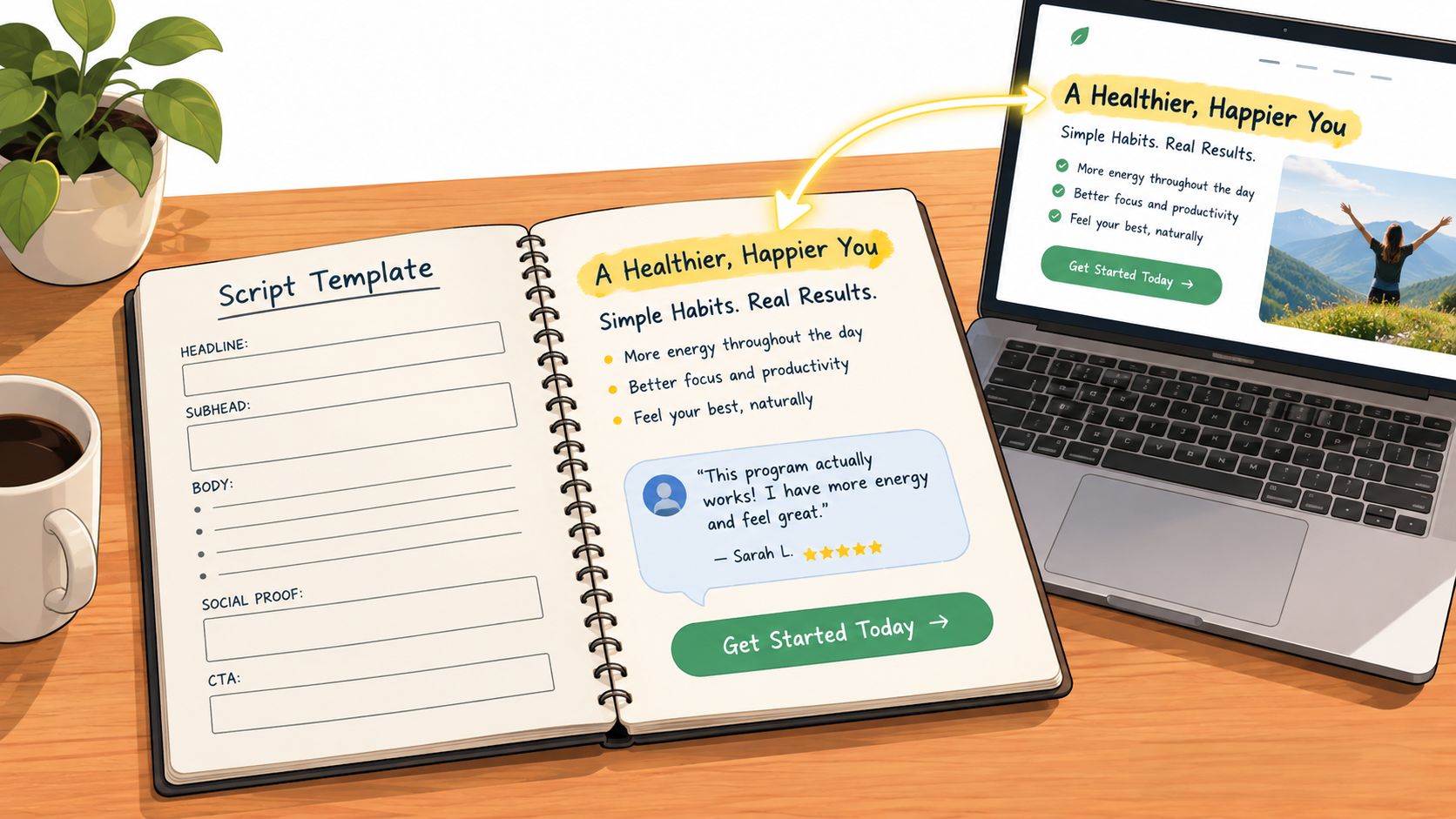
Map page copy to the five scenes
Use the headline to identify the hook. Pull the problem from the subhead. Turn the product's visible workflow into proof. Keep the CTA close to the page's existing action. Follow the same progression recommended in this guide to landing page video.
A completed version could read:
| Scene | On-screen copy | Visual direction |
|---|---|---|
| Hook | “Beta feedback everywhere?” | Show scattered message cards moving apart |
| Problem | “Requests get buried.” | Animate cards stacking and fading |
| Solution | “Bring ideas, votes, and updates together.” | Show the product board organizing the cards |
| Proof | “Users submit and vote in one place.” | Highlight submission and voting states |
| CTA | “Start your feedback board.” | Show the URL and final product view |
The rewrite removes excess detail. “Replace scattered messages with a simple board for requests, votes, and updates” becomes a short problem line and a focused solution line. Keep one idea per scene. The viewer needs a reason to inspect the product, not a complete workflow tutorial.
Clear landing page copy best practices make this extraction faster. Find one concrete pain, one direct outcome, one product action the viewer can see, and one next step. If the page offers several benefits, choose the benefit connected to the strongest visual.
Choose proof the viewer can see
Proof can be a product screen, a visible transformation, or a short workflow. Show the product completing one job. A static feature list carries less meaning than a request being submitted, organized, or voted on. Avoid unsupported claims. If the page has no credible proof point, use the interface itself.
ShipTeaser accepts a submitted product URL, page copy, screenshots, and visible brand cues to generate a 15-second, 1080p, silent motion-graphics teaser in about 2 minutes. Its five scenes are hook, problem, solution, proof, and CTA. That lets a founder start with a URL instead of building a timeline manually. Each scene still needs review. Remove any line that cannot stand on its own in a silent feed.
Three Variations That Keep the Same Structure
Keep the five scenes fixed: hook, problem, solution, proof, and CTA. Change the angle, not the structure. This gives you clean tests without rebuilding the teaser. Keep the CTA recognizable so the viewer can compare results.
| Variation | Hook Line Focus | Value Line Focus | CTA Line |
|---|---|---|---|
| Problem-led | “Still tracking beta feedback in chats?” | “Collect requests, votes, and updates in one board.” | “Start your feedback board.” |
| Proof-led | “See every product request in one place.” | “Users submit ideas and vote on what matters.” | “Explore the workflow.” |
| Question-led | “What should you build next?” | “Let users show you with organized feedback.” | “Try it at [URL].” |
Problem-led for recognition
Use this version when the audience already feels the problem. Name the situation in plain language: feedback buried in chats, unclear priorities, or manual follow-up. Avoid broad lines such as “Growth is hard.” Use a specific opening that makes the viewer recognize the cost of the current workflow.
Keep the hook within the first scene, then show the product resolving that exact problem. The value line should describe one outcome. The proof scene should show the relevant action, such as a request being submitted, organized, or voted on.
Proof-led for product clarity
Choose this variation when the interface explains the product faster than a claim. Start with a visible product state, then show one action. A cursor moving from submission to voting communicates more than a screen filled with feature labels. Keep the text short enough to support the visual instead of competing with it.
Question-led for curiosity
Use a question when the audience already faces the decision your product addresses. “What should you build next?” points directly to organized feedback. The following scenes can show users submitting ideas and voting on priorities. Avoid questions that create suspense without showing a useful answer.
The best variation makes the product's first useful action obvious.
ShipTeaser's fixed five-scene output supports regular hook tests without rebuilding a video timeline each time. For stronger opening lines, follow this three-second hook guide.
Make It Read Silent and Fit Every Ratio
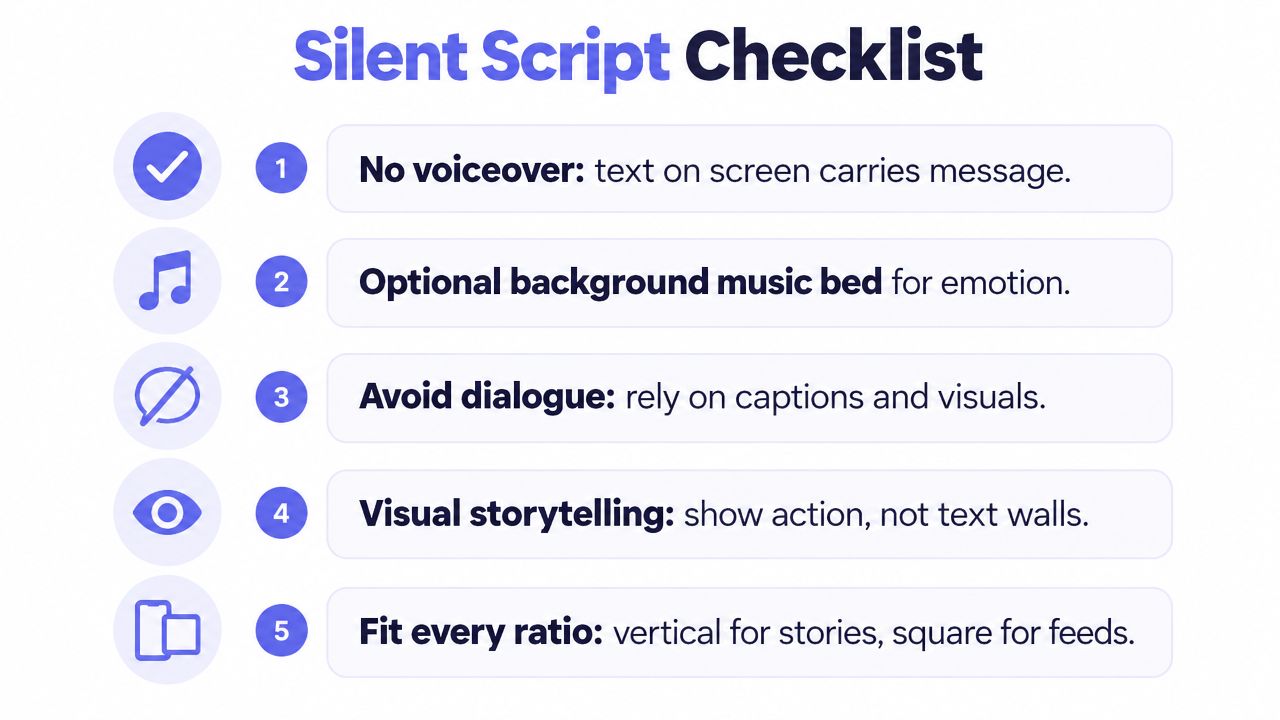
A viewer may encounter the teaser with sound off, on a narrow phone screen, or inside a cropped feed. Write for that first. No voice-over or narration should be necessary. Optional music can set rhythm, but the on-screen copy and product visuals must carry the message.
Use the five-scene logic from the template: hook, problem, value, proof, and CTA. Give each scene one job and one readable idea. If the frame says “organize feedback,” show messages becoming an organized board. A crowded paragraph over a screenshot will fail in every format.
Build for sound-off viewing
Check the draft before rendering:
- Opening frame: Names the problem or product immediately.
- Text density: Uses one short idea per frame.
- Visual proof: Shows the interface action behind the claim.
- CTA clarity: Requests one next action.
- Brand cues: Keeps colors, logo treatment, and product visuals consistent.
Select the export ratio before writing
ShipTeaser exports 16:9, 1:1, and 9:16. Choose 16:9 for desktop-first placements and wide product announcements. Choose 1:1 for a square version that can fit several feeds. Choose 9:16 for vertical, mobile-first placements. Use this social video aspect ratio guide to confirm the role of each format.
Keep text and key product details inside the safe central area. Design the hook, value line, proof action, and CTA so cropping does not remove their meaning. Review the first 10 seconds of a product launch video before finalizing the opening, then check the full launch video specs for export requirements.
ShipTeaser uses motion graphics and product-page inputs. It does not use AI avatars, voice-over narration, stock footage, screen recording, a video editor timeline, prompt-based text-to-video, dubbing, subtitles, translation, or clip trimming. The constraint keeps the script focused. Every scene must work through readable text and visible product movement.
Final Checklist and FAQ
A teaser can look polished and still fail in the feed. Run this check before posting:
- Timing: Every scene fits the 15-second runtime.
- Hook: The first frame states a real problem, result, or question.
- Value: The script names one specific product benefit.
- Proof: The visual shows a product action or evidence the page supports.
- CTA: The final frame requests one next step.
- Formats: Text stays readable in 16:9, 1:1, and 9:16.
Does ShipTeaser create silent videos?
ShipTeaser creates silent motion-graphics teasers without voice-over or narration. You can add a music bed, but the message must remain clear through on-screen text and product movement with sound off.
How long does ShipTeaser take to generate a teaser?
After you paste a product URL, ShipTeaser generates a 15-second, 1080p teaser in about 2 minutes. The first video is free, and no credit card is required.
How much does ShipTeaser cost?
Plans cost $99 per month for one video per week, $149 per month for two videos per week, or $199 per month for four videos per week. The first video is free with no credit card.
What should a 15-second teaser include?
Use the five scene jobs: hook, problem, solution, proof, and CTA. Keep each line short enough to read, show the product doing something concrete, and connect the final request to one action on the product page.
Paste your product URL into ShipTeaser to get a 15-second 1080p silent teaser in about 2 minutes. Review it against the template, then choose a weekly plan if you need a repeatable launch cadence.