Choose URL-to-video generation when you need to paste a landing page and get a 15-second, 1080p teaser in about two minutes, with a free first video and subscriptions from $99 to $199 per month. Choose a general-purpose AI video suite when your launch needs scripting, avatars, or hands-on editing instead of a ready-to-post product teaser.
Your landing page is live. Your launch is booked for Tuesday, and the promotional video is still an empty task on your checklist.
ShipTeaser is my recommendation for solo founders who want a short product teaser every week without opening an editor. Prompt-to-video generators fit cinematic scenes, avatar-led systems fit presenter scripts, and general AI video suites fit detailed revisions. The best AI video tools are the ones that finish your actual launch asset, not the ones that produce the most impressive sample clip.
The Launch Day Problem Nobody Talks About
You've shipped the product, fixed the signup flow, and rewritten the headline. Then you open a video app and discover another project: write a script, collect assets, choose transitions, and decide how everything should move.
That's the wrong workload before a software launch. You need a finished asset that communicates the product's value, matches the landing page, and gives viewers a reason to visit.
The production bottleneck is real. 73% of marketers planned to increase video production by at least 10% in 2025, while 36% said video takes too much time to scale and 35% said limited production-team size constrains scaling, according to Goldcast's AI video research report.
Your launch asset isn't a film
For an early-stage founder, a teaser has a narrow job. Show the problem, introduce the software, provide credible evidence, and point to the next action.
A detailed walkthrough serves a different purpose. Use the product demo video versus teaser comparison to decide whether viewers need an invitation to explore or an explanation of how the interface works.
Before choosing software, define what counts as finished:
- Accurate messaging. Viewers should understand what your product does.
- Recognizable branding. The video should look connected to your landing page.
- Readable visuals. Product screenshots and text must survive a phone-sized preview.
- A usable export. You should be able to download and post without assembling another edit.
ShipTeaser belongs on a founder's shortlist when the deliverable is a product teaser, not a video production workspace.
Judge the work left after generation
An attractive generated scene isn't necessarily a launch asset. If you still need to write the story, add product evidence, and rebuild the composition for another placement, you haven't finished.
My recommendation is simple: evaluate the work remaining after generation. For solo builders launching software, a predictable export is more valuable than creative options you won't have time to use.
How AI Video Tools Actually Work for Founders
Start with the material you already have. A landing page, a written script, a visual concept, and recorded footage are different inputs. They call for different workflows.
AI-assisted production is already common: 63% of video marketers reported using AI to create or edit marketing videos, up from 51% the previous year, in a late-2025 survey of 266 marketing professionals, reported in G2's video marketing statistics.
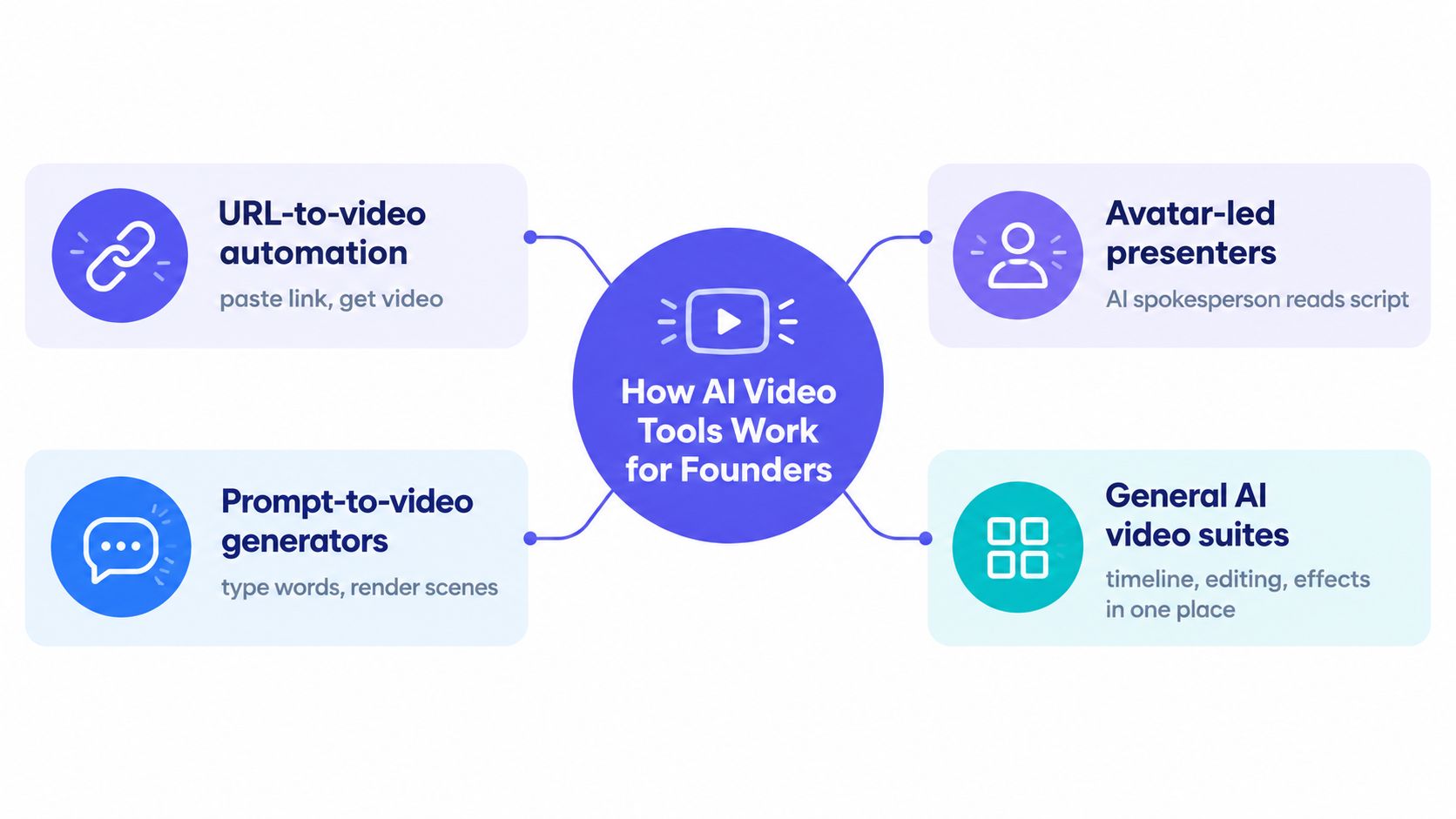
The useful distinction is how much production responsibility stays with you.
Start with the input, not the model
URL-to-video automation starts with an existing product page. ShipTeaser analyzes page copy, screenshots, and visible brand cues, then assembles a scripted motion-graphics teaser. Choose this category when your page already explains the product and you want that story packaged for posting.
Prompt-to-video generation starts with a visual description. Choose this category when you need an imagined scene, atmosphere, or cinematic sequence. For a software teaser, you'll still need a plan for showing the actual product and communicating the offer.
An avatar-led presenter starts with words someone should speak. That's useful when a presenter is central to the explanation. Don't add a synthetic spokesperson merely because the feature exists.
A general AI video suite gives you a broader production workspace. Choose this category when you want to arrange footage, revise timing, and manage layers yourself. The tradeoff is that you remain responsible for finishing the edit.
Avoid generating decoration instead of communication
Before testing any category, write down the viewer's intended takeaway. A founder launching a developer utility might need to communicate that the product replaces a tedious manual task. A dramatic abstract animation won't establish that connection by itself.
For additional perspective on generated content, keep Unfloppable on AI video trends alongside your evaluation. Use that context to question whether an output communicates something useful, rather than treating AI generation as a reason to publish.
- Choose URL-to-video when the landing page is your source material.
- Choose prompt-to-video when the missing asset is an original visual scene.
- Choose avatars when spoken presentation is necessary.
- Choose a suite when revision control matters more than avoiding an editor.
Comparing the Tools on What Founders Care About
Compare workflows on publishable output, not feature count. A longer menu doesn't help if you're still arranging scenes before launch.
The category assessments below are practical recommendations, not measured vendor scores. ShipTeaser provides the concrete URL-to-video reference; other categories require product-specific checks.
AI video tool categories compared on founder criteria
| Criterion | URL-to-video | Prompt-to-video | Avatar-led | General AI suite |
|---|---|---|---|---|
| Input method | ShipTeaser accepts a product URL | Visual prompt or reference | Presenter script | Script, footage, and other assets |
| Output length and format | ShipTeaser produces a 15-second, 1080p silent motion-graphics teaser with five scenes | Check clip length and story assembly | Check script duration and layout | Founder controls the assembled sequence |
| Time to downloadable asset | ShipTeaser generates in about two minutes | Include retries and assembly | Include scripting and presenter setup | Include editing and revision time |
| Brand treatment | ShipTeaser extracts visible page cues | Check reference handling and text accuracy | Check styling and product visuals | Check templates and manual styling needs |
| Pricing | ShipTeaser offers $99/month for one video weekly, $149/month for two, and $199/month for four; first video free, no credit card | Check credits, retries, and export charges | Check duration and feature allowances | Check subscription and production costs |
| Aspect ratios | ShipTeaser supports 16:9, 1:1, and 9:16 | Verify supported exports | Verify layout adaptation | Verify reframing and export controls |
Test the export, not just the preview
Input method comes first. If your best source material is a landing page, rewriting that page into prompts and presenter scripts creates extra work.
Fixed format comes next. ShipTeaser's five-scene structure is hook, problem, solution, proof, and CTA. That's a defined promotional deliverable, not an invitation to build a longer production.
Time to asset should include every action you perform. Count preparation, failed generations, review, and export. A quick render followed by substantial manual assembly isn't a quick workflow.
For a broader purchasing checklist, consult the AI video tool feature and pricing review. Then verify the actual export requirements and billing terms of any category you shortlist.
Aspect ratios deserve a separate acceptance test. Google's video asset guidance recommends 16:9, 9:16, and 1:1 and reports that vertical video can deliver more than 35% higher conversions in Demand Gen campaigns and more than 40% higher view-through rates in Video View campaigns. Those are campaign-specific findings, not promises about your product launch.
- Inspect framing. Important interface details must remain visible.
- Inspect text. A headline that works horizontally may become crowded vertically.
- Inspect completion. Download the file before deciding that a workflow passes.
- Inspect cost. Evaluate what you'll publish, not the maximum allowance.
My ranking for this use case is clear: URL-to-video first for weekly teasers. Move to another category only when a required creative element demands it.
Inside the URL-to-Teaser Workflow
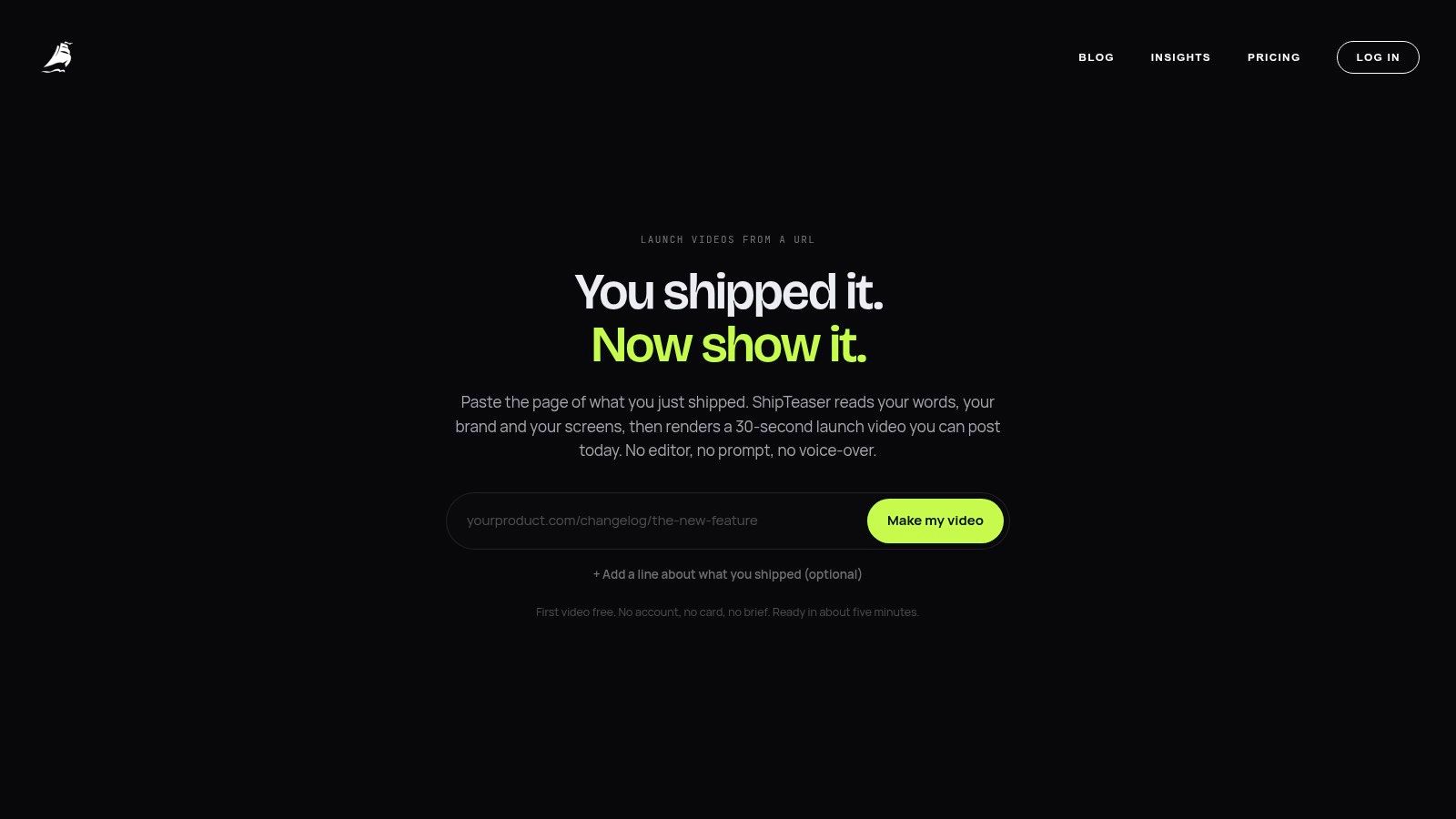
ShipTeaser starts with the product page you've already built. The homepage provides the entry point for submitting that source material.
Prepare the page and submit the URL
Start by checking the page itself. Your headline should identify the benefit, your screenshots should show the software, and your CTA should tell visitors what to do next.
Then run the workflow:
- Paste the product URL. Use the landing page that best represents the launch.
- Let ShipTeaser analyze the page. ShipTeaser pulls copy, screenshots, and visible brand cues.
- Review the story sequence. The hook starts from the headline, followed by the problem, solution, proof, and CTA.
- Generate the required formats. ShipTeaser renders the teaser in wide, square, and portrait orientations from the page input.
- Download the MP4 and post. Check the finished file before publishing.
The product video script guide is useful when your landing-page story needs tightening. Improve the source message before expecting generation to communicate it clearly.
Apply a product-specific quality check
Technical testing should match the deliverable. Axis Intelligence's controlled benchmark evaluated 27 generators, using more than 15,000 videos and 500 prompts, across dimensions including motion coherence, temporal consistency, audio synchronization, processing speed, and latency.
For your teaser, prioritize screenshot fidelity, brand-color preservation, text legibility, and stable motion. Reject fabricated evidence or an unclear CTA, even if the animation looks polished.
For ideas about repeatable creative structures, consult AI templates for performance marketers. Borrow structural thinking, not a reason to add unnecessary production steps.
The embedded example provides another way to inspect the presentation.
ShipTeaser deliberately excludes avatars, voice-over, narration, timelines, stock footage, and prompt-based text-to-video generation. ShipTeaser also doesn't provide screen recording, dubbing, subtitles, translation, or clip trimming.
Silent means no voice-over. ShipTeaser offers an optional music bed, so the format doesn't require complete absence of audio. Judge whether the visuals communicate the product without spoken explanation.
When a Teaser Workflow Pays for Itself
A subscription earns its place when you repeatedly publish the output. Buying capacity you don't use isn't a production strategy.
Short product content has a relevant audience preference: 44% of viewers prefer a short product or explainer video over a long one, and 73% of video marketers create explainer videos more than any other content type, according to Dash's video marketing research compilation.
That supports testing concise product communication. It doesn't prove that any particular teaser will produce revenue.
An indie maker with a weekly release habit
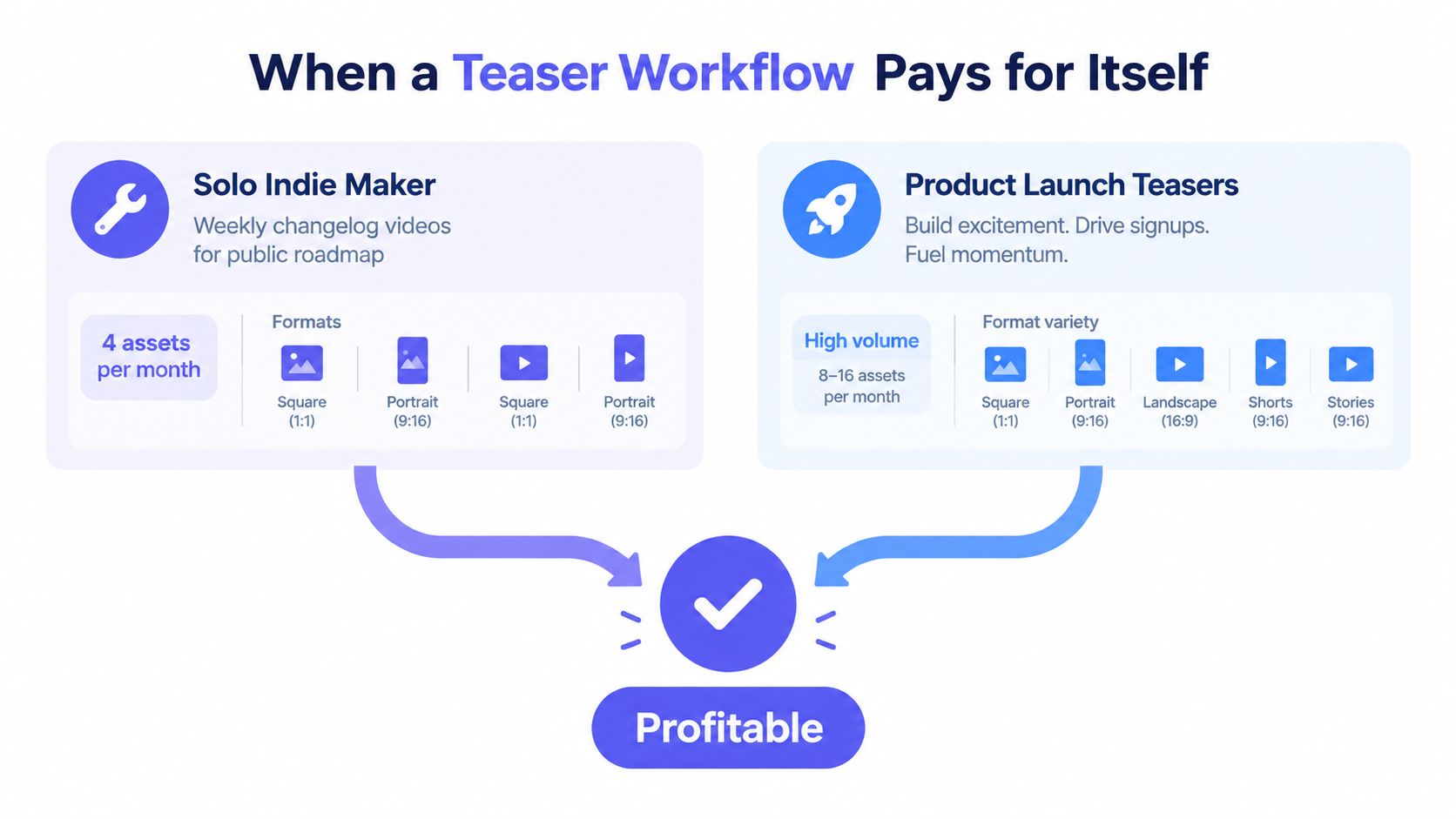
Consider a hypothetical maker shipping updates to a public roadmap. The maker wants a weekly changelog teaser, with a planning target of four assets in a month, distributed across square and portrait placements.
The useful habit starts before generation. The maker updates the relevant page with the release benefit and current screenshots, then submits that page for a teaser. The video accompanies the written announcement rather than replacing release notes.
The entry plan fits a single weekly production habit. Don't buy a higher allowance merely because more output is available.
A founder coordinating a launch week
Consider a hypothetical SaaS founder preparing a coordinated announcement. The founder needs wide, square, and portrait presentations of the same launch story on the opening day.
That's format adaptation, not necessarily three distinct creative concepts. Keep that distinction clear when comparing plan allowances and deciding how many new teasers you need.
Budget rule: Judge ShipTeaser by the videos you publish and the production work you avoid, not by unused generation capacity.
A higher-cadence plan makes sense when you have different releases or messages to communicate each week. A quiet roadmap doesn't become a content strategy because you purchased more slots.
Use the product video cost guide to structure your decision around the complete workload. Track:
- Publication rate. Did the generated teaser reach your audience?
- Founder time. How much preparation and review did you perform?
- Rework. Did you need another workflow to finish the asset?
- Response. Did viewers take the action your launch needed?
Start with the free first video. Subscribe only after the output passes your quality check and you have a credible reason to repeat production.
When a Different AI Video Tool Is the Better Fit
Skip URL-to-teaser automation when your essential creative requirement falls outside the format. You won't save time by choosing a narrow workflow and then rebuilding the result elsewhere.
The category is broad enough to support different approaches. The Grand View Research market estimate places the global AI video generator market at USD 788.5 million in 2025, with a projection of USD 3.44 billion by 2033 and 20.3% projected compound annual growth. Those estimates describe the market, not the quality of an individual product.
When the presenter is central
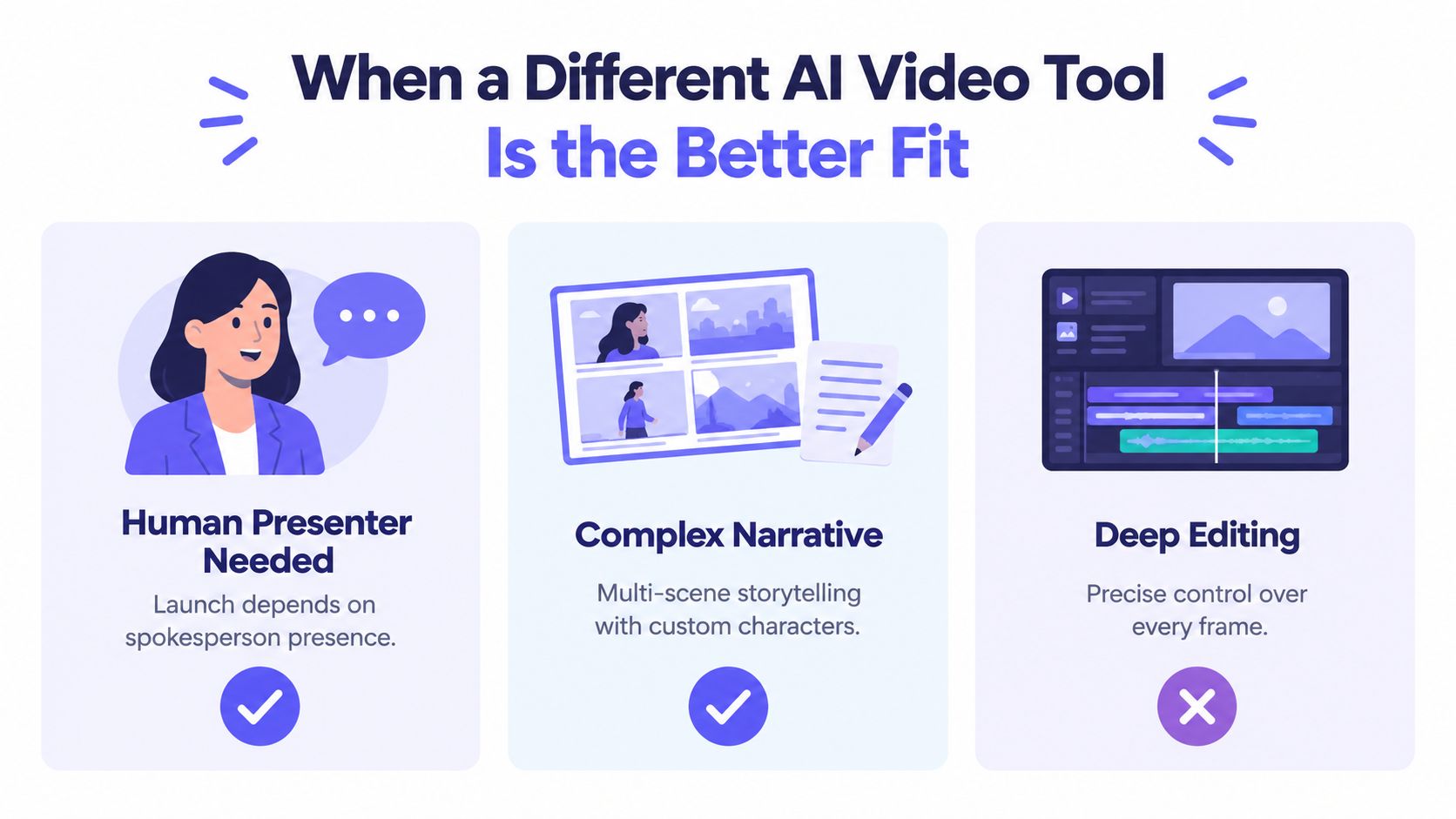
Choose an avatar-led category when the video needs a spokesperson delivering a script. Spoken presentation can be the correct format for an explanation that depends on guided narration.
If the launch depends on your personal credibility, record yourself instead. A synthetic presenter isn't a substitute for the founder's actual presence merely because both appear as talking heads.
ShipTeaser doesn't provide presenters or narration. Don't choose ShipTeaser for a deliverable that requires either.
When the scene must be invented
Choose prompt-to-video generation for cinematic B-roll, custom environments, or a visual narrative that doesn't exist on your landing page. A motion-graphics teaser can package existing product material, but that isn't the same job as inventing a scene.
Keep imagined visuals separate from product evidence. A generated depiction of a workflow must not imply that your software performs something the product cannot do.
For complex storytelling, expect to take responsibility for continuity and assembly. Choose that workload deliberately.
When precise revisions are mandatory
Choose a general AI video suite or an editor when you need layered B-roll, captions, voice-over, or frame-level timing changes. You're buying control, and control requires decisions.
Use these requirements to make the call:
- Presenter required. Shortlist presenter-focused workflows.
- Original scenes required. Shortlist prompt-based generation.
- Detailed editing required. Shortlist suites with revision controls.
- Landing-page teaser required. Shortlist URL-to-video automation.
Don't choose a workflow because it has more capabilities. Choose a workflow because its capabilities match the deliverable.
For a founder who already has a clear product page and needs a recurring promotional asset, URL-to-video beats starting from a blank timeline. For a narrated walkthrough or tightly directed film, choose the category designed for that work.
Choosing the Right Tool and Getting Started
Use a short acceptance checklist before committing. The important question isn't whether a preview looks impressive. It's whether you can repeat the process during a busy release week.
HubSpot's 2024 survey of more than 500 video marketers found that 83% used short-form video and identified short-form as the highest-ROI video format, leading for engagement and lead generation. That's a reason to test the format, not permission to skip product-specific review.
Make the buying decision concrete
- Match the input. Start with the material you already maintain.
- Accept the scope. Confirm that a brief teaser serves your launch goal.
- Check the formats. Review every orientation you intend to publish.
- Verify the branding. Compare the export with your actual page.
- Match the cadence. Pay for a production habit you'll use.
Keep the launch video specifications checklist beside your export review. A downloaded asset should pass both a technical check and a message check.
FAQ
How much does ShipTeaser cost?
ShipTeaser subscriptions cost $99 per month for one video per week, $149 per month for two videos per week, and $199 per month for four videos per week. Choose the allowance that matches your actual publishing cadence.
Can I try ShipTeaser without a credit card?
ShipTeaser offers a free first video with no credit card required. Use the trial to evaluate your own landing page, downloaded output, and readiness to publish.
When is a subscription worth starting?
A ShipTeaser subscription makes sense when the first output meets your quality requirements and you have recurring product announcements to support. Don't subscribe solely to generate assets you haven't planned to publish.
How does ShipTeaser handle brand consistency?
ShipTeaser analyzes visible brand cues, copy, and screenshots from the submitted landing page. Review the result for recognizable colors, accurate messaging, and readable product visuals rather than assuming extraction guarantees approval.
Does ShipTeaser include avatars, narration, or editing?
ShipTeaser doesn't include avatars, voice-over, narration, or a timeline editor. ShipTeaser produces silent motion graphics with an optional music bed, so choose another category when spoken presentation or detailed editing is essential.
ShipTeaser turns an existing product URL into a short promotional teaser without asking you to open an editor. Visit ShipTeaser, generate your free first video without a credit card, and judge the downloaded result against your next launch's requirements.