A video sales letter can convert at 12.7%, compared with 4.8% for text-only sales pages, according to a benchmark of 44,000 landing pages, a relative performance of roughly 2.6x. The format works when the offer needs a full argument, but a shorter asset is often the smarter choice when a software launch needs attention and clarity first.
Most advice about video sales letters starts with persuasion tricks. That's backwards. A video sales letter is a scripted, conversion-focused video that replaces long-form sales copy on a landing page, typically running 5 to 30 minutes, with a hook, problem, solution, proof, and offer. The better question for a startup founder isn't “How do I make a VSL?” It's “Does this launch need a long sales argument, or does it need a fast asset people will watch?”
What a Video Sales Letter Actually Is
Most VSL explainers bury the useful definition under production jargon. Strip that away and the format is simple: a video sales letter is a sales page read aloud and staged for retention. The script presents one offer to one audience and moves the viewer toward one action, usually buying, starting a trial, or booking a call.
A classic VSL usually runs 5 to 30 minutes. That runtime makes sense when the product has a complicated mechanism, an unfamiliar category, a serious price, or objections that must be handled before the viewer acts. A founder selling a developer platform may need to explain the painful old workflow, the new mechanism, the evidence behind it, and the reason to start now.
The video doesn't need cinematic production. Early VSLs often looked rough because the script carried the argument. A talking head, slides, or simple motion graphics can work if every scene earns attention and advances belief.
Practical rule: A VSL should make one viewer understand one offer well enough to take one next step.
What separates a VSL from ordinary product video
A launch video can explain a feature without asking for a conversion. A brand video can create familiarity without handling objections. A demo can show a workflow without explaining why the viewer should care.
A VSL combines those jobs inside a deliberate sales sequence:
- Hook: Name the situation that brought the viewer to the page.
- Problem: Describe the cost and frustration of the current approach.
- Solution: Introduce the product and its distinct mechanism.
- Proof: Give the viewer reasons to believe the promise.
- Offer: State what they get and the single action to take.
The script does the heavy lifting. Write the argument before choosing visuals, music, or a presenter. Founders who start with production often create attractive footage that never answers the buyer's central question.
For a practical look at how video supports a landing page, see landing page video guidance. If you want help turning a sales argument into a video, generate sales videos with AI offers a useful starting point for exploring the format.
Where the VSL Format Came From
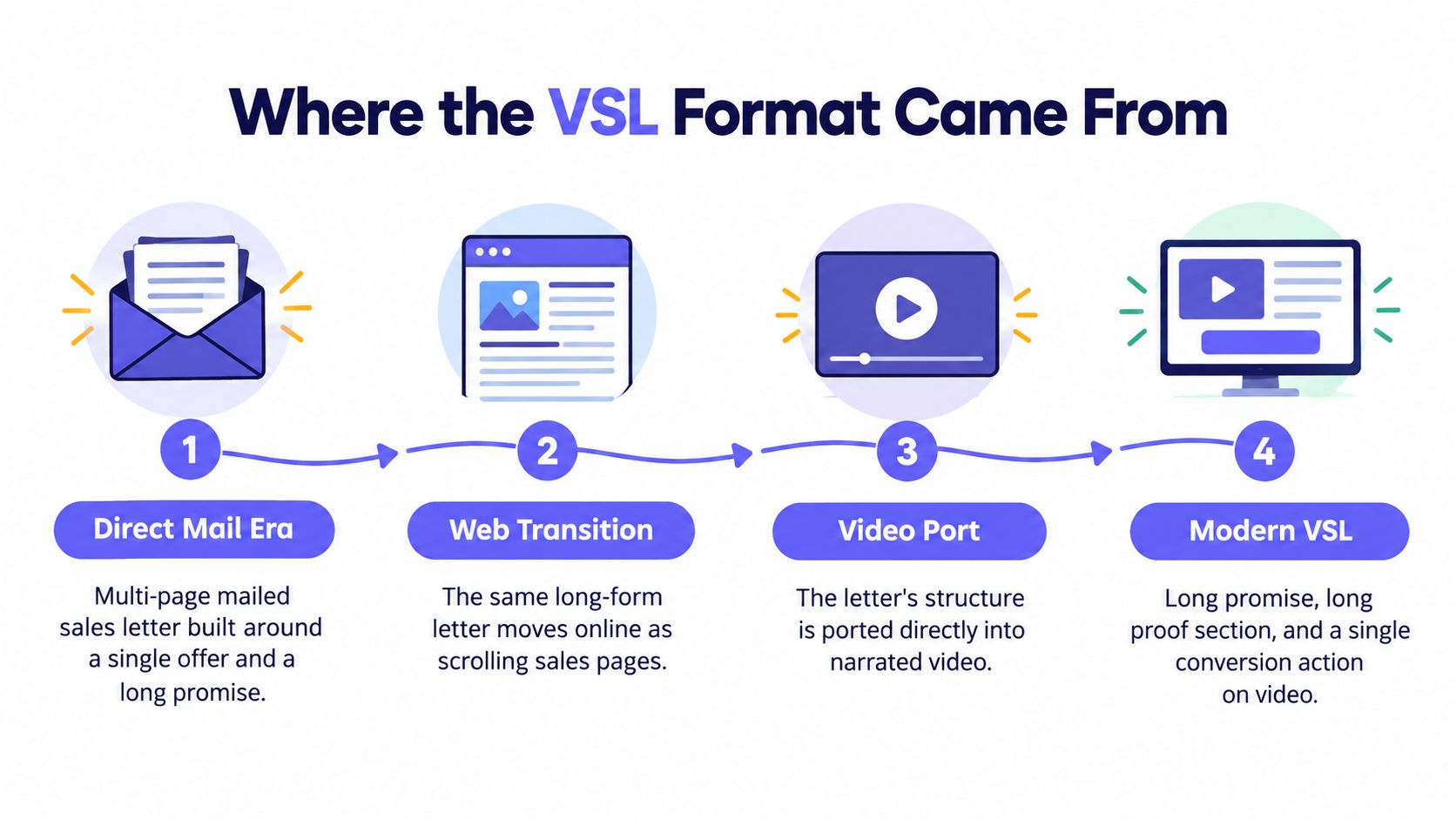
The VSL didn't begin as a video trend. It came from the long-form direct-response sales letter, a format built around one offer, one promise, extensive proof, and one call to action. The medium changed from mailed pages to web pages, but the logic stayed intact.
A direct-mail sales letter had to carry the complete argument without a salesperson present. It opened with a reason to continue, described a problem the reader recognized, introduced a solution, answered objections, and asked for the order. A web-based VSL ported that same sequence into a format that could use motion, timing, voice, and visual emphasis.
The 2009 shift toward ugly VSLs
The commonly repeated milestone for the modern format is 2009, when marketer Jon Benson is often credited with popularizing the “ugly VSL” approach, a slide-based presentation that favored speed and script quality over polish. Historical summaries place the format's roots in long-form direct response, with broader adoption during the early 2010s and diversification into live-action, animated, and hybrid styles by 2015. This historical overview of VSL development describes that transition from sales letters to measurable online video.
The important lesson isn't nostalgia. It's prioritization. The “ugly” format proved that viewers don't need a glossy production to understand an offer. They need a clear reason to keep watching, a believable mechanism, proof that reduces doubt, and a direct next step.
That principle still matters for software founders. A polished video with a weak offer is expensive confusion. A plain video with a sharp argument can sell.
The Five Scenes Every VSL Builds On
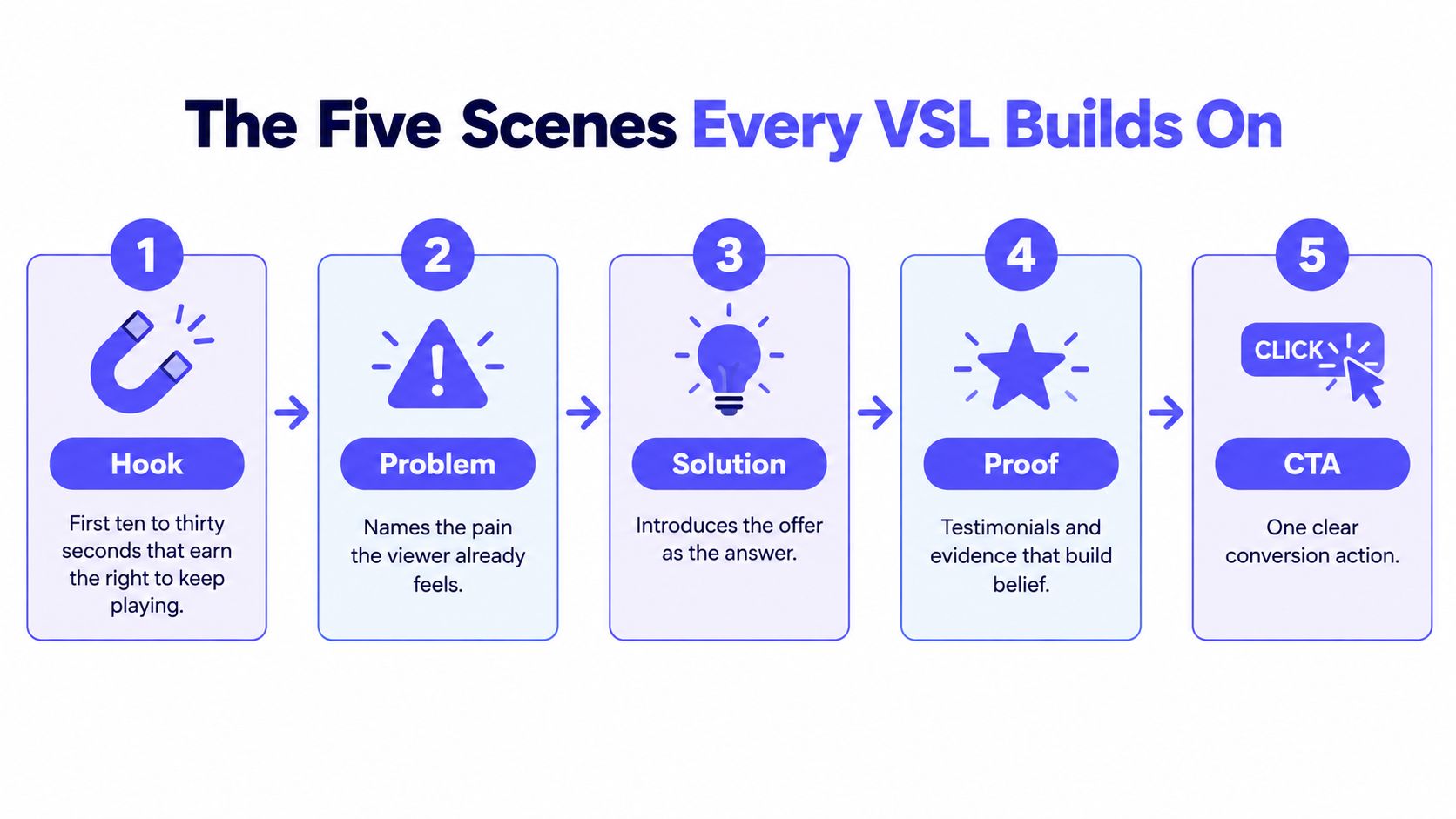
Every working video sales letter has five structural jobs. The visuals can change. The presenter can change. The argument can't.
Hook
The hook earns the next few seconds. Start with a specific situation, not a company introduction. “You built the product, but launch videos still take a week to produce” gives a founder a reason to continue. “Welcome to our platform” doesn't.
Keep the opening concrete. State the problem, name the desired outcome, or challenge the viewer's current assumption. The first 10 to 30 seconds carry disproportionate weight because a viewer who leaves early will never reach the proof or offer.
Problem
Describe the problem as a lived situation. Don't recite features or broad market pain. Show the founder copying screenshots into a presentation, rewriting launch copy, or delaying an announcement because the video isn't ready.
The problem should create recognition, not fear. If the viewer doesn't identify with the situation, the rest of the script feels like a pitch aimed at somebody else.
Solution
Introduce the product as a mechanism, not a feature pile. Explain why the old approach fails and what changes with the new one.
For example, a software launch asset can frame the mechanism as “start with the product page, extract the core message, and assemble a short visual story.” That explanation gives the viewer a reason to believe the product can solve the problem.
Proof
Proof turns a claim into a reasoned decision. Use customer language, product evidence, demonstrations, credentials, or specific examples that you can support. Don't hide proof until the final minute. Place enough evidence near the solution to keep belief alive.
Offer and CTA
State what the viewer gets, who it's for, what it costs, and what happens after the click. Remove competing actions. One VSL should have one primary conversion goal.
A benchmark summary links landing-page video with an 86% lift in conversions and reports 12.7% versus 4.8% for video-enabled and text-only sales pages in the same categories. The landing-page statistics reference supports the practical conclusion, but the video still has to deliver the offer and proof quickly. A long introduction can erase the advantage.
Scripting and Persuasion Techniques That Work
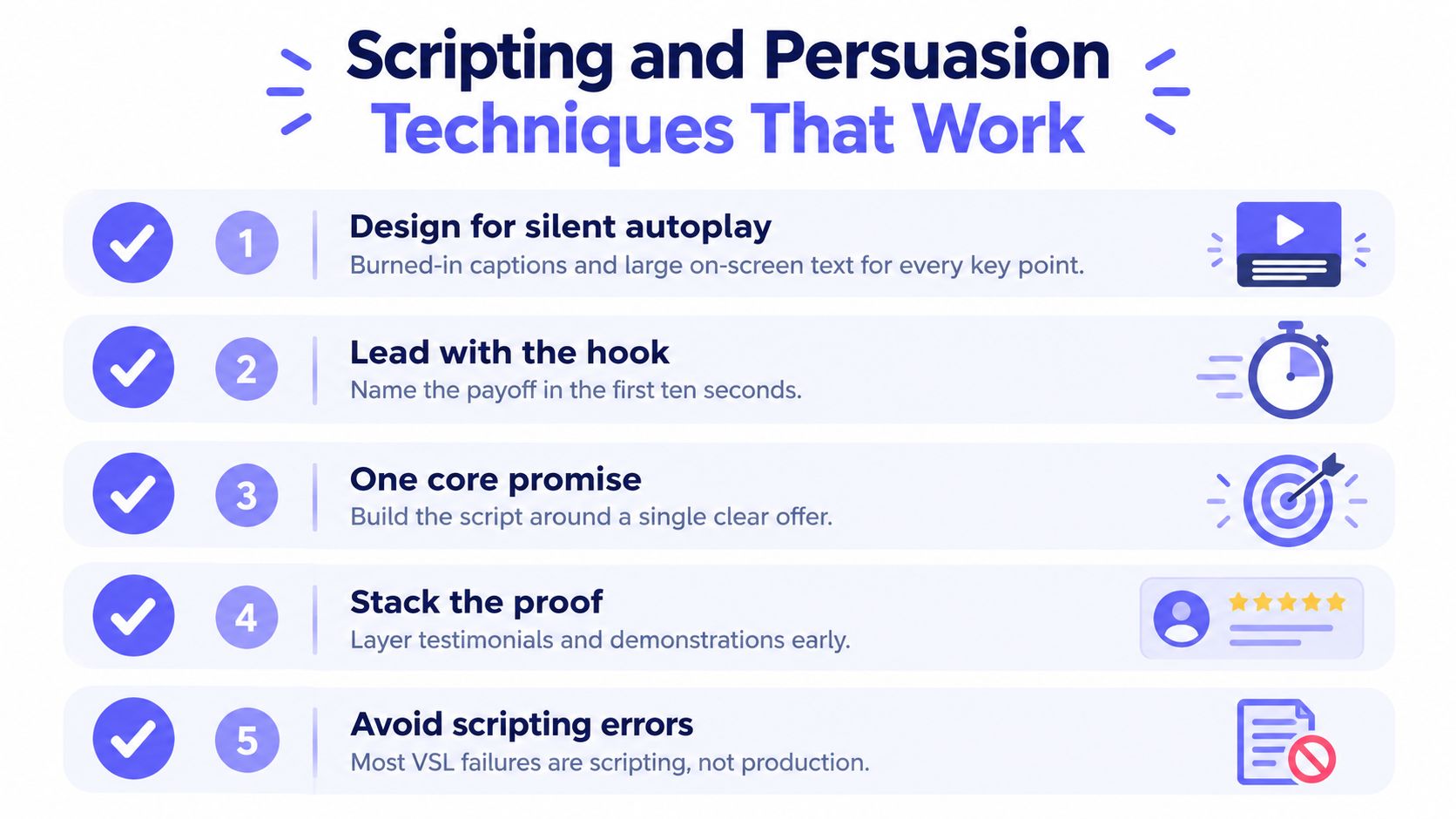
VSLs usually fail in the script, not the edit. Founders write a landing page, paste it into narration, and wonder why the result sounds stiff. Spoken copy needs shorter sentences, visible emphasis, and a clear rhythm.
Write for silent viewing first
Many viewers encounter a video before they choose to listen. Design the opening so the message survives muted playback. Put the key promise in large on-screen text, keep each visual focused on one idea, and use burned-in captions when spoken narration carries essential meaning.
A silent-by-default script has two columns in your working document:
- Narration: The exact spoken sentence.
- Screen direction: The text, product visual, or motion that communicates the sentence without audio.
This discipline exposes weak writing. If a claim needs three paragraphs of explanation before it makes sense visually, the claim probably isn't sharp enough.
Use persuasion patterns as mechanics
Seven patterns deserve a place in your drafting process:
- Pattern interrupt: Open with an unexpected statement, visual shift, or direct question.
- Named enemy: Identify the outdated process or false assumption blocking progress.
- Big idea: Reframe the problem around a mechanism the product can address.
- Proof stacking: Layer customer evidence, product demonstrations, and relevant specifics.
- Objection preemption: Answer the concerns that would stop the viewer from clicking.
- Price anchor: Establish the value before presenting the actual offer.
- Repeated CTA: End with one unambiguous action, and remind viewers of it again after the final proof.
Keep the language plain. Write as if you're explaining the offer to a smart founder who has no patience for marketing theatre. For a focused guide to structuring software launch copy, use this product video script framework.
Control the pace
Aim for spoken language that sounds natural, not compressed sales copy. Read the script aloud and remove any sentence you wouldn't say in a real conversation. If the presenter needs to rush, cut words instead of speeding up the edit.
The order matters more than the tricks. A clever pattern interrupt can't rescue an unclear problem. Proof doesn't work if the viewer doesn't understand the promise. A discount doesn't fix an offer that lacks a mechanism.
How VSLs Compare to Teasers and Demo Videos
VSLs, teasers, and demos solve different launch problems. Treating them as interchangeable is how small teams spend weeks producing the wrong asset.
| Attribute | Video Sales Letter | Short Teaser | Product Demo |
|---|---|---|---|
| Primary job | Educate, persuade, and convert | Stop the scroll and earn a click | Show the workflow in action |
| Typical length | 5 to 30 minutes | 15 seconds | A short walkthrough |
| Audio model | Often narrated or presenter-led | Silent motion graphics, with optional music | Usually narrated or screen-led |
| Best viewer intent | Cold or lightly informed | Low-attention feed or homepage visitor | High-intent evaluator |
| Core content | Hook, problem, solution, proof, offer | Hook, problem, solution, proof, CTA | Product flow, features, and use case |
| Production burden | High, because the argument is complete | Fixed and repeatable | Moderate, because the workflow must be captured |
| Best launch surface | Dedicated sales page | Homepage, announcement post, or social feed | Trial follow-up, sales call, or onboarding |
A VSL earns its runtime when the viewer needs education before action. A teaser wins when the product is already understandable and the first job is attention. A demo wins after the buyer has intent and wants to inspect the workflow.
For software founders, a 15-second silent teaser can be more useful than a classic VSL on launch day. ShipTeaser accepts a product URL and produces a 15-second, 1080p, silent motion-graphics teaser in about 2 minutes, with five scenes covering hook, problem, solution, proof, and CTA. The output is ready to post in 16:9, 1:1, and 9:16 formats. Learn how to choose between these assets with this product demo video versus teaser comparison.
When a VSL Is the Wrong Asset for the Job
A VSL shouldn't be the default launch deliverable. It's the wrong choice when the offer is already obvious, the visitor is highly qualified, or the product needs a visual demonstration more than a persuasive argument.
Consider the homepage of a focused software product. If the headline already tells visitors what the product does, a long VSL may delay the moment they understand the value. A short silent teaser can show the product category, core outcome, and next action before the visitor scrolls.
A demo is better when the buyer has asked to see the product. A founder shouldn't send a long sales argument after a prospect says, “Show me how the workflow works.” Send the workflow.
Use intent as the filter
Choose a VSL when:
- The mechanism is unfamiliar: Viewers need a full explanation of why the product works.
- The offer needs trust: Proof and objection handling are essential before conversion.
- The landing page carries the sale: The video must educate and persuade without a live conversation.
Choose a teaser when:
- Attention is fragile: The viewer is scanning a feed or launch page.
- The product is easy to grasp: The first job is recognition, not education.
- The team ships often: Each feature release needs a fast, consistent asset.
Choose a demo when:
- Intent already exists: The viewer is comparing workflows or evaluating a trial.
- The interface sells the product: Seeing the actual steps answers more than narration.
- A sales conversation has started: The video should remove practical uncertainty.
For a small software team, repeatability is a strategic constraint. A 15-second teaser with fixed output options can support recurring launches without turning every announcement into a production project. ShipTeaser offers that narrow workflow, URL in, ready-to-post silent teaser out, without avatars, narration, screen recording, stock footage, or a timeline editor.
Producing a VSL Without a Production Team
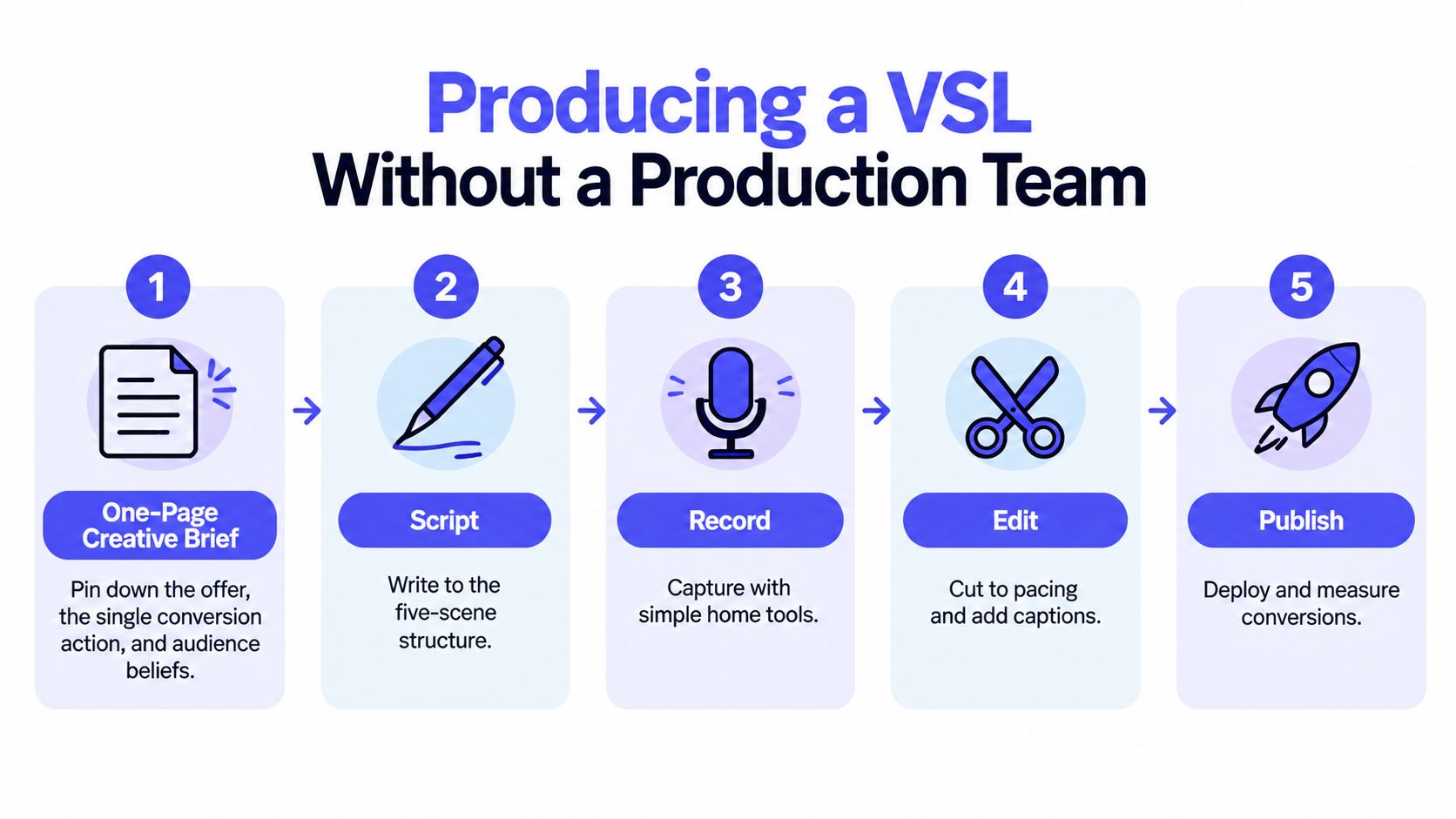
A founder can produce a credible VSL without a studio, but only with a disciplined sequence. Start with a one-page brief that states the audience, the offer, the single conversion action, and the beliefs that currently stop the buyer from acting.
Build the asset in order
1. Brief the offer. Write one sentence for the product, one sentence for the problem, and one sentence for the action. If those lines conflict, don't record yet.
2. Draft the script. Use the five-scene sequence. Write narration and on-screen direction together. For a first version, target an 8 to 14 minute runtime. Read the script aloud before you plan visuals.
3. Record. A 1080p webcam or phone, controlled light, and a lavalier microphone are enough for a founder-led version. Rehearse once for pace, then capture two clean takes. The second take often sounds more natural because the presenter has stopped reading mechanically.
4. Edit for meaning. Keep the strongest sentences, remove pauses, add captions, and use supporting visuals only when they clarify the argument. Don't add b-roll to disguise a weak section.
5. Publish with focus. Put the video on a dedicated landing page with minimal navigation, a clear CTA, and conversion tracking. Review drop-off points and revise the script before adding production polish.
Founders who want broader planning guidance can also review these small business video marketing tips. The useful principle is simple, define the message before opening an editor.
Know when to change the production path
A full VSL demands recording, editing, review, hosting, and page integration. That work makes sense for a major offer, but not for every weekly release.
When the goal is a fast software announcement, a short silent motion-graphics teaser removes the recording and timeline-editing steps. ShipTeaser generates that format from a pasted product URL, using the page's copy, screenshots, and visible brand cues. The first video is free with no credit card, and subscription plans are $99 per month for 1 video per week, $149 per month for 2 videos per week, or $199 per month for 4 videos per week. For more detail on distributed production choices, see this guide to remote video production.
Picking the Right Format for Your Next Launch
Use a VSL when one landing-page visit must educate, persuade, and convert. That usually means cold traffic, an unfamiliar mechanism, and an offer that needs proof before the buyer can decide.
Use a teaser when the product is easy to understand but hard to notice. ShipTeaser's 15-second silent format fits a homepage, launch post, or mobile-first feed where the viewer needs the point quickly. The aspect ratio should match the placement: 9:16 is built for vertical mobile viewing, 1:1 is square for feeds, and 16:9 is widescreen. Adobe's aspect-ratio guide explains those proportions, while social-video format guidance maps them to common placements.
Use a demo when the buyer already understands the category and needs to see the workflow. Don't ask a demo to create desire, and don't ask a teaser to answer every objection.
A repeatable asset system matters when your launch cadence is high. You can also repurpose video content into shorts after a major VSL, but keep the original job of each cut clear. VSLs are major persuasion assets. Teasers are attention assets. Demos are evidence assets.
Choose the format by intent, channel, and shipping frequency. Never choose it because another startup used it.
ShipTeaser turns a product URL into a 15-second, 1080p silent motion-graphics teaser in about 2 minutes, with optional music, five conversion-focused scenes, and exports in 16:9, 1:1, and 9:16. Start with the free first video, no credit card required, at ShipTeaser, then use the format that matches your next software launch.
FAQ
What is a video sales letter?
A video sales letter is a scripted, conversion-focused video that replaces long-form sales copy on a landing page. It typically runs 5 to 30 minutes and uses a hook, problem, solution, proof, and offer to move a specific viewer toward one action.
How long should a video sales letter be?
A video sales letter should be as long as the offer requires, not as long as a template suggests. A complex software offer may need a longer argument, while a clear product may perform better with a short teaser or focused demo.
What are the five parts of a video sales letter?
The five parts are the hook, problem, solution, proof, and call to action. The hook earns attention, the problem creates recognition, the solution explains the mechanism, proof builds belief, and the CTA directs the viewer to one next step.
Is a silent video sales letter effective?
A silent video can work when on-screen text and motion carry the core message, with optional music supporting the viewing experience. Silent motion graphics are especially useful for short launch teasers, while a long VSL often benefits from narration when the argument requires detailed explanation.
Can ShipTeaser create a full video sales letter?
ShipTeaser creates a short promotional teaser from a product URL, not a full narrated VSL. ShipTeaser produces a 15-second, 1080p silent motion-graphics video with hook, problem, solution, proof, and CTA scenes, ready to post in three standard aspect ratios.