Most founders get this advice: post everywhere, chase trends, and post more often. That's backwards for a solo builder with a software launch and no video team. Platform, ratio, and measurement choices decide whether short form video marketing produces signups or just noise.
A solo founder should start short form video marketing on one primary platform where buyers already research products, test a 9:16 teaser there for 30 days, and add a second platform only after qualified signups appear. Judge each teaser by signups from its tagged link, not by views. Keep one repeatable 15-second format so you can compare hooks, not production styles.
Pick Your Platform Before You Shoot
If your buyers research products on Instagram, start there. If they look elsewhere, choose the platform they already use. That decision shapes how you package and distribute a launch video, so check your audience before creating the asset. For a broader channel-selection framework, see this guide to select social channels for business growth.
Short-form platforms compared for a founder launch
| Platform | Native ratio | Engagement rate (2025) | Best use for a founder |
|---|---|---|---|
| Instagram Reels | 9:16 | 8.24% | Product discovery and website traffic |
| TikTok | 9:16 | 6.10% | Reaching new audiences |
| YouTube Shorts | 9:16 | 2.99% | Short product clips |
| 9:16 | 2.13% | Reaching existing followers and groups |
A Metricool analysis of more than 5 million short-form videos reported engagement rates of 8.24% for Instagram, 6.10% for TikTok, 2.99% for YouTube and 2.13% for Facebook. Treat engagement as audience response; only tagged signups show whether a launch brings in prospective customers.
Instagram also has a traffic case: 28% of surveyed marketers said it was the best platform for driving website traffic, while 25% named it best for social-media engagement and 23% for audience growth, according to HubSpot's survey of more than 1,000 social-media marketers. Use those figures as context, not as a substitute for knowing where your own buyers look.
The same Metricool analysis found short-form video output rose about 70% year over year while publishing accounts rose 51%. More posts alone will not make your launch stand out. Pick one buyer audience, make a clear product promise, and use a tagged link to track qualified signups. For help choosing a launch channel, use this guide to where to launch your product.
Practical rule: One platform with buyers beats four platforms with strangers.
Three Reasons to Skip a Platform
- You cannot post natively: Skip placements that do not support the format you plan to publish.
- Your buyers are elsewhere: Do not spend launch time on a platform your intended customers rarely use to research products.
- You cannot sustain a weekly cadence: Choose a platform where you can publish each week and respond to comments that show buying intent.
Match Each Ratio to the Feed It Lands In
A full desktop screenshot squeezed into a vertical frame turns the product into unreadable clutter. Crop around the part that proves the promise, then enlarge its labels for phone screens.
Aspect ratios by feed and production note
| Ratio | Placement | Production note |
|---|---|---|
| 9:16 | TikTok, Instagram Reels, YouTube Shorts | Enlarge text and keep claims clear of the bottom caption zone |
| 1:1 | X and LinkedIn feeds | Center the product and use one headline claim |
| 16:9 | YouTube, launch page, Product Hunt via YouTube link | Use the width for screenshots, but keep labels readable |
For short-form placements, start with native 9:16. A guide to Instagram video formats can help you check the fit before publishing. Keep the interface focused: show the key screen, make buttons and results legible, and place important claims away from captions and platform controls.
Three Production Changes That Matter
- Recompose for the frame: Crop to the interface detail that supports the claim instead of shrinking the entire screen.
- Enlarge interface text: Check that buttons, labels, and results are readable at phone size.
- Protect the message: Keep essential text clear of bottom captions and right-edge controls.
Reuse the same promise, proof, and call to action across placements, then recompose the screenshot and headline for each ratio. That gives a solo builder one repeatable teaser to adapt, rather than three separate launch messages.
Product Hunt gallery videos use YouTube links. Upload the 16:9 MP4 to YouTube, make it public, then paste its full URL into the gallery.
For a useful ratio test, compare a native 9:16 version with a cropped horizontal version. Hold the offer, audience, and call to action constant, and use tagged links to compare qualified signups. Views alone cannot tell you which format brought the right visitors.
Build a 15-Second Teaser With Five Beats
A short teaser needs one clear job: help the right buyer understand the offer and click. Use this five-beat structure for a 15-second cut:
| Beat | Seconds | Job | Example line |
|---|---|---|---|
| Hook | 0 to 3 | State a clear claim | Invoices sent in one click |
| Problem | 3 to 5 | Name the buyer's pain | Chasing payments wastes your week |
| Solution | 5 to 9 | Show the product addressing it | Interface cue from the landing page |
| Proof | 9 to 13 | Give one supporting detail | One customer quote from the landing page |
| CTA | 13 to 15 | Ask for one action | Try it on your own page |
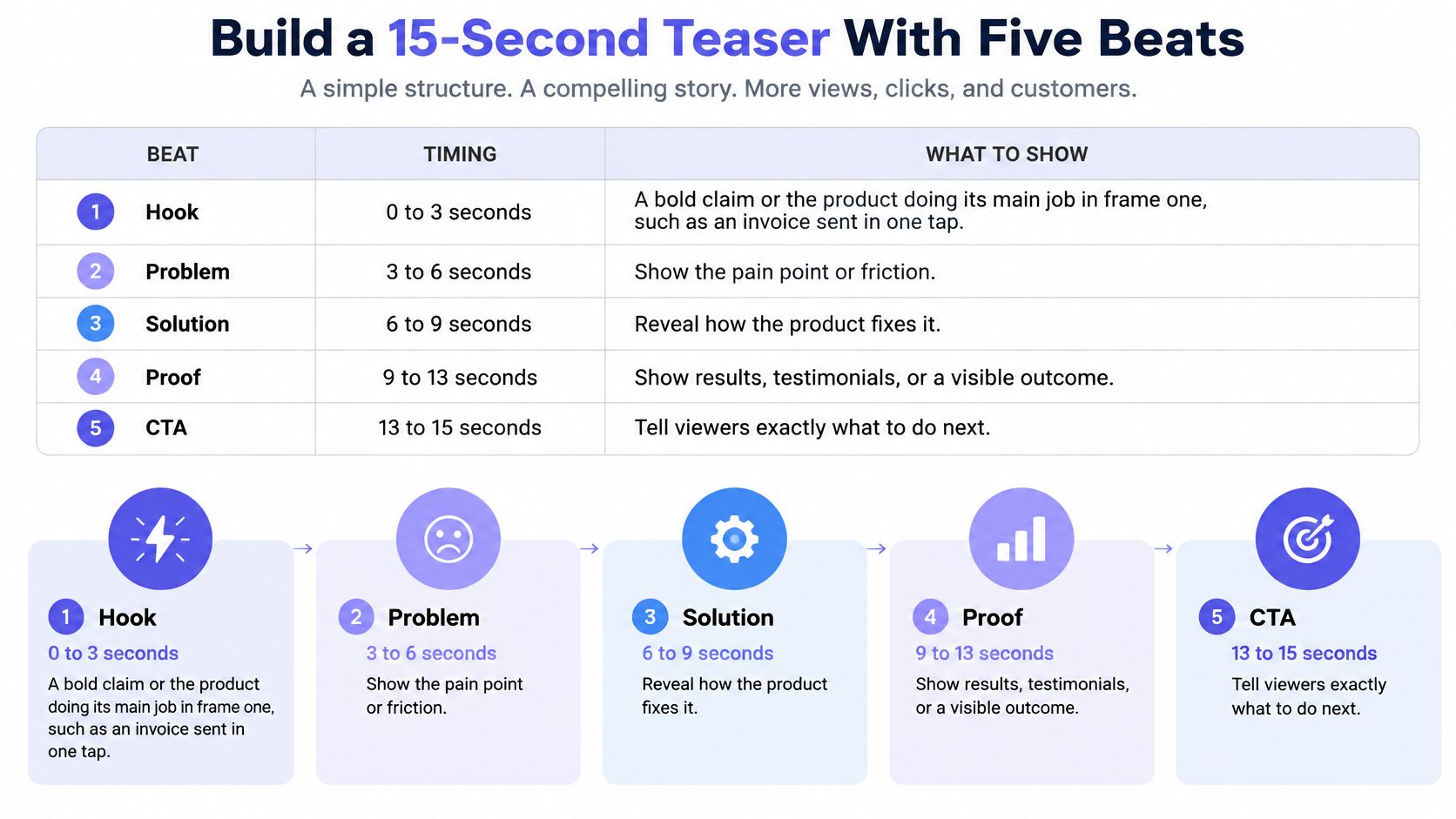
The Five Beats in Order
- Hook, 0 to 3 seconds: Put the product's main benefit in frame one. “Invoices sent in one click” quickly conveys the category and value.
- Problem, 3 to 5 seconds: Name one pain the buyer recognizes. Keep it to one line.
- Solution, 5 to 9 seconds: Show the product addressing that pain with an interface cue from the landing page.
- Proof, 9 to 13 seconds: Use one number or customer quote from the page. A single proof point keeps the message focused.
- CTA, 13 to 15 seconds: Choose one action, such as trying the product, joining the launch list, or viewing the live page.
ShipTeaser uses the same five beats: hook, problem, solution, proof, and call to action. Paste a product URL, and it renders a 30-second, 1080p launch video in about two minutes. The downloadable MP4 is silent motion graphics built from your brand, with no voice-over.
Why One Idea Wins
A teaser earns its place by making the offer easy to understand and act on. A benchmark of nearly one million business videos reports a 65% completion rate for videos under one minute, compared with 20% for videos longer than 20 minutes. Completion alone is not the goal: viewers should know what you sell and what to do next.
One promise, one proof point, and one action. Keep the teaser focused.
For a weekly launch cadence, treat each teaser as a repeatable unit. Change one element at a time, such as the opening claim or CTA, and use tagged links to compare qualified signups rather than views alone. This guide to writing a three-second hook can help sharpen the opening. For a broader video ad strategy beyond engagement, judge creative by the outcomes it supports, not just reactions.
Before posting, watch the first three seconds and ask what the product does and who it helps. If either answer is unclear, rewrite the hook.
Make the Teaser Work With the Sound Off
A viewer should understand your promise without turning on the sound. Give the key message enough screen time to read, and make the visuals support the words rather than compete with them.
ShipTeaser videos use silent motion graphics, with no voice-over, stock footage, or avatars. Build the message into the on-screen text and visuals.
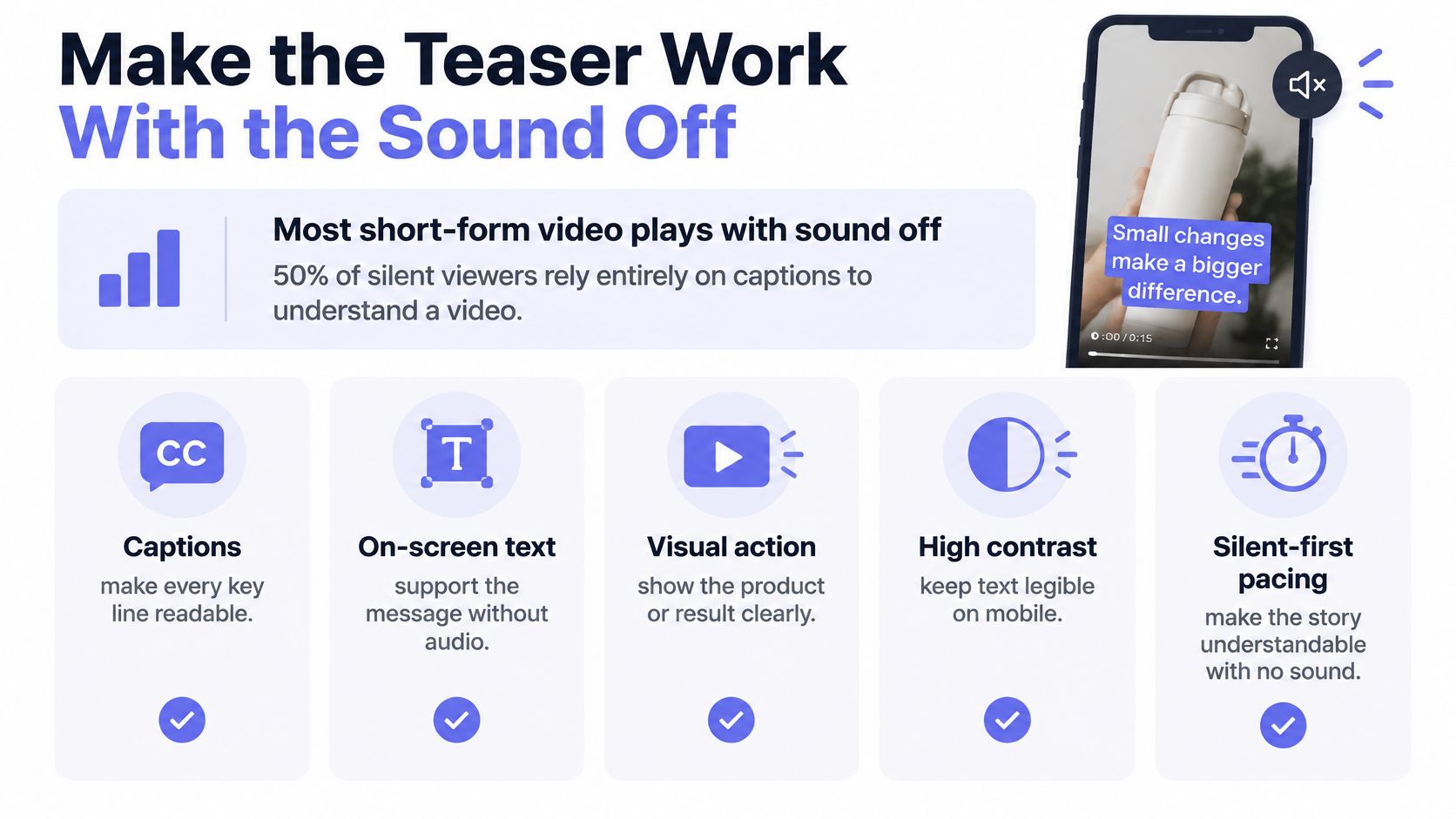
Silent-Feed Checklist
- One headline claim: Keep the main claim on screen long enough to read.
- Product name twice: Show the name near the start and again at the end.
- High contrast: Choose text that remains legible over screenshots and brand colors.
- Phone-sized type: Make every word readable on a phone without pausing.
- Readable hold time: Leave each overlay up for a full read at normal speed.
- One final action: End with a single written action, supported by the visual.
For a project-tracking product, show a crowded board, then hold on the board with one line: “Track every launch in one view.” The product, benefit, and use case become clear together. Cutting through five features in eight seconds gives viewers motion without a reason to care.
Slow the cut when the viewer needs time to read the promise. Keep overlays short, and give unfamiliar products enough screen time for viewers to connect the claim with what they see.
The One-Viewing Test
Play the teaser once at phone size with the sound off. Ask someone outside your company: What does the product do? Who is it for? What should the viewer do next?
If they miss an answer, rewrite the opening or remove a claim. Adding more text usually makes the message harder to absorb. Clear on-screen copy also helps viewers with hearing loss, limited language proficiency, or little time to process a new interface.
Measure Beyond Views Without a Data Team
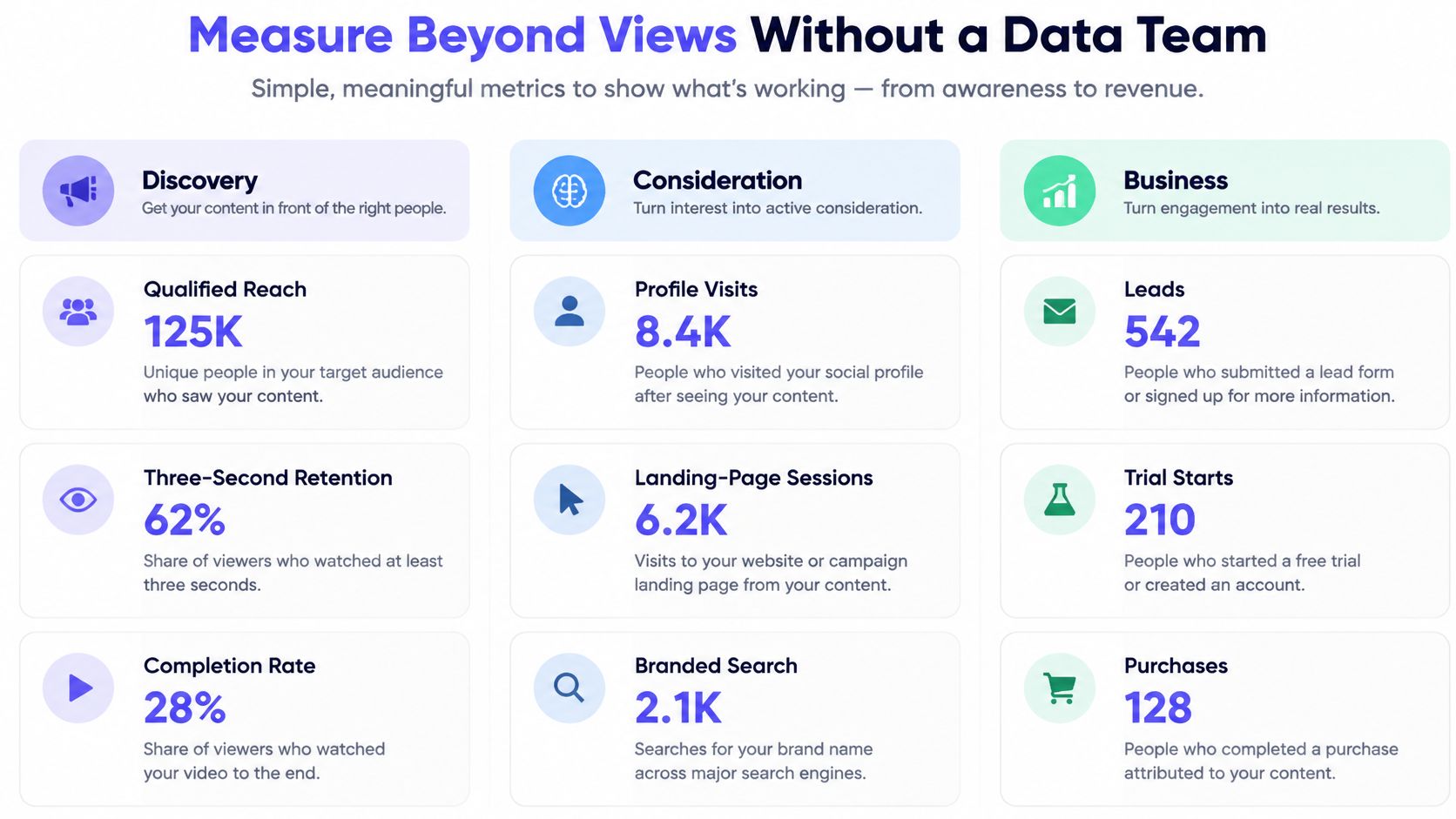
A tagged signup gives each teaser a business outcome you can compare. Track one teaser as a distinct unit, then use the same fields for every post: theme, hook, platform, tagged URL, sessions, and signups.
For example, suppose a weekly sheet records two teasers:
| Teaser | Hook | Platform | Tagged sessions | Qualified signups |
|---|---|---|---|---|
| A | “Plan every launch in one view” | 120 | 6 | |
| B | “Stop losing track of launch tasks” | 80 | 8 |
Teaser A brought more visitors. Teaser B produced more qualified signups from fewer sessions, so test its hook again before repeating A's. Keep the comparison useful by changing one element at a time, such as the hook, while holding the platform and destination steady.
Build a Lean Measurement Loop
Use tagged links for each platform placement, and keep the destination page consistent while comparing hooks. Record platform analytics for playback and completion, then connect those figures to sessions and signups in the sheet. A view confirms playback; a tagged signup confirms a buyer.
Add two qualitative checks when attribution is incomplete: ask new signups how they heard about the product, and watch for branded searches or direct visits after a post. Treat those as supporting signals, not proof that a specific teaser caused a signup. For a broader guide to product launch metrics for founders, focus on measures that help decide what to publish next. Teams tracking ecommerce can also use this approach to track ecommerce marketing ROI.
Review the sheet after several teasers, not after one post. Keep the hooks that attract qualified signups, revise those that draw visits without conversion, and stop spending effort on themes that repeatedly miss the target.
Set a Weekly Cadence and Launch Your First Teasers
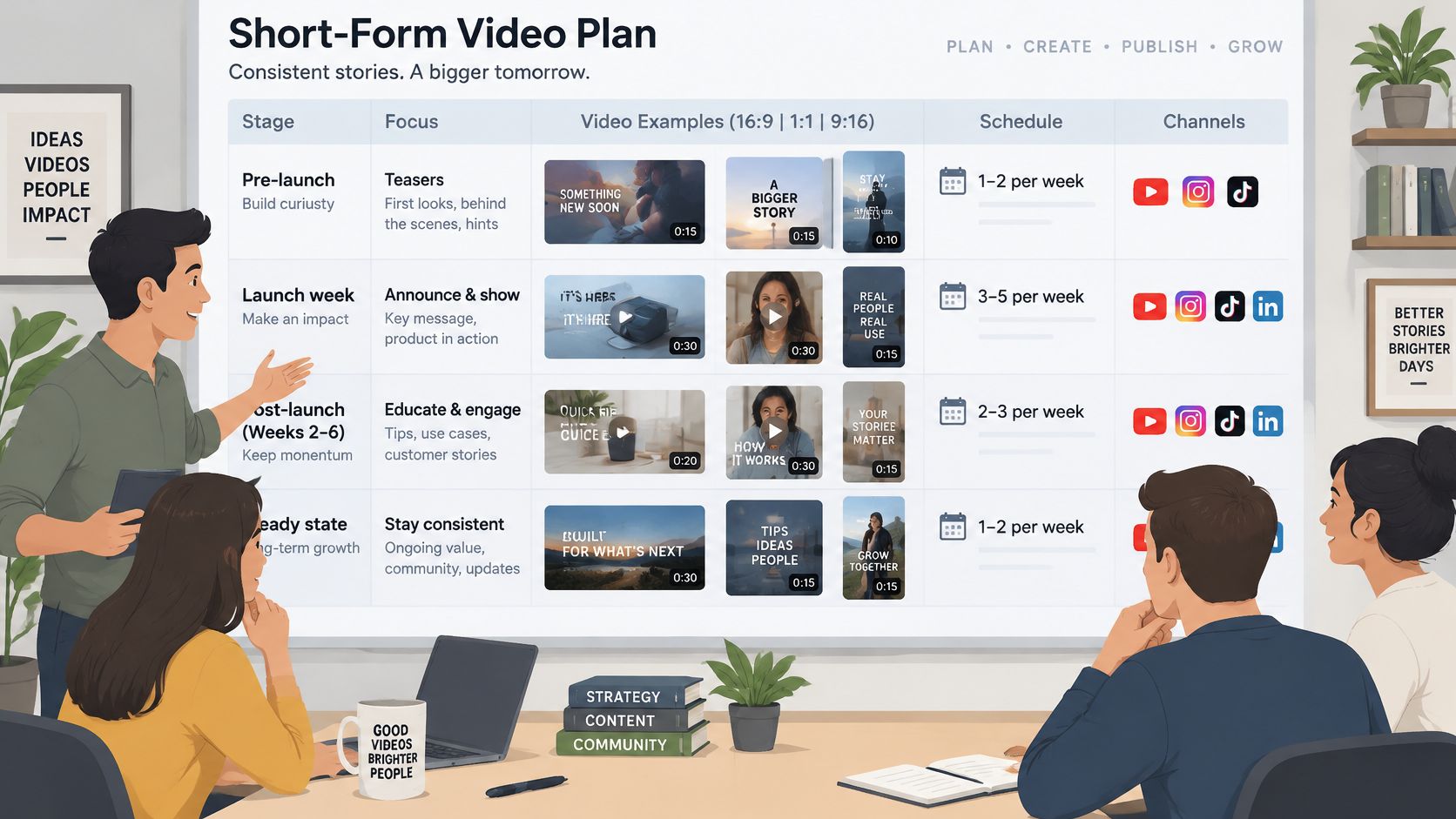
A weekly teaser should earn its slot with a clear promise, proof, or product update. Set a cadence you can sustain, then judge each video by qualified signups from its tagged link, not views alone.
Weekly cadence by launch stage
| Stage | Videos per week | Ratio set | Where it runs |
|---|---|---|---|
| Pre-launch week | 1 | 9:16, 1:1 | Founder account on the primary platform |
| Launch week | 2 | 9:16, 1:1, 16:9 | Primary and secondary platforms, YouTube link for Product Hunt |
| Post-launch, weeks 2 to 6 | 1 | 9:16 | Primary platform, reusing the best hook |
| Steady state | 1 | 9:16 | Feature releases and customer proof |
In a 2025 survey of more than 1,000 U.S. consumers, 73% said they watched short-form video multiple times per day, according to research commissioned by Media.net. Regular posting gives your launch more chances to reach viewers, but each teaser should test a distinct promise, use case, or proof point.
How to Read the Cadence
Before launch, publish one teaser for the core promise. During launch week, publish two: one focused on the release and one on its strongest use case. After launch, return to one weekly teaser and reuse the strongest hook with new proof when you have it.
At steady state, one useful video per week is enough. Tie it to a feature release or a specific customer result. Leave the slot empty when you have nothing new to show.
Match volume to your production allowance. ShipTeaser's Starter plan costs $99 per month for 4 videos per month, Growth costs $199 per month for 8 videos per month, and Studio costs $299 per month for 16 videos per month. Each plan includes enough videos for a weekly cadence, with higher allowances for launch bursts and additional posts. A video takes about 2 minutes to generate from a pasted URL and is delivered as a downloadable 1080p MP4. No editor, prompt, or voice-over is required.
Batch the week's videos together. Check each line against the product page and review every finished video before publishing. Generated videos can misstate product details or misread the brand, so review is part of production, not an optional final polish.
Your First 30 Days
- Set the cadence: Use the schedule above as a starting point, then match it to your release calendar and video allowance.
- Choose one claim: Build each teaser around a specific product promise, use case, or piece of proof.
- Generate the video: Paste your product URL into ShipTeaser to create a 30-second, 1080p video made of five beat-cut scenes: hook, problem, solution, proof, and call to action. The first video is free, with no account or card required.
- Tag the link: Give each teaser its own tagged URL and record the qualified signups it produces.
- Keep the useful ideas: After 30 days, prioritize themes that bring qualified signups. Retire weak ones and refresh the proof.
Pick a fixed posting day and keep the weekly commitment realistic. A repeatable teaser is a better operating rhythm than a launch-week burst you cannot maintain.
FAQ
Which short-form platform should a solo founder start with
Choose the platform where your buyers already look for product information. Give it a consistent run, then use tagged links to judge the result by qualified signups rather than views.
How long should a product teaser be
Keep the message focused: one promise, one proof point, and one clear action. ShipTeaser's finished video is 30 seconds long, so make the opening and CTA earn their place.
Does vertical video always produce more signups
No format guarantees signups. Keep the offer and CTA clear, and judge each teaser by the qualified signups its tagged link generates.
How much does ShipTeaser cost
Starter is $99 per month for 4 videos. Growth is $199 per month for 8, and Studio is $299 per month for 16.
Paste a product URL into ShipTeaser to generate a silent, 1080p MP4 in about two minutes. Each video uses five beat-cut scenes: hook, problem, solution, proof, and call to action. Review it before publishing, then track qualified signups from its tagged link.