Personalized AI-generated video ads achieved click-through rates 9.4% higher than personalized image ads, yet most startup founders still fail to ship video because production takes too long. The right AI product video maker isn't a cinematic prompt box. It's a system that turns an existing product page into a usable launch asset before the launch window closes.
That distinction matters for solo builders. High-end generative video can invent attractive scenes while mangling your interface, and traditional editing software gives you control at the cost of hours of work. A URL-first workflow sits between those extremes. It uses the product material you already approved, then compresses it into a short, branded teaser.
For early-stage software launches, ShipTeaser fits that narrow job: paste a product URL and receive a 15-second, 1080p, silent motion-graphics teaser in about two minutes. The output uses five scenes, hook, problem, solution, proof, and call to action, with 16:9, 1:1, and 9:16 versions available.
The Reality of AI Product Video
Video already has a serious place in paid digital communication. U.S. internet advertising revenue reached $258.6 billion in 2024, while digital video generated $62.1 billion, grew 19.2% from the prior year, and represented approximately 24% of total internet advertising revenue, according to the IAB's 2024 internet advertising revenue report. Video grew faster than the overall internet advertising market, which expanded 14.9% during the same period.
That doesn't mean every startup needs a cinematic commercial. It means founders need a repeatable way to produce clear video assets for launches, feature announcements, and distribution. A video has no operational value if the founder can't finish it before the announcement loses momentum.
The prompt-first assumption is wrong
Many people hear “AI video maker” and picture a prompt that generates a polished commercial from scratch. That workflow is useful for abstract visual storytelling, but it's a poor fit for software demonstrations. A generated interface can contain the wrong labels, impossible navigation, fake buttons, or a layout your product never shipped.
Software buyers need to recognize the product quickly. Your video should show approved copy, real screenshots, visible brand cues, and a specific reason to click. The more your workflow invents, the more time you spend checking and correcting.
Practical rule: If the video makes a claim about your interface, use source material from the interface.
The useful category is narrower
The practical category is URL-based product video automation. You supply the public page that already contains positioning, screenshots, colors, and product language. The system turns those materials into a constrained teaser rather than asking you to invent a creative brief, record a narration, and edit a timeline.
That approach won't replace a founder story or a detailed product walkthrough. It does solve the production bottleneck behind short launch content. If that bottleneck is yours, start with a product launch video maker for software founders, not a general-purpose cinematic generator.
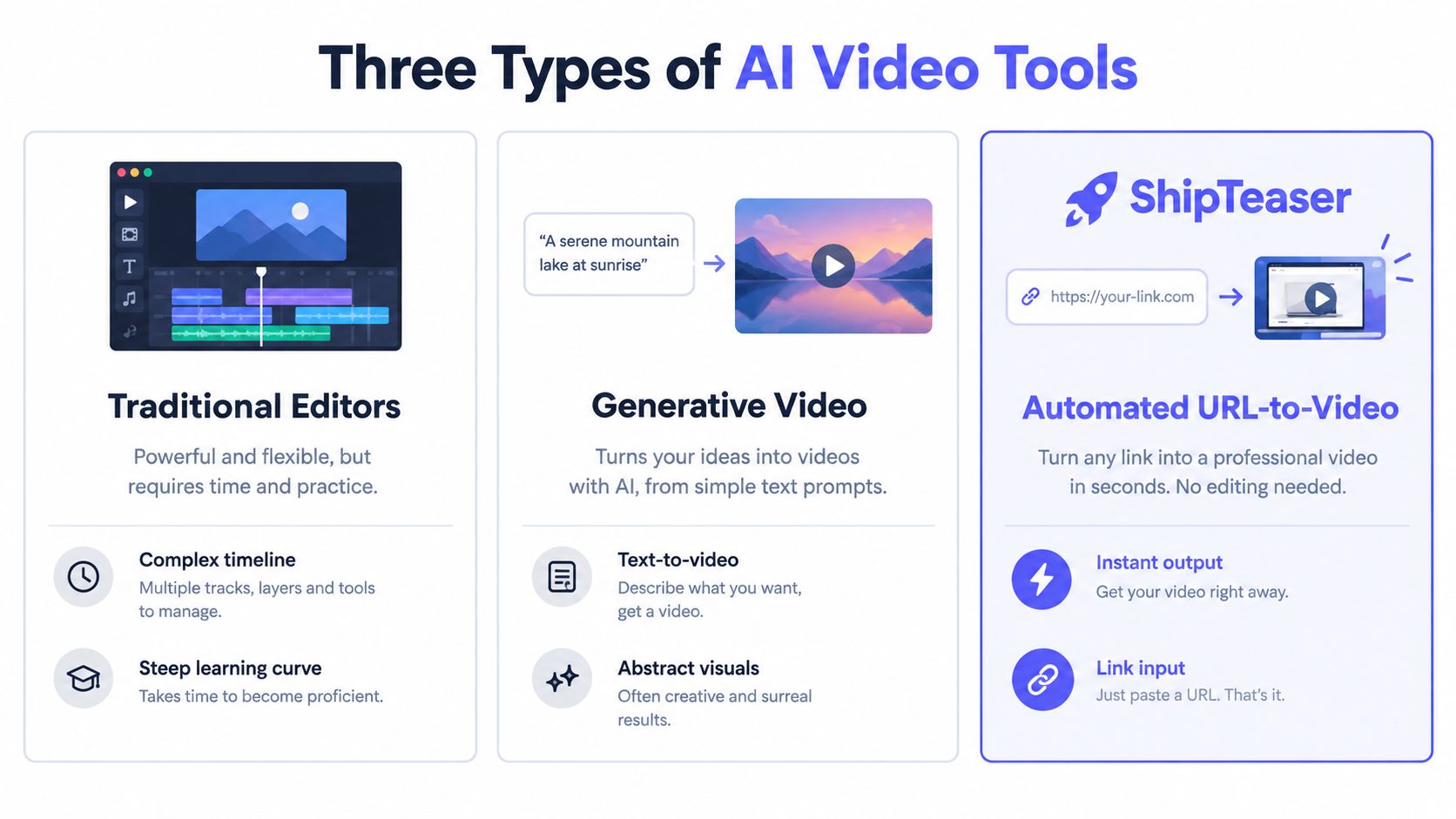
Three Types of AI Video Tools
Choosing an AI product video maker starts with identifying the job, not browsing feature lists. Most products fall into three practical categories, and each solves a different bottleneck.
| Category | Input | Main strength | Main weakness |
|---|---|---|---|
| Traditional editors | Recordings, images, audio, text | Precise timeline control | Requires manual assembly and editing skill |
| Generative video | Prompts, images, creative direction | Abstract scenes and visual experimentation | Can invent inaccurate product interfaces |
| Automated URL-to-video | Product landing page URL | Fast, repeatable launch teasers | Fixed format and limited creative control |
Traditional editors
A traditional editor is the right choice when you already have footage and need to shape a specific story. You can control timing, transitions, text placement, sound, and revisions. You can also spend an entire afternoon deciding whether a screenshot should appear for another second.
That flexibility is valuable for a detailed walkthrough. It's wasteful when you need a short launch asset every week and don't have a dedicated producer. The editor doesn't remove production work. It gives you a workspace in which to perform that work.
Generative video
Generative platforms begin with a prompt or reference image. They can create visual metaphors, atmospheric scenes, and branded motion concepts. They struggle when factual accuracy matters, especially around product UI, feature behavior, and exact claims.
Use this category for a concept that doesn't need to represent the actual interface. Don't use invented screens as proof of how your software works.
Automated URL-to-video
URL-to-video automation starts with material you already published. The system extracts the page's message and visual signals, then produces a defined output. That constraint is the advantage. You aren't choosing from an infinite number of creative directions. You're getting a repeatable launch format that can be reviewed quickly.
For a solo founder, the third category is usually the rational starting point when speed and product accuracy matter more than cinematic range.
How ShipTeaser Works
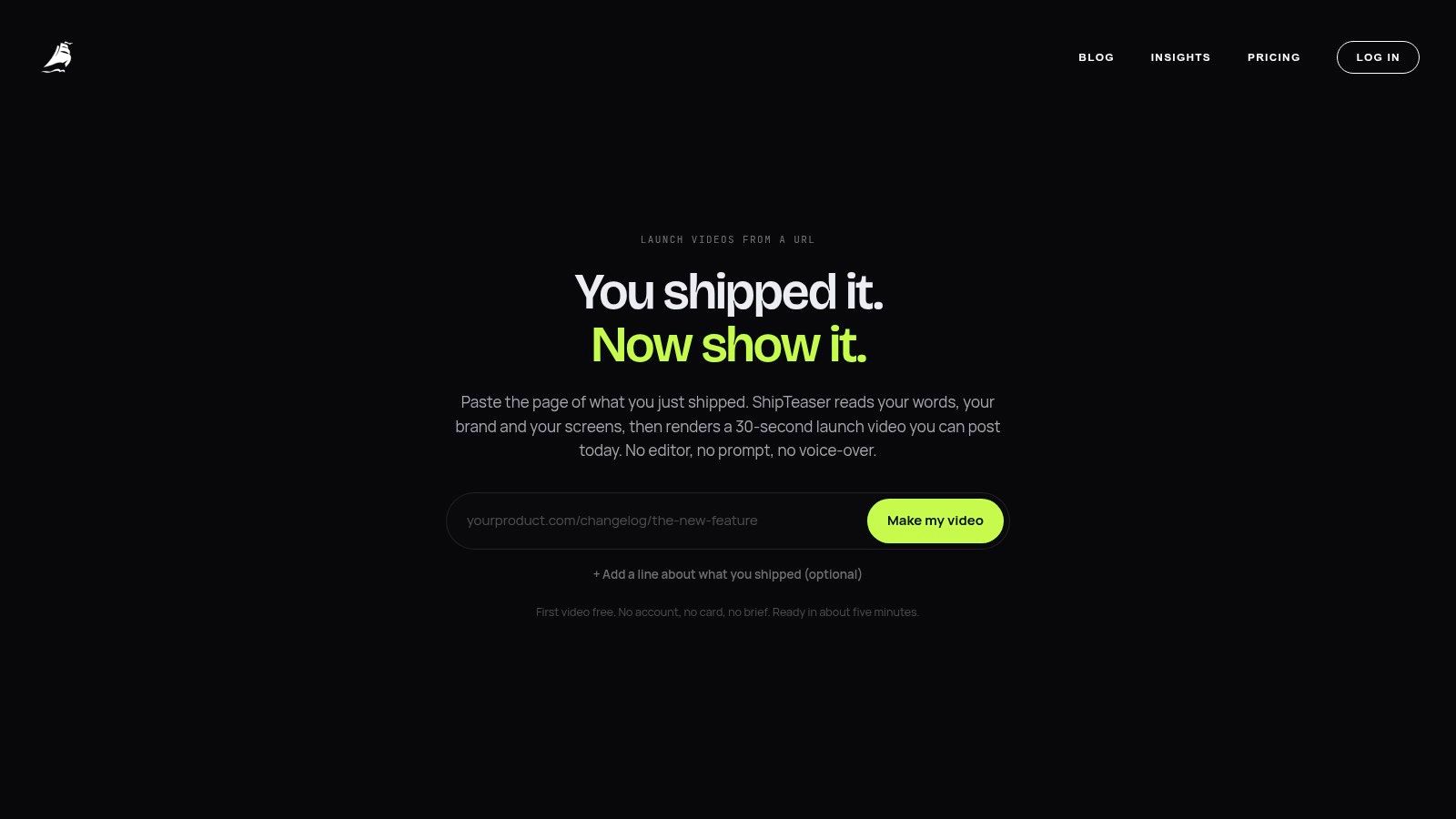
ShipTeaser uses a linear input-output workflow. You paste a public product landing page URL into the dashboard, and the system analyzes the page's visible copy, screenshots, colors, and other brand cues. The submitted page acts as the source of truth, so the resulting teaser reflects the product material you already chose to publish.
The output is a 15-second, 1080p motion-graphics video delivered in about two minutes. You can download versions in 16:9, 1:1, and 9:16, covering wide, square, and vertical publishing contexts.
The five-scene structure
ShipTeaser's format is deliberately fixed:
- Hook: Identify the product or tension immediately.
- Problem: Show the pain the target user recognizes.
- Solution: Present the product's central value.
- Proof: Use a screenshot, workflow cue, or approved product signal.
- Call to action: Give the viewer one next step.
This structure prevents a common launch mistake: cramming every feature into one short video. A teaser should create recognition and interest. The landing page can handle the deeper explanation.
The video is silent by design, which means no voice-over or narration. An optional music bed can support the motion, but the core message must work through visuals and on-screen text. That makes the asset easier to reuse across feeds where viewers may encounter it with sound muted.
A good automated teaser doesn't replace your landing page. It earns the landing page visit.
Founders should also keep the source page aligned with the claims they want repeated in public. If you're refining how your product appears in AI-generated descriptions and search answers, how MyMentions tracks AI visibility offers useful context for monitoring that public language. The same discipline applies here: approve the page first, then generate from the approved source.
The URL-to-video workflow is useful because it removes the separate brief, asset hunt, and timeline setup. You still need to review the result. Automation shortens production, but it doesn't excuse checking names, claims, screenshots, and calls to action.
The Case for Short, Silent Teasers
A 15-second format forces prioritization. You have room for a clear opening, one problem, one solution, one proof point, and one action. You don't have room for a tour of every dashboard tab.
That restriction suits feed behavior. Wistia's 2025 reporting, based on more than 14 million videos, 100,000 businesses, and a survey of 1,300 professionals, found that videos under one minute had the highest average engagement rate at 50%. The report also found that more than 60% of respondents used or planned to use AI captions, while caption adoption had risen 572% since 2021, as reported in coverage of Wistia's 2025 video report.
Silent means the visuals carry the claim
A silent teaser can't hide weak messaging behind narration. The product name must be readable. The interface must be recognizable. Captions and motion must guide the eye without forcing the viewer to decode a paragraph in a fraction of a second.
That makes accessibility part of production quality, not an optional polish step. Watch the export with audio muted and ask:
- Product identity: Can a new viewer tell what the product does?
- Reading speed: Can the viewer finish each line before it changes?
- Contrast: Does the text remain legible over the interface?
- Proof: Does the screenshot show a real product cue?
- Action: Is the next step obvious?
A short video can fail by communicating too much. Use one promise, one proof signal, and one call to action. If your page contains five unrelated features, choose the feature closest to the launch objective.
Short doesn't mean universally superior
Independent benchmark reporting found that TikTok videos in the 15 to 30-second range had the highest engagement rate among the analyzed length bands, reported at 6.00%, while videos in the 120 to 180-second range generated substantially more median views, according to short-form video benchmark reporting. Treat that as a testing hypothesis, not a universal rule.
For a software launch, compare the fixed teaser against a longer cut only when the extra time supports a complete user task. Measure six-second view rate, average watch time, completion rate, click-through rate, landing-page sessions, and conversions separately. Completion alone can reward a very short video without proving that the video created business value.
A SaaS launch video workflow works best when the teaser has one job. Make the first job recognition, then let the landing page handle evaluation.
Pricing and Production Models
Video pricing hides a second cost: your attention. A flexible editor may look affordable while requiring you to write the script, collect screenshots, arrange scenes, resize exports, and review every revision. A generative system may produce more creative variety while charging for repeated attempts that don't accurately represent the product.
ShipTeaser uses a predictable subscription model:
- $99 per month: One video per week.
- $149 per month: Two videos per week.
- $199 per month: Four videos per week.
The first video is free, and no credit card is required. The plans make sense when you think in terms of an operating cadence rather than an editing license. You're budgeting for a defined number of launch or feature assets, not buying an open-ended workspace you may never learn.
Match the plan to your release rhythm
Choose the lowest cadence that supports your actual launch schedule. If you release a feature occasionally, one weekly video gives you room to prepare an announcement, refresh a message, or test a new hook. If you're actively shipping and communicating every week, the higher cadences support more frequent source pages and product angles.
Don't buy capacity because more output sounds productive. A weak landing page produces weak source material at any volume. Improve the page's positioning first, then use the video workflow to distribute that positioning.
Predictability beats theoretical flexibility
The best production model is the one your team can repeat. Founders in a survey of 132 startup founders reported that more than 85% had created at least one business video, while 92% reported problems with editing or creation. The survey also found that 30% described leading video software as time consuming and complex, and 20% identified cost as a primary concern. The sample largely represented small teams, with 60% of startups having between one and five employees, according to startup video usage research.
That context explains why a fixed deliverable can outperform a more powerful editor for a solo builder. You don't need every control. You need a finished asset that preserves the product message and arrives while the launch still matters. For a practical breakdown of production economics, see this guide to product video cost.
When to Use an AI Video Maker
Use an AI product video maker when your bottleneck is producing a clear, repeatable asset from product material. Don't use one because you believe every marketing problem should become a video.
The decision is simple:
| Your bottleneck | Best workflow | Why |
|---|---|---|
| You need a short launch asset from an existing page | Automated URL-to-video | Fast, consistent, and grounded in current product material |
| You need exact control over recorded steps | Manual editing | You control every click, pause, and transition |
| You need an abstract brand concept | Generative production | Creative range matters more than interface accuracy |
| You need a founder explanation | Direct recording | Personality and trust come from the speaker |
| You need a detailed educational walkthrough | Structured manual production | The viewer needs more context than a teaser can provide |
Choose based on the audience's next action
For a cold audience, the first objective is usually recognition. Show the product, name the problem, and give the viewer a reason to visit. A short teaser can support that job without pretending to explain the full product.
For an existing user, the objective may be instruction. That requires a real sequence, clearer context, and enough time to show how the workflow behaves. A 15-second asset is the wrong format when the viewer must follow several decisions.
For a founder-led launch, personality may matter more than polish. Record yourself when the audience needs your judgment, origin story, or conviction. Use automation when the audience needs a fast visual explanation of what the software does.
Decision test: If the viewer must understand one product promise in one short session, automate the teaser. If the viewer must learn a process, record and edit the process.
A useful complementary resource on using video to boost conversions with FOMOchat can help you think about what happens after the click. The video should set an accurate expectation for the page, not make a promise the page can't support.
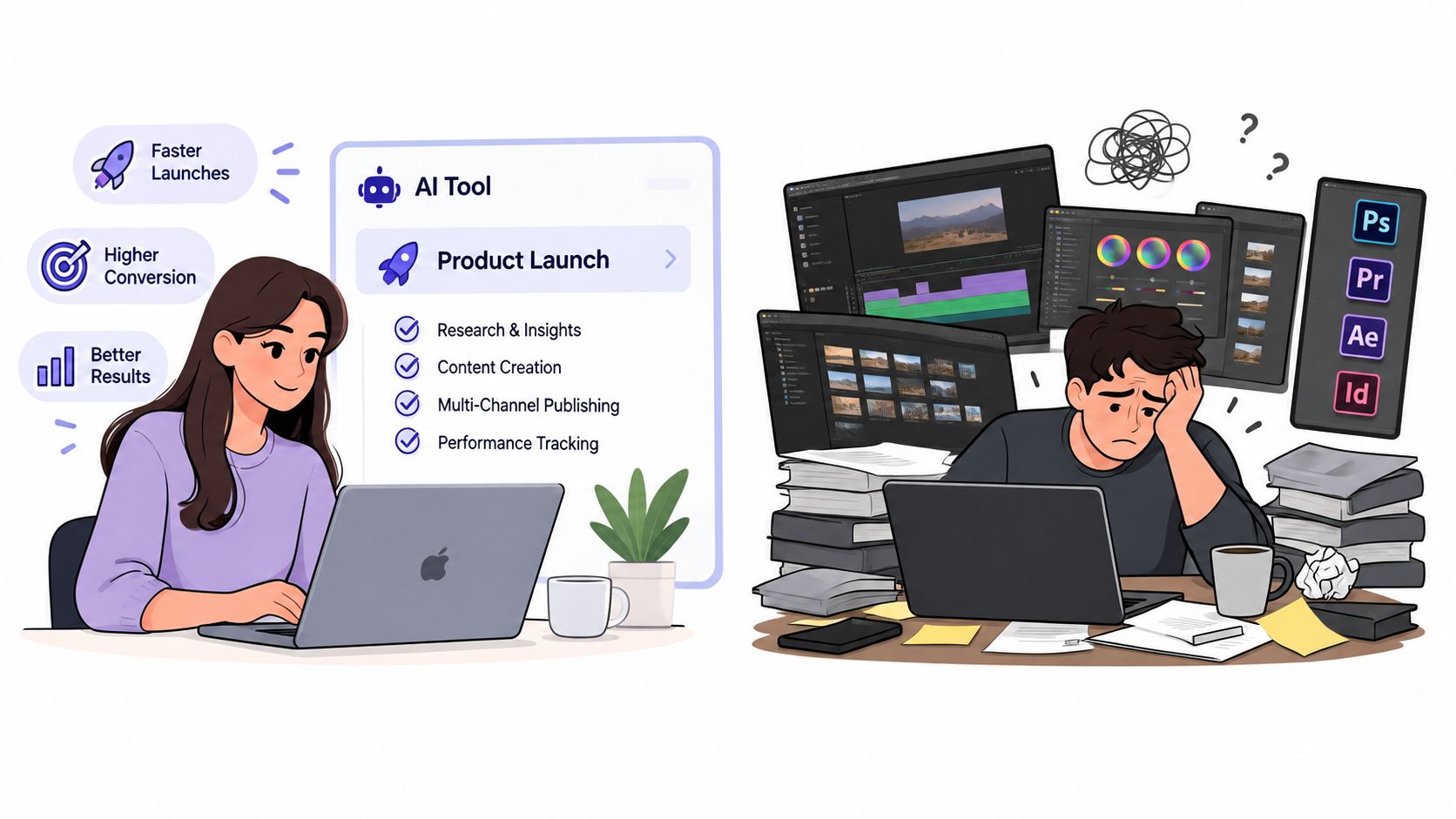
The image above shows the trade-off. Automation protects founder time. Manual production protects detailed control. Neither removes the need for a clear message.
ShipTeaser is a poor fit for brand documentaries, complex explainers with nuanced narration, or high-production advertising built around emotional storytelling. It doesn't provide AI avatars, voice-over, narration, screen recording, stock footage, prompt-based text-to-video, dubbing, subtitles, translation, clip trimming, or a video editor timeline. ShipTeaser provides a narrow product, and that narrowness is the reason it can deliver a defined teaser quickly.
Frequently Asked Questions
Is ShipTeaser a full video editor?
No. ShipTeaser generates a defined 15-second motion-graphics teaser from a submitted product URL. It doesn't provide a timeline, clip trimming, screen recording, voice-over, narration, subtitles, translation, dubbing, stock footage, AI avatars, or prompt-based text-to-video.
What does ShipTeaser need from a founder?
ShipTeaser needs a public product landing page URL. The system analyzes visible page copy, screenshots, colors, and brand cues, then uses that material to assemble the teaser. A stronger source page usually produces a clearer starting point because the video depends on the claims and visuals available on the page.
Can the video show the real software interface?
The workflow uses page material such as screenshots and visible product cues. Review every output before posting, especially when the teaser includes feature claims, labels, pricing language, or interface details. The video should represent the shipped product, not an imagined version of it.
Which formats can a founder download?
ShipTeaser outputs 1080p videos in 16:9, 1:1, and 9:16 ratios. Those formats cover common horizontal, square, and vertical publishing contexts. The file is designed for download and posting rather than further timeline editing inside ShipTeaser.
When should a founder choose a different workflow?
Choose a different workflow when the video needs a founder's voice, a detailed click-by-click tutorial, a long narrative, or cinematic scenes unrelated to the actual interface. Choose URL-based automation when the job is narrower: turn an approved software product page into a short launch teaser quickly and repeatably.
The sweet spot is clear. Early-stage founders need speed and message accuracy, while mature production work may require more control, narration, and revision depth. Start with the smallest workflow that can prove the product promise, then invest in heavier production only when the launch objective demands it.
ShipTeaser turns a product URL into a 15-second, 1080p silent teaser with five structured scenes and three publishing ratios, ready to download in about two minutes. Try the first video free with no credit card, then visit ShipTeaser when you need a repeatable launch video workflow.