Most founders are told to build a two-minute SaaS demo before launch. That advice is usually wrong for an early-stage product. A long walkthrough takes time to produce, asks too much from a cold viewer, and often fails in a muted social feed before the product value appears.
A successful SaaS launch video for an early-stage product is usually a silent, high-contrast, 15-second motion-graphics teaser built from landing page messaging. The video should stop the scroll, explain one useful outcome, and send viewers to one next step. It isn't a replacement for a detailed demo. It's the asset that earns the click to one.
Rethinking the SaaS Launch Video Format
Long demo videos are evaluation assets, not launch assets. They work after a prospect has chosen to investigate. In a fragmented social feed, a cold viewer decides whether to stop before a detailed walkthrough can explain the product. Early-stage founders should stop treating the launch video as a miniature sales call.
Build the first touch as a silent, high-contrast, 15-second motion-graphics teaser. Its job is narrow: make the outcome clear, establish the problem, show the product's role, and earn one click. Sound, narration, and a long interface tour create dependencies that muted feeds remove.
The format also changes production economics. A long demo demands a stable script, polished screen recordings, and revisions across one fixed narrative. A short motion graphic can be generated from the landing page's strongest message, then adapted for different placements and tested without rebuilding the entire asset. Automated generation matters because launch teams need message variations, not one expensive video that assumes every viewer responds to the same angle.
Use a simple decision rule. If the viewer cannot identify the target problem and promised outcome from the opening frame, rewrite the message before adding animation. “Turn support tickets into product insights” gives the audience a recognizable job. “Meet the future of customer feedback” gives them a slogan to decode.
The first frame should carry the claim. Follow it with a visible product action, a credible proof point, and one clear next step. Keep the sequence easy to understand without audio, since social placements frequently begin muted. A logo can appear after the message earns attention. It should not consume the opening.
A short source asset also supports fragmented distribution across a product page, founder post, email, and social placements. Create the core version once, then adjust the opening claim or CTA for each audience. The product launch ad generator by AdStellar AI offers a useful reference for automated launch creative, while the strategic standard remains simple: clarify the value before showcasing the feature set.
Practical rule: If the first frame needs sound, a product tour, or a paragraph of explanation, the launch video is too slow.
The Five-Scene Anatomy of a 15-Second Teaser
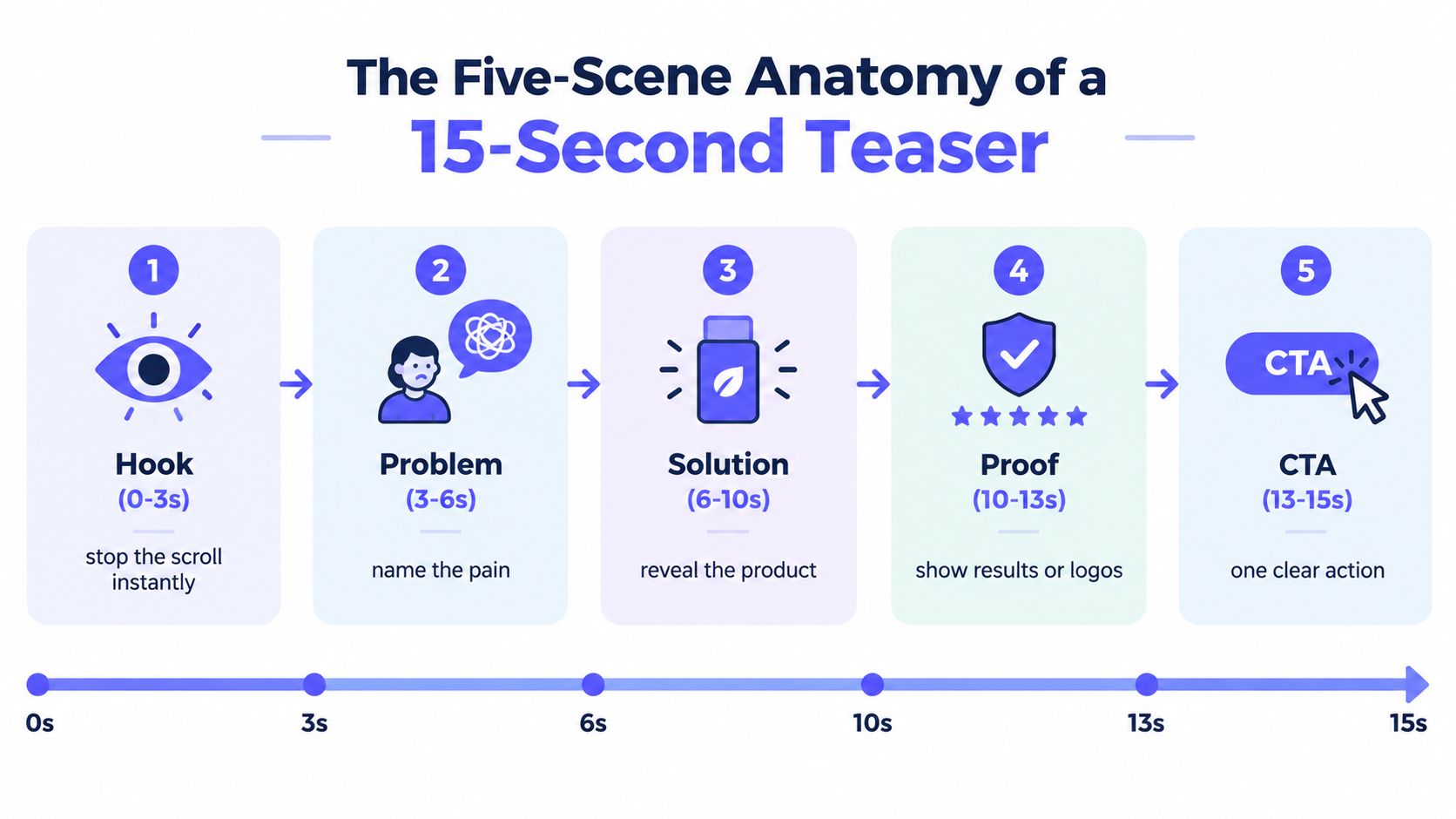
Long-form demos rarely earn attention in fragmented, muted social feeds. A 15-second teaser has a better job: make the product's value clear before the viewer scrolls. Every scene needs one purpose. ShipTeaser uses hook, problem, solution, proof, and CTA, turning landing page messaging into a compact path from attention to action.
Start with a claim people can recognize
Hook, 0 to 3 seconds: Lead with the sharpest customer outcome or tension. Use a bold statement, a relevant product visual, or a specific category problem. Keep the company name out of the opening unless the name already earns recognition.
Problem, 3 to 6 seconds: State the friction in plain language. A reporting product might show scattered spreadsheets, delayed updates, or unclear ownership. The target user should recognize the situation immediately.
Solution, 6 to 10 seconds: Show the product completing its central action. Use the interface, a clear motion-graphics sequence, or a before-and-after transition. One visible action communicates more effectively than five small feature labels.
Proof, 10 to 13 seconds: Add a result, customer type, recognizable workflow, or product evidence that supports the claim. Proof answers the viewer's silent question: why should I believe this? Without customer evidence, show the product completing the stated job. Never invent a testimonial.
CTA, 13 to 15 seconds: Ask for one action. “Join the waitlist,” “Start a trial,” and “See the workflow” give the viewer clear direction. “Learn more” is weaker because it leaves the next step vague.
One benchmark set reported a median launch performance of 28,258 views, a top-decile threshold of 762,640 views, and 7.9% of launches crossing 1 million views in the 2026 launch video benchmark analysis. It also found 48% of tracked launches used a founder-led narrative, while 52% used pure product demos, hype reels, or motion-graphics walkthroughs. Treat these as distribution outcomes, not promises. Your teaser still needs a clear claim and a measurable CTA.
Traditional guidance often recommends 60 to 90 second problem-first explainers, while newer formats include 15 to 30 second clips alongside longer narratives, as discussed in SaaS product demo video guidance. Use the shorter format for awareness and clicks. Save the longer demo for visitors who have already shown intent.
Use this product video script guide to shape the strongest landing page message into five scenes before generating the asset.
Automating Production with ShipTeaser
Manual editing is a poor use of a solo founder's launch week. You shouldn't spend hours arranging a timeline when the landing page already contains the headline, product explanation, screenshots, and visual identity needed for a short teaser.
Use the URL as the creative brief
The workflow is simple:
- Prepare the page: Make sure the product URL clearly states the target user, problem, outcome, and next action. Weak landing page copy produces weak source material.
- Paste the URL: Submit the public product or launch page to ShipTeaser. ShipTeaser uses the page as the starting point instead of asking you to assemble a prompt, timeline, or stock-media library.
- Generate the teaser: ShipTeaser produces a 15-second, 1080p, silent motion-graphics video in about 2 minutes, with an optional music bed. The output is designed for quick review and posting.
- Choose the placement: Export versions in 16:9, 1:1, and 9:16 so the same launch message can fit different feed and page layouts.
- Review the claim: Check every word against the live product. Automation speeds up production, but you still own accuracy, positioning, and the final CTA.
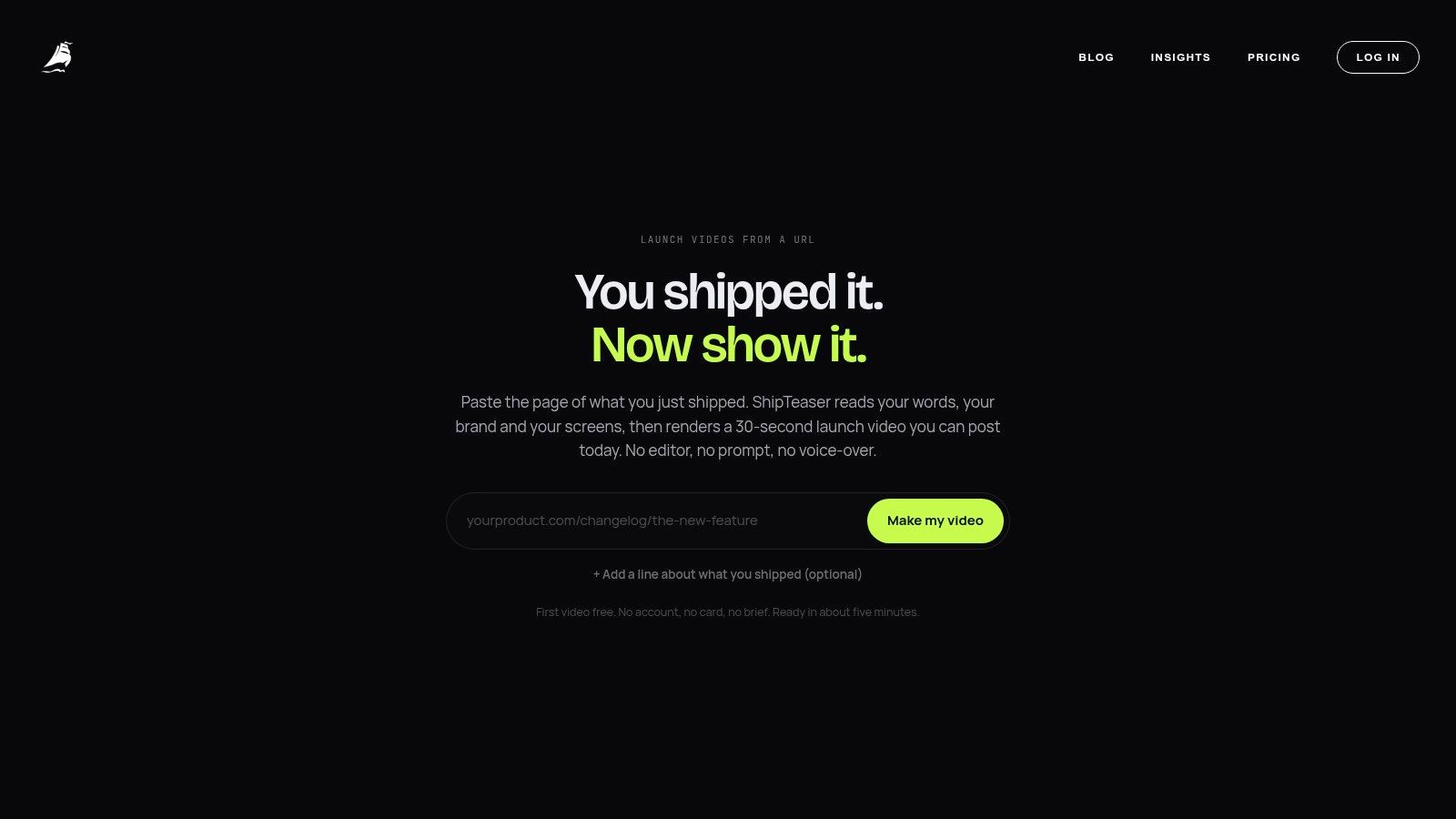
ShipTeaser's format is deliberately constrained. It doesn't provide AI avatars, voice-over, narration, screen recording, stock footage, text-to-video from a prompt, dubbing, subtitles, translation, or clip trimming. Silent means there is no voice-over or narration. An optional music bed can support the pacing, but the message must remain understandable without it.
That constraint suits a launch teaser. You don't need a full production environment to test whether a market understands your product. You need a repeatable way to turn a focused page into a focused asset, then compare the resulting clicks and signups against the message on the page.
The AI product video generator workflow fits founders who want URL-based production rather than manual editing. Review the generated text carefully, especially if your page contains several audiences or competing value propositions.
Designing for Muted Feeds and Multiple Ratios
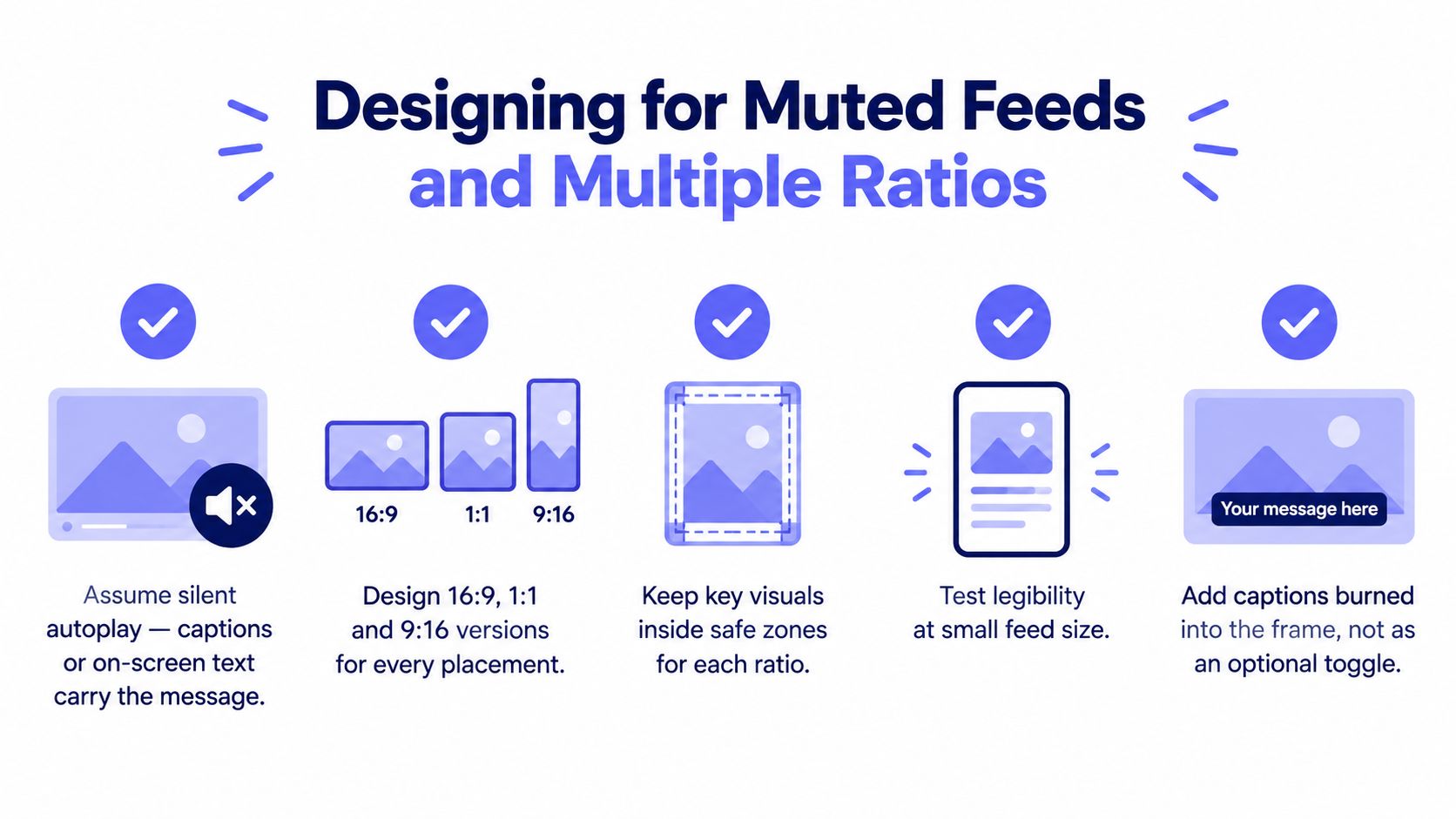
Silent design isn't a cosmetic choice. It determines whether the video works when a viewer watches without headphones, while scrolling quickly, or in a placement where audio never starts.
Put the message on the frame. Use strong contrast, readable type, short phrases, and visual movement that explains the product instead of decorating it. Avoid relying on a voice-over to connect the scenes. If removing the music makes the story collapse, the visual hierarchy isn't doing enough work.
Make every version native to its placement
A wide video can look weak when forced into a square frame. A square composition can lose its main product visual in a vertical placement. Exporting several ratios isn't busywork. It prevents the platform layout from deciding which part of your message gets cropped.
ShipTeaser provides exports in 16:9, 1:1, and 9:16, so plan the composition around all three from the start. Keep the headline, product action, and CTA within safe visual areas. Don't place essential text at the extreme edges, where interface controls or cropping may cover it.
Use this review checklist before publishing:
- Read the hook with sound off: Watch the opening with sound off and identify the product promise without guessing.
- Check small-screen legibility: Reduce the video to a feed-sized view. If the headline becomes decoration, shorten it or increase contrast.
- Protect the CTA: Keep the final action visible and specific. Don't let the logo or music cue replace the instruction.
- Check each ratio: Review 16:9, 1:1, and 9:16 separately. Never assume one crop represents the others.
- Remove excess copy: A short teaser can't carry a landing page's full explanation. Keep the detail on the page behind the click.
For current placement dimensions and platform requirements, consult this 2026 video spec reference. Then use the launch video specs guide as a practical check before exporting your final versions.
Distribution Strategy and Founder-Led Reach
Publish the first teaser from the founder account. Early-stage products have limited brand recognition, while founders can add context, conviction, and a personal reason for building the product. That personal framing gives a silent, 15-second motion graphic a stronger reason to stop the scroll.
Early-stage launch data often shows founder posts outperform company posts. A sample of 21 AI-native B2B SaaS launches recorded median reach of 536,225 views for founder-account posts versus 165,138 for company posts. Seven of the 21 launches surpassed 1 million views, and six of those seven million-view posts came from founder accounts, according to the founder-led SaaS launch analysis. Treat that pattern as a publishing priority, not a guaranteed result. A B2B product launch video benchmark can provide additional context for evaluating performance.
Publish once, then adapt the context
Reuse the same core teaser across channels, but rewrite the caption for each audience. The video should carry the product message through motion, typography, and product visuals. The post should explain why you built it, who needs it, and what action you want viewers to take.
Use this sequence:
- Founder post: Share the origin, customer problem, and launch CTA in a personal voice.
- Company post: Reframe the same video around the product promise and clearest product detail.
- Launch page: Place the teaser beside the action you want visitors to take, such as a trial, waitlist, or demo request.
- Follow-up post: Reuse the asset with a different hook if the first version earns attention but weak clicks.
Measure the path from impression to click to waitlist, trial, or qualified lead. Industry guidance places strong B2B in-feed video CTR around 0.6% to 1.0%, while view-to-MQL conversion for a targeted gated asset is often 5% to 10%, as outlined in the B2B product launch video benchmarks. Use these figures as operating benchmarks, not promises. If viewers watch but do not click, revise the opening claim, CTA, or offer before changing the production system.
Use the RedactAI guide to video posting for publishing mechanics. The guide to launching on LinkedIn covers launch messaging. Keep the founder's point of view visible in both.
Frequently Asked Questions
How much does ShipTeaser cost?
ShipTeaser lists $99 per month for 1 video per week, $149 per month for 2 videos per week, and $199 per month for 4 videos per week. The first video is free, and no credit card is required, according to the SaaS launch video pricing page. Choose a plan based on how often you expect to test new positioning, features, or launch messages.
What does silent mean in a SaaS launch video?
A silent SaaS launch video uses no voice-over or narration, so the story must work through motion, typography, product visuals, and on-screen messaging. A music bed can be optional, but viewers shouldn't need audio to understand the problem, solution, proof, or CTA.
What should a 15-second teaser include?
A 15-second teaser should include five scenes: a hook, the problem, the solution, proof, and one CTA. The format works best when each scene supports one product promise instead of trying to summarize every feature.
Can founders test different hooks without reshooting footage?
Founders can test different hooks by changing the opening claim, first visual, or post copy while keeping the core product explanation consistent. Compare clicks and downstream actions, not views alone, then keep the version that attracts the right visitors.
Is a 15-second teaser a replacement for a longer demo?
A 15-second teaser is not a replacement for a detailed demo. It earns attention and directs interested viewers to the product page, where longer explanations, screenshots, documentation, or a trial can handle deeper evaluation.
ShipTeaser turns a product URL into a 15-second, 1080p, silent motion-graphics teaser in about 2 minutes, with optional music and 16:9, 1:1, and 9:16 exports. Visit ShipTeaser, generate the first video free without a credit card, and use the teaser to test your launch message before investing in a longer demo.