You have a landing page, a launch window, and a product that needs attention. What you don't have is an editor, a production team, or a spare weekend to turn every feature release into video.
An AI video generator can close that gap, but only if you choose the right workflow. For early-stage founders, the useful version takes a product URL and returns a short, branded teaser that you can review and post in the same session.
What an AI Video Generator Actually Does for Builders
A founder usually starts with enough raw material. The landing page explains the product, the screenshots show the interface, and the launch date is already on the calendar. The missing piece is a publishable video that turns those materials into a clear reason to pay attention.
An AI video generator is software that turns structured input into a finished video without requiring manual timeline editing. Depending on the category, that input might be text, an image, a script, or a URL. The output might be generated footage, a presenter-led clip, or a motion-graphics teaser built from an existing webpage.
For builders, the important distinction is the input. A prompt-based generator starts with an idea. An avatar workflow starts with a script. A URL-to-video workflow starts with work you've already done, your landing page. That difference removes a large amount of setup.
Founder rule: Don't buy a broad video promise when your recurring job is narrow. Buy the workflow that starts with the asset you already have.
The narrow format matters because product launches don't usually need a brand film. They need a short explanation that makes a stranger pause, understand the product, and know what to do next. Short-form video is commonly designed for mobile viewing, with many clips performing best between 15 and 60 seconds and the hook arriving early, according to guidance on short-form video structure.
ShipTeaser fits that narrower job. ShipTeaser turns a pasted product URL into a 15-second, 1080p, silent motion-graphics teaser in about two minutes. The five scenes are hook, problem, solution, proof, and CTA. ShipTeaser exports 16:9, 1:1, and 9:16 formats, so a solo founder can use the same launch asset across common feed placements.
This approach also differs from product-focused video workflows such as AI video production for apparel, where the source material and presentation needs may center on product imagery. For a software founder, the landing page is usually the most complete source of positioning, proof, screenshots, and calls to action.
How URL to Video Generators Build a Teaser
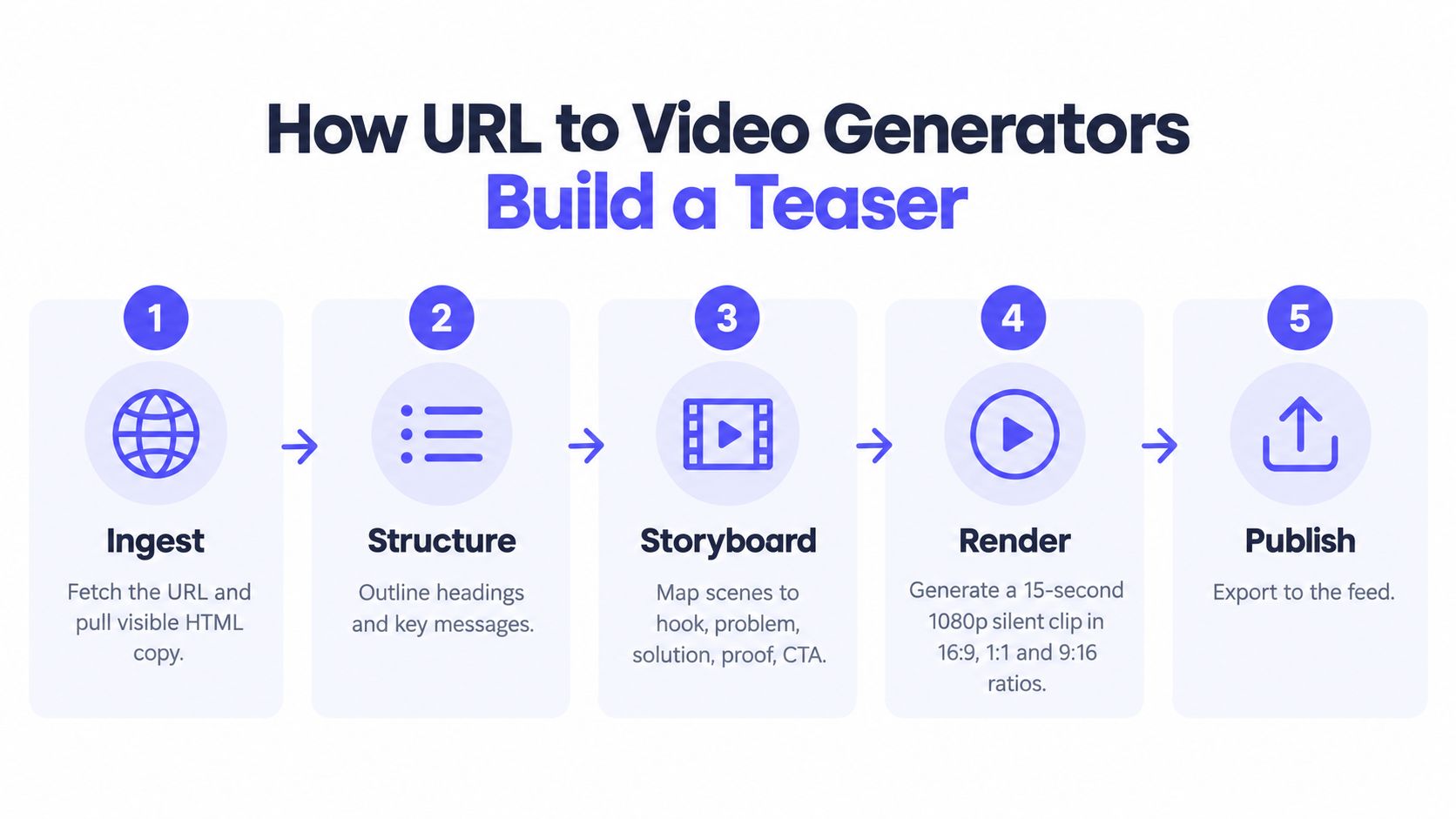
A URL-to-video system isn't magic. It follows a practical production pipeline. Understanding the pipeline helps you judge the output and fix the input when the teaser misses the point.
Stage one ingests the page
The system fetches the submitted URL and reads the page structure. It looks for visible copy, headings, the meta description, the Open Graph image, screenshots, and other page elements that explain what the product does. A clear landing page gives the generator better raw material than a page built from vague slogans.
Stage two extracts brand cues
The pipeline identifies visual signals that make the result look connected to the product. Those signals can include the dominant color, logo treatment, typography, button styling, and hero image. This step matters because a generic clip may explain a product while still looking unrelated to the brand.
Stage three scripts five scenes
The system maps the page's message into a fixed narrative. The main headline becomes the hook. The pain point becomes the problem. The product promise becomes the solution. A customer signal, feature detail, or visible proof point supports the proof scene. The final frame carries the CTA.
ShipTeaser uses this five-scene structure to keep the message within a 15-second arc. The fixed format forces prioritization, which is useful when a landing page contains too much copy.
Stage four renders motion graphics
The system turns the selected copy and visual cues into animated panels, text movement, transitions, and branded composition. ShipTeaser produces a silent teaser, meaning there's no voice-over or narration. An optional music bed can add energy without making the message depend on spoken audio.
Stage five exports the file
The final step creates a ready-to-post video file in 1080p and the selected aspect ratio. ShipTeaser supports 16:9, 1:1, and 9:16. The full workflow, from pasting a URL to downloading the teaser, takes about two minutes. That turnaround is the product decision, not a side effect.
Builders who want to inspect the format directly can review ShipTeaser's URL-to-video workflow. The useful question isn't whether the system can produce a video. It's whether the result is clear enough to publish without reopening a full editing project.
Three Workflows Founders Compare
Founders often compare AI video generators as though they were interchangeable. They aren't. Each category begins with different source material and creates a different review burden.
| Workflow | Input | Output | Best For | Weekly Launch Fit |
|---|---|---|---|---|
| Prompt-based generation | Text prompt or image reference | Original visual footage | Cinematic one-offs and concept work | Low |
| Avatar-led production | Script and presenter settings | Presenter-led explainer | Training, sales communication, and scripted education | Medium |
| URL-to-video automation | Product landing page URL | Branded short teaser | SaaS launches and feature announcements | High |
Prompt-based generation is useful when you need a visual concept that doesn't exist yet. You describe a scene, iterate on the result, and make creative decisions about movement, composition, and style. That process suits a founder with a defined creative brief. It doesn't suit a weekly launch habit where the landing page already contains the message.
Avatar-led production solves a different problem. A presenter can explain a product, but the workflow requires a script, voice choices, presenter review, and approval of delivery. That can work for an explainer-heavy business. It adds unnecessary steps when the goal is a fast teaser for a new SaaS feature.
URL-to-video automation starts from the finished marketing asset. The system reads the page, turns the message into scenes, and gives the founder a short clip to review. For a solo builder managing product, support, distribution, and customer conversations, fewer inputs usually beat more creative control.
The right comparison isn't which category looks most advanced. It's which category matches the source material and publishing cadence you can sustain.
A founder who ships a new product or feature every week should default to URL-to-video automation. A cinematic concept deserves a prompt-driven workflow. A training series may justify a presenter-led workflow. The decision is operational, not ideological.
For a broader view of repeatable content systems, Pazi's approach to AI content ops is useful context. For launch-specific production, ShipTeaser's product launch video maker keeps the input and output deliberately narrow.
Why Short Silent Teasers Win in Feeds
A feed gives a founder seconds to earn attention. The opening frame must identify the product before the viewer scrolls, so a short teaser is a stronger default than a miniature product demo.
Sound-off viewing makes that constraint commercial. A 2017 report citing Tubular Labs data found that 46% of Facebook views on media-company uploads went to videos that were completely silent or accompanied only by music, while BBDO said more than 85% of its clients' Facebook videos were viewed with the sound off. TODAY's report on silent social video supports a clear publishing rule: design the message to work without audio.
Build the teaser around three tests. The first frame must provide readable context. The scene sequence must show movement or progression. The CTA must remain understandable without narration. Music can set a rhythm, but it should never carry the meaning.
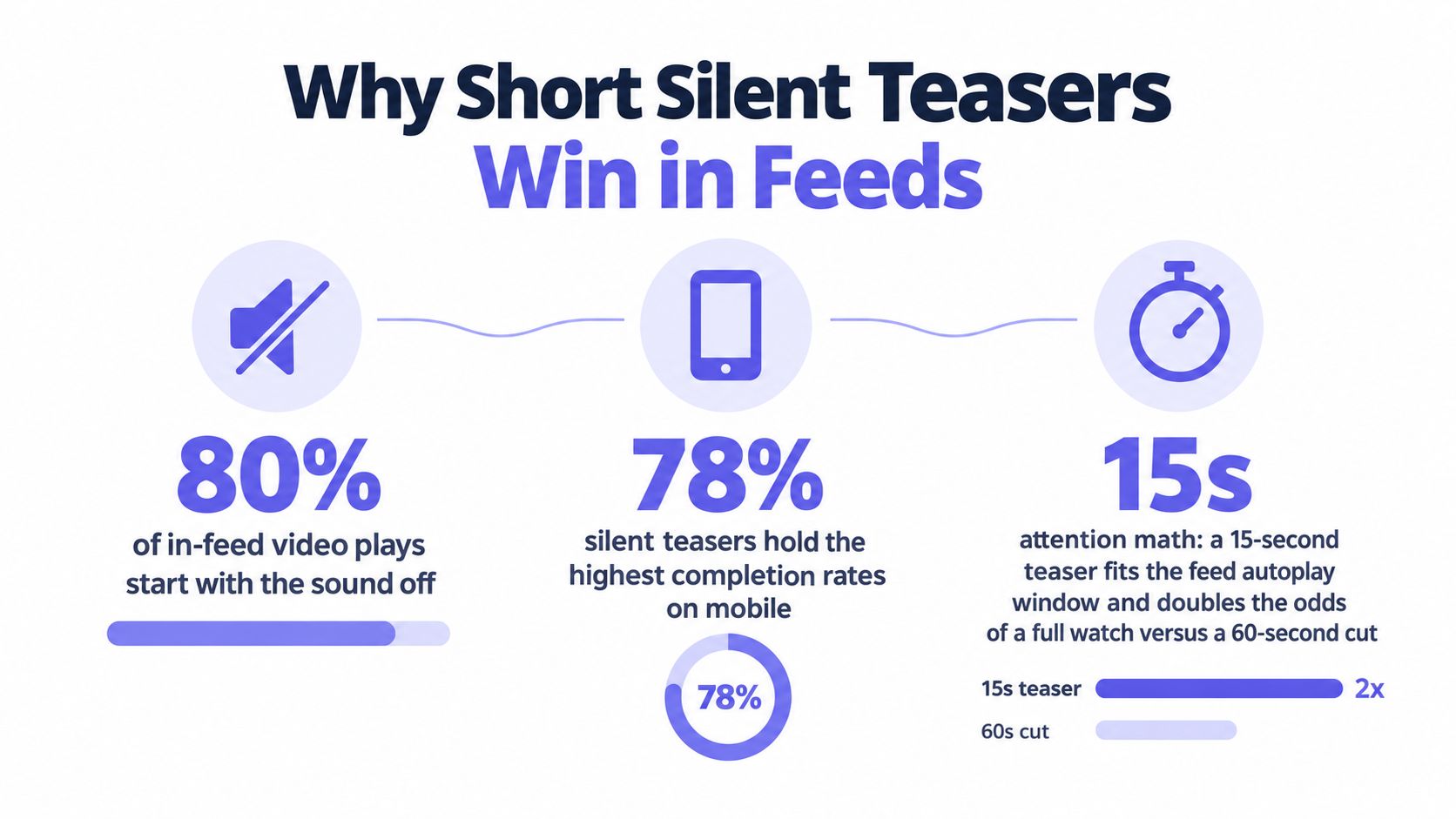
A fixed 15-second deliverable imposes useful discipline. The launch video playbook from Ngram places teaser videos in the 15 to 30 second range for pre-launch use and distinguishes them from longer product reveals and demos. Use that limit to keep one asset focused on awareness. Do not ask it to explain every feature, answer objections, and close the sale.
Export choices should follow the feed, not personal preference. Choose a wider professional post, square when the placement gives the asset equal space on all sides, and vertical when the audience primarily watches on a phone. Review the first frame and final CTA in each ratio before publishing. The goal is a usable asset, not a collection of cuts that nobody posts.
For a fast URL-to-post workflow, use ShipTeaser's AI teaser video workflow or its URL-to-teaser video maker. Paste the page, review the five scenes, select the feed ratio, and publish in the same session, often in about two minutes. Add narration only when the message cannot survive as text and motion.
A Week One Launch Scenario
Consider a solo SaaS founder launching one meaningful feature each day during the first week of a release cycle. The founder chooses ShipTeaser's $99 per month plan, which provides one video per week, and uses the plan for the primary feature announcement rather than trying to document every small change.
On Monday, the founder updates the landing page for a new dashboard. They paste the URL into ShipTeaser and receive a 15-second teaser in about two minutes. The founder posts the 16:9 version on LinkedIn at 9 a.m., using the page headline as the opening message and the feature CTA as the final frame.
Tuesday brings a billing upgrade. The founder creates a new page section, drops the URL into the same workflow, and prepares a square version for X. Wednesday's update adds an integration, and the founder creates a vertical version for a Reels account before lunch. The three assets now sit in a shared folder for later use in onboarding emails, launch recaps, or paid distribution.
This scenario contains a practical limitation. The founder has traded away voice-over, a founder appearance, bespoke motion design, multiple cut variations, and an editor available for revisions. That trade is acceptable when the goal is awareness and a publishable announcement, not a polished brand film.
Ship speed beats production polish when the alternative is publishing nothing.
ShipTeaser's SaaS launch video use case reflects that narrow operating model. The founder supplies a live page and receives a fixed asset. The founder still owns the message, review, channel choice, and publishing decision.
The plan ladder gives more room when the cadence increases. ShipTeaser offers $149 per month for two videos per week and $199 per month for four videos per week. The first video is free, and no credit card is required. Choose the plan after deciding how often the company will publish, not before.
What ShipTeaser Will and Will Not Add Next
Product clarity is a feature. ShipTeaser isn't an avatar presenter, a voice-over system, a screen recorder, or a timeline editor. ShipTeaser doesn't provide clip trimming, dubbing, subtitles, translation, stock footage, or prompt-based text-to-video generation.
That list is intentional. A 15-second teaser remains easier to review when the system doesn't invite a founder into a full post-production project. ShipTeaser focuses on the atomic unit of a launch announcement, a branded clip that turns an existing product page into a short visual story.
The same focus makes the URL-to-video pattern more practical than a traditional agency for routine updates. An agency may be appropriate for a major brand film. For recurring feature announcements, an outside production cycle adds briefing, scheduling, feedback, and handoff work that a founder may not want to repeat.
DIY editing creates the opposite problem. The software may be available, but the founder still has to collect assets, write a script, build scenes, choose dimensions, animate text, and export versions. The cost shows up as attention rather than an invoice.
The next release wave should improve the workflow
The sensible roadmap stays inside the same lane:
- Brand control: Let founders upload a brand kit and select custom typography.
- Product evidence: Capture product screenshots directly from the URL render.
- One-click formats: Export 1:1, 9:16, and 16:9 versions from the same approved narrative.
- Launch handoff: Send the finished file into a launch channel through Slack or a webhook.
Those additions improve repeatability without turning ShipTeaser into a general editor. The roadmap should follow the workflow, not chase every new model capability.
That distinction matters because AI video generation is moving quickly. Market estimates place the global AI video generator market at USD 788.5 million in 2025 and project USD 3,441.6 million by 2033, implying a 20.3% CAGR from 2026 to 2033, according to Polaris Market Research's market estimate. More capability will arrive. Founders still need a production habit.
The Three Decisions to Make This Week
First, pick the workflow that matches the launch. Use prompt-based generation for a cinematic one-off. Use an avatar workflow for a presenter-led explainer. Use URL-to-video automation for recurring SaaS teasers built from live product pages.
Second, set the cadence before choosing a plan. That might mean one teaser per launch, one per week, or one for every major feature update. Put the commitment on the calendar. A generator without a publishing slot becomes another unused subscription.
Third, run one real test. Paste a live product URL, generate the 15-second teaser, publish it to one channel, and compare that post with the same slot filled by a static screenshot. Judge the clarity, production time, and response. Don't subscribe to five generators before shipping one video.
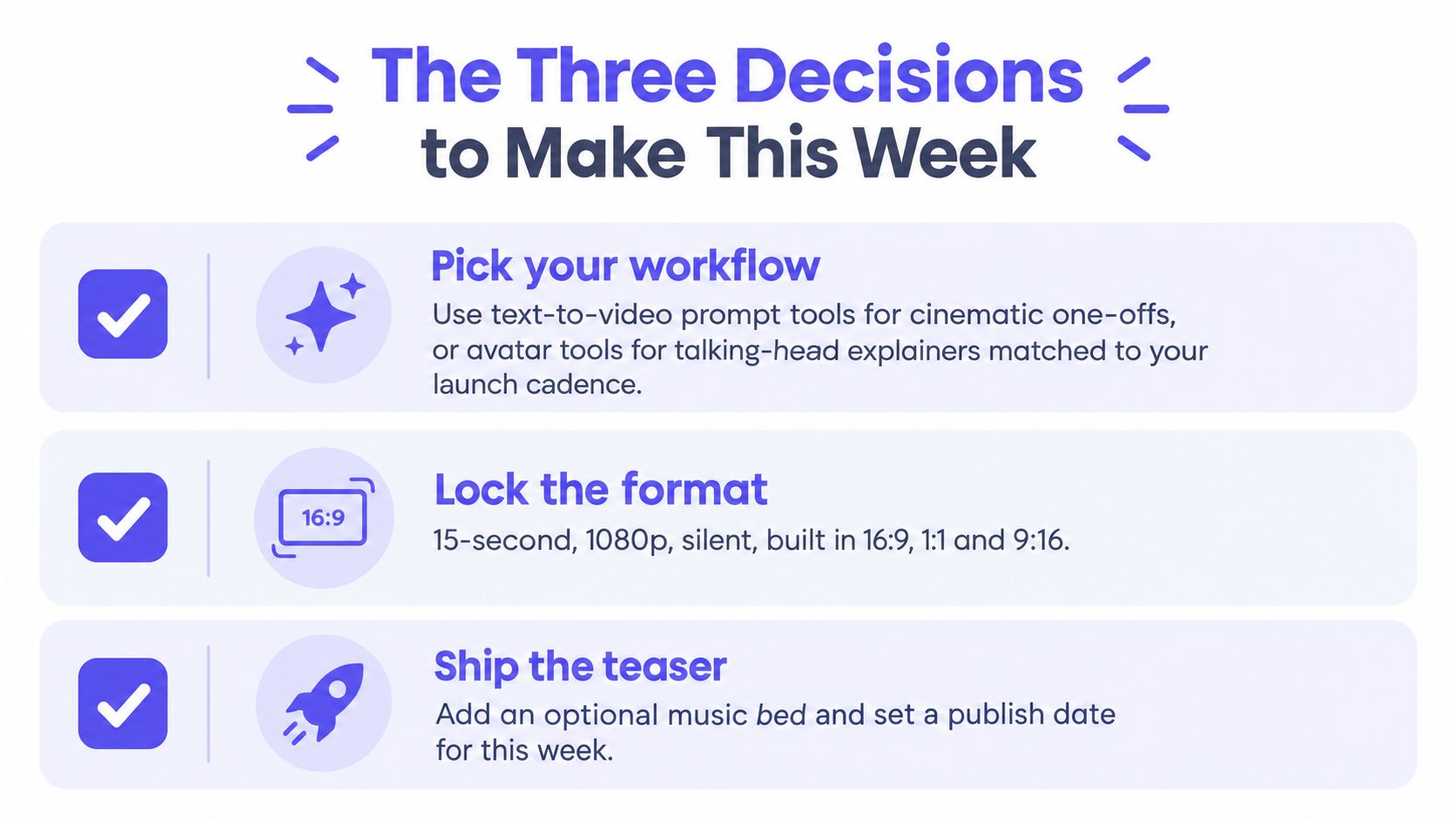
The operating loop is short: choose the workflow, lock the cadence, ship one test. That loop gives you evidence before you commit budget or rebuild your launch process.
FAQ
How long does an AI video generator take to produce a 15-second teaser?
A URL-to-video workflow such as ShipTeaser can ingest a landing page, script the scenes, and export a ready-to-post MP4 in about two minutes from URL submission to download. Automated page analysis and rendering replace the manual work of building a timeline, so the founder can move from product page to review in the same session.
Can an AI video generator create vertical video for Reels, Shorts, and TikTok?
Yes. ShipTeaser exports 9:16 vertical and 1:1 square formats alongside 16:9, all at 1080p. A founder can use the same five-scene message across formats instead of rebuilding the teaser for every channel.
Do AI video generators include voice-over?
Many generator categories include voice-over, but ShipTeaser produces silent teasers on purpose. Silent means no voice-over or narration, not no audio at all, because ShipTeaser can include an optional music bed while the on-screen motion graphics carry the message.
How much should a founder budget per month?
ShipTeaser costs $99 per month for one video per week, $149 per month for two videos per week, and $199 per month for four videos per week. The first video is free and no credit card is required, so a founder can test the actual URL-to-teaser workflow before selecting a recurring plan.
Is a 15-second teaser enough for a startup product?
A 15-second teaser is enough for awareness, a feature announcement, or a launch reminder. It isn't a replacement for a detailed demo or a longer startup explainer, which is often described as 60 to 90 seconds in startup explainer video guidance. Use the short teaser to earn attention, then send interested viewers to the landing page or product demo.
Paste your product URL into ShipTeaser and get a 15-second, 1080p teaser in about two minutes, with 16:9, 1:1, and 9:16 exports ready for review. Start with the free first video, then visit ShipTeaser to choose a weekly publishing plan that matches your launch cadence.