The six product video types are product demo teasers, problem spotlight videos, feature announcement teasers, founder story teasers, comparison teasers, and social proof teasers. Video is already a mainstream marketing channel, with 91% of businesses using it and 82% of marketers reporting good ROI, so the practical question is which format fits the job, not whether video belongs in your launch plan. Wyzowl's 2026 video marketing report supports that shift.
Most founders don't need more video ideas. They need a video matched to one job. A 15-second product teaser can't carry a full product tour, and the six formats differ by audience state, timing, proof, and channel. A polished video can support a launch, but it still needs a clear purpose, much like luxury brand film production starts with a defined creative objective instead of random footage.
ShipTeaser turns a product URL into a 15-second, 1080p, silent motion-graphics teaser in about 2 minutes. ShipTeaser builds five scenes, hook, problem, solution, proof, and CTA, then provides 16:9, 1:1, and 9:16 outputs with an optional music bed. The first video is free, and no credit card is required.
The right choice depends on the job. Use a product demo teaser for launch attention, a problem spotlight for customer education, a feature announcement teaser for release momentum, a founder story teaser for founder connection, a comparison teaser for positioning, and a social proof teaser for conversion trust.
1. Product Demo Teaser for Launch Week Announcements
Launch week is the wrong time for a miniature sales page. Your product demo teaser has one job: show what the product does and give the right viewer a reason to click. Publish it during the launch window, when people first encounter the product through social posts, launch communities, or an email announcement.
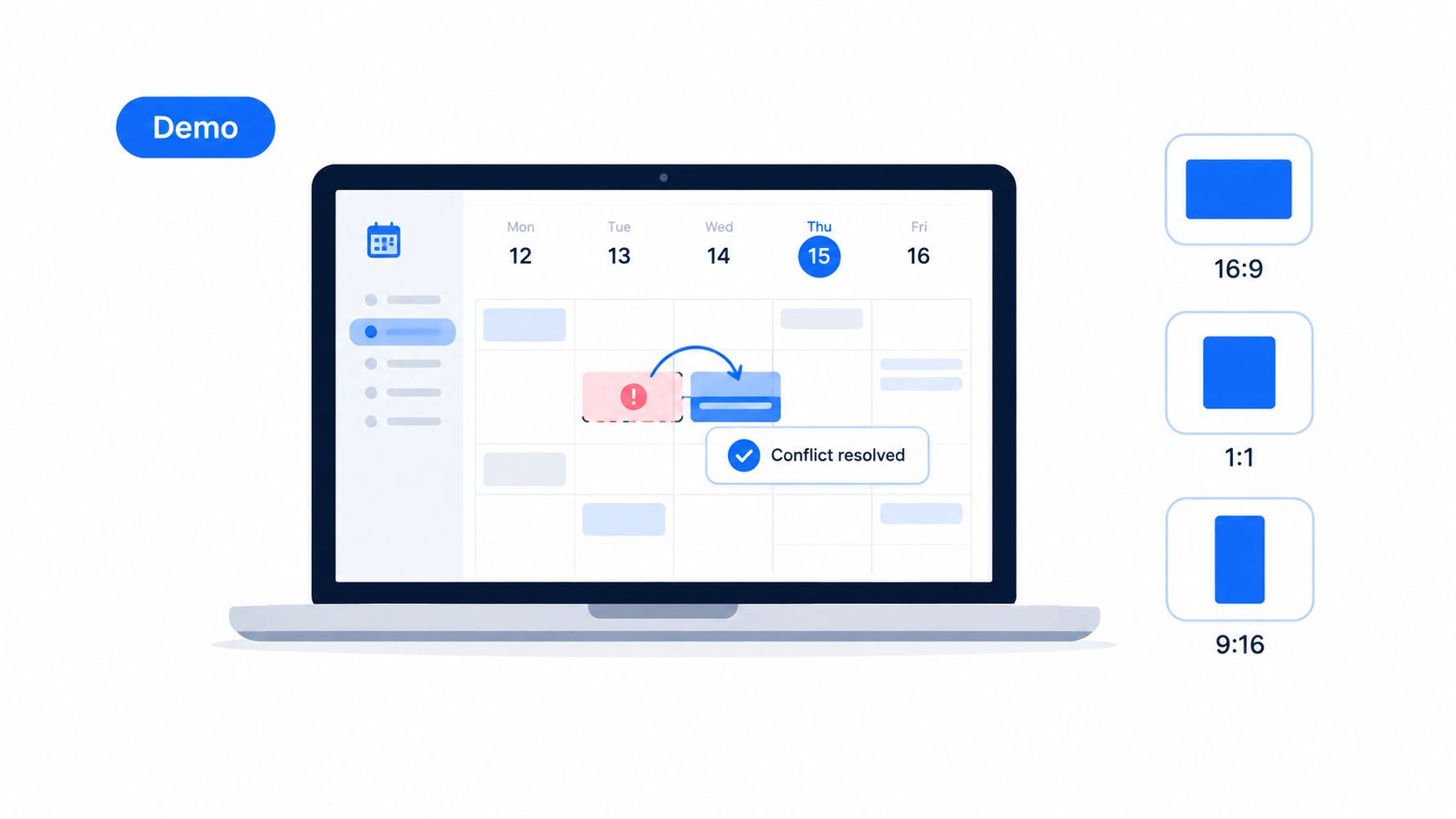
Use one visible action. A calendar app can show conflict detection finding an open meeting slot. A note-taking product can show AI tagging turning a messy note into an organized record. An analytics product can preview a new dashboard before release. Each example connects one recognizable problem to one product response.
ShipTeaser fits when the source is a public product URL and the output needs to work without sound. Its landing page copy, screenshots, brand cues, and positioning supply material for a short visual sequence. It does not record a live product session, provide screen recording, or include a timeline editor. Keep the page screenshots clean. Show the product in its most informative state.
Practical rule: One teaser should prove one product promise. Add more pain points and the launch asset becomes a compressed sales page.
Choose the format by channel. Use 16:9 for an email or launch-page embed, 1:1 for feed posts, and 9:16 for mobile-first social placements. Publish one version before the announcement to create curiosity. Reuse the core message on launch day, but adjust the opening frame for each channel rather than rebuilding the concept. For the difference between a short teaser and a deeper walkthrough, see product demo videos versus teasers.
Viewers who need product depth should get a separate walkthrough, not a longer teaser. A SaaS walkthrough guide helps structure that follow-up. Keep the launch teaser focused on the click.
2. Problem Spotlight Video for Customer Education
Lead with the pain when your audience knows something is wrong but hasn't connected that pain to your product category. A problem spotlight video earns attention by naming a specific operational problem before making a product claim.
A project management founder could publish a weekly sequence about missed deadlines, unclear ownership, and scope creep. A developer tool builder might show how fragmented monitoring dashboards slow down incident review. A content platform founder could focus on the loss of audience insight caused by switching between disconnected platforms. These examples work because each video names a situation a buyer can recognize.
Use the format in your weekly education cadence. Publish the problem version first, then follow with a solution teaser one or two days later. The pair creates a simple narrative without forcing the first video to carry the entire pitch.
ShipTeaser's five-scene structure supports this approach. Put the strongest customer problem in the hook and problem scenes, then use the solution and CTA to give viewers a next step. ShipTeaser won't research your audience or invent a credible pain point. Your landing page needs to state the problem clearly before ShipTeaser can turn that message into a visual asset.
Use this production routine:
- Name the trigger: Choose a concrete event, such as missed ownership, broken reporting, or scattered customer feedback.
- Reuse the landing page language: Make the headline and subheading the source for the problem statement.
- Measure audience response: Track comments, replies, and direct questions to identify which pain deserves another video.
- Follow with a solution: Publish a product-focused teaser after the problem has had time to register.
A short video is a strong fit for this format because Shopify's product video data reports that 63% of consumers would most like to watch a short video to learn about a product or service. Keep the message educational, not sales-heavy. Your CTA can invite viewers to see the workflow, read the explanation, or visit the product page.
3. Feature Announcement Teaser for a Bi-Weekly Release Cycle
A feature announcement teaser belongs in the shipping rhythm. Use it when you've released one meaningful improvement or want to build attention for a feature arriving soon. Don't bundle several updates into one video. A viewer should understand what changed before the CTA appears.
An automation platform can preview a new integration. An indie email product can show a new template library. A design tool can demonstrate a keyboard shortcut pack through a quick canvas interaction. The format works when the feature has a visible result, not just an internal technical change.
Update the landing page before generating the teaser. ShipTeaser extracts current copy, screenshots, colors, and brand cues from the page, so outdated messaging creates an outdated video. If the feature isn't live yet, label the CTA clearly as an upcoming release. If the feature is live, direct viewers to the updated product area or changelog.
Fit the video to the release rhythm
Post the teaser before release when anticipation matters. Post it after release when existing users need a clear reason to return. A founder shipping weekly can create a regular feature series. A founder shipping less often should reserve the format for changes that materially improve the product story.
Use 1:1 for a square social post and 9:16 for vertical story placements. Keep 16:9 for a wider launch page or announcement context. These are output choices, not editing projects. ShipTeaser creates the three ratios from the same URL-based concept.
Use the feature announcement video guide to keep the announcement focused. Pair the teaser with a changelog or product article for deeper explanation. The teaser creates release momentum. The written update handles edge cases, setup details, and technical limitations.
Batch your content around the shipping cadence. If three features are planned for the month, prepare three focused landing page states or update the page before each generation. Don't ask one 15-second asset to explain the entire roadmap.
4. Founder Story Teaser for Personal Brand Building
Founder story teasers work when buyers need to understand why this product exists. They should feel more personal than a feature announcement, but they still need a clear connection to the software product.
An indie SaaS founder might explain why they left a job to build a workflow product. A developer tool maker might share the origin of a painful engineering problem. A productivity founder might show how using the product changed their own working habits. The strongest stories include a specific event, decision, or lesson. Generic mission statements don't create the same connection.
Write the story on the landing page first. ShipTeaser can draw from visible mission statements, testimonials, quotes, and positioning language on that page. ShipTeaser doesn't create a talking-head performance, voice-over, narration, avatar, or personal interview. The output is a silent motion-graphics teaser, with an optional music bed. That constraint is useful when the story can be communicated through concise text, product visuals, and brand design.
A founder story should reveal a decision, not repeat a slogan.
Use this format sparingly. One strong story can humanize a product. Repeating founder content too often makes the feed feel self-focused and reduces space for customer problems, product evidence, and useful updates. Publish when you have a real milestone, a hard lesson, or a clear reason for building the product.
Choose the channel where you already participate personally. A founder-led social account, an email to early adopters, or a product launch post can all work. Match the visual ratio to the channel, but keep the copy readable without audio. Silent delivery means the story must survive muted playback.
Don't invent proof inside the story. If you mention users, timelines, or outcomes, use only facts you can substantiate on your page and in your own records. The goal is connection, not inflated credibility.
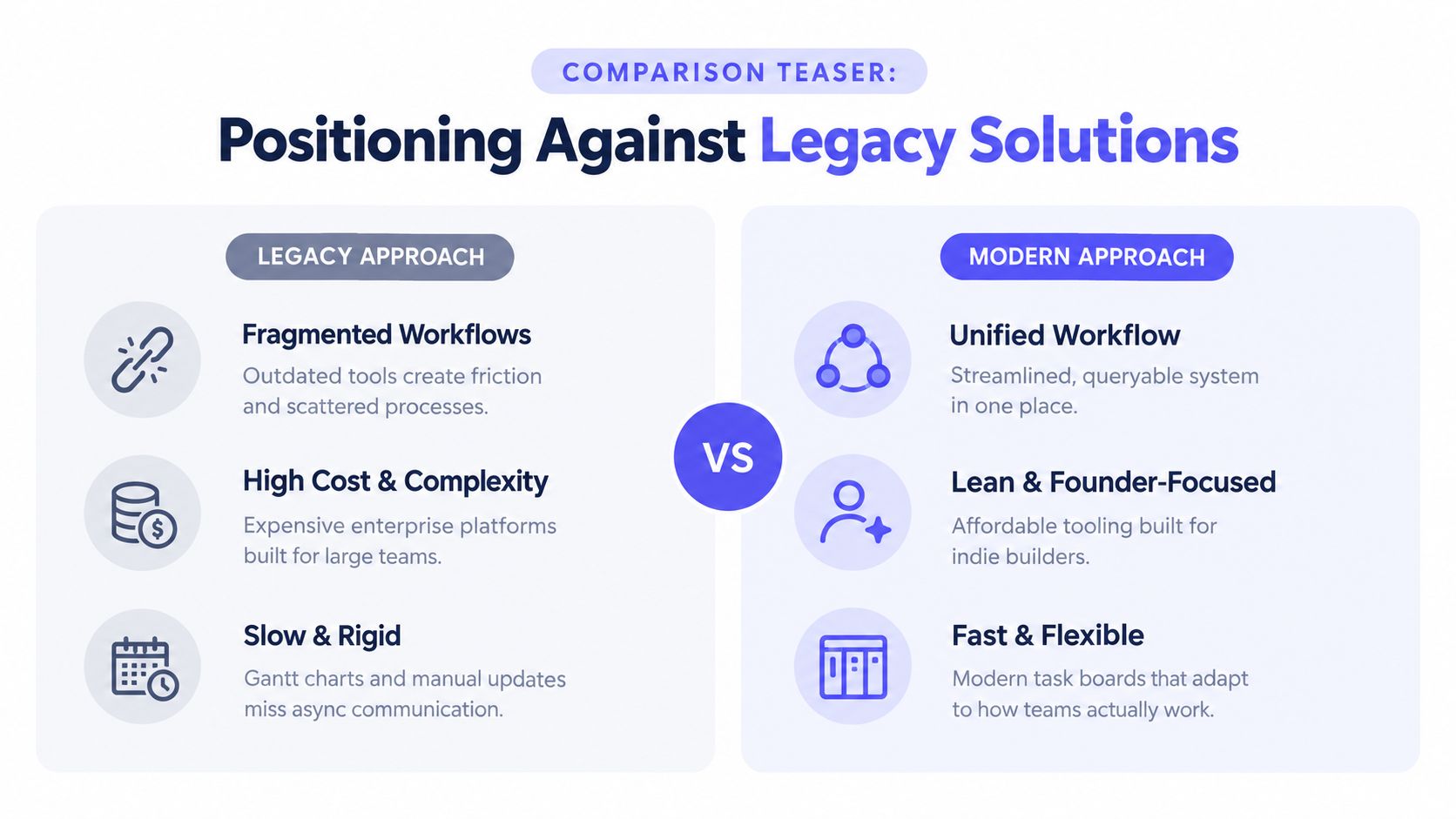
5. Comparison Teaser for Positioning Against Legacy Solutions
Comparison teasers help buyers understand why your approach differs. For an early-stage software founder, the safest comparison is usually between workflows, philosophies, or operating assumptions. You don't need to name a specific competitor to make the contrast clear.
A no-code database product might contrast fragmented spreadsheet work with unified, queryable data. An email platform for indie builders might contrast expensive enterprise processes with focused founder tooling. A project tracking product might show how rigid Gantt planning misses async team communication while a modern task board keeps work visible.
Make the contrast visual and narrow. Show the old workflow's friction, then show the alternative your product provides. Avoid feature checklists. A long list of differences turns the teaser into a crowded sales slide, and a 15-second video can't explain every implementation detail.
Use the comparison section of your landing page as the source. ShipTeaser can transform that positioning language into its five-scene sequence, but ShipTeaser doesn't validate claims, import competitor logos, or create a research-backed battlecard. Keep the language fair and specific. Say what your product does differently. Don't make unsupported claims about another product.
Choose the right moment
Publish comparison teasers when you're reaching users in an adjacent category or when prospects are actively reconsidering an existing workflow. Pair the video with a migration guide, import documentation, or a clear explanation of how switching works. Positioning attracts attention, but migration clarity reduces hesitation.
The ShipTeaser comparison page can help you frame the format around product differences rather than competitor attacks. Use 16:9 for a landing page section, 1:1 for a feed post, and 9:16 when the comparison can be understood in a vertical sequence.
A good comparison teaser leaves the viewer with one conclusion: this product fits the way I want to work. Keep that conclusion visible in the CTA.
6. Social Proof Teaser for Trust Building and Conversion
Social proof teasers belong closest to the signup decision. Use them when a visitor understands the product but still doubts whether the product works for someone like them. The video should shift attention from your claim to customer evidence.
A productivity product might show a specific customer quote about saved work time. An analytics platform might feature a founder explaining how the dashboard clarified audience behavior. A developer product might present a verified usage statement alongside a customer logo, provided the customer has approved the reference.
Specific proof matters. “I love it” gives a buyer little to evaluate. A clear result, use case, customer name, role, and company context gives the viewer something concrete. Only use metrics and testimonials you can verify. Don't turn a landing page number into a stronger claim than the original evidence supports.
Place the teaser beside the relevant CTA, not in a disconnected content feed. A square version can sit within a product page section, while a vertical version can support a social post that points viewers back to signup. Shopify reports that 61% of shoppers consider product images and videos the most important product-page element when completing a purchase in its product statistics guide, which supports treating proof video as a page asset, not only a social post.
ShipTeaser can use testimonials and trust language already present on your landing page. ShipTeaser doesn't collect customer approvals, verify retention data, or create a customer interview. Gather the evidence first, then use the URL as the source for a concise visual asset. For broader conversion planning, see how to improve conversion rates.
6 Product Video Types & Use Cases
| Format | Complexity 🔄 | Resources ⚡ | Expected Outcome 📊 ⭐ | Ideal Use Case 💡 | Key Advantages ⭐ |
|---|---|---|---|---|---|
| Product Demo Teaser: Launch Week Announcements | Low, automated assembly, short storyboard | Low, landing page screenshots, brand assets; ShipTeaser quick output | Immediate attention and credibility; short-term launch momentum (⭐⭐⭐⭐) | First 48–72 hours after launch or major release | Shows real product; multi-ratio distribution; very fast to produce |
| Problem Spotlight Video: Customer Education Series | Medium, needs clear problem framing and visual metaphor | Medium, researched problem copy, simple visuals; recurring content cadence | Builds empathy and trust over time; stronger audience engagement in series (⭐⭐⭐) | Weekly educational series for target segments | Positions brand as educator; repeatable and scalable |
| Feature Announcement Teaser: Bi-Weekly Release Cycle | Low–Medium, isolate one feature, before/after visuals | Low, updated landing page copy/screenshots; routine generation | Sustains user engagement and drives revisit behavior (⭐⭐⭐) | Bi-weekly or weekly feature releases | Predictable cadence; easy to script and generate |
| Founder Story Teaser: Personal Brand Building | Medium, needs crafted narrative and selective assets | Medium, founder copy, testimonials (permission often required) | Emotional connection and long-term brand affinity (⭐⭐⭐⭐) | Monthly personal-brand or customer-success storytelling | Authenticity drives shareability and deeper engagement |
| Comparison Teaser: Positioning Against Legacy Solutions | Medium, clear positioning, non-comparative visuals | Medium, comparison copy and metaphors; landing page positioning | Differentiation for switchers; higher conversion from frustrated legacy users (⭐⭐⭐) | Targeted campaigns and monthly positioning reinforcement | Highlights switching benefits without naming competitors |
| Social Proof Teaser: Trust Building and Conversion | Low, assemble quotes and supporting metrics | Medium, verified testimonials, up-to-date stats and logos | Increased trust and conversion in retargeting and landing pages (⭐⭐⭐⭐) | Retargeting campaigns, landing page hero or email nurture | Third‑party credibility; strong short-term conversion lift |
Build a Video Cadence, Not a Video Pile
Six formats don't mean six unrelated campaigns. They form a simple decision system. Use the product demo teaser for launch attention, the problem spotlight for education, the feature announcement for shipping momentum, the founder story for occasional connection, the comparison teaser for positioning, and the social proof teaser for conversion trust.
Start with one clear landing page, one audience problem, one CTA, and one channel ratio. Don't produce all six formats before you know which message gets a response. Publish the format that matches your immediate bottleneck, then use audience questions and signup behavior to choose the next one.
Video demand is already broad. Wyzowl's 2026 report says 96% of people watch explainer videos to learn more about a product, and 89% report being swayed to purchase after watching one. Those figures don't mean every founder needs a long explainer. They mean product video can influence decisions when the format answers the buyer's current question.
Short formats deserve a firm place at the top of the funnel. One benchmark from Yans Media's explainer video analytics guide says videos under 90 seconds should exceed 50% completion to be considered strong, while 2 to 3 minute videos are typically healthy at 35% to 45% completion. A 15-second teaser fits the shorter retention target, but it still shouldn't attempt a full product tour.
ShipTeaser's plans support a repeatable cadence. The $99 per month plan includes one video per week, the $149 plan includes two videos per week, and the $199 plan includes four videos per week. Choose the plan that matches your shipping and distribution capacity, not an imaginary content quota.
FAQ
Which product video format should a startup use first?
Use a product demo teaser first if you're launching and need attention. Use a problem spotlight first if your audience doesn't yet understand the pain you solve. Choose based on the immediate job, not on the format that looks most impressive.
Can a 15-second teaser explain a software product?
A 15-second teaser can communicate one problem, one product response, one proof point, and one CTA. It can't replace a full walkthrough, onboarding guide, or technical demo. Use the teaser to earn the next click, then give interested viewers a deeper explanation elsewhere.
Which video ratios should a software founder choose?
Use 16:9 for wide landing page and announcement placements, 1:1 for square feed content and product page modules, and 9:16 for vertical story and short-form placements. ShipTeaser provides all three ratios from the same URL-based generation workflow.
What does ShipTeaser provide, and what doesn't ShipTeaser provide?
ShipTeaser accepts a product URL and creates a 15-second, 1080p, silent motion-graphics teaser in about 2 minutes, using landing page copy, screenshots, brand cues, and five scenes. ShipTeaser doesn't provide avatars, voice-over, narration, screen recording, stock footage, text-to-video prompting, dubbing, subtitles, translation, clip trimming, or a video editor timeline. An optional music bed is available.
Modern video marketing works best when every asset has a job. Match the format to the launch moment, audience state, proof requirement, and channel. Then repeat the format that earns the next useful action.
ShipTeaser turns a product URL into a 15-second, 1080p silent teaser with hook, problem, solution, proof, and CTA scenes, ready in about 2 minutes. Start with your next launch, problem, or feature message and visit ShipTeaser to create your first video free, with no credit card required.