You have a launch calendar, a working software product, and no product demo video. The landing page is ready, the announcement is drafted, and every day without a visual asset makes the launch harder to explain. Founders often respond by trying to show the entire product, which creates a longer video and a weaker message.
A product demo video should match one job, one viewer, and one placement. Use a 15-second teaser for a launch post or landing page hero, a longer focused walkthrough for product depth, and a clear five-beat structure that moves from pain to action to proof and a next step.
Why Most Product Demo Videos Underperform
A founder stares at the launch calendar. Twelve days remain. The product works, but there's no video. The obvious response is to record everything, add context, and explain every feature before publishing.
That approach fails because most product demo videos try to explain everything to everyone. The result is a feature tour that lists buttons, an explainer that buries the product under founder history, or a polished corporate piece that arrives after the launch moment has passed. A focused video solves one communication problem. A bloated video creates another.
The three mistakes that waste launch time
The feature tour starts with the dashboard and moves from button to button. Viewers see activity, but they don't see a reason to care. A founder may understand the product because they built it. A new viewer needs a specific workflow and a visible outcome.
The founder explainer spends too long on the market, the backstory, and the product category. Context matters in a launch post, but it shouldn't delay the product moment. Show the problem in the viewer's language, then show the product handling it.
The polished corporate video creates a production project instead of a launch asset. More review cycles, more revisions, and more stakeholders can push the final cut past the date when people are paying attention.
The commercial case for video is strong. 96% of people say they've watched an explainer video to learn about a product or service, and 89% say a video has convinced them to buy a product or service, according to Kapwing's video marketing statistics. The format works when the viewer understands the product quickly.
Practical rule: Choose the job before choosing the runtime. A launch teaser earns attention. A walkthrough answers questions. They aren't the same asset.
For an early-stage launch, define one job, choose the matching length and ratio, and ship inside the time window when the announcement still matters. The common reasons launch videos fail usually come down to unclear positioning, weak openings, and too much production effort.
Planning the Demo Before You Touch a Script
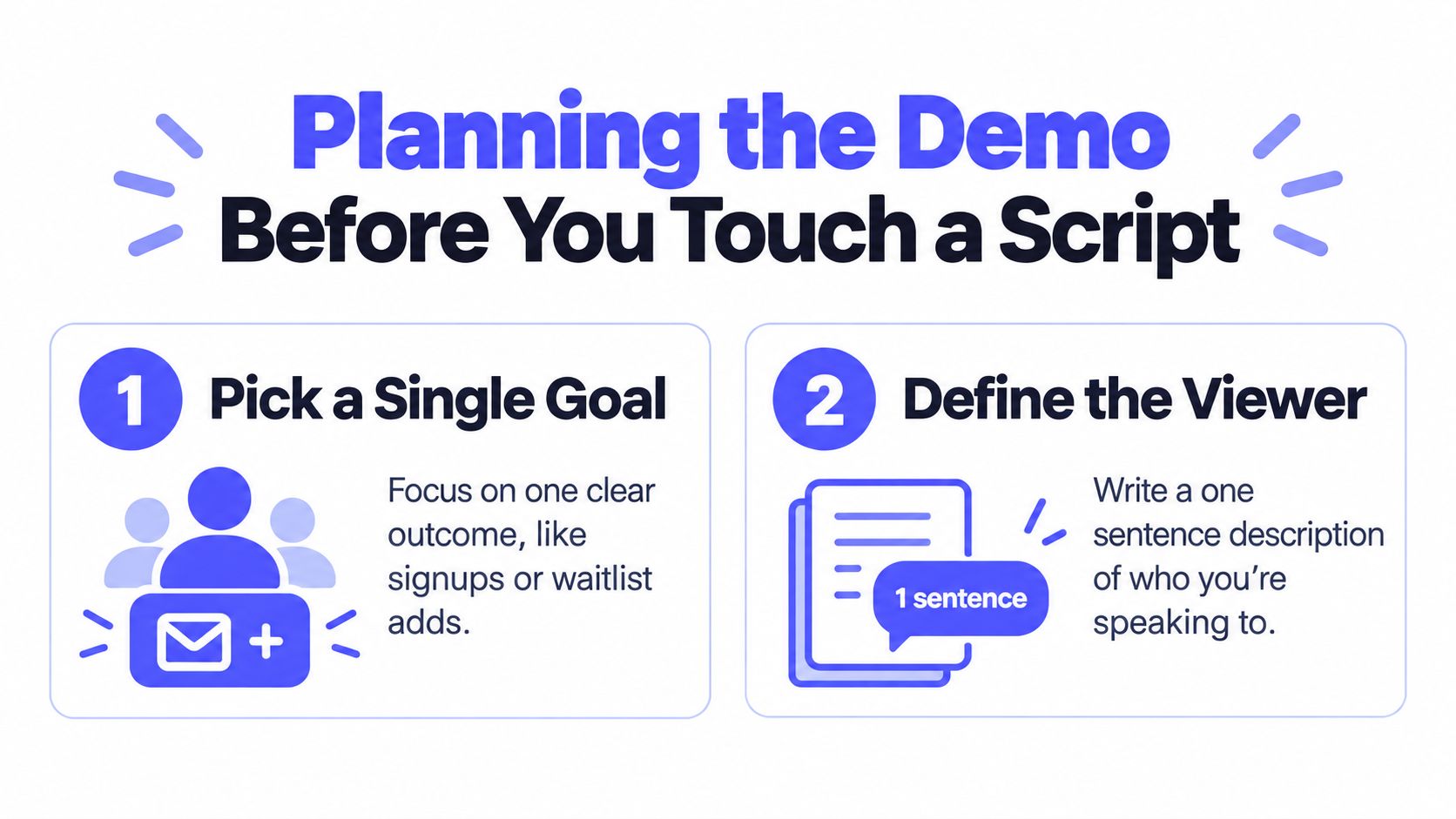
A useful product demo video starts as a planning document, not a recording. Make four decisions before opening a camera, screen recorder, or editor.
Pick one goal
Choose the action you want after the final frame. That might be a signup, a demo request, or a waitlist addition. Don't combine all three.
A clear goal sounds like this: “This launch video should drive 200 signups.” The number gives you a decision filter. If a scene doesn't support that outcome, cut it. If the call to action asks viewers to do something else, rewrite it.
Define the viewer in one sentence
Write: “This video is for…”
For example: “This video is for indie founders who already use Notion and want a faster CRM.” Another useful version is: “This video is for operations leads at startups with 50 to 200 people who need a simpler approval workflow.”
Specific viewers produce specific language. “Teams that want better productivity” gives you nothing to show. “Operations leads who chase approvals in scattered messages” gives you a problem, a scene, and a reason to believe.
Lock the placement
Placement decides length, ratio, and tone. A landing page hero needs immediate comprehension and a visible next step. A social post needs a hook that works before the viewer reads the caption. An in-product onboarding video can spend more time on one feature because the viewer already has product context.
Write the destination before you write the script. For a Tuesday ship, you might choose a launch post, a landing page hero, and a square version for a professional network feed. That decision tells you which exports matter.
Choose the production path
Use a manual production path when the viewer needs a detailed screen recording, narrated walkthrough, or stakeholder review. Use a URL-based teaser workflow when the job is a launch beat that needs to exist today.
ShipTeaser accepts a product URL and produces a 15-second, 1080p, silent motion-graphics teaser in about 2 minutes. “Silent” means no voice-over or narration. An optional music bed can still support the cut. The output is ready to post in 16:9, 1:1, and 9:16 ratios.
Before production, write five lines:
- Goal: The action you want after viewing.
- Viewer: One person with one recognizable problem.
- Placement: The channel and page where the video will appear.
- Workflow: Manual recording, focused walkthrough, or URL-to-teaser generation.
- Ship date: The moment the asset must be live.
Writing a Demo Script That Earns the First Three Seconds
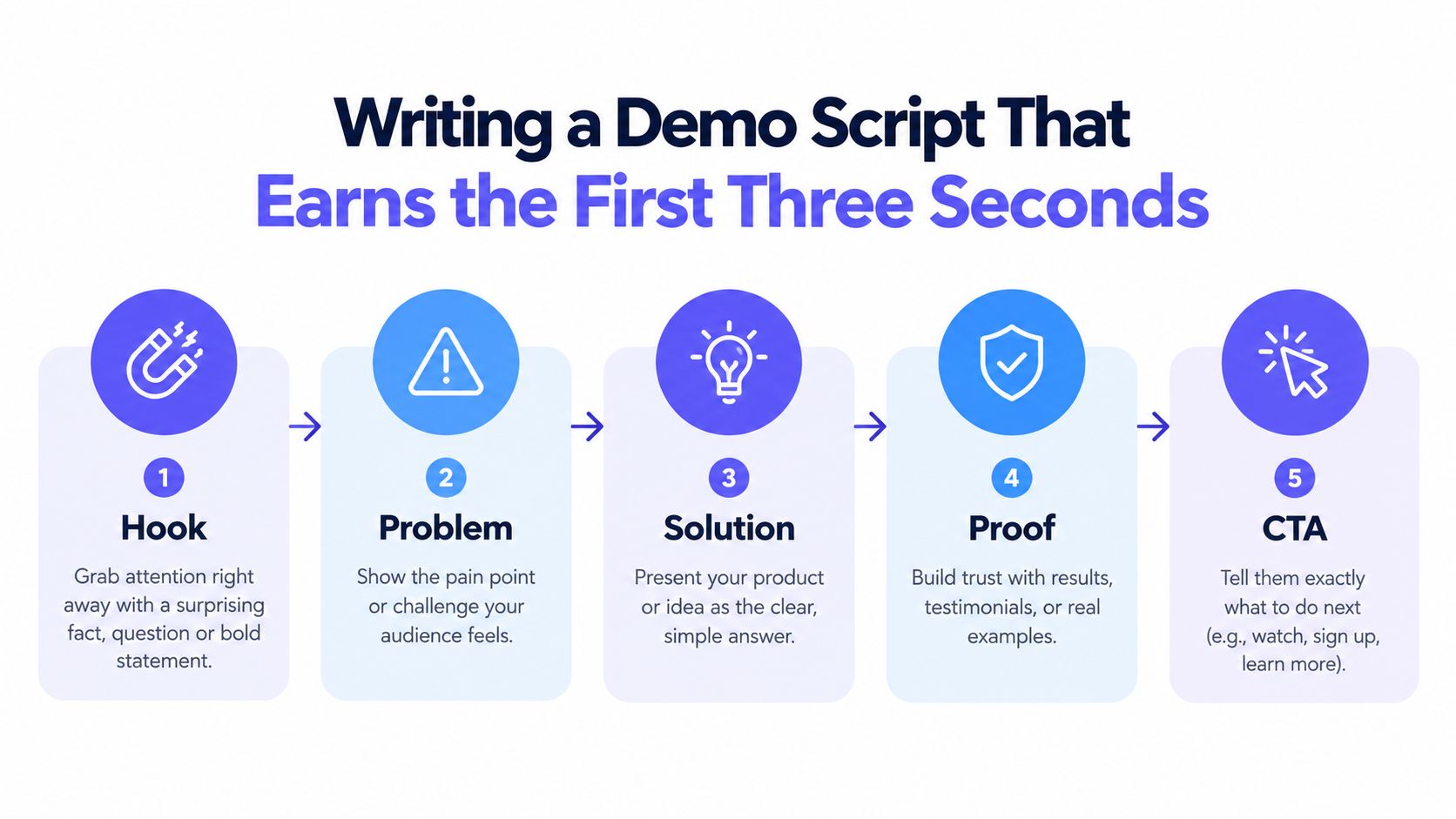
A short script needs five beats: hook, problem, solution, proof, and CTA. Each beat earns its place by moving the viewer closer to one action.
Hook
Name the outcome, not the product category. “Cut your weekly reporting from three hours to nine minutes” gives the viewer a reason to continue. “Meet our intelligent reporting platform” doesn't.
The hook belongs in the first few seconds. It should be readable without narration because short social videos often need to work before the viewer turns sound on.
Problem
Use the viewer's own frustration. “Reporting means copying numbers across five tabs” is stronger than “Reporting is inefficient.” The first version creates recognition. The second sounds like a slogan.
Solution
Show one visible action. One screen and one product moment are enough for a teaser. A cursor creates a report, a workspace organizes incoming requests, or a dashboard turns raw activity into a useful view.
Proof
Use one credible proof point. That can be a verified metric, a customer logo, or a short user quote that you have permission to publish. Don't stack several weak claims. One clear signal is easier to read and easier to remember.
CTA
Give one next step. Use “Try Stack,” “Join the waitlist,” or “See the workflow.” Put the URL on screen and hold it long enough to read.
A 15-second target is defensible because the format forces one outcome, one product action, and one next step. Benchmark coverage cited by Vidico's product demo guidance reports that 65% of viewers finish videos under 1 minute, compared with 20% for videos over 20 minutes. Short doesn't mean shallow. It means selective.
For a CRM called Stack, a script under 40 words could read:
“Still chasing customer updates across tabs? Stack keeps every account in one clear workflow. See the latest activity, assign the next step, and keep deals moving. Try Stack at stack.com.”
Read the script aloud once. Remove filler, repeated benefits, and phrases you wouldn't say to one founder. More guidance on the opening is available in this three-second hook framework.
Choosing a Production Path From Manual to Automated
Manual production and automated teaser generation serve different jobs. Pick based on the information the viewer needs, not on which workflow appears more polished.
Manual production
A manual stack makes sense when the product needs depth. Record a deliberate screen walkthrough, capture the actual workflow, edit the pauses, and add narration when spoken explanation carries important detail. This path works for onboarding, technical evaluation, stakeholder review, and sales conversations where viewers need to understand several connected steps.
Manual production also gives you control over pacing and emphasis. You can pause on a setting, zoom into a result, or address an objection in context. The tradeoff is time. Every revision requires another pass through the recording and edit.
Automated teaser generation
A fast URL-to-video workflow fits a different brief. Paste the product URL, let the system use the page's copy, screenshots, and brand cues, then review the generated teaser. ShipTeaser turns that input into a 15-second motion-graphics video in about 2 minutes, with no voice-over or narration and an optional music bed.
The format is useful for a launch post, a social announcement, or a landing page hero that needs a concise visual explanation. It doesn't replace a deep walkthrough. It gives a solo builder a repeatable way to create a launch asset without building a full editing workflow.
For practical guidance on planning shots, pacing, and clean exports, review these essential video creation practices. The principles apply whether you record manually or prepare a page for automated generation.
The decision rule
Choose manual production when you need screen-recorded depth, narration, or detailed review. Choose an automated teaser when the job is speed, repetition, and a clear launch message.
ShipTeaser's first video is free and doesn't require a credit card. Ongoing plans are $99 per month for one video per week, $149 per month for two videos per week, and $199 per month for four videos per week. The right choice depends on how often your launch calendar needs a fresh asset, not on how many features the workflow can display.
More detail on this operating model is available in this guide to automated content generation.
The 15-Second ShipTeaser Storyboard
Fifteen seconds leaves no room for a wandering introduction. Use five scenes and give each scene a single job. The order should be hook, problem, solution, proof, and CTA.

Scene one from 0 to 3 seconds
Open with the pain or desired outcome. “Launches take weeks” is direct. “Your next launch can ship with a clear product story” is more positive but less sharp.
Use one large line of on-screen text. Don't make the viewer decode a paragraph while the animation moves.
Scene two from 3 to 6 seconds
Show the product name and one value proposition. Keep the background clean. A line such as “Stack turns scattered customer updates into one workflow” gives the viewer a category and a use case without starting a feature tour.
Scene three from 6 to 9 seconds
Show the product solving the problem. Use an animated interface or a product visual that demonstrates one action. The scene should answer, “What does the product do?”
ShipTeaser creates a motion-graphics teaser from a pasted product URL. It doesn't provide a timeline editor, screen recording, stock footage, voice-over, dubbing, translation, or clip trimming. That fixed scope is useful when you need a short launch asset rather than a full production environment.
Scene four from 9 to 12 seconds
Add one proof element. Use a verified metric, a logo, or a short customer statement. If you don't have proof yet, show a concrete product result without pretending it represents customer performance.
Scene five from 12 to 15 seconds
Close with one CTA and the URL. Keep the final frame simple. The viewer should know exactly what to do without listening to narration.
Use one font and two weights. Keep the text large enough for a phone screen. ShipTeaser supports 16:9, 1:1, and 9:16 outputs, so choose the primary placement before reviewing the final composition.
A short teaser can work without narration because visual sequencing and concise on-screen text carry the message. Guidance on silent product demos supports treating “silent” as no voice-over, not as no sound at all.
Matching Length Ratio and Format to Placement
Placement dictates format. Don't make one master video and publish it everywhere unchanged. Build the message once, then adapt the opening, ratio, and final frame to the viewer's context.
A useful rule is simple: shorter cuts buy reach, while longer cuts buy trust. A short social teaser creates recognition. A longer landing page video can answer more objections. Research on product video conversion reports landing page conversion of 4.8% with embedded demo videos versus 2.9% without video, a 65% lift in conversion rate. Treat that as a reason to test the page asset, not as a promise for every product.
| Placement | Length | Ratio | Best Format |
|---|---|---|---|
| X or short-form feed | 6 to 20 seconds | 9:16 | Silent teaser with an immediate hook |
| LinkedIn feed | 15 to 60 seconds | 1:1 or 4:5 | Clear first line and static end frame |
| Product launch page | Up to 30 seconds for a teaser | 16:9 or 1:1 | Product visual with one CTA |
| Landing page hero | 60 to 90 seconds | 16:9 | Muted autoplay, on-screen text, one CTA |
| Email or onboarding | 30 to 45 seconds | 16:9 | One feature frame and one next step |
These are editorial starting points, not laws. A hero video needs enough time to establish trust. A feed video needs enough speed to earn attention before the viewer scrolls.
For launch measurement, track the action that matches the placement. A social post may be judged by clicks and signups. A landing page asset may be judged by how it changes page behavior. For a broader framework on measuring creator and campaign outcomes, see Clipatra's guide to influencer ROI measurement.
Use one ShipTeaser master as the source for quick launch variants, then check every crop manually. The product launch video specifications guide can help you choose the right output before publishing.
A Weekly Demo Workflow You Can Actually Stick To
A repeatable calendar beats a heroic production sprint. Give each day one task and keep the review standard practical.
Monday defines the message
Write the job-to-be-done in one sentence. Choose the viewer, the placement, and the ShipTeaser template that matches the launch. If you can't state the outcome clearly, don't start production yet.
Tuesday captures the raw material
Collect the product URL, current landing page copy, screenshots, and any proof you can publish. If you need a manual product moment, capture it in one sitting. Don't chase a perfect take. Capture the action the viewer needs to understand.
Wednesday generates the cut
Submit the product URL to ShipTeaser and review the resulting 15-second teaser. Lock the on-screen text after checking three things: the hook names the problem, the product action is visible, and the CTA is readable.
Thursday prepares the placements
Create the versions you need:
- Square: Use 1:1 for a professional network feed.
- Vertical: Use 9:16 for short-form social placements.
- Wide: Use 16:9 for the landing page.
Check the first frame on a phone. Check the final URL at normal playback speed. A video that looks clear in an editor can become unreadable in a feed.
Friday ships and measures
Publish the asset. Record hook rate, click-through, and demo signups in one spreadsheet row. Don't add a dozen metrics before you have a reliable publishing habit.
Sunday records one lesson
Write one observation and one change for the next cut. Maybe the hook was too abstract. Maybe the proof arrived too late. Maybe the CTA needed more contrast. Make one adjustment, then repeat.
A weekly cadence creates a useful launch library while you continue building. Keep ShipTeaser as the default for concise launch teasers. Escalate to a manual edit only when the viewer needs long-form depth, narration, or a detailed workflow.
FAQ
How long should a product demo video be?
The right length depends on the job. Use a 15 to 30-second hero teaser, an awareness demo under 90 seconds, a 60 to 90-second feature demo, or a decision-stage video up to 3 minutes. A product demo video should be as long as needed to complete one viewer decision, and no longer.
What should a 15-second product demo video include?
A 15-second product demo video should include five beats: hook, problem, solution, proof, and CTA. Give each beat roughly three seconds, show one product action, use concise on-screen text, and end with one readable URL or next step.
Does a silent product demo video have any sound?
A silent product demo video has no voice-over or narration, but it can include an optional music bed. The message should remain understandable through visual sequencing and on-screen text, even when the viewer watches with audio turned off.
Is ShipTeaser a video editor?
ShipTeaser is a URL-to-teaser generator, not a timeline editor. A user pastes a product URL and receives a 15-second, 1080p motion-graphics teaser in about 2 minutes, with 16:9, 1:1, and 9:16 output options.
Should founders make a manual walkthrough or a short teaser?
Founders should make a manual walkthrough when the product needs detailed screen-recorded depth, narration, or stakeholder review. Founders should make a short teaser when the job is a launch post, landing page visual, or repeatable weekly announcement.
ShipTeaser turns a product URL into a 15-second, 1080p, silent motion-graphics teaser in about 2 minutes, ready to post in three ratios. Start with the free first video, then visit ShipTeaser and ship the launch asset your next release needs.