You paste your product URL into an AI video tool, click generate, and watch the result come back polished but forgettable. The logo is present, the colors look close, and the words technically describe the product. Yet the video could belong to almost any startup because the script never chose a sharp audience, a specific promise, or a reason to keep watching.
That's why learning how to write video scripts matters even when software handles the voice, visuals, and editing. The script determines what the viewer sees first, what the product proves, and what action comes next. A strong script doesn't merely sound natural. It gives every second a job.
Why Your Script Is the Only Thing You Fully Control
A product video passes through several layers after you write it. A system selects visuals, crops footage, synthesizes narration, sets transitions, and places text on screen. A human editor makes similar downstream decisions. You may review the final cut, but you can't control every rendering choice with the same precision you can control the words.
The script is different. You can rewrite its opening, remove a vague benefit, replace a generic adjective, and specify exactly which screenshot should appear beside each line. That makes scriptwriting the founder's most important control point for clarity, pacing, positioning, and brand consistency.
Practical rule: If the finished video feels generic, rewrite the script before changing the animation.
Video became a repeatable marketing asset as teams began producing content for sales, launches, explainers, and social channels. AWAI cites planned combined video production spending of $21 billion in 2022, while also noting that 86% of businesses were using video and producing an average of 18 fresh videos per month in that context. That industry context explains why scripting now has to support volume, fast reviews, and distribution across multiple formats.
Scriptwriting is a matching problem
A universal hook, body, and CTA template is useful only as a starting point. The right structure depends on three constraints:
- The platform: A silent-feed video needs readable text and a visual hook. A presenter-led video can use facial expression and spoken tension.
- The campaign goal: Education requires context. Conversion requires proof and a direct next step. A launch teaser needs immediate product recognition.
- The production pipeline: A human performer can adjust tone in the moment. An automated pipeline needs explicit instructions for narration, screenshots, emphasis, and timing.
A landing page contains more information than a short video can carry. Your job isn't to summarize the page. It's to select the one message the viewer must understand, then build a script around the action that message should create.
The First Three Seconds and How to Write a Hook
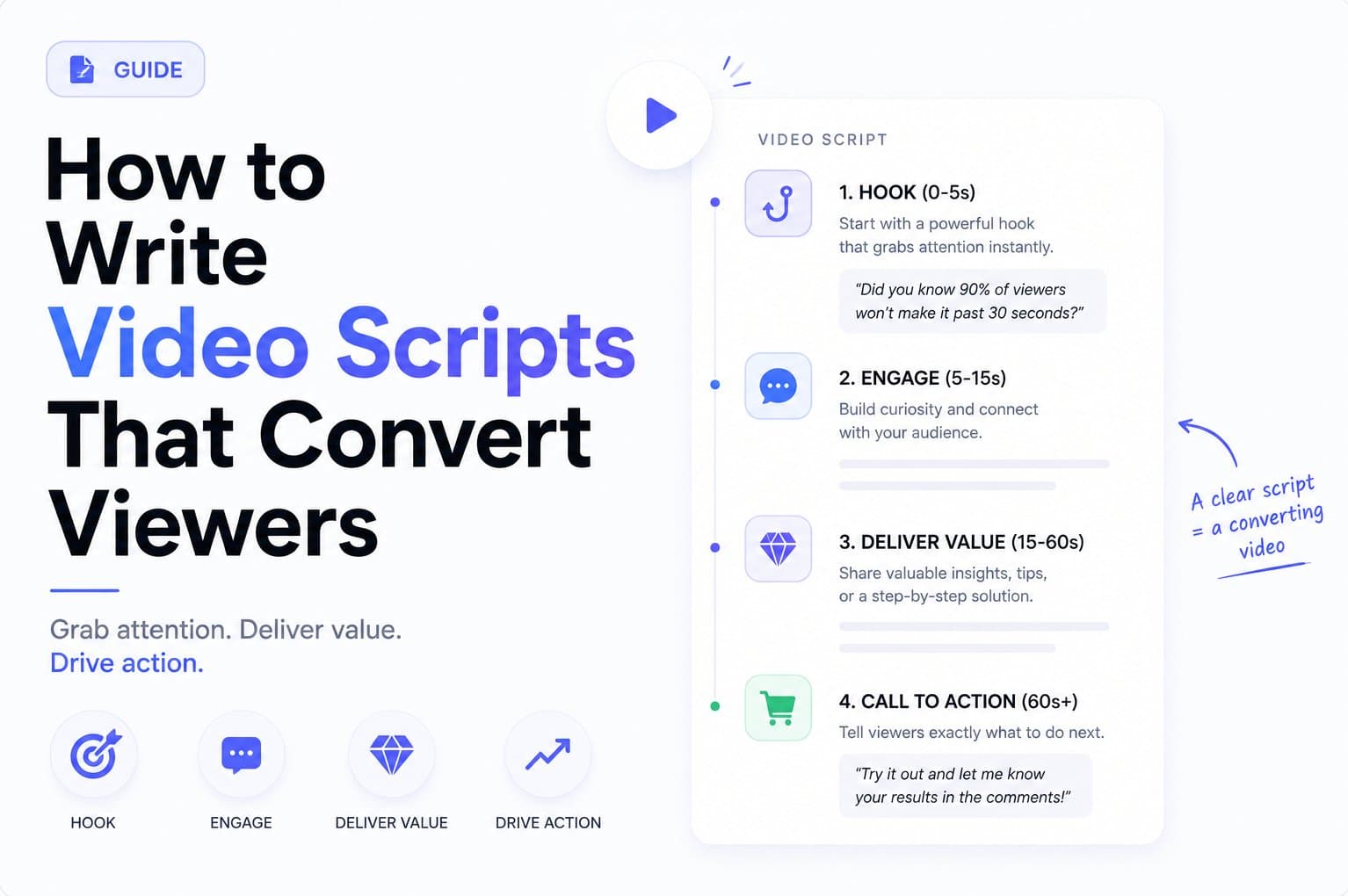
Treat the opening as a decision slot, not a creative flourish. In the first moments, the viewer needs a reason to identify the video as relevant, understand the tension, and expect a payoff. Industry guidance commonly places the viewer's decision within the first 1 to 3 seconds, so the opening needs to work before the rest of the script has earned attention. Short-form scripting guidance supports adapting the hook to the intended action rather than using one formula everywhere.
Before writing the line, answer three questions:
- Who is the video for?
- What claim appears first?
- What unanswered tension makes the viewer stay?
The hook can be spoken, visual, or both. For a product teaser, on-screen text often carries the core claim while the voiceover identifies the audience or pain.

Five hook formulas you can adapt
Contrarian claim: Challenge the usual approach, then prove the alternative.
Example: “Your launch video doesn't need a full production crew.”
Specific number: Use a number only when the landing page supports it and the body can substantiate it.
Example: “Turn one product page into a 15-second teaser.”
Before-and-after tease: Show the undesirable starting state and preview the changed state.
Example: “From a blank launch calendar to a ready-to-post product video.”
Question with a built-in payoff: Ask a question that points directly toward the product's function.
Example: “What if your landing page could become the first draft of your launch video?”
Audience name-drop: Call out the exact viewer who should care.
Example: “Indie makers, your next product teaser is already on your website.”
The formula matters less than the match between promise and proof. If the hook says the product creates a video from a URL, the body must show that workflow. Don't open with “double your conversions” when the script has no verified evidence for that claim. A short video can be bold without becoming unbelievable.
For a deeper breakdown of opening mechanics, see this guide to the three-second hook.
A visual can create tension faster than narration. Show a crowded content calendar, a product interface waiting to be used, or a clear before-and-after state. Then make the next beat answer the question your opening created.
Mapping Voice, Visuals, and Beats to a Time Budget
Weak scripts often begin as voiceover paragraphs. After the narration is finished, the editor is left searching for something to show. The result is predictable: decorative footage, crowded captions, and screenshots that appear after the spoken point has passed.
Write voice, visuals, and timing together. Use parallel columns for the spoken line, visual beat, and timeline position. Promotional script guidance recommends separating visuals from narration and planning around 125 to 150 words per minute. This scriptwriting reference provides a useful range for checking whether the narration fits.
At roughly 2.5 spoken words per second, each cut sets a limit on explanation. Treat that limit as a ceiling, not a target. Reserve time for the viewer to understand the visual, for pauses, and for the CTA.
Time Budget Mapping for 15s, 30s, and 60s
| Cut Length | Voiceover Words | Visual Beats | On-Screen Text |
|---|---|---|---|
| 15 seconds | About 38 words at the working pace | Hook, product proof, payoff, CTA | One idea per beat, with the final action clearly visible |
| 30 seconds | About 75 words at the working pace | Hook, problem, demonstration, proof, CTA | Short benefit statements that support the demonstration |
| 60 seconds | About 150 words at the working pace | Hook, context, multiple proof beats, objection handling, CTA | More explanatory text, but never a transcript of the narration |
These figures are planning estimates based on the stated speaking pace, not performance guarantees. Read the script aloud while timing it. If the narration barely fits without breathing, cut words before adding faster delivery.
A 15-second teaser usually has room for one product action and one believable benefit. Longer edits can add context or address an objection, but every new idea competes with the original promise. The right budget depends on the platform, the goal, and how much of the final video is generated or assembled automatically.
Pair every line with a visual job
A line such as “Create launch content faster” needs a visual that makes “create” tangible. Show the URL input, the product page being analyzed, or the generated teaser taking shape. A decorative dashboard cannot prove a workflow claim.
On-screen text should contribute information rather than repeat every spoken word. If the voiceover names the audience, use the text for the result. If the text shows the benefit, let the narration explain the mechanism. Each beat should answer one practical question: what changed, how did it happen, or what should the viewer do next?
Short-form editing rewards restraint. Remove a sentence when its visual already carries the point, and remove a cut when it adds motion without evidence. The finished script should tell an editor exactly what to show and give an automated video pipeline enough structure to select or generate visuals without guessing.
Choosing the Right Script Structure for Your Goal
The same landing page can produce several valid videos, but each needs a different grammar. The structure should answer what the viewer still needs to believe, not what the writer happens to want to include.
| Structure | Best For | Opens With | Risk |
|---|---|---|---|
| Problem-solution | Introducing an unfamiliar problem | The frustrating situation | It can spend too long on pain before showing value |
| Demo-led | Making a visually clear product action understandable | The interface or product in use | It struggles when the product looks static or abstract |
| Testimonial | Building trust with a warm or retargeting audience | A customer perspective or outcome | Strangers may not trust an unfamiliar speaker |
| Payoff-first | Short teasers and product launches | The result the viewer wants | The proof must arrive quickly or the claim feels empty |
Problem-solution
Use this when viewers don't yet know they have the problem. Establish the friction, name its cost in plain language, then introduce the product as the response. The trade-off is time. Context helps comprehension, but every sentence before the benefit creates another opportunity to lose the viewer.
Demo-led
Lead with the product when the action itself is the proof. A visible transformation, search, upload, or generated result can carry the story with little narration. This structure is weaker for products whose value depends on invisible benefits such as coordination, reliability, or workflow consistency.
Testimonial
A testimonial can compress trust because the speaker supplies a human point of view. It works best when the audience already knows the category or has encountered the product before. On a cold audience, the script needs enough product evidence to support the person's claim.
Payoff-first
Payoff-first is the cleanest fit for a 15-second product teaser. Show or state the desired result, then reveal the action that produces it. The viewer doesn't need a complete product tour. They need to understand what changed and what they can do next.
Don't blend structures halfway through. Choose one opening logic and let every beat reinforce it.
A product education video may need problem-solution. A launch announcement may need payoff-first. A retargeting asset may benefit from testimonial language. Use this product video script framework when turning landing-page copy into a structure that matches the campaign.
A Ready-to-Use 15-Second Product Teaser Template
A 15-second teaser can't carry a product tour, a company history, and three benefits. Give each moment one job, and make the visual prove the line beside it.
The first 0 to 3 seconds earn attention. Put the result in plain on-screen language, then use the voiceover to name the audience or pain. The next 4 to 9 seconds provide proof through a screen recording, product-in-hand shot, or visible workflow. The final 10 to 14 seconds restate the outcome and identify the product category. The last second holds the CTA card with the destination already visible.

The working storyboard
| Time | Job | Visual Cue | Voiceover |
|---|---|---|---|
| 0 to 3 seconds | Name the pain or result | Plain-text benefit over a relevant product or person shot | “If you ship more than twice a week...” |
| 4 to 9 seconds | Show the product proving the hook | Screen recording of the key action | “Two clicks and it is done.” |
| 10 to 14 seconds | Clarify the category and outcome | Finished result, framed with a short benefit | “Turn product updates into ready-to-share launch content.” |
| 15 seconds | Direct the next action | CTA card with the URL visible | “Start from your product page.” |
A filled-in SaaS example might open with the text “Stop writing changelog posts by hand” while the narration says, “If you ship more than twice a week.” The visual then shows the tool generating a draft, followed by the factual line, “Two clicks and it is done.” The closing frame identifies the product as a changelog writing tool and points viewers to the signup URL.
That example works because the hook and proof are connected. The viewer sees the promised action rather than a stock visual of a team working.
Adapt the same shape without copying the same story
For ecommerce, replace the screen recording with a product-in-hand shot. The hook could name the use case, the proof beat could show the product being used, and the close could identify the item with a direct purchase action.
For a service business, use a before-and-after deliverable rather than an interface. For a technical product, show the input and output, then remove every explanation that doesn't help the viewer understand the transformation.
The template is stable. The evidence changes with the product.
Writing a CTA That Actually Does Something
Most short scripts lose force at the close. The writer repeats the benefit, displays a logo, and assumes the viewer will figure out what to do. A CTA needs to answer three practical questions: what action should happen, where should it happen, and what does the viewer get?
The mechanical rewrite is straightforward. Delete the sentence that summarizes the video. Replace it with one imperative, one destination, and one specific payoff.
- Weak: “Try Omev today and see for yourself.”
- Strong: “Get your first three scripts free at omev.ai/try.”
The first version asks for a vague action and offers no clear destination. The second names an action, a concrete offer, and a place to act. Use only claims the product can support. If the offer isn't real, don't use the example in production.
Give the CTA its own beat
Don't hide the CTA inside a dense final sentence. Treat it as a separate visual and audio moment:
- On-screen action: “Paste your product URL.”
- Destination: Show the actual page or readable URL.
- Payoff: State what the viewer receives after acting.
The CTA card should appear before the voiceover lands. Some viewers watch without sound, and the visual must still communicate the next step. A logo alone isn't a destination.
For a landing-page video, the closing line might be, “Paste your product URL and get a ready-to-post teaser.” That tells the viewer what to do and what the action produces. It's stronger than “Learn more,” which pushes the interpretation back onto the viewer.
Use a single CTA per short video. “Visit the site, follow the account, comment below, and share this” creates competing instructions. Choose the action closest to the campaign goal, then make the frame easy to read.
The landing-page video guide is useful when the video's job is to turn existing product messaging into a direct next step rather than another brand impression.

Pre-Publish Checklist and Final Script Review

A script is ready only when its words, visuals, timing, and CTA still work under real viewing conditions. Review the draft as a viewer would: on mute, at speed, and without any knowledge of the product.
Biteable reports average retention of 52% when the value claim arrives within the first 15 seconds, compared with 44% when it does not, and identifies the sharpest drop as typically occurring between seconds 10 and 20. Deliver the benefit early, then cut any line that delays it. Review the retention guidance here.
Run these checks before handing the script to an editor or an automated video pipeline:
- Mute test: Play the video without sound. Can viewers identify the audience, product action, and outcome from the visuals and on-screen text?
- Pause test: Stop at the first three seconds. Does the opening make a clear promise, or does it show a logo and generic motion?
- Read-aloud test: Read the voiceover at a natural pace. If you have to rush, cut words. Short-form planning often uses roughly 150 spoken words per minute as an upper guide. Keep the phrasing easy to say, not merely short on the page.
- Visual coverage test: Match every spoken line with a visual or on-screen cue. If the viewer has nothing useful to watch for more than a brief stretch, rewrite that beat.
- CTA test: Confirm that the ending asks for one action, shows the destination, and states the payoff.
- Cold-watch test: Show the draft to someone who has not seen the product. After one play, ask what the product does and what action they should take.
- Message echo test: Make the title and pinned comment reinforce the hook without repeating the entire script.
Check credibility before approval. A compressed script has no room for inflated claims, unsupported outcomes, or proof that never appears on screen. If the product page says the system analyzes copy and screenshots, write that. Do not turn the capability into a promise of guaranteed growth.
The final review should also test the handoff between human editing and automated production. Mark the intended voice, visual cue, duration, and transition for each beat. A human editor can interpret a vague direction, while an automated pipeline needs explicit instructions. If the script does not make the product clear, better transitions will not rescue the video.
ShipTeaser turns an existing product landing page into a scripted, 15-second promotional video by analyzing the page copy, screenshots, and visible brand cues. Visit ShipTeaser, paste in your URL, and use the resulting teaser as a fast starting point for your next launch or product post.