Most changelogs fail before a reader reaches the second entry. A study covering 32,425 release notes from 1,000 GitHub projects, combined with a survey of 314 practitioners, found a recurring mismatch between producer priorities and reader expectations, according to the Modem guide on whether users read changelogs. That mismatch is fixable. Write for the person deciding whether to upgrade, try a feature, or stay on an old version.
Good changelog examples state the user-facing outcome first, group entries under predictable categories, and publish on a rhythm readers can learn. The eight formats below give a founder a concrete pattern to copy, from a plain file in a repo to a dated API log and a build-in-public page. Each one is judged as a launch asset, including how to turn the strongest entry into a short post. If you're still shaping the product itself, you can compare tools for finding new products while you build the habit.
Copy the format that matches how you already ship. Don't copy the company.
1. Keep a Changelog Format
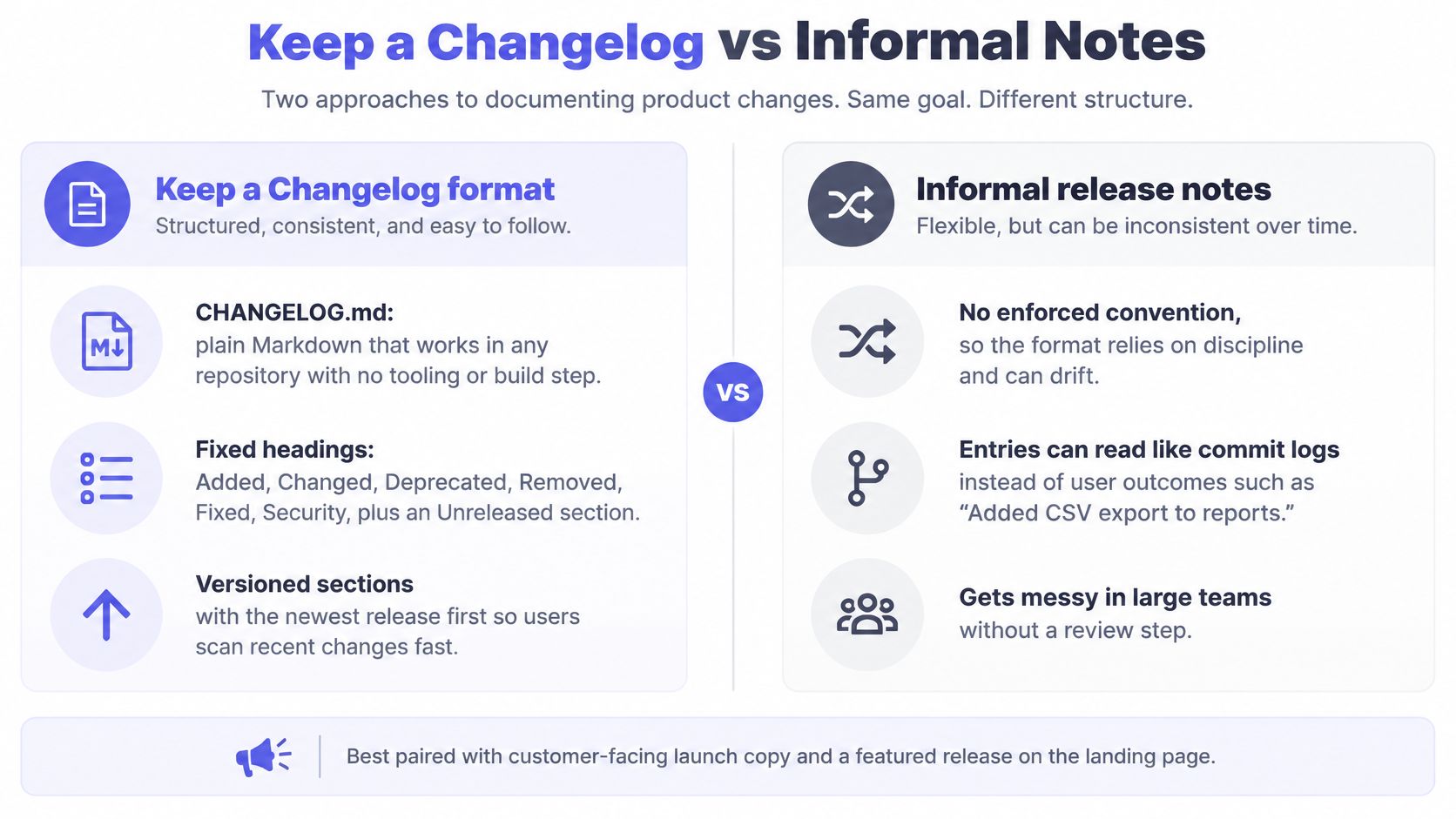
Keep a Changelog is the format I would use when a repo has no public log at all. One CHANGELOG.md, newest version first, six fixed headings: Added, Changed, Deprecated, Removed, Fixed, and Security. No page to design and no tool to buy. GitHub already renders the file, and early users of a developer product look there before they try a release.
The controlled taxonomy is what turns the file into a launch asset. A feature and a breaking change cannot share a heading, so a reader sorts by risk instead of commit order. The HashiCorp Vault changelog README uses the same split, with at least five update modes: bug, change, deprecation, feature, and improvement. That split is the part worth taking.
What to copy this week
- Write user sentences: "Added CSV export to reports" beats "Refactored export module" every time.
- Keep an Unreleased section: Add lines as you merge, so the launch lines exist on release day.
- Promote the top entries: Put the two or three most visible changes on the landing page in the same words, then paste that URL into ShipTeaser. The result is a 30-second 1080p launch video for the post, pulled from the page rather than written as a fresh script.
A two-person API can ship CSV export and a login fix in one tag. The Added line is the only line that belongs in the announcement. The Fixed line stays in the file. One outcome per post is enough for a small team, and the same page is the right source later when you plan how to relaunch a product for people who missed the first release.
Practical rule: If a customer can't repeat your entry back to you in plain words, rewrite the entry.
2. Semantic Versioning Release Notes
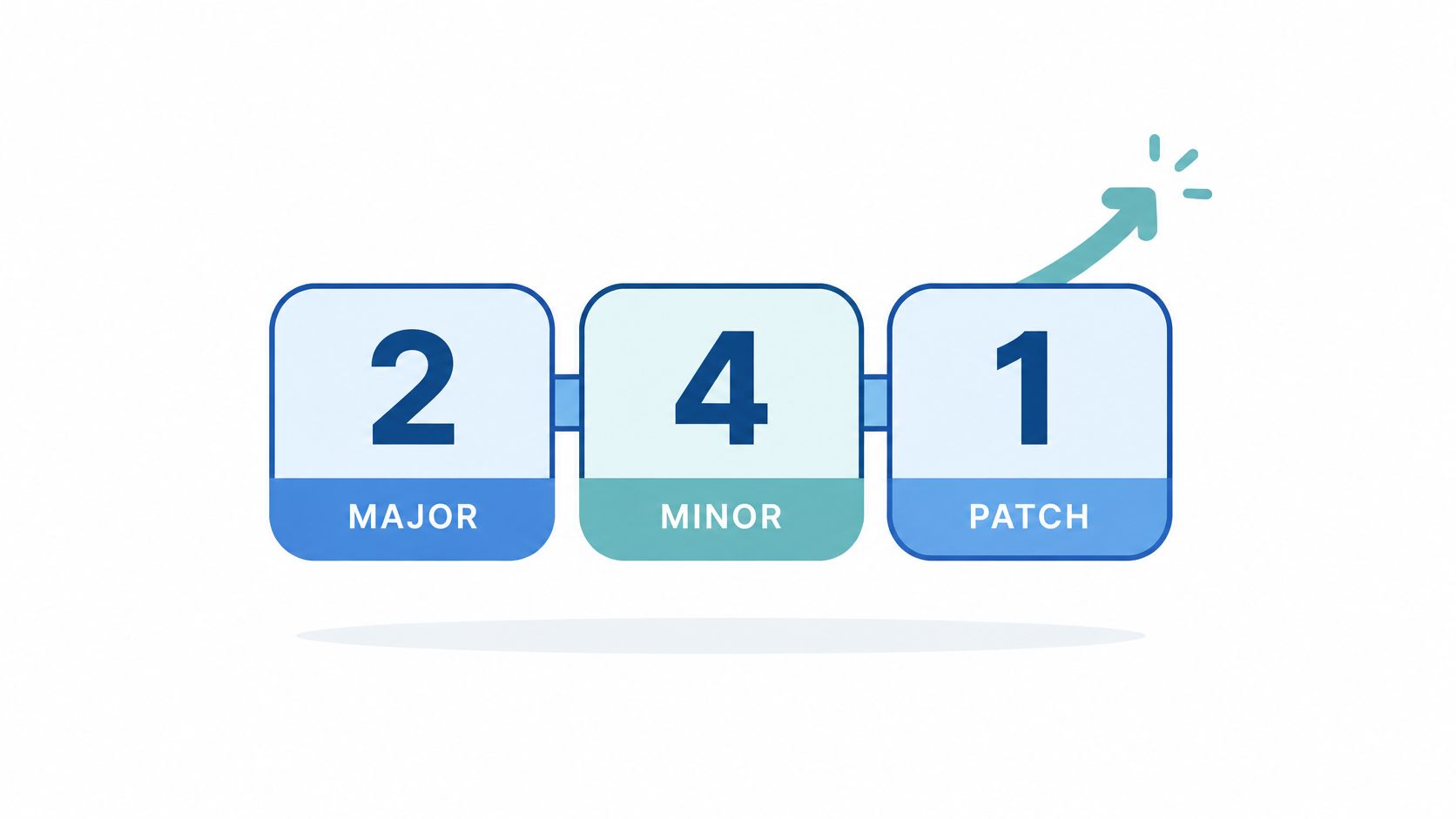
Semantic Versioning numbers a release as MAJOR.MINOR.PATCH. A major bump means breaking changes. A minor bump adds backward-compatible features. A patch bump fixes bugs. A user can judge upgrade risk from the number alone, before reading a single line.
That's why SemVer is the right default for a library, an SDK, or a first public API. It sets expectations early and prevents the angry support thread that follows a surprise rename. The trade-off is discipline. If you bump a major version for marketing effect, the number stops meaning anything and users stop trusting the log.
What to copy this week
- Reserve majors for real breakage: Ship a major only when you remove or rename something a user depends on.
- Lead majors with migration: Put a short migration checklist at the top, above the feature list.
- Keep patches boring: Security fixes and bug fixes only, so users upgrade without reading the full note.
Say your SDK renames an authentication method in version 3.0.0. The note opens with the old call, the new call, and the deadline for switching. Feature news goes below that. For the operational side of shipping on this cadence, the PushOps guide to faster releases covers release management basics worth setting up before your version count grows.
I recommend SemVer for anything another developer installs. Skip SemVer for a hosted app where users never choose a version.
3. GitHub Auto-Generated Release Notes
GitHub auto-generated release notes are the right changelog when the work already lives in pull requests. The GitHub documentation on automatically generated release notes states that generated notes can summarize a release by listing merged pull requests, identifying contributors, and linking to the complete changelog. Custom labels sort entries into categories and can exclude selected labels or users.
Manual drafting does not fit a solo release cadence. Research reported on arXiv in a study of release-note generation notes that an experienced developer may need up to 8 hours to draft a release-note document. Generate the list. Then rewrite only the lines a user will read.
The raw output inherits your pull request titles. "Fix stuff" and "WIP changes" become public copy. Write each title as a user outcome, such as "Add team invites by email link", and the generated list needs almost no edits. Keep contributor credit. It costs nothing and brings people back.
I recommend this format for a repo that tags from merged pull requests. Skip it when you need a story. The note is a categorized dump: flat tone, PR cadence, no hook.
Treat the top of that dump as the launch asset. Pull the three titles that name a user outcome and lead with those. For the announcement video, use the public release page as the product URL and one rewritten outcome as the feature. ShipTeaser reads that page and returns a 30-second 1080p MP4, five beat-cut scenes, ready to post with the tag. Do not pass the version number as the feature. The version is not the thing a user gained. Automation drafts the note. You choose which merged change leads.
4. Stripe-Style Dated API Versioning Changelog
Copy this format if developers build on your API. Dated versioning pins each integration to the behavior it was built against, and the changelog lists breaking and non-breaking changes per dated version. Developers upgrade on their own schedule instead of yours. That single property lowers the fear of building on a young API.
The format demands precision. Vague lines like "improved performance" erode trust with a technical reader who needs an endpoint, a field name, and a date. Each entry should state what changed, which version carries the change, and what the reader must do. If the answer is "nothing", say that too.
What to copy this week
- Adopt dated versions early: Do it before your first paying developer, not after the first breaking change.
- State support windows: Put how long each version is supported in the changelog header.
- Flag every entry: Mark each change as breaking or non-breaking so readers scan in seconds.
A developer who can predict your upgrade policy will build on your API sooner. A developer who can't will wait.
Say you change a webhook payload. A dated entry names the new version, shows the old and new payload side by side, and links a migration guide. Existing integrations keep working until owners opt in. That's the whole point.
Don't copy this format for a consumer app. Dated API versions solve a developer problem. Consumer users need a benefit and a screenshot, not a version pin. Match the log to the reader who carries the risk.
5. Linear-Style Monthly Product Changelog
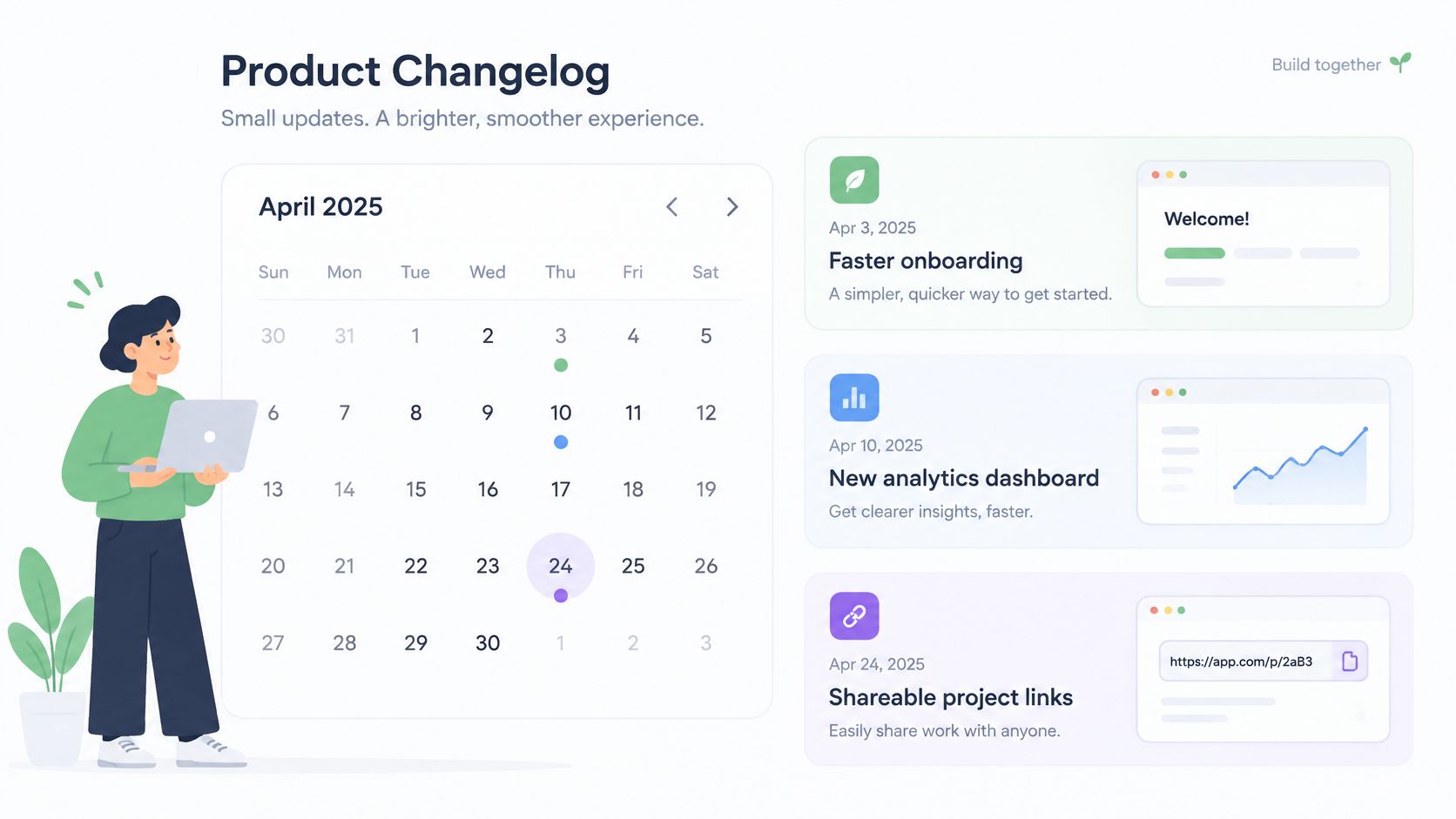
A monthly product changelog groups a month of shipped work into one short, visual post for existing users. Three to five headline features. One screenshot each. Two sentences per caption. A customer reads the whole post in a few minutes and recognizes each change from the image alone.
This is the strongest format for a product-led SaaS team whose users are not developers. The monthly batch creates a reason to come back, and it gives a founder one asset to reuse in email and social posts. The risk is delay. A feature shipped on the second of the month waits four weeks for attention. Post urgent fixes separately and save the monthly post for features.
What to copy this week
- Lead with one change: Open with the single update that matters most to current users.
- Show, don't describe: One screenshot per feature, cropped tight to the changed area.
- Reuse the post as video: Paste the monthly post URL into ShipTeaser to create a teaser, then publish ShipTeaser's video next to the written entry.
Video earns its place here. The HubSpot video marketing statistics report reports that 21% of marketers identify short-form video as delivering the highest return on investment. Treat the teaser as a testable asset, which is the same discipline behind a good feature announcement video. Say your monthly post leads with a new reports view. The teaser uses the five scenes of hook, problem, solution, proof, and CTA, built from that page's own headline and screenshots.
6. Vercel-Style Dated Product Changelog
A dated product changelog gives each change its own entry with a date, a short title, and a link to documentation. Readers see how often the platform ships and what changed on a given day. Frequency is the message. A steady stream of small entries tells prospects the product is alive.
This format suits early-stage teams that ship weekly and want visible momentum. It also punishes inconsistency. A dated feed with a three-month gap advertises a stalled product. Don't adopt a dated feed until your release rhythm can fill it.
What to copy this week
- Bundle the small stuff: Group tiny fixes into one weekly entry so the feed stays readable.
- Link every entry: Point each title to a help article, a screenshot, or a short demo.
- Date the title: A dated title stays useful when a reader finds the entry two years later.
Say an indie SaaS founder enables three feature flags in one week. One dated entry covers all three, ordered by user impact, with a documentation link under each. The biggest flag gets its own post and a teaser. Founders collecting formats for that post can borrow structure from strong product launch video examples rather than inventing a new layout each week.
Measure more than page views. The gap identified in the LaunchNotes guide to enterprise release notes is that most guidance covers readability, not whether a changelog changes behavior. Track view-to-feature-adoption rate and documentation click-through. A read entry that nobody activates is a failed entry.
7. Mozilla Firefox Release Notes
Firefox publishes user-facing release notes per major version, with new features, fixes, and known issues in plain language. Separate pages carry the technical detail for developers. Two audiences, two documents, no mixing. That's the lesson worth copying.
Most founders write one log for everyone and serve nobody. End users drown in endpoint names. Developers can't find the behavior change they need. Split the audiences as soon as your product has both. The user note gets benefits and screenshots. The developer note gets versions, deprecations, and migration steps.
What to copy this week
- Publish known issues openly: A visible known issues section cuts duplicate support tickets.
- Rank by impact: Put the top feature first, not the first item chronologically or alphabetically.
- Summarize, then link: Keep the user summary short and link out for depth.
Support test: If your known issues section would embarrass you, that's exactly why users need to read the section before upgrading.
Say a desktop app ships a sync rewrite with one unresolved edge case on shared folders. The user note leads with faster sync, then states the known issue and the workaround in plain words. The developer page carries the protocol change. Honesty here builds the trust that makes the next upgrade an easy yes.
Scale changes the stakes, not the principle. A large open-source project can also use a yearly retrospective. The stdlib 2024 retrospective recorded over 4,000 commits, nearly 2,200 pull requests, and more than 500 new packages in 2024. You don't need that volume. You need the same habit of separating summary from detail.
8. Build-in-Public Changelog Pages
A build-in-public changelog on your own domain is a launch archive. Prospects read months of shipped work before they buy. Every entry is already a social post. For a founder with no marketing hire, few assets compound like a public record of shipping.
The format only works on a fixed cadence. Pick one slot, Friday afternoon is enough, and publish when the week was small. A short honest entry beats a polished recap every six weeks. Readers learn the rhythm and check back on their own.
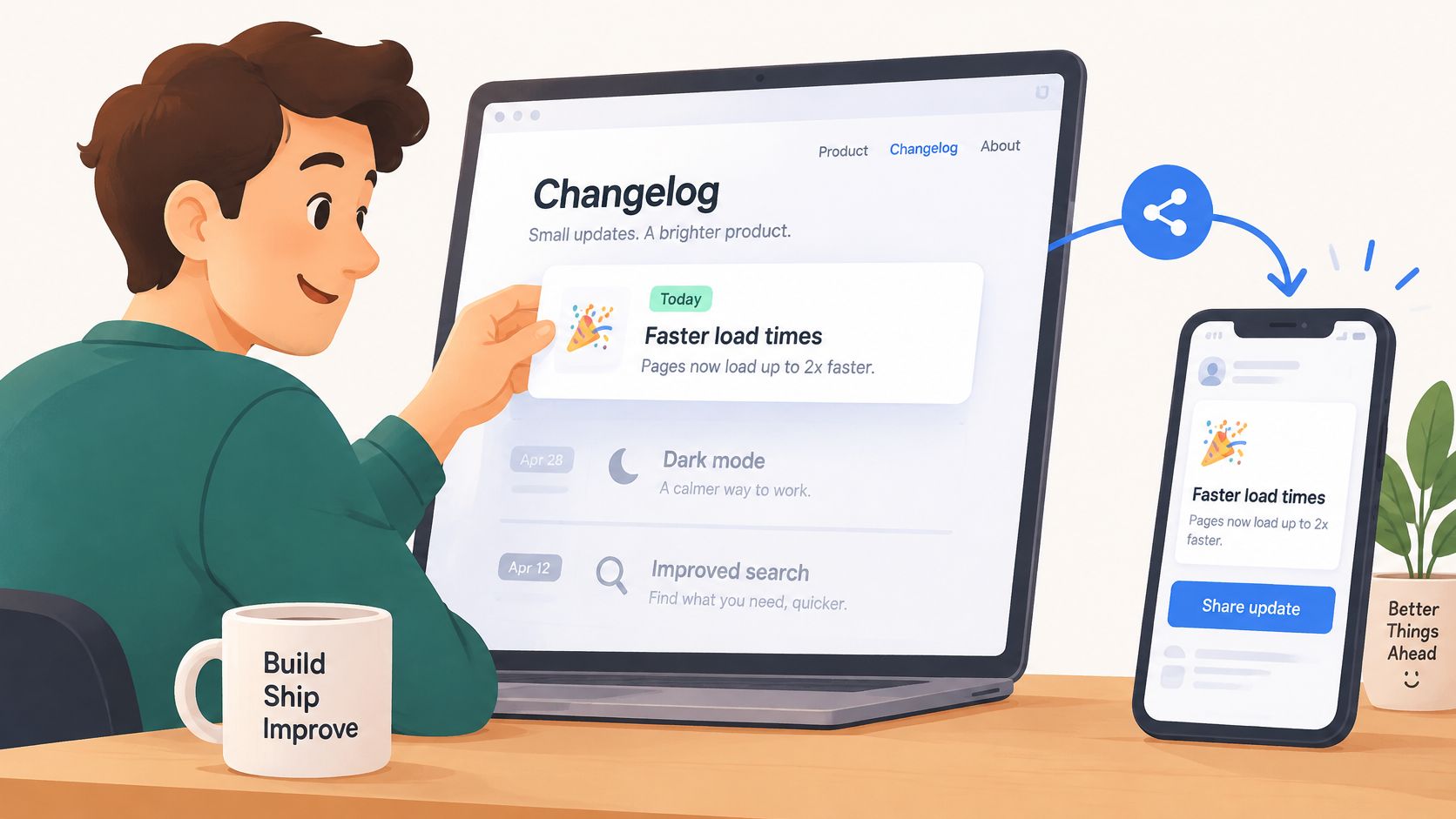
Title each entry so a stranger understands it cold months later. Lead with the change a user feels, then attach one clip. The right clip for this format is a 30-second 1080p MP4 you can post to X, LinkedIn, Product Hunt, or a launch page, with no export settings to configure. ShipTeaser still crawls the product page for visuals and copy, and any context you add only enriches that extraction. Every line in the video comes from the page, word for word or clearly derived from it. ShipTeaser does not write copy for you.
Five beat-cut scenes carry the entry: hook, problem, solution, proof, and call to action. That shape fits a weekly ship note better than a brand film. You need the product URL and the feature. A short brief can steer the result when the page is thin.
Say a solo founder ships onboarding improvements on Friday. The changelog entry takes about 10 minutes. Paste the feature page, attach the video to the same post, and the afternoon is done. Run that loop and your post-launch week produces posts instead of silence.
I would publish the thin Friday note with one real clip. A saved-up launch essay does not build the same habit.
How the eight changelog formats compare
| Item | Best for | Typical audience | Release cadence | Setup effort |
|---|---|---|---|---|
| Keep a Changelog format | Clear, structured release history | Users and contributors | Per release, with an optional Unreleased section | Low; plain Markdown |
| Semantic Versioning release notes | Signaling upgrade risk and compatibility | Developers and package users | Per version, using MAJOR.MINOR.PATCH | Moderate; requires versioning rules and a changelog |
| GitHub auto-generated release notes | Quickly drafting notes from merged pull requests | Developers and contributors | Between tagged releases | Low; GitHub generates a draft |
| Stripe-style dated API versioning changelog | Managing API compatibility and migrations | API customers and developers | Per dated API version | High; requires version support and migration policies |
| Linear-style monthly product changelog | Showcasing product updates visually | Existing, non-technical users | Monthly | Moderate; requires writing and visuals |
| Vercel-style dated product changelog | Sharing frequent, small product updates | Product users and developers | Frequent, often several times a week | Low; short entries with links |
| Mozilla Firefox release notes | Serving user and developer audiences separately | Mainstream users and developers | Per major browser version | High; requires cross-team coordination |
| Build-in-public changelog pages | Sharing progress and building credibility | Prospects, early adopters, and followers | Often weekly or per shipped change | Low to moderate; requires a consistent publishing habit |
Pick One Format This Week and Ship It
One changelog format, kept current, beats three formats abandoned by March. Match the format to how you ship. Small steps belong in a CHANGELOG.md. A weekly cadence belongs in a dated log. Batched work belongs in a monthly post. If you sell an API, dated versioning is the format, because customers need a migration path they can pin. I would pick the format that matches this month's release rhythm and drop the prettier option you will not maintain.
Then fix the writing. Every entry is a customer benefit, not a commit message. "Reports load faster on large accounts" is an entry. "Optimized query layer" is a note to yourself. Put the change that requires user action at the top, even when a shinier feature shipped in the same release. A founder should be able to read that top line and turn it into the hook of a launch post the same day.
Measure whether the changelog works
Connect each entry to one product event you can count. Track click-through rate, landing-page sessions, signup starts, completed signups, and feature activation among readers versus non-readers. The HubSpot case study on Binary Stream reported a 5x increase in customer engagement and a 60% increase in conversions occurring on videos after adding interactive video forms. Treat that as a hypothesis to test with your own cohort, not a promise. Use a campaign-specific URL on each teaser and keep the CTA wording identical between video and landing page.
Short video tied to one action is the pattern that transfers to a changelog launch. Record download rate, post click-through, and conversion by variant. Test the opening line, the proof point, and the CTA separately. A small team does not need a studio. It needs one clip that states the same benefit as the entry.
Turn the entry into the launch post
Write the launch asset from the entry, not from a second brief. When a release is ready, paste its landing page into ShipTeaser. The engine pulls the headline, color palette, and real screenshots from that live page and returns a 30-second 1080p MP4. Five beat-cut scenes carry it: hook, problem, solution, proof, and call to action. Every line of copy comes from the page, word for word or clearly derived from it. You can steer the cut with a short brief and with natural-language revision instructions. No export settings to configure. The file is ready for X, LinkedIn, Product Hunt, or the launch page. Attach that teaser to the changelog entry and the social post on the same day.
Use volume carefully as proof. The People Data Labs January 2025 release notes reported more than 300 million job updates and 17 million job changes tracked globally during the covered quarter. Numbers like those belong in a changelog only when a reader can act on them. For an early-stage team, one specific user outcome per entry does more work than a large activity total.
Pick the format today. Write the first entry before your next release, not after. The changelog you keep is the one that compounds.
Your next release deserves more than a bullet list, and ShipTeaser turns the landing page behind that release into a 30-second 1080p MP4 built from the page's headline, colors, and screenshots. Paid plans render videos from the monthly quota. Paste your product URL, download the teaser, and publish ShipTeaser's video alongside this week's changelog entry.