Sixty-three percent of people say they'd most like to learn about a product by watching a short video, according to Wyzowl's video marketing survey. Founders believe that number and still ship a page of paragraphs, because recording a demo feels like a week of work. The gap isn't talent or budget. It's that nobody has told them which demo to copy.
The best product demos work for the same reason a good punchline does: they set up one expectation and pay it off on screen, fast. They open on the outcome instead of the interface, they keep the proof visible while the viewer is still deciding, and they end before attention runs out. None of that needs a studio, a scriptwriter or a voice-over artist.
Eight named demos follow, each with the principle behind it, the honest downside, and one move you can make this week.
1. Dropbox's 2007 Screencast Launch Demo
A file appearing on one computer, then on another: Dropbox's 2007 demo made its value visible with one simple action. Drew Houston posted the short screen recording to Hacker News. It skipped menus, settings and an onboarding tour. The viewer saw the result before needing an explanation.
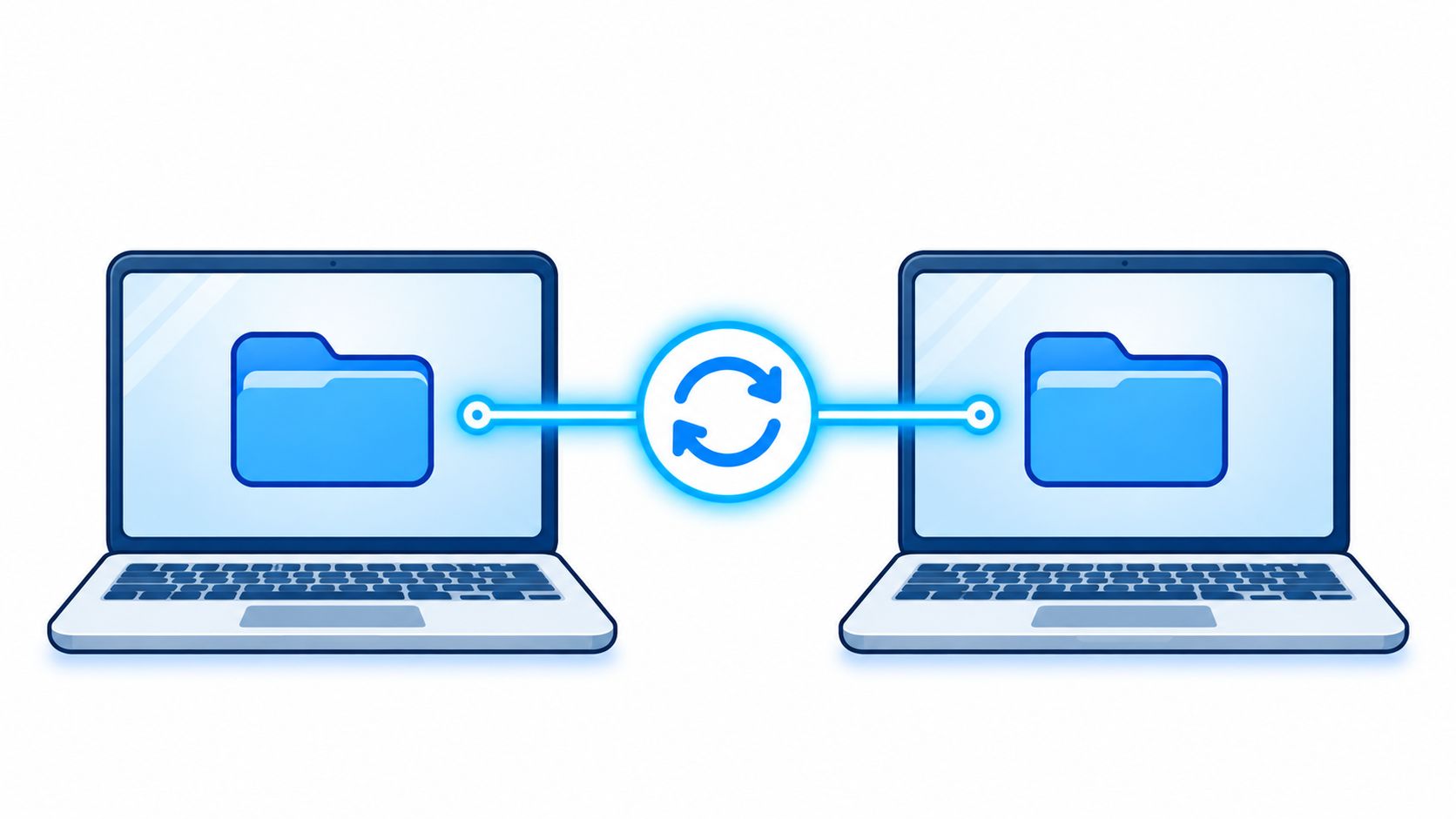
Put the outcome before the interface
Show the core result immediately, then stop talking. Wyzowl's 2025 video marketing data reports that 87% of people say they have purchased a product after watching a product demo, while 48% of video marketers produce demos. Those figures make the format familiar, so a feature tour is easy to dismiss. Lead with a change the viewer can see.
Make one result do the work
- Copy the single outcome: Show one file in two windows, then make its appearance on the second screen the proof. Cut any step that does not support that result.
- Skip filler narration: Phrases like “as you can see” and “you can also” compete with the visual. Use silence or one short line to clarify what changed.
- Choose the right format: A screen recording shows the live interface; a teaser can summarize the product instead. ShipTeaser turns a product URL into a 30-second silent teaser, built from the page's copy and screenshots. For a practical breakdown of product demo video and teaser formats, decide whether viewers need to see the interaction itself or just understand the outcome.
A raw recording also dates quickly. Each interface redesign can make old footage look out of step with the product, so refresh it after a major change rather than letting it undermine trust.
This week, open two browser windows and record one file appearing in both. Start the cut at the first visible change, and end once the result is clear.
2. Apple's 2007 iPhone Live Keynote Demo
Steve Jobs walked onto the Macworld stage in January 2007 and used the iPhone in his hand instead of showing slides about it. Scrolling a photo, scrolling a web page, pinching to zoom a map: each gesture happened on the actual device, in real time, in front of an audience that had been told for years that phones needed keyboards. The camera stayed on the hand and the screen.
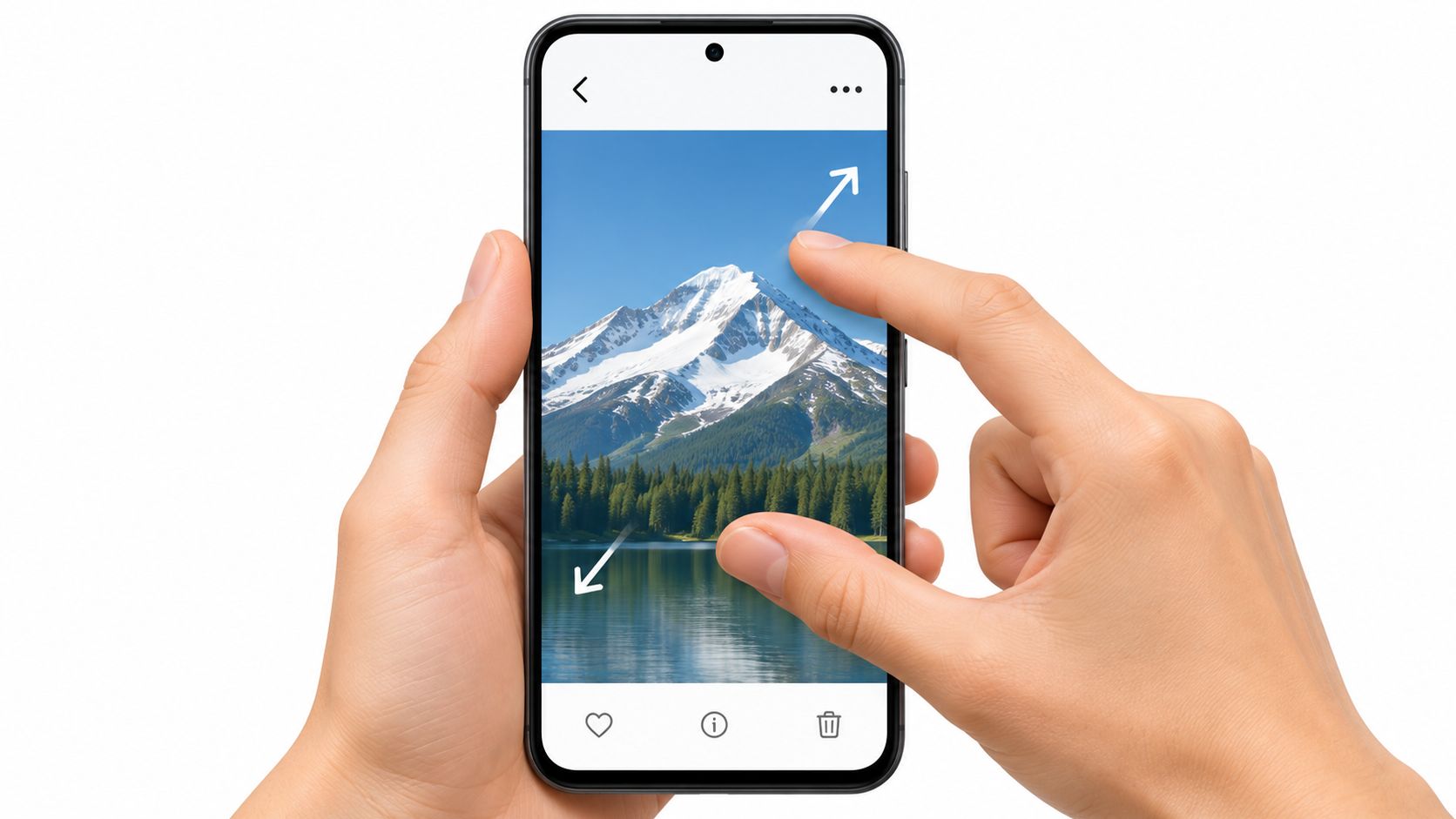
Trust comes from watching something respond
A live demo earns belief because the viewer watches cause and effect. That advantage has a price, and attention is shorter than most founders assume. The 2025 buyer behavior report from Consensus found the average demo runs more than 15 minutes while buyers engage for 5 minutes and 44 seconds, and most click through only four steps before dropping off.
Practical rule: rehearse until you know exactly where the demo can break, then decide what you'll say when it does.
How a founder runs this without a stage
- Name the old pain first: "phones had keyboards and a stylus" was the setup. Your demo needs the same one-line setup before the reveal.
- Show input, not chrome: keep the cursor, the click and the response. Trim the login, the spinner and the settings screen.
- Record a clean take as insurance: if the live version fails, you still have footage to post.
The downside of live demos is that they don't scale and they fail in public. One flaky network connection can undo months of product work. Most early teams should rehearse the live version and publish the recording. Stage demos and recorded launches share a structure, which is why these product launch video examples are worth studying before you book a room.
3. Build-in-Public Clips from Solo Makers
A useful build-in-public clip shows one change and why it matters. Solo makers often post a brief recording soon after shipping a feature. The footage can be rough, even filmed at an angle, but the product action gives the update credibility. Copy the principle, not the shaky camera: show the change, then explain it in one sentence.
Consistency beats polish
A glossy clip posted once in a while feels like a campaign. A regular stream of focused updates makes shipping visible. In HubSpot's 2025 State of Marketing, 21% of marketers named short-form video as the content format delivering the highest return, ahead of images at 19% and live-streamed video at 16%. The practical lesson is to build a repeatable habit, not to spend a week polishing one clip.
A weekly clip that shows real progress builds more trust than one glossy video per quarter.
- Choose a posting day: Tuesday or Thursday works as a reminder. If a sprint gets busy, post a smaller update rather than abandon the routine.
- Show one feature in under 20 seconds: the viewer should be able to describe what changed in a single sentence. Cut setup screens and unrelated details.
- Use a simple template: record the feature, add one line of context, and finish with the next step. If you need a launch-ready motion-graphics format instead of a founder recording, ShipTeaser reads a public product page and produces a 30-second video from its copy and visuals. Review it before publishing.
The trade-off is reach and shelf life. A founder's face and voice can make an update feel personal, but that style is harder to repeat without the founder. Raw clips also leave old bugs visible after they are fixed. For this week's clip, choose a recent improvement, capture the working feature, and state what changed. This guide to video content for startups can help you plan a sequence beyond the first post.
4. Animated Product UI on the Homepage
Some SaaS homepages loop a short animation of the actual interface, so a visitor sees the product move before reading a sentence of copy. Linear is the example founders keep forwarding to each other: the marketing pages show the product doing work, not a stock illustration of teamwork. A loop works because it explains without asking for a click.
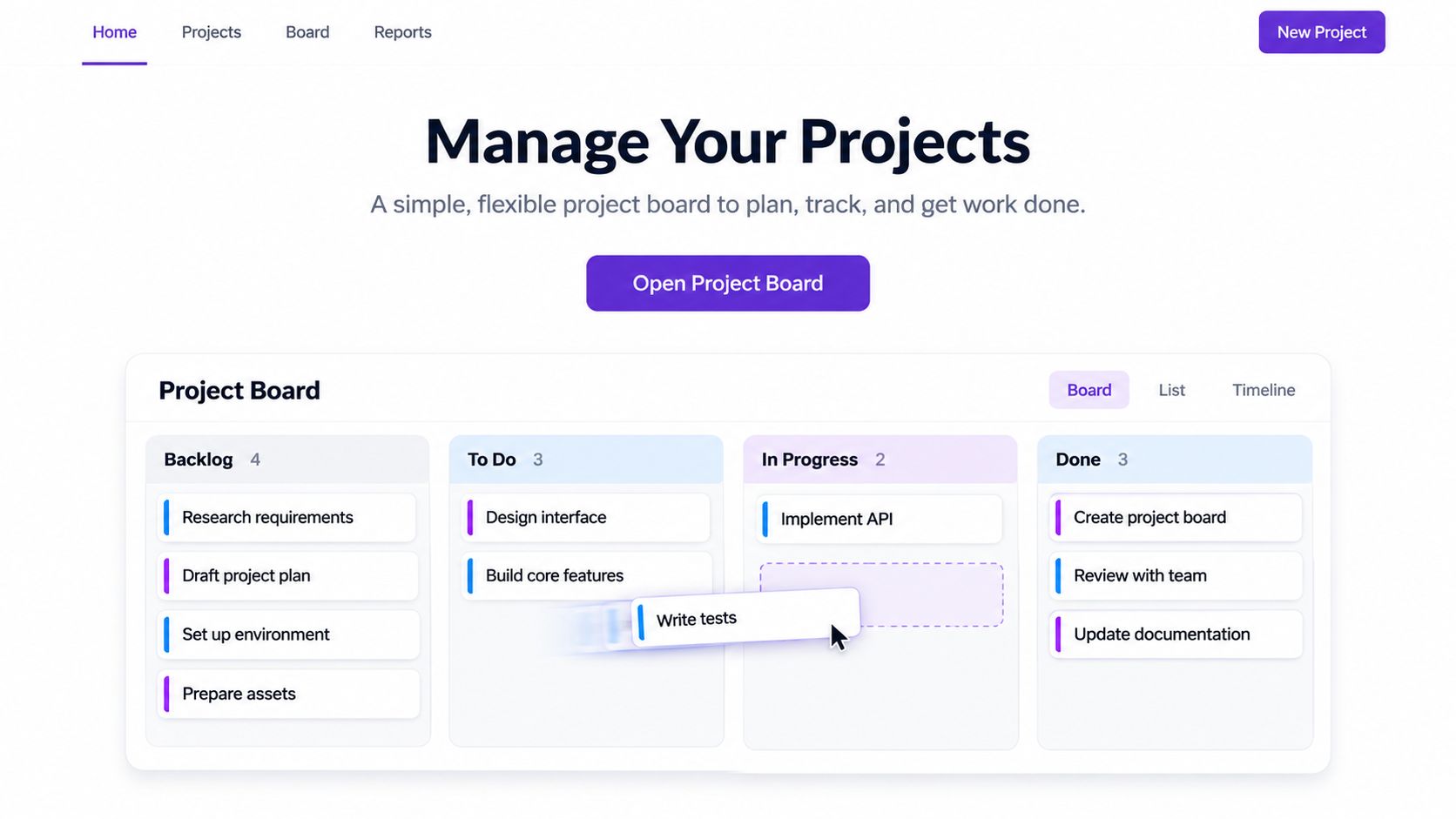
The loop does the job of a first sentence
Mobile research makes this urgent. Google's research on video micro-moments groups video into four consumer intent categories, including "I-want-to-know" and "I-want-to-buy" moments, and it reports that 93% of people who used a mobile device to research a product went on to make a purchase. A silent loop is the only demo format that survives that context, because nobody unmutes a homepage.
- Keep the loop under 15 seconds: longer loops become wallpaper. Compression matters more than resolution here.
- Match the clip to the headline: if the headline says "ship faster", the loop shows a deploy, not a settings page.
- Reuse what you already own: a silent motion-graphics teaser from ShipTeaser can run as a homepage loop, since its five scenes go hook, problem, solution, proof and call to action.
What to skip
The temptation is to fake the UI so it looks cleaner. Don't. A loop showing a dashboard state your product can't produce buys you one signup and one support ticket. Show real screens with real, boring data.
The downside is page weight. A 15-second loop can add megabytes and delay first paint on a phone, which costs more than the loop earns. Compress to a web-friendly MP4, lazy-load anything below the hero, and check the page on a mid-range Android before you ship it.
5. Personal Onboarding Walkthroughs
Superhuman built early growth on live onboarding calls where a team member walked each new user through the product using that user's own inbox. The demo was the product doing work on data the customer already cared about, with a human narrating the decisions. That's a demo in the oldest sense of the word.
Why the personalized version converts
A generic tour answers "what does this do". A walkthrough on the user's own data answers "what does this do for me, today". HubSpot's marketing statistics report that 40% of marketers named helping customers understand a product or service as the biggest benefit of creating video, which is the same job these calls did in person.
The first minute of a walkthrough should use the customer's words, not your product's feature names.
- Record once, reuse forever: one six to eight minute walkthrough on the welcome page beats fifteen minutes of live calls for most self-serve signups.
- Ask first, demo second: "what are you trying to get done this week?" and then show only that path.
- Pair short with long: a silent teaser earns the click, the recorded walkthrough earns the activation.
The downside is founder time. Live onboarding is the highest-converting, least scalable demo format available, and it collapses the moment signups arrive faster than you can book calls. Record the version you keep repeating, then stop repeating it.
6. Real-Time Collaboration Demo
Figma's multiplayer demo makes collaboration visible in a single frame: several cursors move through the same file. The transferable lesson is simple. Put the shared action on screen immediately, and viewers can understand the feature without a long explanation.
Show the interaction in the first moments
A collaboration demo has to make sense to someone watching alone, without narration or background context. The 2025 buyer behavior coverage discusses buyers researching independently and sharing product information internally. Build for both viewers: the person evaluating the feature and the colleague who sees the clip later.
- Use two accounts: Open the product in separate browser sessions and show both users editing the same item. Use dummy content, not a real customer document.
- Keep the action focused: Show one clear exchange, such as one person adding a comment while the other responds. Extra clicks make the feature harder to read.
- Give the moment context: Add a short label explaining what changed, then end on the shared result. A quote or measured result belongs beside the interaction only if you can substantiate it.
The trade-off is setup and privacy. Two sessions take more preparation than a solo screen recording, and visible names or document titles can expose private information. This week, record a short scene with test accounts, blur identifying details, and watch it muted before posting. If the collaboration still reads clearly, the demo is ready.
7. Interactive Code Sample Demo
For developer tools, the code sample is the demo. Stripe's homepage is the reference most engineers point to: a short snippet that shows an API call and the response it produces, visible before you sign up for anything. A developer evaluates by reading, then by trying, and the sample collapses both steps into one.
Run the sample, don't describe it
A code block that returns a real response shortens the evaluation loop to seconds. The same logic runs through these hands-on demo walkthroughs from DOM Studio: a visitor who can try the thing stops needing your sales copy to interpret it.
- Keep the sample under 10 lines: if it needs a scroll, it's documentation, not a demo.
- Show the output: the response body, the created record, the 200. Code alone proves nothing about what the tool does.
- No sign-up wall for the read: let developers watch the call work before you ask for an email address.
Code samples rot. Every breaking API change turns your homepage into a lie, and nobody notices for weeks. Put the snippet in the release checklist with a named owner and re-run it before each launch.
For the non-technical half of a launch, such as the Product Hunt gallery post or a founder update, a silent short teaser does the work a code block can't.
8. Hook-Led Launch Video for Product Hunt
A launch video earns attention by naming a real problem before showing the product. On a fast-scrolling feed, a clear opening gives viewers a reason to stay; a generic product announcement does not. Keep the promise specific, then make the product's role visible.
Build one cut for the feed, not the conference
Choose the format for the viewing context. Google Ads' video format guidance describes 16:9 horizontal, 9:16 vertical and 1:1 square formats for different video and app placements. The practical lesson is to match the cut to the placement, rather than assume one shape fits every feed. Skip extra versions until you know where the audience will see the video.
- Write the hook as a question your buyer asks: “Still copying release notes by hand?” points to a recognizable problem. “Introducing v2.0” does not.
- Cut to one feature: show the feature that answers the opening question. The clip should earn a click to the product page, not explain the whole product.
- Keep the sequence tight: ShipTeaser turns a pasted product page into a 30-second, 1080p MP4 with five beat-cut scenes: hook, problem, solution, proof and call to action. Its silent motion graphics use the product's own brand, so check every detail before publishing.
The trade-off is attention without follow-through. A launch clip can attract a burst of viewers, but a single post gives them no next step beyond the page. Prepare the product page and follow-up content before publishing, so the video has somewhere useful to send interested viewers. The Product Hunt launch video guide covers the launch-specific setup, while planning video content for 2026 can help founders decide what to publish after launch.
8 Demo Formats Compared
The right format depends on what a buyer needs to see before taking the next step. The useful comparison is the time to first result: a simple recording or recurring clip can go live quickly, while a live keynote or maintained interactive demo demands more preparation. Match the effort to the proof your product needs.
| Format | Time to first result | Strongest proof | Trade-off |
|---|---|---|---|
| Dropbox's 2007 Screencast Launch Demo | Short | A clear product outcome on screen | Weak when the value is hard to show visually |
| Apple's 2007 iPhone Live Keynote Demo | Long | A memorable reveal performed live | Requires rehearsal and a polished presenter |
| Build-in-Public Clips from Solo Makers | Short, then recurring | Visible progress and maker presence | Consistency takes ongoing effort |
| Animated Product UI on the Homepage | Moderate | The interface in motion, without audio | Heavy files or distracting movement can hurt the page |
| Personal Onboarding Walkthroughs | Moderate | Direct answers and user feedback | Staff time limits how many users it can serve |
| Real-Time Collaboration Demo | Moderate | Multiple users working together | Useful only when collaboration is central |
| Interactive Code Sample Demo | Long | Hands-on evaluation through editable code | Needs ongoing maintenance and suits technical buyers |
| Hook-Led Launch Video for Product Hunt | Short | A fast, problem-first introduction | A complex product may need more explanation |
Use the last column to rule formats out, not to chase the most polished production. A solo founder can record one clear screen outcome or publish a short build update first; both make the product concrete without committing to a long production cycle. Save live demonstrations for products whose value depends on interaction, and interactive code for buyers who need to test an implementation.
Ship one format this week, then judge it by whether viewers understand the product's value. Polish cannot rescue a demo that asks the wrong buyer to care about the wrong proof.
Pick One Format and Ship It This Week
A useful demo is the one your team can keep accurate. Choose one job for the video, then make the smallest version that proves it. For a solo founder, the practical options are a short launch cut, a homepage loop, or a build-in-public clip. Each can reuse the same product page and real screens, but each serves a different moment: launch, product discovery, or ongoing updates.
Your one-week plan
- Monday, choose one audience and outcome. Write the result in the buyer's words. If the outcome needs two sentences, narrow the scope.
- Tuesday, gather the source material. Use a public product page, landing page, or app site, plus real screenshots and a number you have measured. Skip any claim you cannot support.
- Wednesday, assemble the first cut. ShipTeaser reads the page for its copy, colors, type, logo, and screens, then renders a 30-second, 1080p silent video in five scenes: hook, problem, solution, proof, and call to action. The copy comes from the page, not invented claims. Review every frame before publishing because generated videos can misread a brand or contain factual errors.
- Thursday, check the details. Confirm the product name, captions, CTA, and any number shown. Keep the video tied to one outcome; adding extra features makes the message harder to follow.
- Friday, publish and record the next step. Note where people watched, then check whether the demo helped them take a meaningful product action. Views describe reach; activation and retention show whether the message attracted the right users.
A launch cut can travel across social feeds and a product page, but it will not replace a detailed workflow walkthrough. A homepage loop explains a visual interface at a glance, but may distract or slow the page. Build-in-public clips are easy to repeat, but consistency takes ongoing time. Pick the trade-off that fits this week's goal, and skip formats that require proof or production you do not have.
For a simple starting point, paste your product URL and the feature into ShipTeaser. It returns a video link, job ID, ETA, and notes about missing context. Review the result before posting. For Product Hunt, upload the MP4 to YouTube, make it public, and paste the full URL into the gallery. Track what happens after viewers see it, including activation, week-two retention, and cost per qualified signup, the metrics bootstrapped founders often ignore.
FAQ
How long should a product demo be?
For a launch or landing page, a short demo should show the product's outcome quickly. For evaluation, make the video long enough to demonstrate one specific workflow. For onboarding, a recorded walkthrough can cover more detail. Cut setup that does not help viewers understand the product.
Do product demos need voice-over?
No. A silent version works in feeds where viewers may have sound turned off, provided captions and visual sequencing carry the meaning. It also travels more easily when someone forwards it to a colleague who did not attend a live demo.
What's the fastest way for a solo founder to make a demo?
Start with your landing page and real product visuals. Ship one focused cut rather than building several formats at once. ShipTeaser reads a public product page, extracts its copy and visuals, and creates a 30-second, 1080p MP4 for launch channels. Review the result before publishing, since generated videos can misread a brand or contain factual errors.
Should a product demo be gated behind a form?
Usually, keep the short demo available without a form. A gate adds friction before a visitor understands the product. Put the video where people can watch it, then ask for an email at signup, once they have chosen to try the product.
ShipTeaser turns a public page into a 30-second, 1080p silent motion-graphics video with no editor, prompt, or voice-over required. It is built for launch content, not actor-led ad campaigns or performance creative. Review the video before posting, then use your own call to action. One free demo video is available per IP address, as a one-off allowance; the Studio plan costs $299 per month. Start at ShipTeaser by pasting a public page URL.