The eight strongest teaser video ideas for a software launch are the problem-first hook, the before and after workflow, the launch countdown, the single-feature spotlight, the proof-led social teaser, the vertical short-form cut, the build-in-public series, and the waitlist or early access teaser. Each angle can be produced from a product URL with ShipTeaser in about two minutes as a silent, 15-second, 1080p motion-graphics teaser.
Most software teasers waste the opening on a logo, a slogan, or a slow fade. A stranger needs a recognizable problem or result immediately, or a stranger scrolls past and never sees the product. That opening discipline matters because HubSpot's 2024 State of Marketing report on short-form video ROI identified short-form video as the format offering the highest return on investment and ranked short-form video first for expected growth.
Pick one angle. Map the angle across hook, problem, solution, proof, and CTA. Don't summarize your whole landing page in 15 seconds.
ShipTeaser turns a product URL into that five-scene structure in about two minutes. ShipTeaser exports 16:9, 1:1, and 9:16, so one idea can run on your site, in feeds, and in vertical placements without a second production pass. Silent means no voice-over. An optional music bed can carry energy while on-screen copy carries meaning.
1. The Problem-First Hook Teaser
Open on the frustration your buyer already feels. Don't open on your logo. A viewer who recognizes the pain will wait for the fix, even before learning your product name.
A study summarized in research on 194 startup launch videos and strong hooks reported that videos with a strong hook earned approximately 90 times the median views of videos with weak openings. Treat that as a warning about scene one, not as a promise for every clip. Your hook needs one sharp claim, not three compressed messages.
How the Five Scenes Work
- Hook: State the painful moment as a question your buyer would say out loud.
- Problem: Show the messy current process in under four seconds.
- Solution: Name the product workflow that removes that exact friction.
- Proof: Use one screenshot or claim already visible on your page.
- CTA: Send viewers to one action, such as joining a waitlist or starting a trial.
Take a hypothetical scheduling app for freelancers. Scene one asks, "Still chasing invoices on Friday?" Scene two shows scattered reminders. Scene three shows the automated reminder workflow, and the CTA invites a signup.
Reuse the exact words from your page headline so the video and page match when someone clicks. Mismatched copy makes viewers work twice. Read ShipTeaser guidance on building a three-second hook before you write your opening line.
Start with the free first video, which needs no credit card, to test whether the hook lands. If viewers don't repeat the problem back to you in replies, rewrite scene one before changing anything else.
2. The Before and After Workflow Split
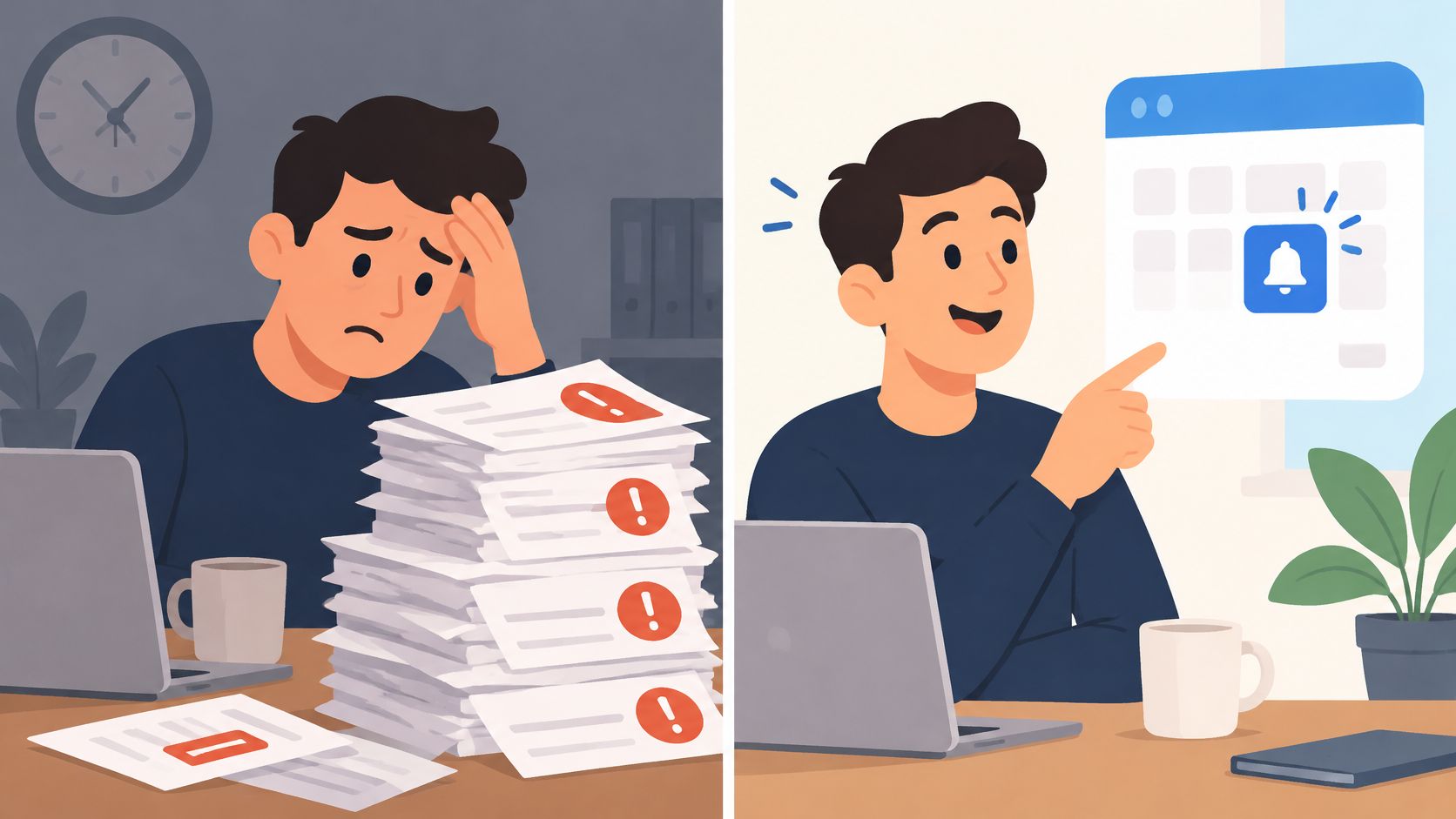
Contrast sells software faster than explanation. Put the cluttered current method beside the clean result your product creates, and viewers understand the value in one glance. You don't need a long walkthrough when the difference is visible.
ShipTeaser builds teasers from screenshots and copy already on your landing page. That constraint helps you. If your page can't show a clear after state, your teaser won't fix the positioning problem.
A hypothetical bug-tracking product can open with a spreadsheet full of duplicate tickets. The problem scene shows status chaos. The solution scene cuts to one filtered board. The proof scene shows the resolved queue, and the CTA asks for a trial.
Choose One Removed Step
Pick one step your product removes, not the whole workflow. A founder building reporting software might remove manual copy and paste work. A founder building onboarding software might remove repeated setup calls. One removed step gives the split a clear story.
Practical rule: If the after screenshot needs a paragraph to explain, choose a different screenshot.
Don't promise screen recordings, because ShipTeaser doesn't produce screen recordings. Use page visuals you already have. For structure ideas on showing a sequence clearly, see LiveDocument walkthrough tips, then translate the sequence into still page visuals and motion graphics.
The short example below shows the kind of compact visual contrast to study before you choose your before and after frames.
Test two contrast versions in 1:1. Keep the version that earns stronger early replies, saves, and clicks. Don't judge the split by views alone.
3. The Launch-Day Countdown Series
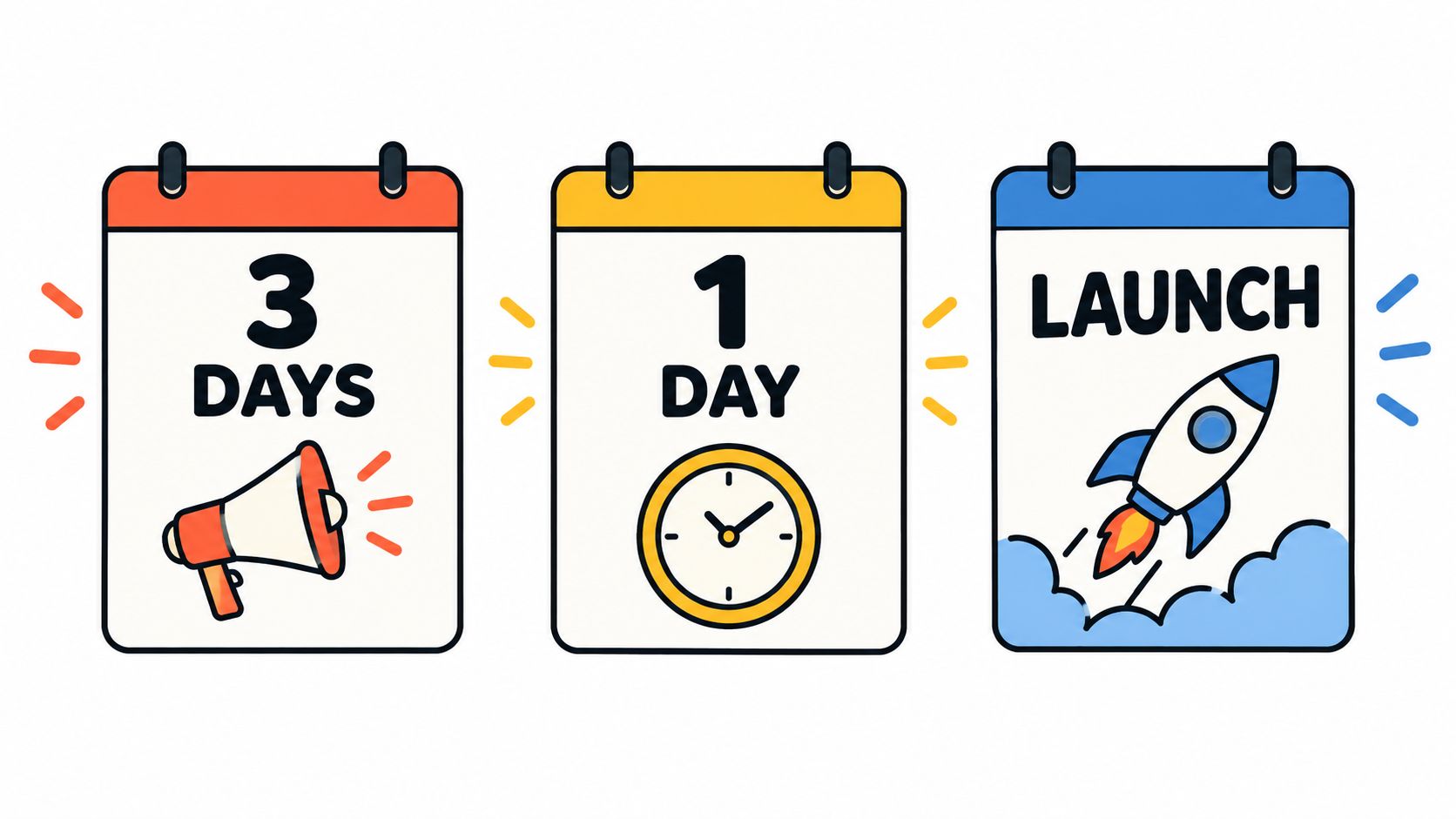
One launch video is easy to miss. A three-part countdown gives your audience a reason to return and gives you fresh assets for each launch moment. Tease the problem first, reveal one feature second, then publish the direct CTA on launch morning.
Draft all three concepts before launch week starts. Launch week is too chaotic for script decisions. Keep the same product promise in every cut so repetition builds memory instead of confusion.
A Simple Three-Post Sequence
- Three days out: Publish the problem teaser and ask viewers whether the pain sounds familiar.
- One day out: Publish the feature teaser and show the clearest result screenshot.
- Launch morning: Publish the CTA teaser before your main launch window closes.
A hypothetical developer tool could post the problem teaser on Monday, the feature teaser on Wednesday, and the CTA teaser on launch morning. Each video should stand alone for viewers who missed the earlier posts. Repeat the product name and outcome every time.
Post the 16:9 cut to your website or LinkedIn and the 1:1 cut to feeds. Put the launch link in the CTA scene and keep post copy consistent. For a related lesson on sequencing anticipation, review the Podmuse podcast trailer strategy and adapt the release rhythm to software.
Plan cadence matters here. The $149 plan from ShipTeaser delivers 2 videos per week, and the $199 plan delivers 4 per week, so match the countdown volume to the plan you choose.
4. The Single Feature Spotlight
Give one feature its own teaser. Don't cram onboarding, integrations, analytics, and pricing into 15 seconds. One feature gives a viewer one reason to click and gives you one variable to judge.
HubSpot video marketing research on product showcase effectiveness reported that 73% of video marketers considered video effective for reaching business goals and found product or service showcase videos among the most effective content types. A feature spotlight is a small product showcase with a tighter scope.
Choose the feature that answers your most common support question. That question reveals what buyers need before they commit. Make sure the feature appears in a screenshot or headline on your page, because ShipTeaser draws the teaser from page material.
Scene Assignments for One Feature
- Hook: Name the annoying task in plain language.
- Problem: Show the manual workaround.
- Solution: Name the feature with the same term used in your docs.
- Proof: Show the feature result on screen.
- CTA: Ask for the smallest next step.
A hypothetical note-taking app could run one teaser for offline sync and another for meeting templates. Don't combine both features. The offline sync viewer and the template viewer may care about different outcomes.
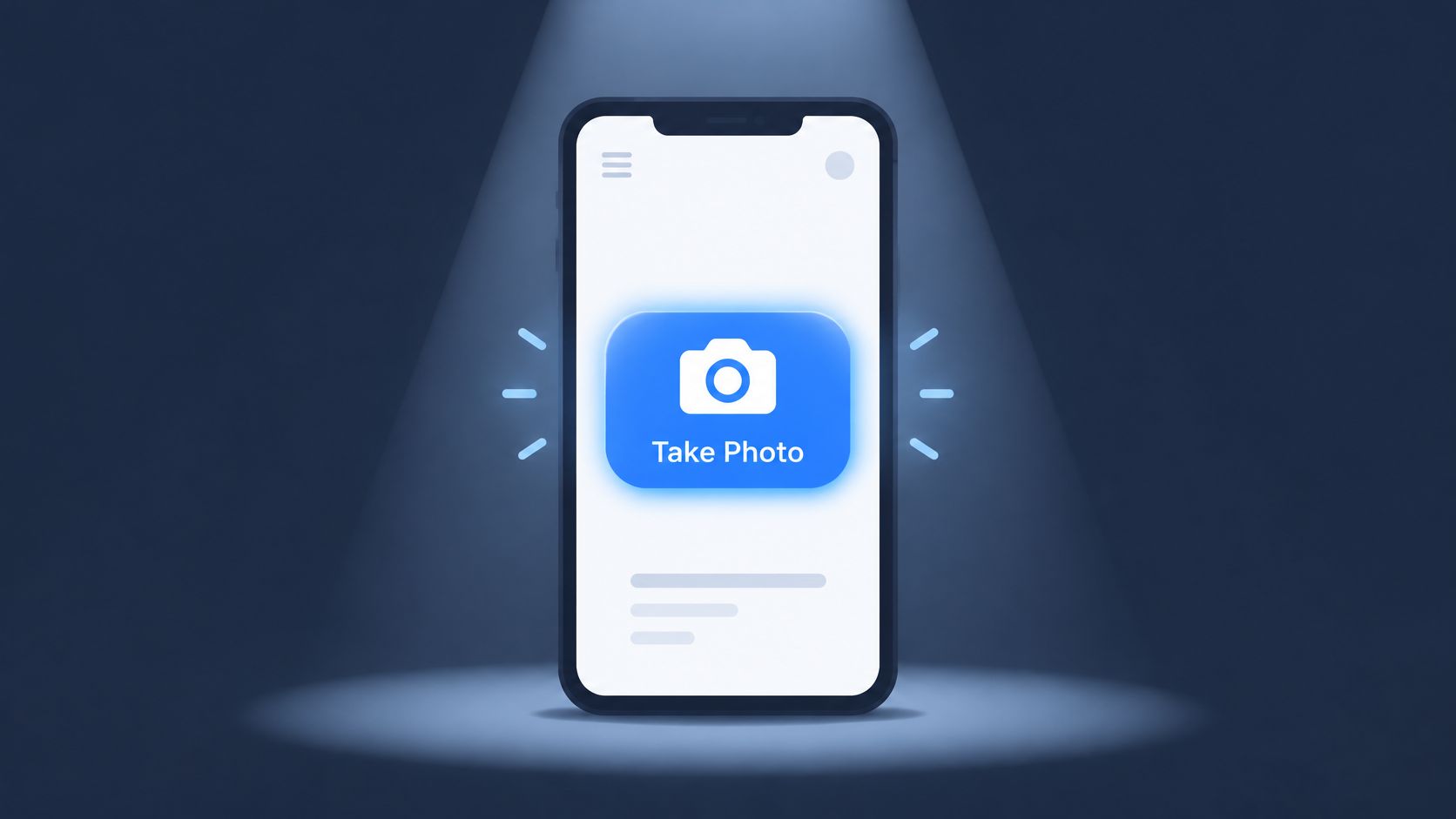
Run the same feature in 9:16 and 1:1 and compare saves, replies, and qualified clicks. Use ShipTeaser guidance on feature announcement videos to keep the announcement focused on one release at a time.
5. The Proof-Led Social Teaser
Build the teaser around proof when trust is the blocker. Early adopters don't fear trying software because software looks plain. Early adopters fear wasting setup time on a product that won't deliver.
Use a testimonial, customer logo, or usage claim already published on your landing page. ShipTeaser pulls the proof scene from page content, so weak page proof creates a weak teaser. Fix the page first if the quote is vague or unverifiable.
A hypothetical billing product could place this customer quote in the proof scene: "We stopped missing renewals in week one." The hook names missed renewals. The problem shows manual tracking. The solution shows the renewal workflow. The quote then confirms the outcome before the CTA.
Rules for Credible Proof
- Use exact words: Quote the user rather than paraphrasing praise into stronger marketing copy.
- Use published proof only: Don't invent a result for the video.
- Use one proof point: A wall of logos and three quotes will blur in 15 seconds.
- Sequence proof after context: Publish a problem or feature teaser first, then publish proof for warmer viewers.
If you have no proof yet, skip this idea. Collect specific customer language first, and consider how to automate testimonial collection with FormBackend so future teasers have real material to use.
Publish the proof you can defend on your landing page, not the proof you wish you had.
Measure qualified signups, not applause. A proof teaser should bring viewers who already understand the problem and now need confidence. Clicks from that audience should convert better than cold curiosity clicks, and your signup data will show whether that assumption holds.
6. The Vertical Short-Form Cut
Start with format when discovery is the goal. Produce the 9:16 version for TikTok, Instagram Reels, and YouTube Shorts, then reuse the same story in 1:1 for feeds and 16:9 for web placements. Don't write three different scripts for three crops.
Format discipline is practical, not cosmetic. A summary of Meta video specifications and delivery formats lists 1080 by 1920 for 9:16 Stories and Reels, 1080 by 1080 for 1:1, and 1920 by 1080 for 16:9 in-stream use. ShipTeaser outputs those three ratios from one URL, so founders don't need a separate resizing step.
Keep the most important text in the central safe area. Interface buttons and page screenshots can become unreadable when copy sits near the edges. Review every ratio on a phone before posting, not only on a desktop monitor.
Make Silence Do the Work
ShipTeaser teasers have no voice-over, so on-screen motion graphics and landing page copy must carry the message. Short lines win. Dense screenshots lose. Choose a music bed that matches the energy of the hook, because the optional music bed is the only audio layer.
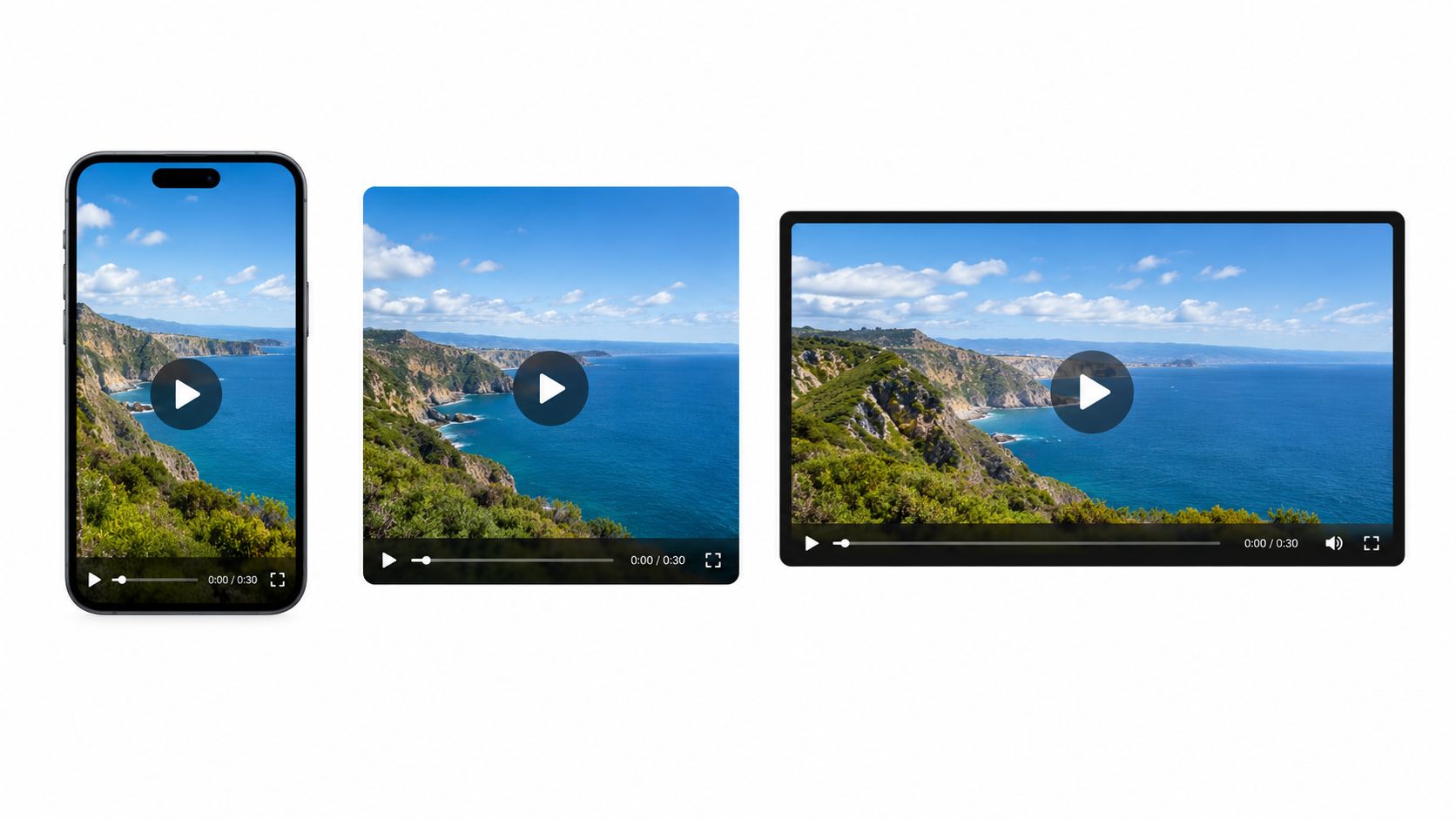
A hypothetical habit-tracking app could post the 9:16 teaser to Reels and place the 16:9 cut on the homepage. Post vertical first when social discovery matters most. Review ShipTeaser guidance on video format for Instagram before you schedule the cut.
7. The Build-in-Public Weekly Series
Turn shipped work into a weekly teaser series. Each episode covers one feature, one milestone, or one user problem you solved that week. Consistency teaches followers what to expect and gives potential buyers repeated chances to recognize the product.
Pieter Levels has long shared product progress publicly, and that visibility helped make build-in-public a common founder practice. You don't need his audience to use the discipline. You need a repeatable update and a clear next step.
HubSpot short-form video trend data for B2B and B2C marketers reported short-form use by 30% of marketers in each segment and identified short-form video as the format delivering the highest ROI for marketers. For a solo builder, the practical lesson is repetition with one measurable outcome per video.
Keep the Series Legible
- Number each episode: Followers can track progress and find earlier updates.
- Pick understandable milestones: Choose progress a non-technical viewer can grasp in one sentence.
- Keep the CTA stable: Viewers should learn the next step across episodes.
- Match ratio to surface: Use 16:9 for changelog pages and 9:16 for social posts.
Don't tease internal refactors. Tease outcomes. "Exports now finish without manual cleanup" beats "We rebuilt the export pipeline" because buyers care about saved effort.
Founder test: If a prospective user can't repeat the weekly win in one sentence, pick a simpler win.
The $99 per month plan from ShipTeaser produces 1 video per week, which covers a steady build-in-public calendar. Ship one update, publish one teaser, and collect questions for the next episode.
8. The Waitlist and Early Access Teaser
Run this teaser before the product is ready for everyone. End with one clear request: join the waitlist or request early access. Don't ask viewers to follow, share, book a call, and join a list in the same final scene.
Drew Houston's 2008 Dropbox demo video, shared on Hacker News, showed simple file syncing and is widely credited with helping drive early beta demand. The format differed from a 15-second silent teaser, but the lesson transfers. Show the experience clearly, then capture interest while attention is warm.
Your page must be ready before the post goes live. Link the CTA to one page with one form field. Write the follow-up email sequence before publishing, because a waitlist signup loses value when the first email arrives weeks later.
Build the Pre-Launch Sequence
- Hook: Name the costly workaround your future users still tolerate.
- Problem: Show the friction in one recognizable scene.
- Solution: Show the product outcome, even if access remains limited.
- Proof: Use a concrete interface state, founder commitment, or published early user quote.
- CTA: Ask for an email address and state what happens next.
Use the free first video, with no credit card, to test the waitlist CTA before paying for a plan. Post to Hacker News or Product Hunt only when the page can capture signups without errors.
Read ShipTeaser guidance on beta launch announcements before you publish. A waitlist teaser succeeds when the video, page headline, form, and first email promise the same outcome.
8 Teaser Video Ideas Compared
| Teaser format | 🔄 Implementation complexity | ⚡ Resource needs | 📊 Expected outcome | ⭐ Ideal use and key advantage |
|---|---|---|---|---|
| Problem-First Hook | Low; needs a specific pain point and concise script | Landing-page headline and pain points | Earns attention by making the audience recognize a problem | Cold outreach, social feeds, and launch posts; creates relevance before introducing features |
| Before-and-After Workflow Split | Low to moderate; depends on a clear visual contrast | Landing-page screenshots showing a real result | Communicates the product's value quickly without narration | Products that simplify a visible workflow; contrast makes the benefit easy to grasp |
| Launch-Day Countdown Series | Moderate; requires scripting and scheduling three videos | Three teasers and a launch calendar; plan capacity for multiple videos | Builds anticipation and maintains launch-week visibility | Product launches; provides timely content at each stage |
| Single Feature Spotlight | Low; repeatable format focused on one feature | Clear feature details and a supporting screenshot or claim | Gives viewers one focused reason to try the product | Products with distinct features or audience segments; easy to create variants |
| Proof-Led Social Teaser | Low if credible proof is available; otherwise requires proof first | Published, verifiable testimonials, logos, or usage figures | Builds trust with skeptical viewers | Products with established customer evidence; makes credibility the central message |
| Vertical Short-Form Cut | Low; adapt one story for multiple aspect ratios | Clear on-screen visuals and text; review each crop | Extends one teaser across vertical, square, and horizontal placements | Mobile-first social channels; one source produces assets for several placements |
| Build-in-Public Weekly Series | Low after setup; depends on a steady publishing rhythm | A meaningful weekly milestone and consistent template | Builds audience familiarity and demonstrates ongoing progress | Products shipping regularly; turns real updates into recurring content |
| Waitlist and Early Access Teaser | Low to moderate; requires a clear CTA and follow-up plan | Waitlist page and email follow-up sequence | Captures early interest and helps test demand before launch | Pre-launch products; builds a prospective user list before general availability |
Choose One Angle and Ship Before Launch
Choose the teaser that matches your launch stage. Use the problem-first hook when nobody knows the pain. Use the feature spotlight when buyers know the category but need a reason to switch. Use proof when trust blocks trials, and use the waitlist teaser when the product isn't ready for open signup.
Don't produce all eight at once. Publish one, measure completion, clicks, and qualified signups, then change one variable. Guidance summarized in short-form video measurement and attribution advice distinguishes views, reach, and watch time from leads, trials, and purchases, and recommends UTMs, unique codes, dedicated landing pages, and consistent attribution windows. Give each teaser a unique UTM and campaign ID so you can compare angles.
Paste your product URL into ShipTeaser and generate the first 15-second, 1080p teaser in about two minutes. The first video is free and requires no credit card. Paid plans are $99 per month for 1 video per week, $149 for 2 per week, and $199 for 4 per week.
FAQ
How long should a software teaser be?
A software teaser from ShipTeaser is 15 seconds, structured as hook, problem, solution, proof, and CTA. Fifteen seconds is enough for one promise, one proof element, and one action. Longer explanations belong on the landing page or in a separate demo.
Which aspect ratio should a founder post first?
A founder seeking social discovery should post 9:16 first for vertical placements, then reuse 1:1 for feeds and 16:9 for a website or horizontal placement. ShipTeaser exports 16:9, 1:1, and 9:16 from one product URL.
Does a ShipTeaser teaser need narration?
A teaser from ShipTeaser does not need narration because ShipTeaser produces silent motion-graphics videos with on-screen copy and an optional music bed. Silent means no voice-over. The message must remain clear when a viewer watches without spoken audio.
What happens after the free first ShipTeaser video?
After the free first video, a founder can choose a paid ShipTeaser plan based on publishing cadence. Plans cost $99 per month for 1 video per week, $149 for 2 per week, or $199 for 4 per week.
Paste your product URL into ShipTeaser to turn one of these eight angles into a 15-second, 1080p silent motion-graphics teaser in about two minutes, with 16:9, 1:1, and 9:16 versions ready to post. Start with the free first video, publish one angle, and measure real signups before you produce the next cut. Visit ShipTeaser and ship your first teaser before launch day arrives.