A SaaS explainer video is a 15 to 30 second motion-graphics asset built from your landing page, designed to earn the viewer's first three seconds, show the product in motion, and end with one clear next step. For an early-stage launch, treat that asset as an invitation to inspect your product, not a miniature sales presentation.
You've finished the landing page, the launch post is waiting, and the product still feels harder to explain than it should. Don't solve that problem by cramming your entire feature list into a video.
A useful SaaS explainer video communicates a specific outcome, shows credible product evidence, and directs the right viewer toward a relevant destination. Choose the format around the viewer's existing knowledge, prepare framing for each placement, and measure attention alongside downstream action.
What a SaaS Explainer Video Actually Does
You paste your product URL into ShipTeaser and get a 15-second asset in about two minutes. The important question isn't whether you can publish faster. It's whether a stranger can understand the promise and find a reason to investigate.
For an early-stage software product, an explainer is a short visual argument: this problem exists, this product addresses it, and this is worth inspecting. Motion graphics provide the packaging. Your actual product and positioning provide the substance.
Give the asset a narrow assignment
A launch explainer has distinct responsibilities:
- Earn attention. Make the opening understandable without background knowledge.
- Show the product. Use recognizable interface elements rather than decorative abstraction.
- Communicate a benefit. Connect a visible capability to something the buyer wants.
- Direct action. Send the viewer somewhere that answers the next likely question.
Don't confuse those responsibilities with explaining every integration, permission setting, or onboarding step. Those details belong deeper in the buying journey.
There's a practical reason to take the format seriously. In HubSpot's video marketing research, 73% of surveyed video marketers considered video effective for business goals, and short-form video generated the highest ROI among video formats. That supports testing a concise asset, not assuming that any short video will work.
Founder rule: If you can't name the viewer's next question, you haven't chosen the video's job.
Before producing anything, decide on runtime structure, teaser versus demo, distribution framing, acceptable proof, and measurement. For help sharpening the underlying argument before turning it into visuals, use the Founder Connects pitch guide as a companion resource.
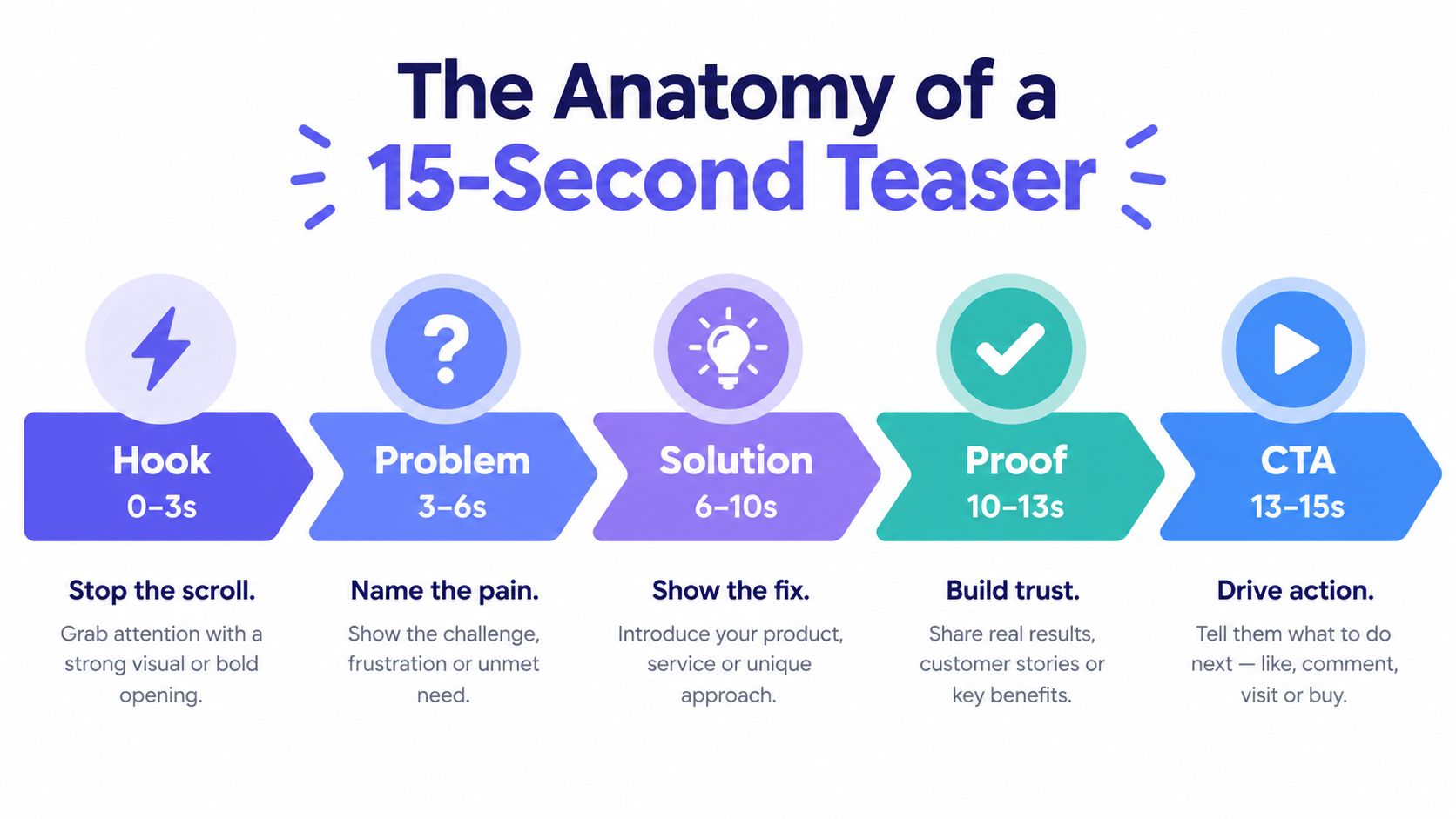
The Anatomy of a 15-Second Teaser
The runtime is short enough that every scene needs a separate job. Don't spend the opening introducing your company and then rush the product explanation.
Google's app video guidance recommends establishing interest within the first 2 to 3 seconds and notes that successful app video ads average at least two cut changes in the first five seconds. Use that as a pacing cue, not a requirement to make every transition frantic.
This sequence gives each beat a clear responsibility.
Write for a skeptical viewer with sound off
Consider a hypothetical solo founder launching scheduling software. The following is an illustrative script, not a customer result:
- Hook. “Book meetings without the email chase.” Start with a recognizable outcome.
- Problem. “Still comparing availability by hand?” Pair the text with the actual scheduling problem.
- Solution. “Share your booking page.” Show the relevant product interface, not a generic calendar animation.
- Proof. Show an available slot becoming a confirmed booking, provided the product supports that workflow.
- CTA. “See the booking flow.” Send viewers to a destination where they can inspect the experience.
The proof beat deserves particular care. A checkmark isn't evidence by itself. The viewer needs to understand what changed and why the product deserves credit.
Keep each text overlay focused on a single thought. Don't ask someone to read a paragraph while also interpreting a moving interface.
A fast cut should reveal information. A transition that only adds decoration is consuming your explanation time.
Watch the draft without sound before approving anything. If the value proposition disappears, the script depends on information the viewer may never receive.
Demo Versus Teaser and When to Pick Each
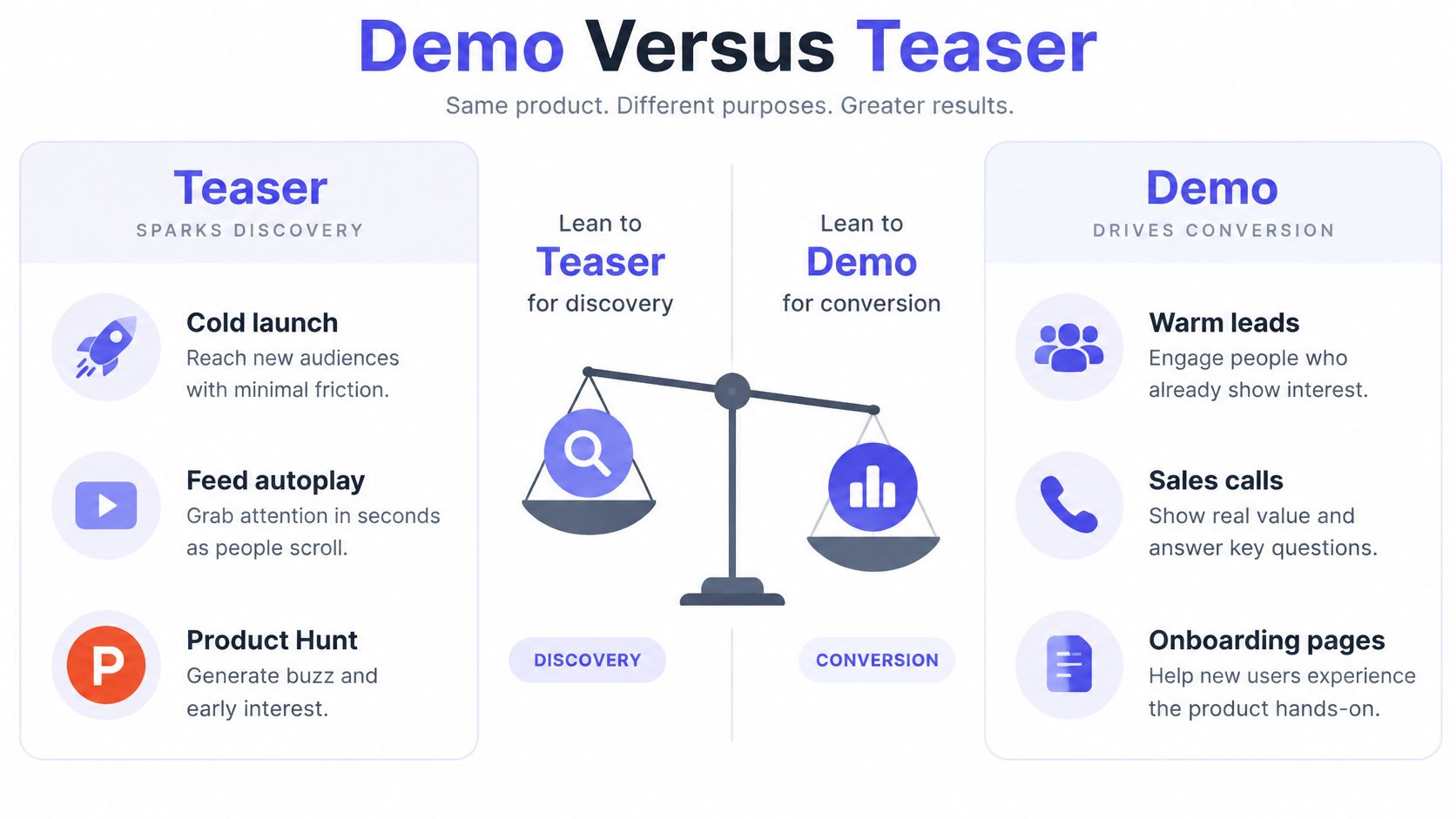
Choose a teaser for discovery. Choose a demo for evaluation. Founders waste effort when they select the format according to what they want to announce rather than what the viewer needs to understand.
A cold visitor hasn't agreed that your product deserves attention. A trial user has already crossed that threshold and needs help evaluating or using the software.
The distinction is easier to apply when you map each format to a real launch surface.
Match the explanation to buyer intent
For a cold launch post or autoplay feed, lead with the outcome. Don't begin with a dashboard tour that requires viewers to understand your navigation before they understand your value.
For a post-signup email or onboarding page, show the task. A user trying to configure availability needs the actual sequence, including settings and confirmation states. Another promotional promise won't help.
- Discovery scenario. A solo builder announces a scheduling product. The teaser establishes why the product deserves a closer look.
- Evaluation scenario. A prospect wants to check calendar behavior. A demo should expose the relevant workflow and constraints.
- Activation scenario. A new user needs to publish a booking page. Instructional content should help that user complete the task.
A teaser can sit near the top of a product page, but it shouldn't replace deeper evidence. Likewise, a detailed demonstration can be valuable without being the right opening asset for a cold audience.
Use the product demo video versus teaser comparison when deciding which asset to produce first.
Ask a direct question before writing: Does this viewer need a reason to care, or enough detail to decide? The answer determines the format.
The Five-Scene Structure ShipTeaser Generates
ShipTeaser turns a product URL into a 15-second, 1080p, silent motion-graphics teaser in about two minutes. ShipTeaser provides 16:9, 1:1, and 9:16 outputs, ready to download and post.
The starting point is the existing landing page.
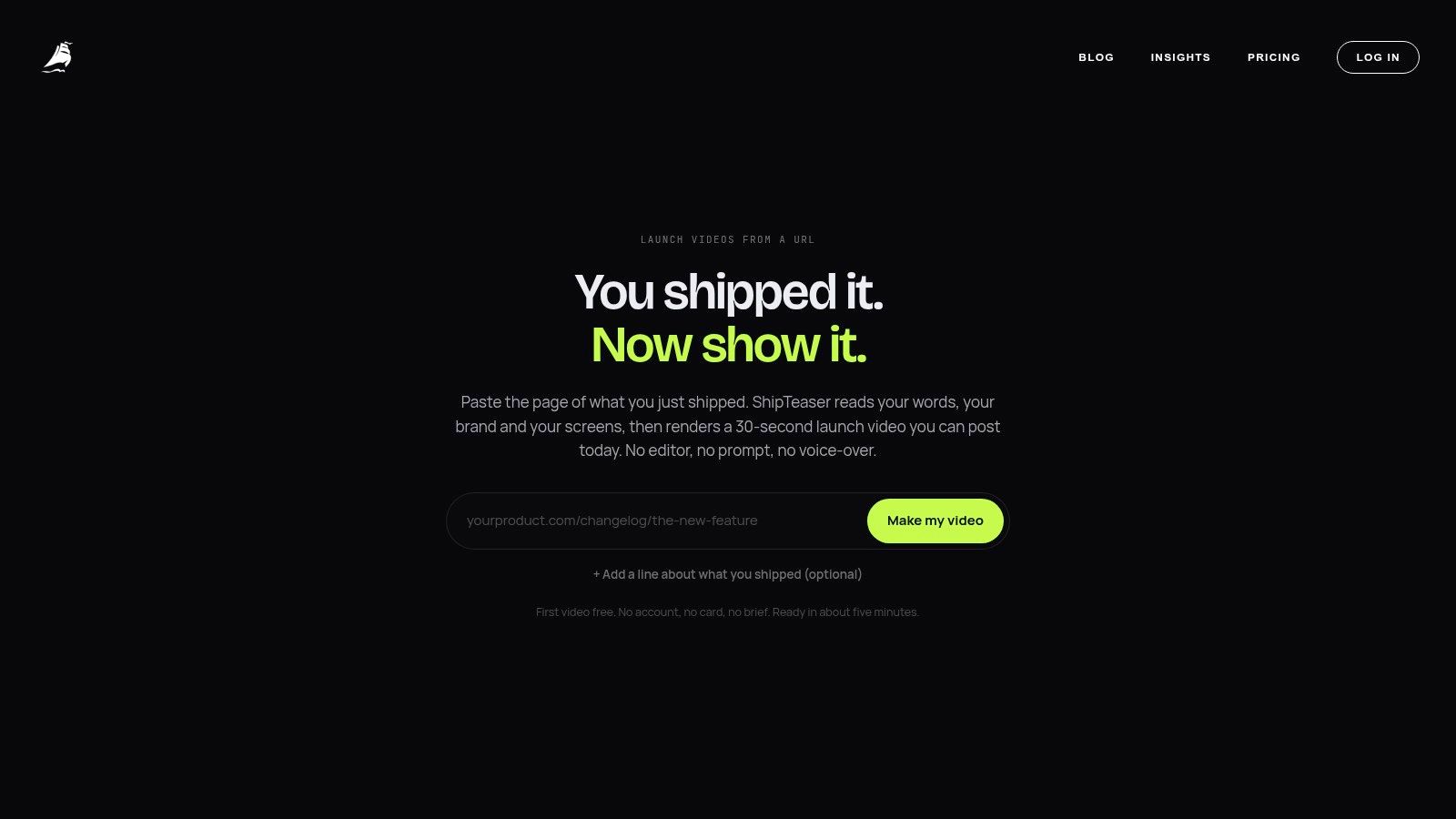
ShipTeaser analyzes page copy, screenshots, and visible brand cues, including color and typography. That makes landing-page quality part of video preparation: vague copy and outdated screenshots are poor inputs for an automated production pipeline.
Know what each generated scene should communicate
The output follows hook, problem, solution, proof, and CTA. Review those scenes as separate claims rather than approving the file solely because the animation looks polished.
- Hook and problem. Check that the promise names the right audience's frustration.
- Solution. Confirm that the visuals represent the current product, not an imagined future experience.
- Proof. Reject unsupported claims, decorative credibility signals, or outputs the software can't reproduce.
- CTA. Make sure the destination matches the invitation.
Use the product video script guide to sharpen the source message before generation. Clear page copy gives the script a better foundation.
Understand the production boundary
ShipTeaser doesn't provide AI avatars, voice-over, narration, a video editor or timeline, screen recording, stock footage, or text-to-video from a prompt. ShipTeaser also doesn't provide dubbing, subtitles, translation, or clip trimming.
Silent means no voice-over. An optional music bed is available, so silent shouldn't be confused with a promise of no audio at all.
The first video is free, with no credit card required. Ongoing plans are $99/mo for 1 video per week, $149/mo for 2 per week, and $199/mo for 4 per week.
Choose a cadence based on meaningful product changes and messaging tests. Don't buy output volume before you know what you need to learn.
Where Each Aspect Ratio Actually Earns Its Slot
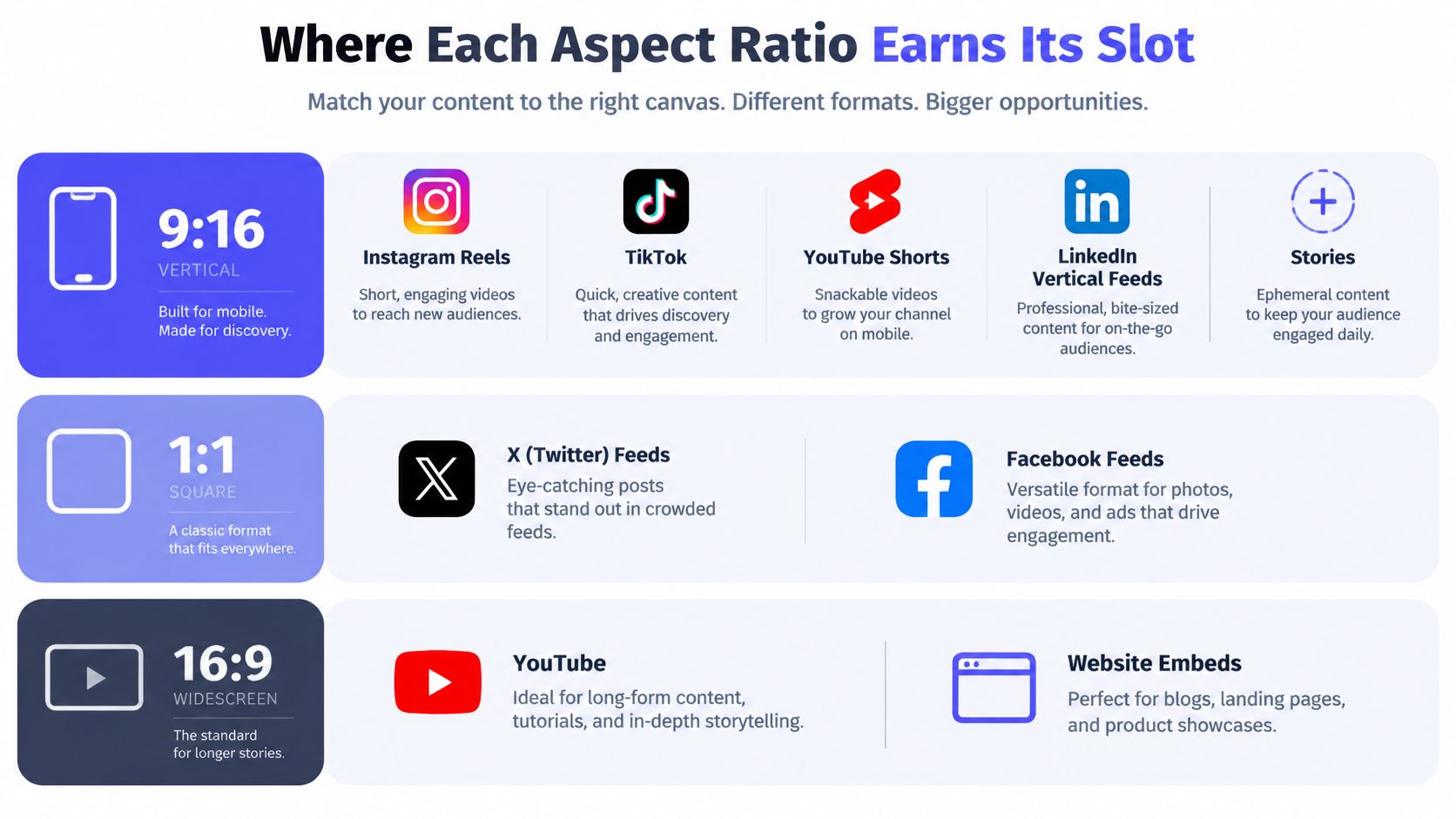
Aspect ratio is a distribution decision, not a finishing touch. A file that looks clear on your desktop can become unreadable when placed inside a vertical feed.
Prepare compositions for the placements you intend to use. Don't export every format to fill a folder.
Assign a destination before exporting
- Portrait for vertical discovery. Use 9:16 for vertical short-form feeds and Stories. The cross-platform video specification guide recommends 1080 by 1920 pixels for these placements.
- Square for feed-based posting. Use 1:1 where a square composition suits the feed. Vidico's short-form video guidance identifies square framing for text-led social feeds.
- Widescreen for the product destination. Use 16:9 for widescreen video, suitable launch-page placements, and your own website. Keep the interface large enough to inspect rather than surrounding a tiny screenshot with decoration.
For a founder-led launch, I'd prioritize the website placement and the social surface where relevant prospects already engage. Add other variants when there's a real posting plan.
A shared source message with placement-specific framing is more useful than independently rewriting the product promise for every channel. Keep the claim consistent while adjusting composition.
Check the actual preview
Review the uploaded asset, not just the downloaded file. Look for cropped headlines, obscured CTAs, tiny interface labels, and unused space around the product.
The launch video specifications guide is a useful preflight reference. Platform requirements can change, so verify the destination before publishing.
Don't mistake a successful upload for a successful presentation. The viewer still needs to read the promise and recognize the product without zooming.
What Proof a 15-Second Video Can Realistically Carry
Polish isn't proof. A young product can look mature in motion graphics while leaving basic buyer questions unanswered.
That mismatch matters. Semrush's B2B marketing statistics report that 93% of B2B buyers consider video important for building brand trust, while 92% trust peer recommendations and reviews more than branded content. Video can contribute to credibility without replacing independent evidence.
Show what a buyer can verify
A short teaser can responsibly present a recognizable workflow, a concrete product output, or a clearly stated limitation. For the scheduling example, show the booking result that the current software can produce.
Don't fabricate customer logos, imply unavailable integrations, or label an animated mockup as a live demonstration. If the visual is illustrative, avoid presenting the visual as observed product behavior.
- Good teaser evidence. A real interface state, a reproducible output, or a precise statement of what the product supports.
- Landing-page evidence. Detailed customer stories, pricing conditions, integration documentation, and the assumptions behind performance claims.
- Evidence to exclude. Unsupported superlatives, invented testimonials, and animations that suggest functionality you haven't shipped.
The teaser earns permission to investigate. The landing page must make investigation worthwhile.
A transparent limitation can be more useful than another broad promise. If a feature requires a particular setup, make that condition discoverable at the destination rather than hiding it behind the launch creative.
The costly mistake is attracting clicks with a promise that the trial can't fulfill. You may get attention, but you won't learn whether the product proposition works.
Choose proof before choosing visual style. Then make the animation serve that evidence, not exaggerate it.
Measuring ROI When the Video Is Only 15 Seconds Long
Impressions tell you that a platform displayed the asset. They don't tell you whether viewers understood the product or took a useful next step.
Measure the attention sequence, then connect that sequence to destination behavior. Keep placements separate so a strong result in one environment doesn't conceal a weak result elsewhere.
Build an attention-to-action measurement stack
- First-three-second hold rate. Use the platform's available retention reporting to assess the opening. Record the definition because platforms may calculate attention differently.
- Quartile completion. Inspect where viewers leave, especially around the product reveal and proof beat.
- Full completion. Treat this as a pacing signal, not evidence of purchase intent.
- Click-through rate by placement. Check whether attention turns into relevant visits, then inspect signup and activation behavior.
Strong early retention with weak completion suggests that the explanation or ending needs work. Weak early retention points toward an unclear opening promise, an unhelpful first frame, or an audience mismatch.
If viewers finish but don't click, inspect the CTA and destination fit before changing the animation.
Use benchmarks without turning them into targets
Wistia's historical video benchmarks report approximately 50% average engagement for videos shorter than one minute. Average engagement isn't the same as full completion, so don't compare the measures as though they were interchangeable.
For reporting beyond attention, use the product launch metrics guide. For connecting the video test to broader channel choices, the startup marketing guide for founders from Find Startup Idea provides a companion planning resource.
Change a specific variable and record the reason. A revised hook should test comprehension, not merely your preference for a different adjective.
Your First SaaS Explainer Video Checklist
Before publishing, review the asset as a buyer rather than as the founder who already understands every screen.
- Message mapping. Each scene has a distinct purpose, with no feature-list overflow.
- Placement readiness. Each export has a destination and a checked upload preview.
- Silent comprehension. Essential meaning remains readable without voice-over or music.
- Evidence boundary. Every visible claim is supportable, and the destination supplies deeper detail.
- Measurement ownership. Someone will review retention, completion, clicks, and resulting product activity.
Make disclosure part of review
Don't hide material AI involvement when viewers could mistake generated visuals for recorded product behavior. A global AI-video survey found that 59.5% of respondents preferred disclosure through an in-video icon or label. Choose disclosure that clarifies origin without obscuring the product.
FAQ
How often should a founder publish a new teaser?
Publish a new teaser when the product, audience, or promise changes enough to justify another test. Repeating an unchanged asset on a schedule isn't a substitute for learning which message attracts qualified interest.
Can the same script work across aspect ratios?
The same core script can work across aspect ratios, but composition needs separate review. Reframe interface elements and check line wrapping so the promise stays readable in every placement.
Does a SaaS teaser replace a product demo?
A SaaS teaser doesn't replace a product demo. Use the teaser to establish relevance and provide a deeper demonstration wherever buyers need to inspect functionality, setup, or constraints.
How do I know whether the video earned its launch slot?
A video earns its launch slot when the intended audience pays attention and takes a useful next action. Judge that outcome against the placement's purpose, not raw views or a borrowed benchmark.
ShipTeaser offers a URL-to-teaser workflow for turning an existing landing page into a concise launch asset. Visit ShipTeaser, generate your first free video without a credit card, and review the result against your product's actual proof before publishing.