You've shipped the feature, updated the landing page, and opened a blank launch post. A walkthrough recording means another task, with bugs still waiting to be fixed.
A launch video needs to protect three things: one product promise, one proof point, and one clear next step. ShipTeaser reads a product page you paste and makes a 30-second, 1080p silent motion-graphics video in about two minutes. The downloadable MP4 is built for silent feeds and ends with your call to action.
Generation is quick. Review is the essential task: check that the promise, proof, visuals, and call to action accurately represent the product. A 30-second teaser can introduce the product, but it cannot explain every step of its workflow.
Prepare Your Landing Page Before You Generate
A headline such as Work smarter with one dashboard, placed over an abstract gradient with a Learn more button, gives a video generator almost nothing useful. The audience is unclear, the benefit is interchangeable, and there's nothing concrete to prove.
ShipTeaser reads the page directly. ShipTeaser requires no editor, no prompt, and no voice-over, so the preparation happens on your website rather than in a production brief.
Make the page specific enough to use
For a software product that organizes release feedback, a stronger headline would identify the user and outcome: Turn scattered beta feedback into a release checklist. That's a hypothetical positioning example, not permission to add a capability your product lacks.
Before generating, check the following:
- Headline: Name the intended user and the outcome. Don't make viewers decode a brand slogan.
- Hero image: Show the product working, with the relevant interface visible rather than an ornamental background.
- Benefit: Choose the result that matters for this launch, not the entire feature inventory.
- Proof: Include an approved customer quote, a named customer, or a substantiated number.
- Button and brand: Use the actual next step, display the correct logo, and make your brand colours unambiguous.
- Claims: Remove promises you can't support, including old launch copy that no longer matches the product.
Landing page inputs and what to check
| Input | Good version | Common mistake |
|---|---|---|
| Headline | Names the user and the outcome | Brand slogan with no product detail |
| Hero image | Shows the product working | Abstract background or stock photo |
| Proof point | A number or named customer | Vague claims like best in class |
| Call to action | The real next step, such as Start free | Generic Learn more |
If you're unsure whether the page communicates a clear offer, check landing pages with Polish before generating. Use the review to identify ambiguous messaging, then correct the actual page rather than creating a separate explanation for the video.
The landing page video guide covers the relationship between page content and the finished asset. The practical rule is simpler: fixing the page is the fastest way to fix the video, because ShipTeaser derives the copy from that page.
How to Generate Your 30-Second Teaser
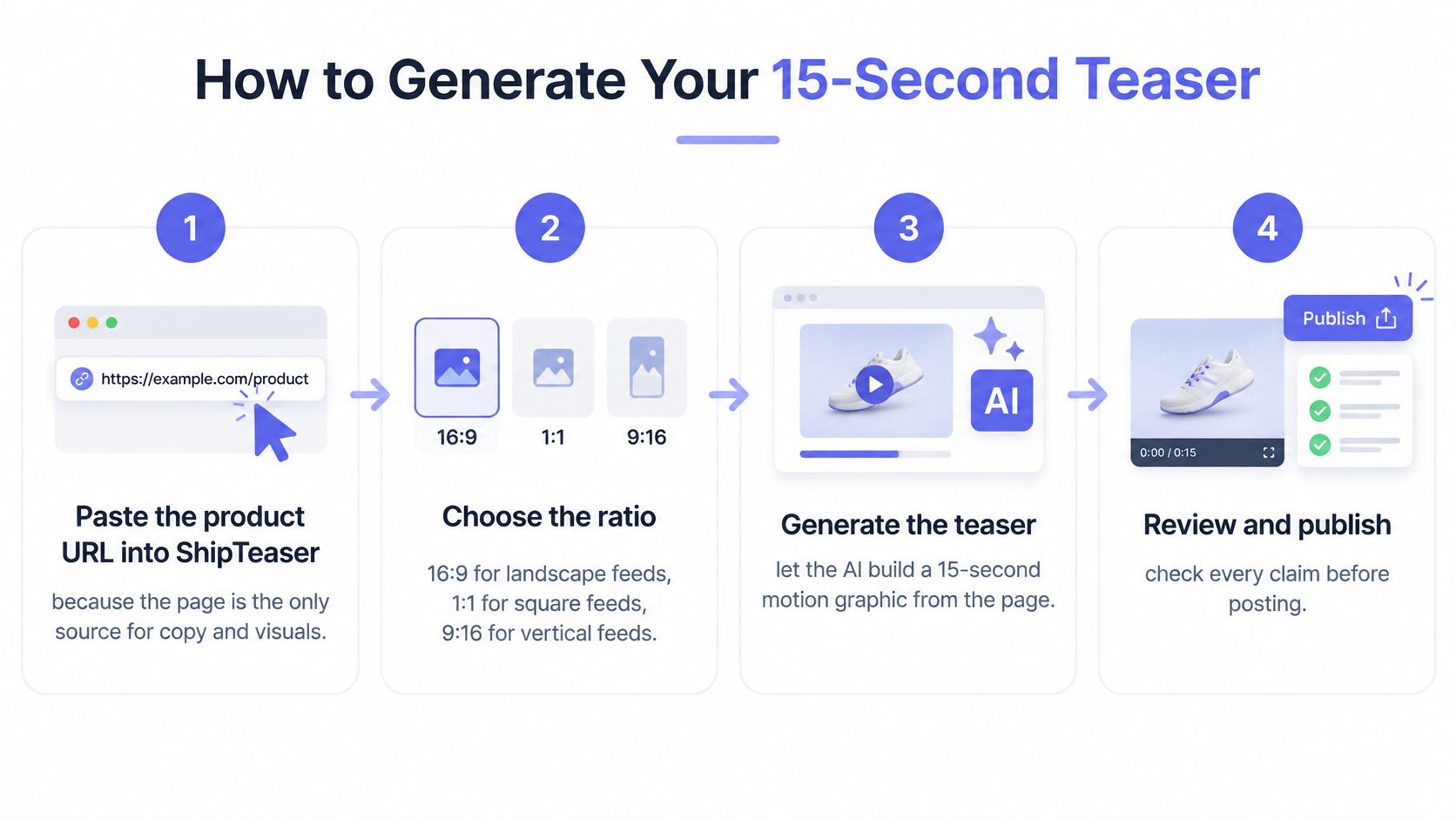
A launch page can be clear and still produce a muddled video if its story jumps between features. ShipTeaser reads the product page you paste and renders a 30-second, 1080p MP4, so choose the page that best supports one promise, one proof point, and one next step.
- Paste the product URL into ShipTeaser. The page supplies the video copy, word for word or clearly derived from it. ShipTeaser does not write copy for you.
- Generate the video. The finished video is silent motion graphics made from your brand, with no faces, voice-over, stock footage, or export settings to configure. From pasting the link to a downloadable MP4 takes about two minutes.
- Download the 1080p MP4. The output is ready for X, LinkedIn, Product Hunt, or a launch page. The first video is free, with no account, card, or brief needed, and is ready in about five minutes. The free allowance is one video per IP address, does not renew, and has no retention guarantee.
Read the scenes as a single argument
Each video has five beat-cut scenes: hook, problem, solution, proof, and call to action. The fixed length makes review a matter of protecting the main promise, a supporting proof point, and a clear next step. If one scene introduces a different product benefit, the sequence loses focus.
| Scene | What it needs to do |
|---|---|
| Hook | Give the viewer a reason to keep watching |
| Problem | Make clear whose problem the product addresses |
| Solution | Connect the product to the stated promise |
| Proof | Support that promise with evidence from the page |
| Call to action | State the specific next step, such as Start free |
Use the product video script guide to assess whether the story holds together. For broader campaign context, see Crescade's guidance on video marketing for B2B companies.
The video is built for silent feeds and ends with your own call to action. A tool response through generate_teaser includes the video link, a job ID, an ETA, and notes about any missing context.
Review Every Teaser Before You Publish
A polished render can still be wrong. ShipTeaser-generated videos may contain factual errors or misread the brand, so customers must review every video before publishing.
ShipTeaser never writes new copy for you: every line comes from the pasted page, word for word or clearly derived from it. That doesn't remove the need for judgement, because selection, emphasis, and visual context can change what a viewer understands.
Review the downloaded file rather than approving a thumbnail:
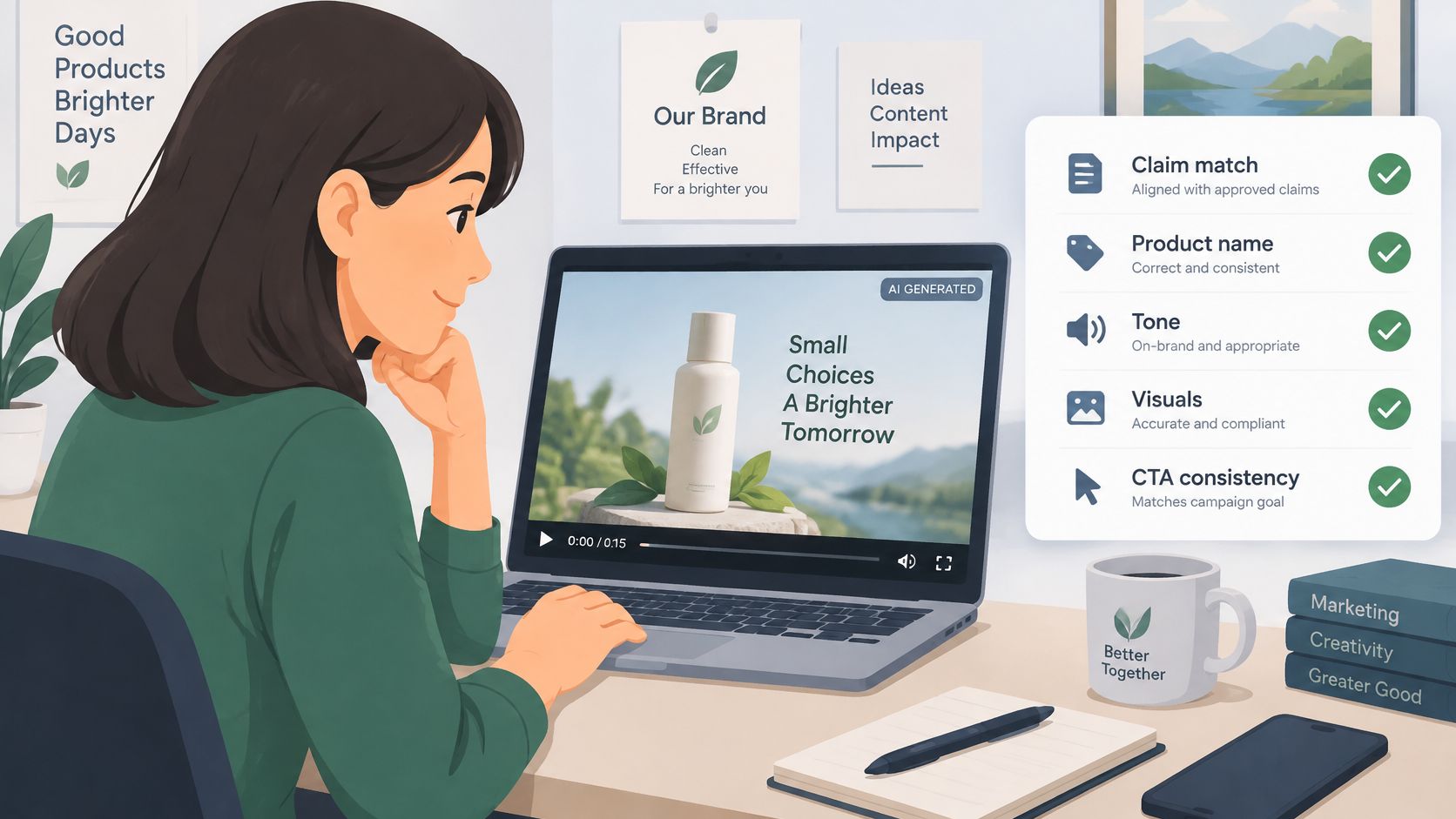
Check meaning before appearance
Watch for three common misreads: a hero image presented as the whole product, navigation labels used as the value proposition, and a number that the page never substantiated. Attractive motion doesn't make any of those acceptable.
Review checks and the fix for each failure
| Check | What failure looks like | Fix |
|---|---|---|
| Claims | A number or feature the page never stated | Remove any misleading claim from the page and regenerate; reject unsupported output |
| Product terms | Renamed features or wrong capitalisation | Match headings and buttons exactly |
| Brand fit | Off-colour accent or wrong logo | Correct the saved brand before regenerating |
| Readability | Text too small or too long on screen | Shorten the headline and regenerate |
| Call to action | Link leads nowhere useful | Point the CTA at a working signup page |
An unsupported claim can't be removed from a page that never contained it. In that case, reject the render, clarify any ambiguous source wording, and don't publish until a regenerated version passes.
Open the MP4 on your phone at normal viewing size. Check whether the product name, benefit, and action survive without zooming, and use the launch video specifications guide when preparing the destination format.
Check rights separately from accuracy. Your right to publish a generated video depends on your rights in the page material and assets, including logos, screenshots, customer quotes, and imagery.
ShipTeaser review protects the promise, not just the pixels.
If a check fails, correct the source page or relevant brand information and regenerate. ShipTeaser doesn't provide a timeline for repairing a misleading scene after generation.
Disclose AI Use Without Losing Trust
Disclose briefly rather than hoping nobody asks. For an unfamiliar startup, uncertainty about what's real can undermine the product message more than a plain explanation of how the promotional asset was made.
In a 2025 survey of 5,000 consumers across 14 markets, RWS found that more than 80% believed AI-created material, including video, should be clearly labelled, while 62% said transparency would increase their trust in a brand. Those are attitudes, not evidence that a disclosure will improve your signup rate.
Describe what AI actually did
Use AI-assisted when that accurately describes AI assembling or animating your own product copy and assets. Use fully AI-generated when that more accurately describes the material viewers are seeing.
A useful disclosure explains the boundary. For example, a founder could write that the promotional animation was AI-assisted and that the interface imagery comes from the product landing page, provided both statements are true.
- Caption: Put a short explanation beside the launch post so viewers encounter it with the teaser.
- Description: Add context about the source assets when the publishing surface supports a longer description.
- Landing page: Explain the production method near the video when the asset needs more context.
Don't imply that an animated screenshot is a recorded product session. Motion graphics can explain a benefit, but motion alone doesn't prove that a workflow ran successfully.
Test comprehension alongside performance
For a practical experiment, compare disclosed and undisclosed versions over a two-week window where publication rules permit both. Treat that duration as an operating choice, not a guaranteed testing standard, and keep the hook, destination, and publishing conditions as comparable as possible.
Measure watch-through, click-through, and completed signups. Also read the replies: questions about whether the interface is real reveal a comprehension problem that engagement figures won't explain.
Don't remove a required disclosure to run an experiment. Where a label is mandatory, compare label wording or placement instead.
Trust rule: Explain the production method without exaggerating what the video proves about the product.
ShipTeaser doesn't need a dramatic disclaimer to be understood. A short, accurate explanation is better than either hiding AI involvement or burying the launch message under production terminology.
Is 30 Seconds Enough for an Unfamiliar Product?
Thirty seconds is enough to earn a click, but usually not enough to teach an unfamiliar setup workflow. Treat it as a fixed limit: the review needs to protect one promise, one proof point, and one clear next step.
A useful comparison for spoken video is about 35 to 45 words in 15 seconds at a natural pace, according to QuickReel's captioning guidance. ShipTeaser's silent 30-second motion graphics don't have a narration word budget. Viewers need time to read and interpret the visuals, so adding more copy can make the message harder to follow.
Shorter isn't automatically better
The 2025 Dash Social benchmark reported TikTok engagement of 5.0%, compared with 3.6% for Instagram and 3.4% for YouTube. It also reported that average Shorts views fell 20% over the prior six months while on-demand video views rose 121%. These figures measure different things across different viewing contexts; they don't establish an ideal teaser length.
A 2024 report summarized by Publicnow found that videos under 15 seconds performed well on Instagram and X, while TikTok favoured videos between 15 and 60 seconds. Those ranges offer context, not a universal rule. ShipTeaser's 30-second format gives you room to make one point clearly, not to explain every step of an unfamiliar product.
- Use the teaser to state the benefit and show a recognisable product image.
- Give deeper proof elsewhere when a buyer needs to understand permissions, integrations, configuration, or a sequence of actions.
- Choose a focused destination if the homepage doesn't answer the question the teaser raises.
The difference between a product demo video and a teaser comes down to the job each one does: the teaser earns attention, while a deeper demo explains the workflow. Point viewers to the page that supplies the proof the 30-second video cannot fit.
Run a Weekly Launch Video Routine
A weekly video routine needs a real release to support it. Tie each teaser to a shipped change, such as a feature that lets founders group duplicate feedback requests before planning a release. A focused update gives the video a clear promise; a broad product claim is harder to make specific.
Give each day a defined job
- Monday, select the change. Choose a shipped feature and name who benefits.
- Tuesday, check the product page. ShipTeaser reads the URL you submit, so make sure the page explains the change and reflects what users can access now.
- Wednesday, generate the teaser. Paste the URL. ShipTeaser returns a 30-second, 1080p MP4, built from the page's copy and brand, with five beat-cut scenes: hook, problem, solution, proof and call to action.
- Thursday, review the video. Protect one promise, one proof point and one clear next step. Check that each line reflects the page, the terminology is accurate, and the on-screen text is readable at phone size.
- Friday, publish deliberately. Match the video to the release and its destination. For a Product Hunt gallery, upload the MP4 to YouTube, set it to public, then paste its full URL into the gallery.
A weekly cadence only works if there is time to review every render. ShipTeaser does not have an editor, so unclear or inaccurate output needs to be caught before publishing. Keep a local copy of an approved free demo video: free demos have no retention guarantee and may be removed.
Builders using a coding agent can also use ShipTeaser's MCP server. Ask the agent to make a video for a feature you just merged; it gathers context from the repository and returns a video link in your library.
Buy for the cadence you can sustain
Compare each plan's monthly allowance with your actual release pace and the time you can give to review. More videos do not help if they outnumber the changes worth announcing.
ShipTeaser plans
| Plan | Monthly price | Videos per month |
|---|---|---|
| Starter | $99 | 4 |
| Growth | Check current plan details | Check current plan details |
| Studio | $299 | 16 |
Starter and Studio include three revisions per video, a view counter, and cancellation at any time. Starter and Studio videos have no watermark. Studio also includes a priority render queue and a public page without the ShipTeaser badge. Check current Growth plan details before choosing.
Start with the free first video, with no account, card, or brief required. Then compare the paid plans with the releases you can support and the review capacity to publish each video accurately.
FAQ
Does ShipTeaser add a voice-over?
No. ShipTeaser makes a silent 30-second teaser with no voice-over or narration. On-screen copy and motion graphics carry the message, so review whether they make one promise, one proof point and one next step clear.
Can I edit the teaser in ShipTeaser?
No. ShipTeaser has no timeline or clip editor. If the video contains a spelling error, misleading claim or unclear promise, fix the source page and generate a new version for review.
How much does ShipTeaser cost?
The first video is free, with no account or card required. The Starter plan is $99 per month for four videos. Studio is $299 per month for 16 videos. Check ShipTeaser's pricing page for other plan details.
Should I label a teaser made with ShipTeaser as AI-generated?
Make the disclosure accurate to how the asset was made. A brief note in the caption, description or landing page can tell viewers that AI helped create the video. Check the publication rules for the channel where you post.
ShipTeaser turns a product URL into a 30-second motion-graphics teaser without a prompt, editor or voice-over. Visit ShipTeaser to make your free first video, then review the finished asset before publishing.