You have a product, a landing page, and a launch date that won't move. The missing asset is often a short product video, not because the idea is unclear, but because scripting, recording, editing, and formatting consume time you need for the launch itself.
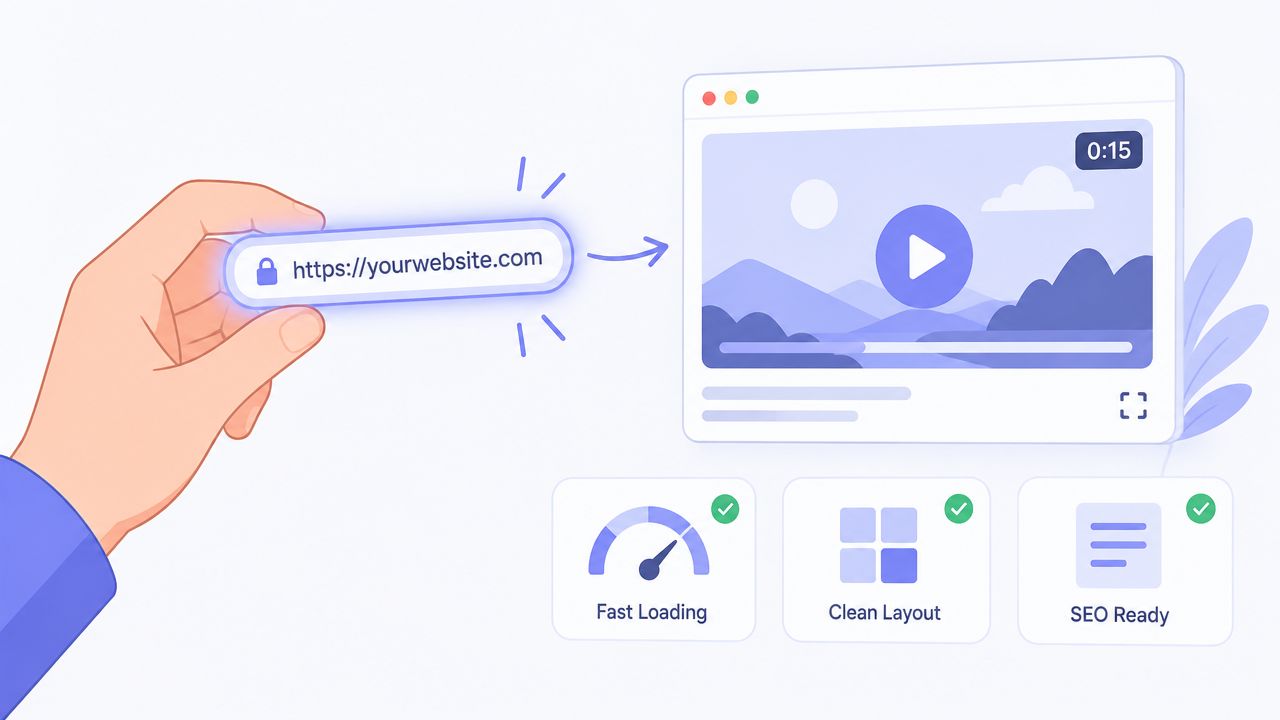
To convert a link into a video, submit a public product URL to a URL-first generator that extracts the page's copy, screenshots, and brand cues, then turns those inputs into a short rendered asset. ShipTeaser creates a 15-second, 1080p, silent motion-graphics teaser in about 2 minutes, with an optional music bed and exports for common screen ratios.
The Launch Problem With Video Production
Early-stage founders usually discover the problem late. The landing page is ready, the product works, and the announcement copy is drafted. Then someone asks for a launch video, and the work expands into a separate production project.
A manual process requires a script, screen captures, visual decisions, timing, editing, review, and exports. A founder who should be testing the product message ends up assembling scenes. That delay matters because launch content works best when it reflects the current product, not a version that changed several days ago.
A strong product launch strategy for creators treats content as part of the launch system rather than an isolated design task. A short teaser fits that approach because the landing page already contains the core material: the promise, the problem, the product interface, and the next action.
Practical rule: If the landing page can't explain the product clearly, a video generator won't repair the message. Fix the page first.
ShipTeaser is a practical example of the URL-first path. You paste a product link, and ShipTeaser analyzes the visible page content before producing a fixed-length teaser. The workflow is designed for a founder who needs a usable launch asset quickly, not for someone building a long-form production with a timeline and extensive post-production.
The same distinction appears in why launch videos fail. Many launch videos fail because they add motion without sharpening the offer. A short format forces a decision about what the viewer must understand before the final call to action.
How to Convert a Link Into a Teaser Video
The process is simple, but the input still matters. A URL-to-video workflow isn't a magic button that understands every business model. It reads the page you provide, so the page needs a visible, coherent message.
Start with the right page
Use the public product landing page, not a vague homepage with several unrelated paths. The generator should find a clear product name, a specific promise, supporting screenshots, and a visible action such as joining, trying, or launching.
Before submitting the URL, check four things:
- The headline names the outcome. “Organize your customer feedback” gives the system more direction than “A better way to work.”
- The page shows the product. Screenshots provide concrete visual material for motion graphics.
- The problem appears in plain language. The video needs a bottleneck to establish before presenting the solution.
- The brand is visible. Colors, logos, typography, and interface styling help keep the teaser aligned with the page.
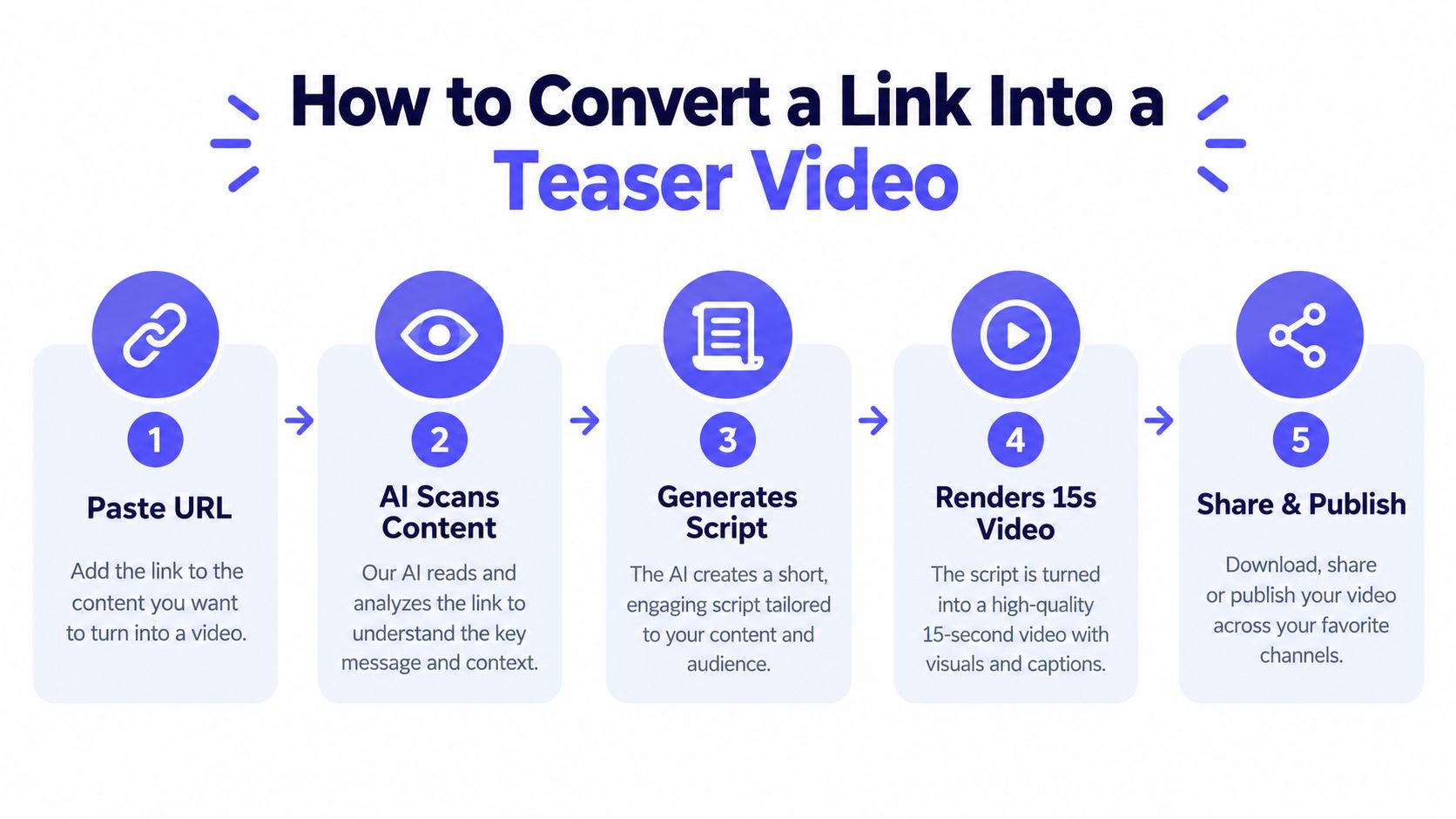
Paste the URL into ShipTeaser's AI teaser video maker. The system uses the page as the source of truth, extracts visible product copy and brand cues, and generates a short script and visual sequence.
Understand the five-scene output
The resulting teaser follows a fixed structure:
- Hook: States the product promise.
- Problem: Shows the bottleneck or frustration.
- Solution: Presents the product as the response.
- Proof: Reinforces the claimed result or product evidence.
- CTA: Tells the viewer what to do next.
ShipTeaser produces a 15-second, 1080p, silent motion-graphics video in about 2 minutes. Silent means there's no voice-over or narration. You can add an optional music bed, but the message must still work when viewers watch without spoken audio.
Choose the format based on placement. 16:9 exports at 1920 by 1080, 1:1 exports at 1080 by 1080, and 9:16 exports at 1080 by 1920. Use the wide version for a launch page or presentation, square for compact feed placements, and vertical for mobile-first social publishing.
The output is ready to download and post. It isn't a full editor, so review the script and scene logic before treating the file as final.
Why Short Product Teasers Outperform Longer Videos
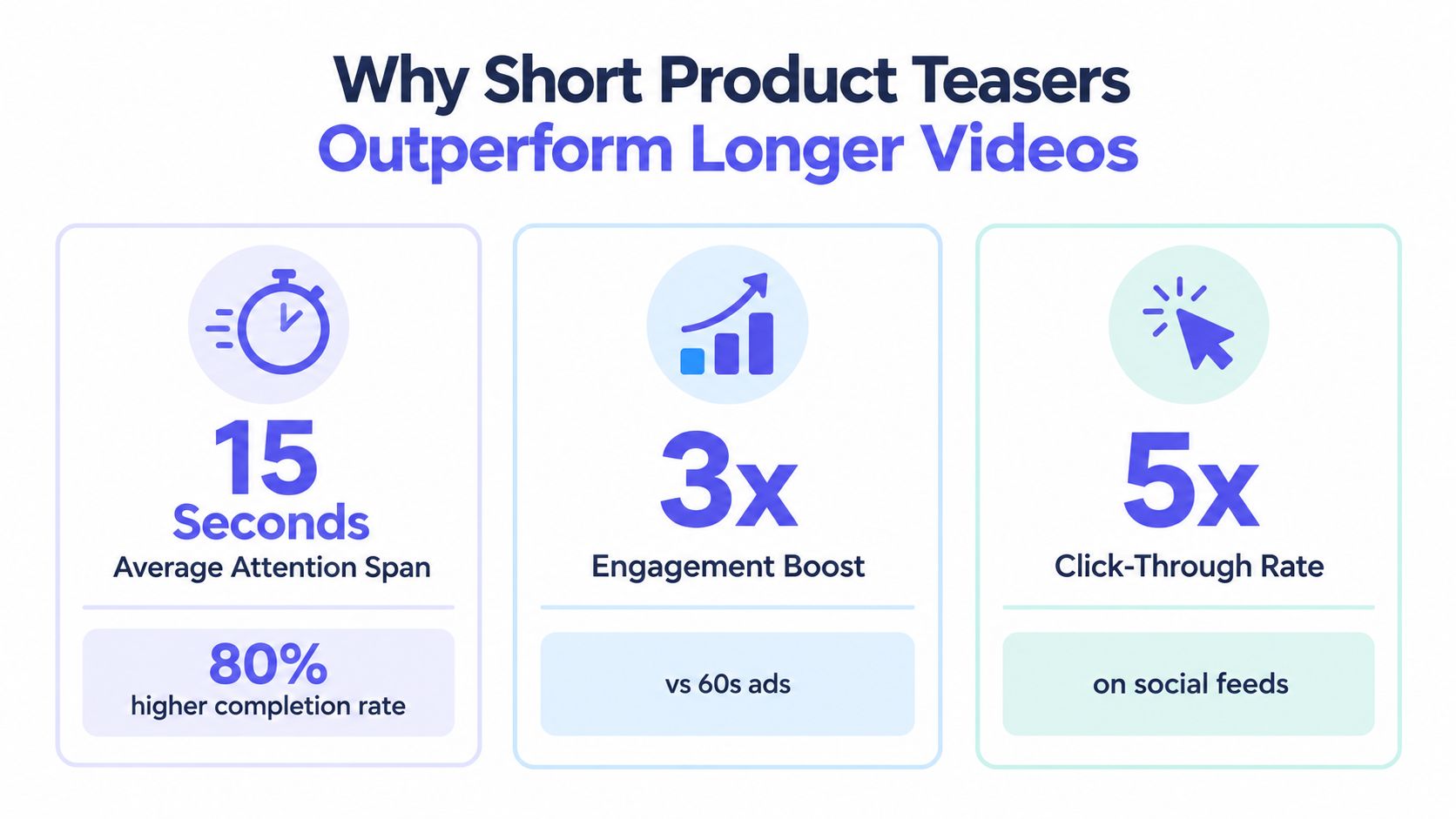
A launch page can contain a strong product and still lose attention before the value is clear. A 15-second teaser gives the viewer one focused message and one next step. It should explain the product quickly, not document every feature, replace product support, or demonstrate an entire workflow.
Product-page video matters because shoppers often use visual information to judge an offer. Independent ecommerce research found that 61% of shoppers say product images and videos are the most important product-page element when completing a purchase. Website video also tends to receive strong play rates on homepages, video galleries, and product pages. Founders should use this evidence to place a teaser where purchase intent already exists, rather than treating every URL as an equally useful source. See Shopify's video marketing statistics for broader context.
Short length changes the creative brief
Analysis of more than 14 million videos in 2024 found that videos under one minute achieved 50% average engagement. How-to and explainer videos under one minute reached 82%, the highest result in that comparison. The same analysis reported that nearly 40% of viewers convert on calls to action placed in the first quarter of a video under 60 seconds. These figures appear in the landing page statistics report.
The numbers do not guarantee performance for every launch asset. They support a practical decision rule: show the product early, keep one message on screen, and place the action before viewers have to wait through a long introduction.
Page placement matters too. Benchmark summaries report increases of up to 80% for pages with video. One cited case found a lightbox video raised conversion from 6.5% to 13%, while inline embedded video lifted conversion by 69%. Use these figures as directional benchmarks, not promises. A teaser cannot repair an unclear offer, weak page structure, or a URL with too little usable product information.
Short video is not automatically persuasive. It gives a clear message less room to become confusing.
The operational benefit is just as practical. A fixed format reduces review time, supports repeated announcements, and keeps each asset tied to one launch objective. Use a teaser for attention and a longer demo when viewers need detailed product interaction. This product demo video versus teaser comparison helps clarify that choice.
URL-First Video Versus Manual Editing and Agencies
A founder announcing a small release does not need the same production process as a brand campaign. Choose the method based on the message, the source page, and the amount of control the video requires. URL-first generation fits focused launch teasers. Manual editing fits detailed product demonstrations. Agency production fits campaigns that need broader creative direction and coordinated execution.
Three paths, three tradeoffs
URL-first generation begins with the page. Submit the link, and the system extracts its visible message and visuals before producing a video in a predictable format. This reduces asset collection and avoids local editing software. The tradeoff is limited control. A thin page, vague headline, or nuanced value proposition can produce a generic result. A bad URL does not become a strong script through automation.
Manual editing gives you control over every frame. You choose the interface state, product behavior, pacing, and narrative sequence. That control requires founder or team time. Someone must collect assets, write the script, assemble scenes, review the pacing, and prepare separate exports for each channel.
Agency production adds external expertise and wider creative direction. It can deliver a more customized result, while introducing briefing, feedback, scheduling, and handoff steps. That process suits a major campaign with a defined budget and review capacity. It is usually too heavy for testing a message or announcing a small product release.
The AI video generator market is expanding, which supports continued demand for automated creation. That growth does not prove that automation fits every creative brief. The decision still depends on whether the page contains enough material to explain the product and whether the chosen format matches the platform.
Use the lightest process that meets the goal
Start with URL-first generation when the page has a clear promise, a visible product interface, and one action for viewers to take. The workflow works best for short launch teasers built from information already available on the page.
Choose manual editing when the story depends on exact screen behavior, a particular sequence of interactions, or detailed technical explanation. Choose an agency when the campaign needs original visual direction, multiple stakeholders, or production work beyond the source page.
A simple decision rule helps: if the page can support the message, use the link. If the message depends on material absent from the page, edit manually. If the campaign requires coordinated creative production, bring in an agency.
ShipTeaser's plans are $99 per month for one video per week, $149 for two per week, and $199 for four per week. The first video is free, and no credit card is required. Judge the subscription by your launch cadence, not by the price alone. If repeated teasers save more founder time than they consume, the URL-first process earns its place. Use the link-to-video setup comparison to assess the available setup.
Practical Tips for Better Link-to-Video Results
Better output starts before generation. A URL-only workflow tends to overfit the most prominent elements on a page, especially the headline and hero image. If those elements are vague, the teaser may repeat generic promotional language instead of explaining why the product matters.
Prepare the source page
Check the page as if you're handing it to a writer who has no other context. The product name should be obvious. The headline should describe a useful outcome. The supporting copy should identify the problem, and the screenshots should show the product rather than decorative artwork.
Make the brand cues easy to detect:
- Use a consistent visual system: Keep the logo, colors, and interface styling aligned across the page.
- Show the product in context: A screenshot of the actual workflow gives the video something concrete to present.
- State one primary promise: Multiple competing claims make a 15-second sequence harder to follow.
- Put proof on the page: Include a specific product result, customer signal, or useful evidence only when the claim is accurate and visible.
- Make the CTA explicit: Tell the viewer whether to try the product, join the launch, or read more.
Validate the rendered sequence
ShipTeaser's creative structure is explicitly five scenes: hook, problem, solution, proof, and CTA. The sequence assigns a role to each beat, as documented in the breakdown of what AI product video does well and where it still fails.
Review the result for meaning, not just visual polish. Does the hook match the product? Does the problem describe a real bottleneck? Does the solution show the actual product? Does the proof stay within the claims on the page? Does the CTA tell the viewer what happens next?
If the answer is no, change the landing page before expecting a better render. The source page controls the quality ceiling.
When to Use a URL-to-Video Workflow
Use a URL-first workflow when your launch message is clear, your product is visible on the page, and the teaser has one job. It fits founders who need to announce a software product, test a positioning angle, or maintain a repeatable stream of short assets without turning every update into a production sprint.
The workflow works especially well for:
- Product announcements: Turn a current landing page into a concise launch asset.
- Founder-led distribution: Create a visual version of the same promise you're sharing in written channels.
- Message testing: Generate a teaser from a revised page after changing the headline or offer.
- Repeatable publishing: Keep the process tied to the page so new product versions produce new creative.
Don't use it as a substitute for a detailed demo. A thin page won't provide enough material. A product with a highly nuanced workflow may need a manually planned explanation. A teaser also shouldn't make claims that the landing page can't support.
The practical decision rule is simple. If the page can communicate the problem, solution, evidence, and next action in a compact sequence, try the URL workflow. If the page needs a long explanation before the value becomes clear, improve the page first or choose a more controlled production method.
After exporting, connect the asset to your launch calendar. Founders planning video distribution can also review this guide on how to schedule your YouTube uploads, then decide where the teaser belongs based on the audience and the launch objective.
The category is expanding quickly, but the core judgment remains yours. Don't expect a bad URL to produce a persuasive video. Give the system a focused page, inspect the five scenes, and keep the teaser short enough to make one point clearly.
ShipTeaser turns a product URL into a 15-second, 1080p silent motion-graphics teaser in about 2 minutes, with optional music and 16:9, 1:1, and 9:16 exports. Try the first video free without a credit card, then visit ShipTeaser with your real launch page and compare the result against your next publishing deadline.
FAQ
Can I convert any link into a video?
A public product landing page is the right input for a URL-to-video workflow. Pages with a clear headline, visible product screenshots, recognizable brand cues, a stated problem, and one primary CTA provide the strongest source material.
What does ShipTeaser produce from a product URL?
ShipTeaser produces a 15-second, 1080p, silent motion-graphics teaser in about 2 minutes. The output follows five scenes, hook, problem, solution, proof, and CTA, and includes an optional music bed.
Which video ratios are available?
ShipTeaser exports 16:9 at 1920 by 1080, 1:1 at 1080 by 1080, and 9:16 at 1080 by 1920. Choose the ratio according to the destination where the launch video will appear.
Does ShipTeaser provide voice-over or narration?
No. ShipTeaser videos are silent, which means they don't include voice-over or narration. An optional music bed is available, so silent doesn't mean the export has no audio at all.
How much does ShipTeaser cost?
The first video is free, and no credit card is required. Paid plans are $99 per month for one video per week, $149 for two videos per week, and $199 for four videos per week.