You've posted the launch video, checked the thumbnail, and watched the first few reactions. The product is solid, but the video takes too long to explain what the product does, so viewers keep scrolling. For a solo founder, the problem usually isn't camera quality. It's the time spent turning approved product material into a clear story.
A good product demo video maker for an early-stage software team should turn verified landing-page material into a focused teaser, not give you an empty timeline and ask you to become a video editor. ShipTeaser accepts a product URL and produces a 15-second, 1080p, silent motion-graphics teaser in about 2 minutes, with five scenes, hook, problem, solution, proof, and CTA.
Why most product demo videos lose attention before the hook
Launch day creates a familiar trap. You record the interface, add a logo, list several features, and publish a video that technically demonstrates the product. The opening still feels like setup, the strongest proof arrives too late, and the viewer never reaches the call to action.
The failure usually has little to do with production polish. It comes from weak source material, unclear prioritization, and pacing that makes the viewer work. A product demo video maker should constrain those decisions by extracting claims, screenshots, and brand cues from the live landing page, then assembling one short narrative around the clearest product outcome.

The hook has one job
The first scene must answer a viewer's silent question: “Why should I keep watching?” A product name alone isn't enough. Lead with the problem or outcome, then show the product as the response.
A useful five-scene sequence looks like this:
- Hook: State the costly or frustrating problem.
- Problem: Make the situation recognizable to the target buyer.
- Solution: Show what the product changes.
- Proof: Use a product screen, workflow, or concrete visual cue.
- CTA: Give the viewer one next action.
ShipTeaser follows this structure in a fixed 15-second format. The output is silent, which means no voice-over or narration, but an optional music bed can support the motion graphics. Founders can choose 16:9, 1:1, or 9:16 layouts for different publishing contexts.
Constrained generation beats open-ended editing
Open-ended editors offer freedom, but freedom creates work. You still need to write the script, choose the evidence, arrange the timeline, check brand consistency, and decide what to remove. An agency can handle those tasks, but the process introduces handoffs and makes frequent iteration harder.
Constrained generation starts with a narrower question: what can the current landing page prove? That constraint reduces the chance of adding unsupported benefits, outdated screenshots, or functionality that the product doesn't provide. For a practical guide to opening seconds, see how to build a three-second hook.
Practical rule: If the landing page can't support the claim, the teaser shouldn't make the claim.
How short product demos actually influence decisions
A short teaser earns its place when it helps a buyer move, not merely when it collects views. Digital video can support several parts of the purchase path. In a Google-commissioned Boston Consulting Group survey of 10,117 adults in the United States, conducted in March 2025, among shoppers who said digital video influenced their path, 50% said video created awareness, 43% said it generated buying interest, 45% said it helped them choose a product or brand, and 34% said it prompted them to buy a specific item. The survey summary from Google and Boston Consulting Group provides that context.
Those figures support a practical conclusion. A demo doesn't have to explain every feature to matter commercially. It needs to make the product recognizable, clarify one value proposition, provide enough proof to support consideration, and point toward a relevant next step.
Why 15 seconds is a useful constraint
HubSpot's summary of Wyzowl's 2025 research reported that 89% of businesses used video marketing, while 55% produced videos entirely in-house, 14% outsourced production, and 31% used a combination of internal and external resources. The same summary reported that 93% of marketers said video delivered a strong return on investment. HubSpot's video marketing statistics show why a lightweight production workflow matters to small teams. Video is already a normal business format, but many teams still need a way to produce it without a dedicated production function.
The format also matches documented short-form behavior. HubSpot reported that 83% of marketers believed videos should be under 60 seconds, and 75% of viewers watched short-form video on mobile devices. A 15-second teaser fits that preference, but the length doesn't guarantee performance. It just forces a useful editorial decision: show one job, one proof point, and one CTA.
Views are not the commercial outcome
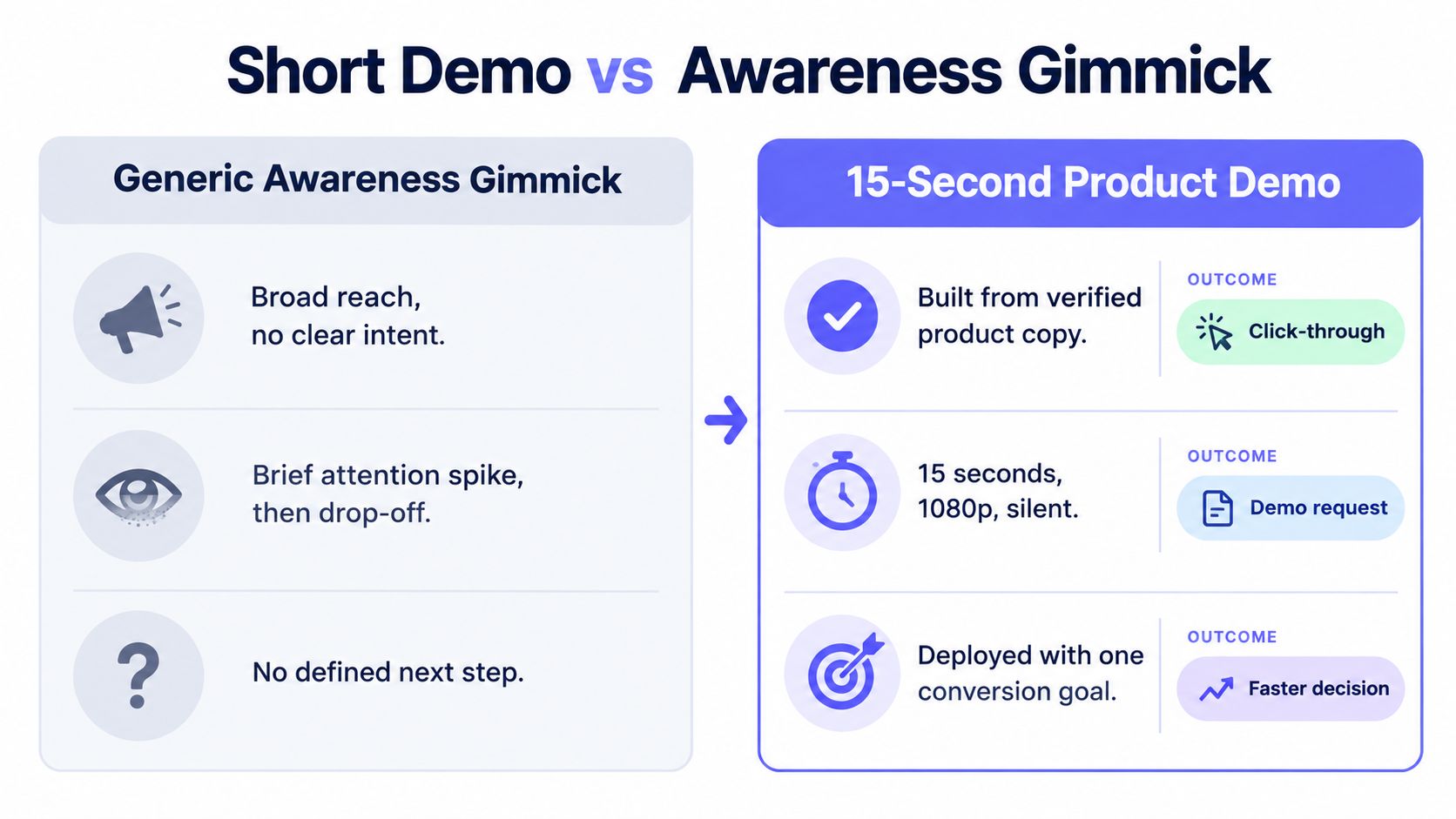
A teaser posted without a destination is an awareness asset by default. A teaser linked to a signup page, waitlist, feature page, or launch page can support a measurable action.
The strongest workflow is source-controlled and outcome-led. Extract approved claims from the current landing page, create the teaser, attach one tagged destination, and judge the asset by what happens after the click. The video should make the next step obvious, not invite the viewer to admire the animation.
Comparing product demo video maker paths for early teams
Early teams usually choose among three workflows. They can assemble each video manually, commission custom production, or use constrained generation from existing product material. The correct choice depends less on ambition than on cadence, source control, and how much time the team can spend on every revision.
| Approach | Input model | Output format | Brand control | Typical turnaround | Typical cost range |
|---|---|---|---|---|---|
| Constrained generation | Product URL, approved landing-page copy, visible screenshots, brand cues | Fixed 15-second motion-graphics teaser | Based on current page material and selected ratio | About 2 minutes for ShipTeaser output | First video free, then $99/mo, $149/mo, or $199/mo plans |
| Self-serve editing | Manual script, screen capture, recordings, screenshots, music, and design assets | Flexible timeline and export length | High, but managed by the founder or team | Depends on scripting, recording, editing, and review | Subscription or software cost plus internal production time |
| Agency production | Brief, workshops, product material, creative direction, and review rounds | Custom video shaped around the brief | High, with external creative management | Longer lead time because of planning and approvals | Custom quote and production commitment |
ShipTeaser accepts a single URL and returns a 15-second, 1080p, silent motion-graphics teaser in about 2 minutes. The first video is free and doesn't require a credit card. Paid plans are $99 per month for one video per week, $149 per month for two videos per week, and $199 per month for four videos per week.
Choose based on the work you repeat
Manual editing makes sense when the video needs precise timeline control, complex narration, or a detailed walkthrough. You control every cut, but you also own every decision. A founder preparing one flagship explainer may accept that trade.
Agency production fits a high-stakes launch where custom scripting, sets, talent, or a large review process matters. It's a poor default for a solo builder who needs a fresh launch asset each week.
Constrained generation fits the recurring job. A founder can update the landing page, generate a new teaser, review the claims, and publish a format suited to the channel. The workflow doesn't include AI avatars, voice-over, screen recording, stock footage, or a timeline editor. That limitation is the point. The output is a narrow asset for fast product communication.
For a broader look at what product demo workflows can include, Wideo product demo is a useful reference. For a URL-first workflow built around launch assets, see the product launch video maker.
Three realistic startup scenarios
A solo builder preparing for a weekly launch needs repeatability more than cinematic control. A small product marketing team testing several positioning angles needs consistent source material and predictable output. A funded startup preparing an investor update may need a custom narrative that a fixed teaser can't provide.
The decision should follow the job:
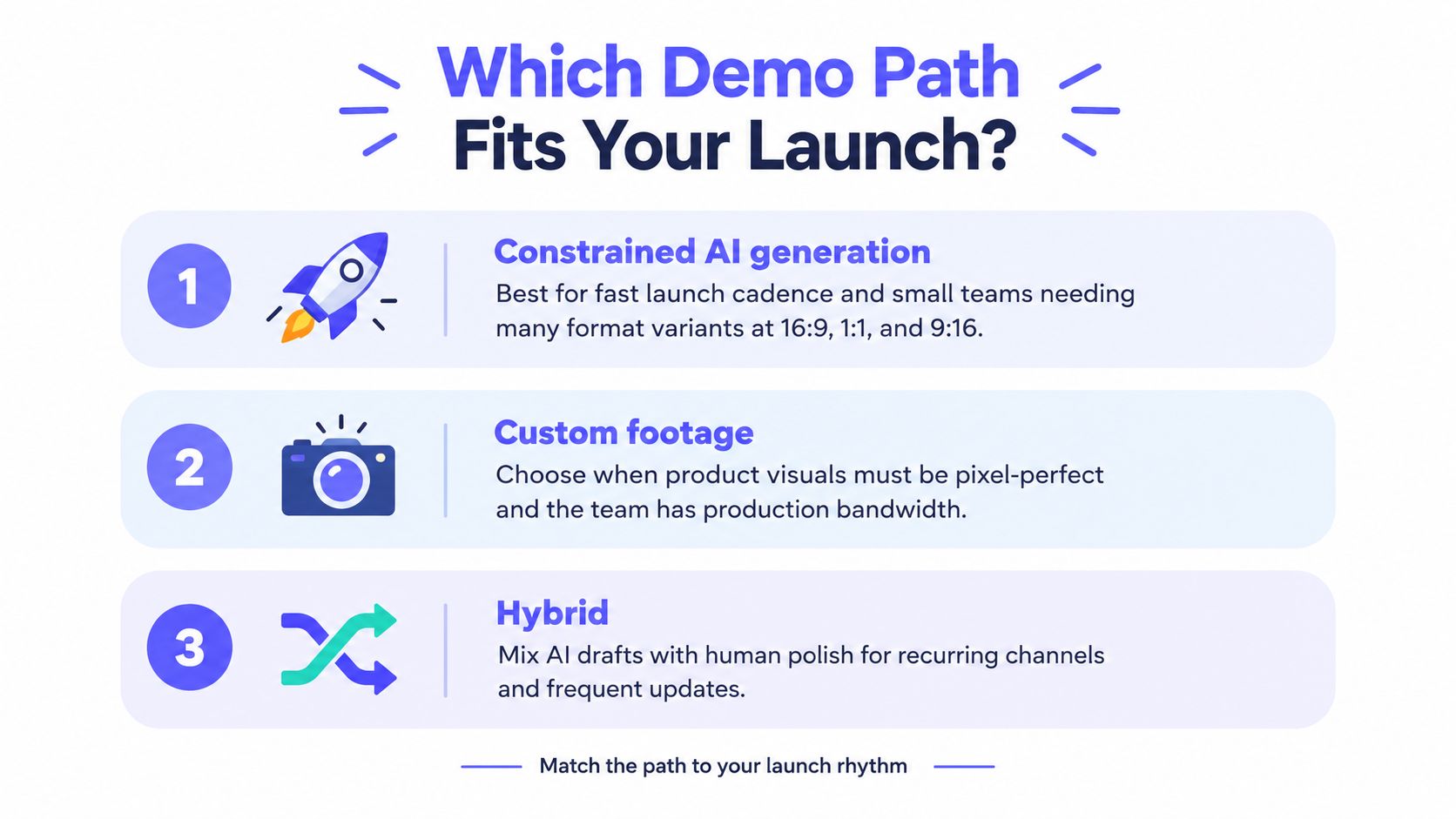
- Need frequent launch assets: Choose constrained generation.
- Need detailed product education: Use a manual editor with real screen footage.
- Need a custom flagship production: Bring in an agency.
- Need both speed and review: Generate a constrained first cut, then apply human approval before publishing.
When to use constrained AI generation versus other options
Use constrained AI generation when three conditions are true. Your team needs recurring video, the landing page is the approved source for product messaging, and the distribution channels favor short visual communication. If those conditions don't hold, choose a workflow that gives you the control you need.
Start with cadence. A solo builder preparing weekly Product Hunt posts, LinkedIn updates, X announcements, and email launches benefits from a repeatable format. The production system should make another version practical, not turn every update into a new project.
Ask three questions before choosing
How often will you publish? If the answer is occasional, manual production may be acceptable. If the answer is weekly, fixed scope and predictable output become more valuable.
Which claims must be approved? If every benefit requires legal or product review, use a workflow that exposes the source material before rendering. A landing page can act as the source of truth, but someone still needs to check the final claims.
Where will the video appear? A teaser intended for several channels should support the required ratios from the start. ShipTeaser produces 16:9, 1:1, and 9:16 versions, which covers common horizontal, square, and vertical placements.
Match the workflow to the risk
Choose custom footage when a viewer must see exact clicks, states, or interactions inside the interface. Choose a hybrid process when a generated draft can establish the narrative but a human needs to replace or refine product proof. Choose constrained generation when speed, consistency, and approved page content matter more than a fully custom sequence.
The important distinction is not “AI versus human.” It's controlled source material versus unsupported invention. Review the extracted claims, confirm that the screenshots are current, and maintain a “do not say” list for sensitive product categories.
A solo builder can paste a current launch page into the AI product video generator, review the resulting five-scene story, and decide whether the asset is accurate enough to publish. A product marketing team creating a detailed flagship explainer should use a more flexible workflow because the message needs more than one compressed narrative.
Source control matters more than generation speed. A fast video built on an unapproved claim is still a publishing problem.
How to measure a short demo beyond views
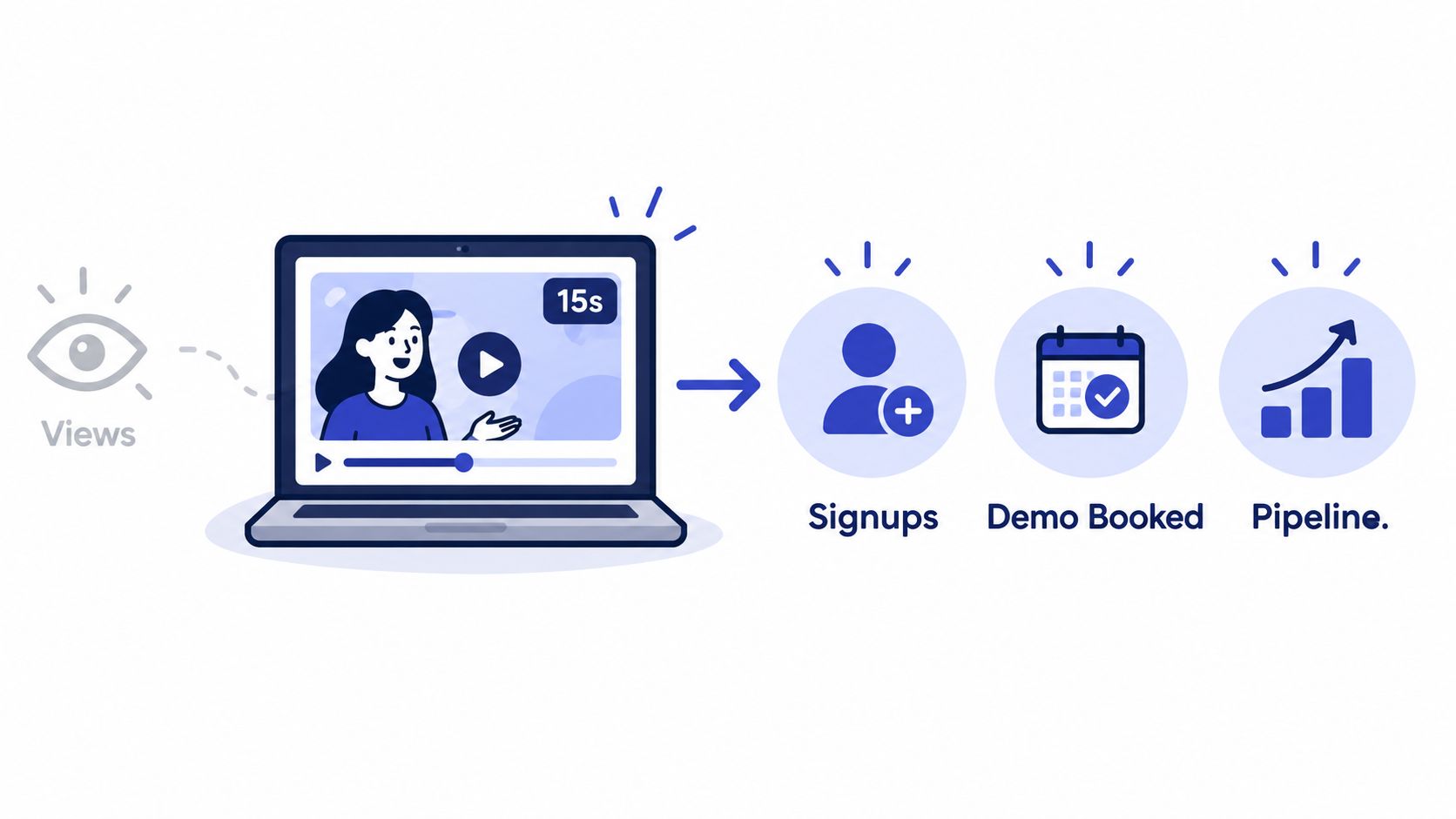
Views tell you that distribution occurred. They don't tell you whether the product became clearer, whether the viewer clicked, or whether the visitor activated. Founders should connect the teaser to a downstream event before publishing.
Use a lightweight protocol:
- Define the conversion event. Pick signup, waitlist submission, demo request, or product activation. Don't treat every action as equal.
- Tag each asset. Use a distinct campaign identifier for every video and channel destination.
- Track the viewing chain. Record play rate, three-second retention, completion rate, and click-through rate.
- Measure product movement. Follow signup conversion and activation after the click.
- Compare a control. Where possible, compare the video against a static launch post, screenshot, or no-video version.
Test one variable at a time
A high completion rate can coexist with weak signup performance. The hook may create curiosity, while the CTA fails to explain what happens next. If you change the opening claim, proof point, visual sequence, and destination simultaneously, you won't know what caused the result.
Run a clean iteration. Keep the product and destination constant, then change one element, such as the opening problem or the proof scene. Use the same logic when comparing channels. Raw views across LinkedIn, X, Product Hunt, and email aren't directly comparable because audience size and intent differ.
For a broader framework covering metrics SaaS founders need, connect video data to activation and retention rather than stopping at reach. ShipTeaser's product launch metrics guide can support the same discipline around tagged assets and post-launch review.
Recommended approach for early stage software teams
For solo builders and small software teams, constrained generation should be the default for recurring launch content. You don't need a flexible editor for every announcement. You need a reliable way to turn current product messaging into a concise asset that can be reviewed and posted.
ShipTeaser's workflow is direct. Paste a product URL, receive a 15-second, 1080p, silent motion-graphics teaser in about 2 minutes, select 16:9, 1:1, or 9:16, and publish the version that fits the channel. The five scenes create a complete arc, hook, problem, solution, proof, and CTA, while the optional music bed adds movement without voice-over or narration.
Keep the landing page honest
The landing page should contain the claims you're willing to publish. ShipTeaser uses page copy, screenshots, and visible brand cues as source material, which keeps the generated teaser aligned with the current positioning. Review the output before posting, especially after a product change.
This approach won't replace every video workflow. There's no voice-over, screen recording, stock footage, dubbing, subtitles, translation, clip trimming, or traditional timeline editor. Use a self-serve editor for a narrated flagship explainer, and use an agency when the production needs custom talent, sets, or a high-touch creative process.
The recommendation is simple. Use constrained generation for weekly launch content and positioning tests. Use manual production when exact interface behavior or detailed education matters. Use an agency for rare, high-stakes productions. In every case, measure activation, not production volume.
Frequently asked questions
Can a product demo video maker replace a full launch campaign?
A product demo video maker can provide a concise launch asset, but it can't replace positioning, distribution, onboarding, or a clear conversion path. Use the teaser to introduce one product outcome, then send viewers to a signup page, waitlist, product page, or launch destination that continues the story.
How does ShipTeaser protect brand accuracy?
ShipTeaser generates from the submitted landing-page URL, using available page copy, screenshots, and visible brand cues. The safest process is to update the landing page first, review the extracted claims and rendered scenes, and reject any statement or visual that the current product can't support.
What output formats does ShipTeaser support?
ShipTeaser produces a 15-second, 1080p, silent motion-graphics teaser in 16:9, 1:1, and 9:16 ratios. Silent means there's no voice-over or narration. An optional music bed can be included, depending on the selected output.
What should founders do after publishing?
Attach one tagged destination to the teaser and define the conversion event before reviewing performance. Track play rate, three-second retention, completion rate, click-through rate, signup conversion, and activation, then compare the result with a static or no-video control where possible.
Is a 15-second teaser suitable for detailed product education?
A 15-second teaser is designed for awareness, launch announcements, and rapid positioning tests, not a complete walkthrough. Show one workflow or outcome, provide one proof point, and send viewers to a deeper product page or demo when they need more detail.
Try the free first video to turn your current landing page into a focused launch teaser without a credit card. Visit ShipTeaser to generate a 15-second, 1080p, silent product video, then connect the asset to a tagged signup or activation goal.