Most founders assume AI product video fails because the models aren't creative enough. The more expensive problem is usually simpler: the landing page is unclear, and the generator faithfully turns that ambiguity into a polished but misleading teaser. Adoption has already crossed the halfway mark among video marketers, with 51% reporting AI video creation or editing in 2025, while 41% of businesses said they used AI to create videos, up from 18% in 2023 (SellersCommerce video marketing statistics).
AI product video works best when speed, repeatability, and a clear landing page matter more than cinematic nuance. A URL-to-teaser workflow can produce a short promotional asset quickly and cheaply, but founders still need to review exact wording, product details, screenshots, and brand cues before publishing. AI wins for recurring launch content. Human editors win when the video carries high stakes, emotional nuance, or a precise story.
The Honest State of AI Product Video in 2026
AI product video is now fast enough to change launch planning, but still unreliable enough to require human approval. The key question is not whether a render looks polished. It is whether the product name, interface, pricing language, and visual identity remain accurate after generation.
A URL-to-teaser pipeline can turn an existing product page into a five-scene teaser in about two minutes. That is faster than an agency can scope a brief, gather assets, schedule a kickoff, and align on a first creative direction. ShipTeaser produces a 15-second, 1080p, silent motion-graphics teaser built around the hook, problem, solution, proof, and CTA. It supports 16:9, 1:1, and 9:16 formats, with optional music instead of voice-over.
That speed changes launch-day economics. A founder can generate a first draft while the landing page is still current, review it with the product or marketing owner, and publish without opening an editing timeline or waiting for an external production cycle. The trade-off is review time. Faster production shifts work from editing into fact-checking.
The ceiling is obvious once you inspect the frames
AI can misread feature copy, invent a UI state, change an object between frames, or reduce a distinctive brand to generic motion graphics. The VBench paper evaluates temporal quality across dimensions such as frame-to-frame stability. Other evaluation work separates text-video alignment, motion quality, and temporal consistency. A teaser can match the headline and colors while still drifting visually across its sequence.
Research also identifies vanishing subjects, changing numbers, omitted details, temporal distortion, and physically inconsistent motion as recurring failure modes. One benchmark study reported a 41% hallucination rate for the best-performing evaluated model in freeform dense video captioning (video hallucination benchmark summary). That figure does not describe every short teaser. It does establish the review standard: attractive footage is not evidence that every claim is supported.
Practical rule: Use AI for the first cut. Have a human approve every claim that can affect trust, conversion, or the launch narrative.
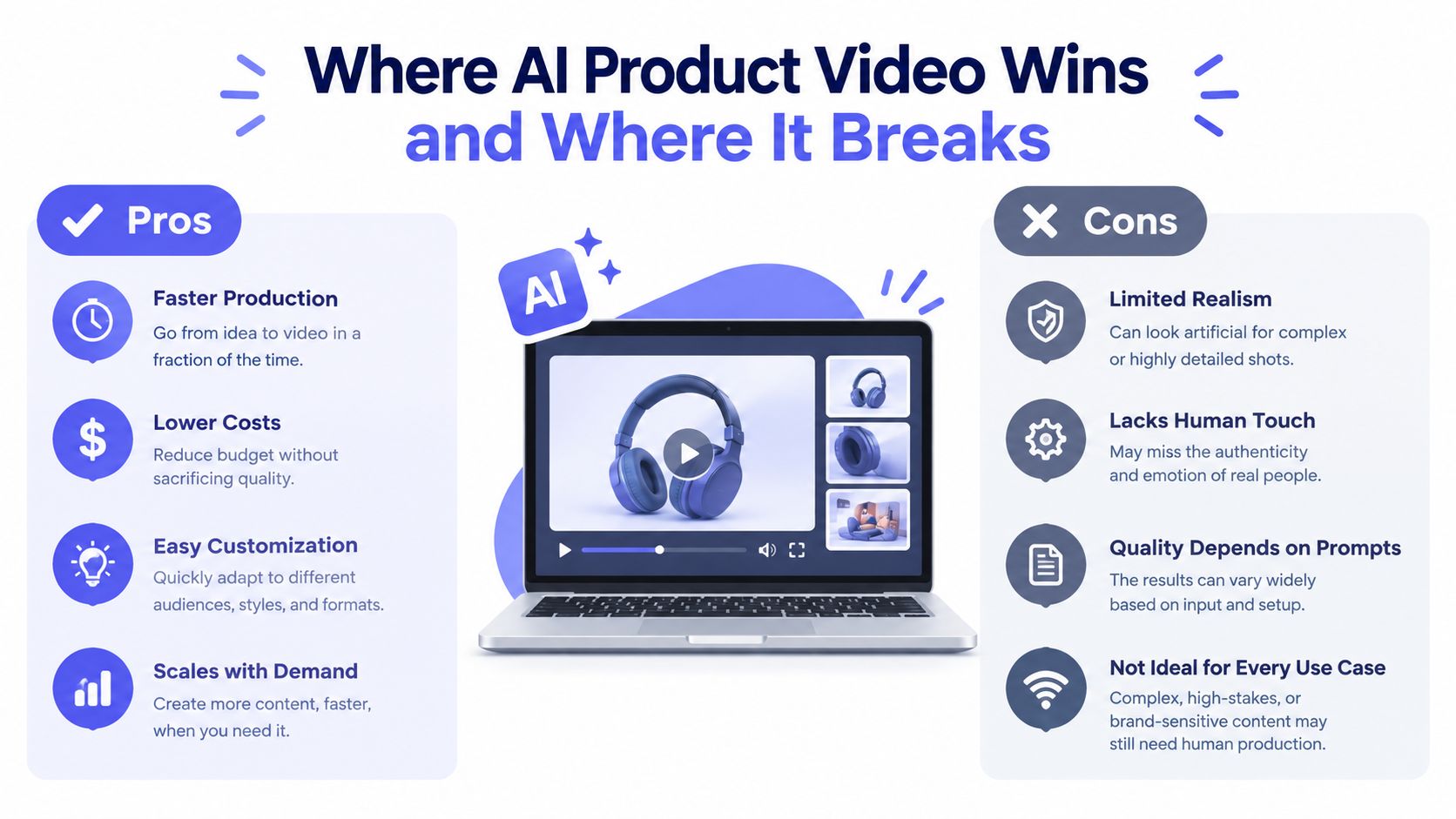
AI wins when the launch needs speed, repeatable formats, and frequent updates. It loses when the video depends on exact wording, distinctive product behavior, emotional nuance, or a carefully staged story. Use it for a weekly changelog teaser. Choose manual or agency production for founder stories, customer proof, and major fundraise announcements. For those assets, the extra review and production cost buys control where errors carry a larger price.
How URL to Teaser Pipelines Actually Work
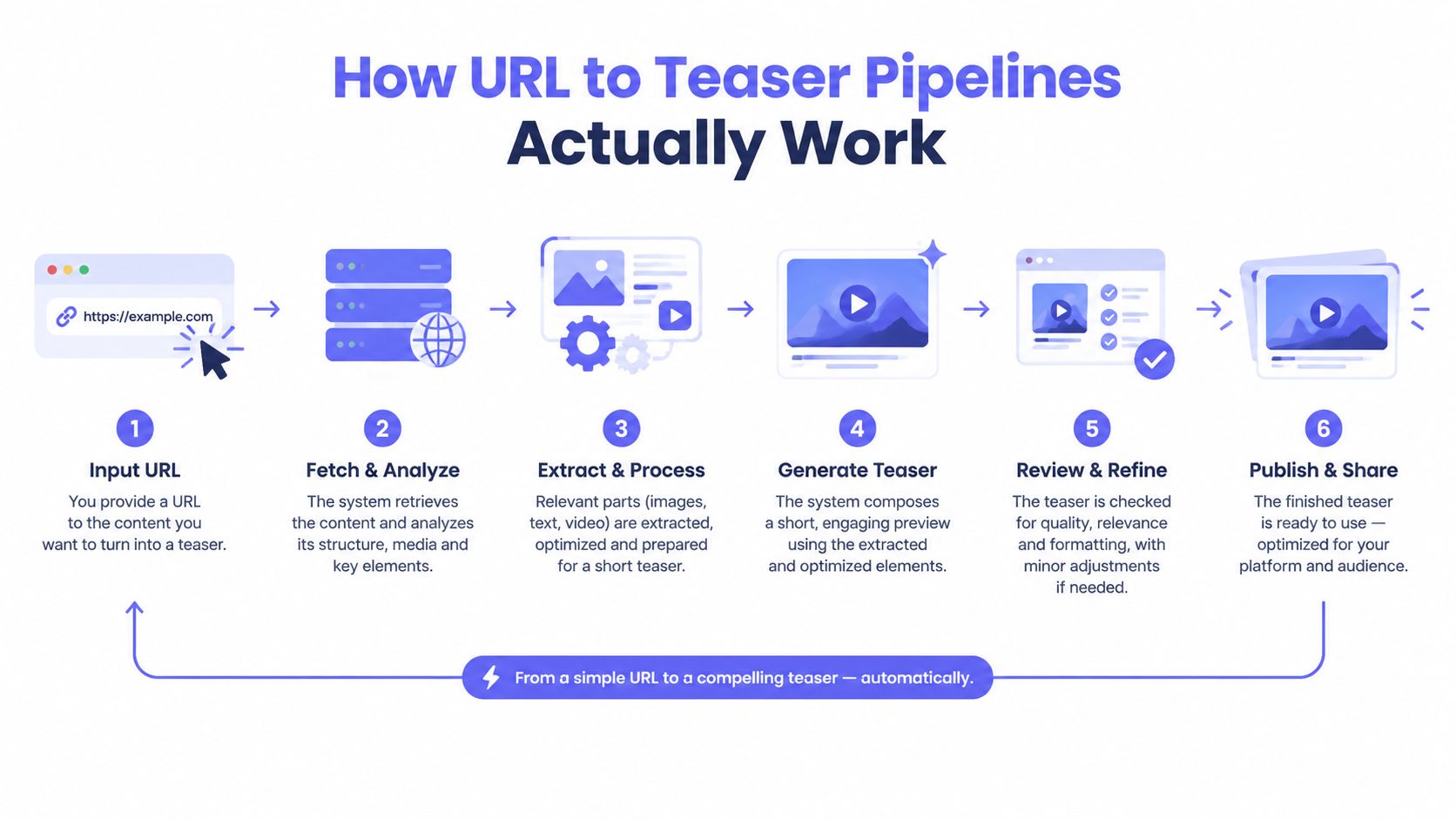
A URL-driven pipeline isn't magic. It's a compact production system that treats the landing page as the creative brief. The cleaner the page, the more useful the output.
The process usually starts when a founder submits the exact product URL intended for launch traffic. The system reads visible copy, identifies the product promise, extracts feature language and calls to action, and looks for usable brand cues such as colors, logos, screenshots, and typography. Independent launch guidance also recommends using the live page as the source for the buyer problem, product workflow, proof points, and CTA.
ShipTeaser follows that URL-first logic. A founder pastes a page and receives a 15-second teaser in about two minutes, rather than building a script, collecting footage, and assembling a timeline manually. The five-scene structure keeps the message narrow:
- Hook: State the attention-grabbing product promise.
- Problem: Show the frustrating task or bottleneck.
- Solution: Present the product as the answer.
- Proof: Reinforce the result with approved page content.
- CTA: Tell the viewer what to do next.
What controls the output
The pipeline's quality is bounded by the source page. If the headline says one thing, the feature grid implies another, and the CTA uses a third positioning angle, the generated scenes have no reliable hierarchy to follow. A URL-first workflow doesn't repair strategic confusion. It packages that confusion.
The format is deliberately limited. Short-form launch guidance centers on a hook, problem, product reveal, feature callouts, proof, and CTA, with exports adapted for 9:16, 16:9, and 1:1 placements. ShipTeaser doesn't provide AI avatars, voice-over, narration, stock footage, screen recording, a video editor, timeline controls, subtitles, dubbing, translation, clip trimming, or prompt-only text-to-video generation. The product is a fixed, silent motion-graphics output.
For founders evaluating this category, ShipTeaser's URL-to-video workflow is best understood as an automated first-draft system. Inputs control the result more than prompt cleverness does. Use one primary promise, one clear audience problem, one proof point that appears on the page, and one CTA.
AI Versus Manual and Agency Workflows
Founders usually compare tools by feature count. That's the wrong comparison at launch. The useful axes are time to publish, cash cost, control, and consistency.
A solo founder working manually has more control than an automated URL pipeline, but the founder also becomes the scriptwriter, screen recorder, editor, reviewer, and exporter. A freelance editor or agency can produce a more considered result, but the process introduces briefing, scheduling, revisions, and higher fees.
| Dimension | AI (URL to Teaser) | Manual (Solo Founder) | Agency or Freelance |
|---|---|---|---|
| Speed | About 2 minutes | About 1 day | 1 to 3 weeks |
| Cost | Free trial, then ShipTeaser plans at $99/mo, $149/mo, or $199/mo | Free to $29 per month | $50 to $300 per video for freelance work, $1,500 to $10,000 per video for agency work |
| Control | Low to medium | High | Highest |
| Consistency | High once the page and format are stable | Variable | Depends on the editor |
| Best use | Weekly teasers and first drafts | One-off edits with hands-on control | Hero launches and sensitive narratives |
The cost ranges above are practical workflow bands, not universal market rates. A solo founder may spend little cash but a full day of attention. An agency may charge more while saving founder time and adding creative judgment.
What each path really buys
AI buys cadence. A fixed format removes decisions. The founder supplies a URL, checks the scenes, and posts the asset. This is useful when the product changes often and the video only needs to communicate one clear update.
Manual editing buys control. The founder can choose exact screenshots, control every transition, and remove anything that feels generic. The trade-off is attention. A builder who spends a day editing isn't spending that day fixing onboarding, talking to users, or shipping product.
Agency production buys interpretation. A strong editor can turn a vague product into a narrative, select the right moment from a demo, and shape the emotional pace. The cost is not only the invoice. It's the slower feedback loop.
Founders building a broader short-form system can also review profitable video production for TikTok Shop for production principles that apply to concise social assets, even when the audience and product category differ. For brand consistency without a dedicated designer, this guide to on-brand video offers a useful operating perspective.
AI wins on speed and price. Manual work sits between AI and agency production. Agencies win on nuance and consequence.
Where AI Product Video Wins and Where It Breaks
A founder has an existing landing page and a Product Hunt entry scheduled for Monday morning. The founder needs a short teaser, not a brand film. The product promise is clear, the screenshots are current, and the CTA is already approved. AI is the right choice.
The same logic applies to a weekly changelog teaser. A recurring format doesn't need a new creative concept every time. It needs the latest feature, a recognizable visual system, and a reliable publishing routine. AI handles that volume better than a bespoke production process.
The breakpoints appear when the page isn't ready or the consequences are high.
Four launch moments with different answers
Pre-launch teaser: Use AI when the page already contains the final positioning and current screenshots. Review every scene before posting. The speed advantage matters because the founder can react to launch timing rather than schedule production weeks ahead.
Weekly product update: Use AI when consistency matters more than originality. A silent motion-graphics format works well for a concise update, especially when viewers may encounter the post without sound. Short-form video is commonly defined as content under 60 seconds, which fits the role of a compact launch asset (short-form video context).
No public landing page: AI becomes weaker when the founder pastes rough notes from a private workspace. The hierarchy is usually worse. Product terms, proof, and CTA language may sit at the same level, so the generated teaser has less reliable material to prioritize.
Series A announcement: Don't trust an unreviewed render. A wrong screenshot or fabricated metric can damage a fundraise narrative. A human editor should handle the hero edit, especially when the video needs to match a precise product demo flow, customer testimonial, or executive message.
For visual direction, founders can find video background examples before deciding whether motion graphics fit the product page. The decision is practical. AI handles volume and speed. Humans handle nuance and consequence.
A Weekly Launch Cadence Built Around URL to Teaser
ShipTeaser's actual pricing ladder is straightforward: the first video is free with no credit card, then plans cost $99 per month for one video per week, $149 per month for two videos per week, and $199 per month for four videos per week. Those plans fit a recurring teaser workflow, not unlimited experimentation.
The economics make sense when the founder treats each render as a launch touchpoint. The goal isn't to replace the product page or the launch post. The goal is to create a repeatable visual wrapper around the same positioning.
A practical seven-day rhythm
Monday, paste the URL. Use the page that launch traffic will see. Don't submit an outdated staging page or a vague homepage if the launch has a dedicated product page.
Tuesday, review the scenes. Check the product name, screenshots, feature claims, proof, CTA, logo treatment, and color choices. This review is where the founder catches errors before the audience does.
Wednesday, publish on LinkedIn. Use the 16:9 version for a product-page placement or a broad feed context. Keep the written post focused on the same promise as the teaser.
Friday, recycle the idea. Use the 1:1 or 9:16 version for a feed update, a short launch post, or a Product Hunt reminder. Don't change the promise between formats. Change the placement.
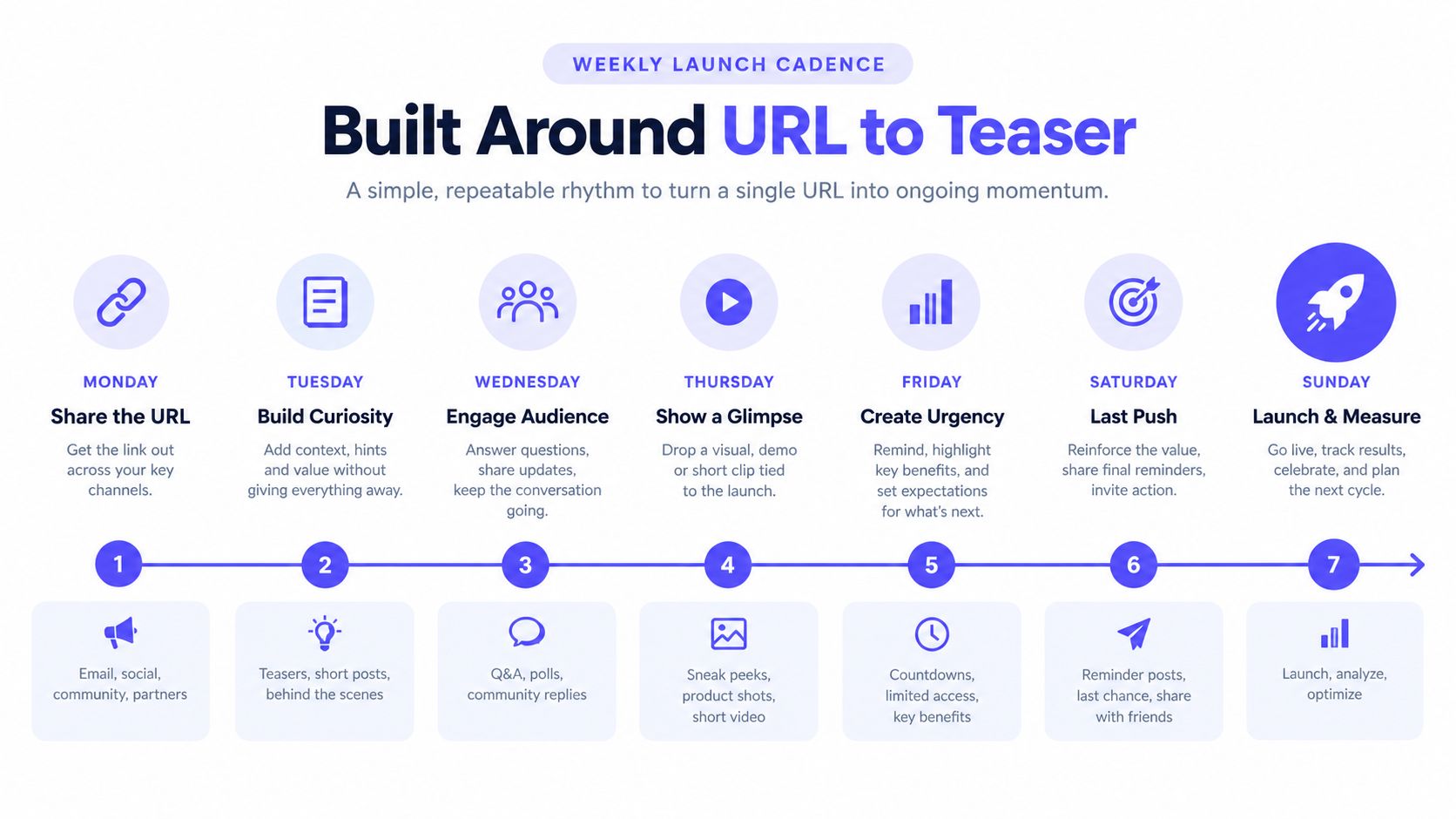
A founder running one weekly teaser should use the $99 plan. Two weekly videos fit the $149 plan. Four weekly videos fit the $199 plan, provided the landing page and review process can support that frequency. The meaningful saving isn't only production time. It's the reduction in waiting between a product change and a public explanation.
A typical agency cycle takes one to three weeks for an asset in the comparison above. That schedule can work for a planned hero launch. It's poorly matched to weekly product updates. Founders who want a more deliberate post-launch system can use this post-launch week framework to keep the teaser connected to the rest of the launch sequence.
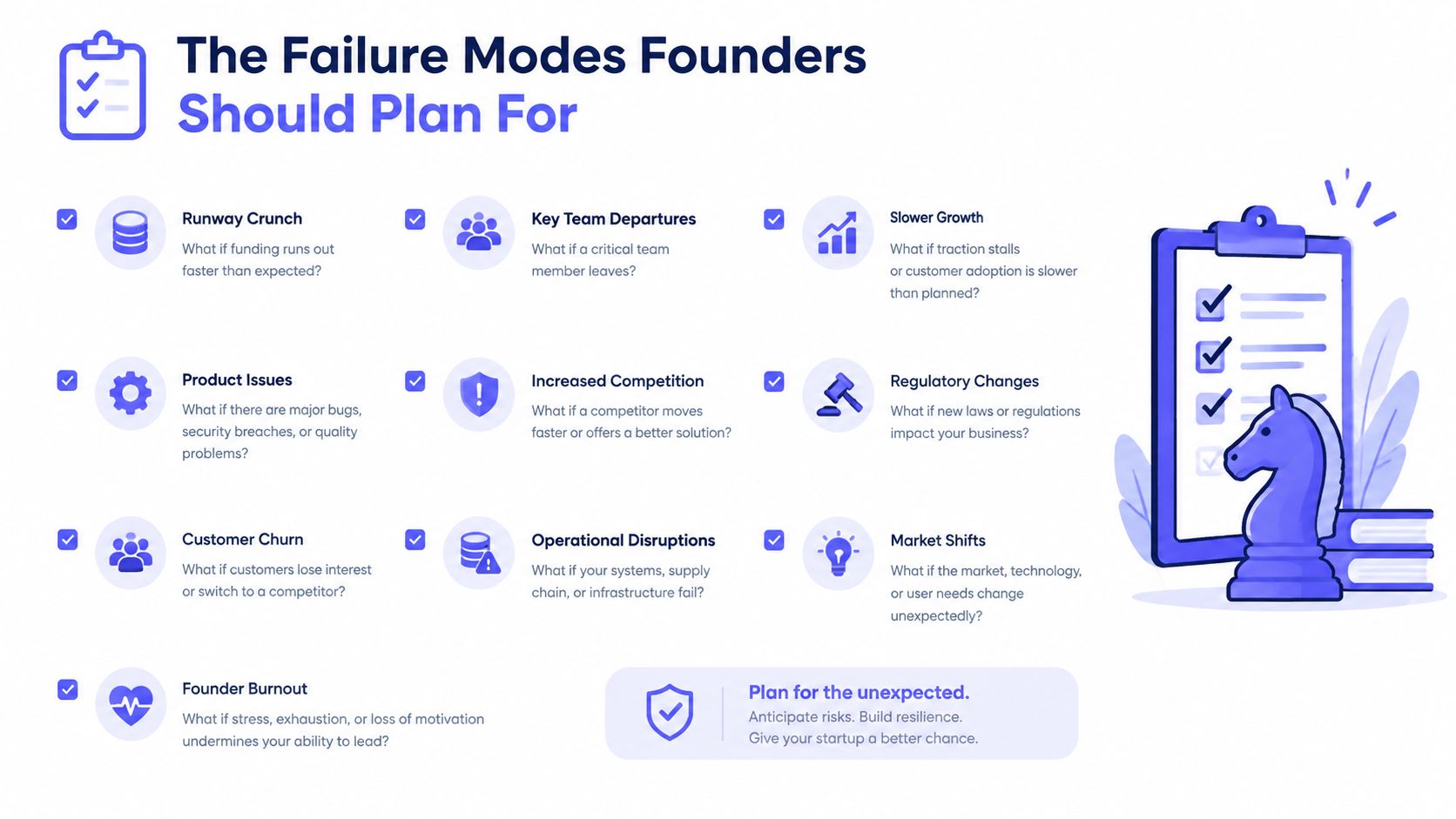
The Failure Modes Founders Should Plan For
AI video becomes expensive when review is treated as optional. A polished render with one incorrect feature, number, or screenshot can weaken trust on launch day and force a rushed correction after the page is already live.
The failure modes repeat across products. Hallucination invents a feature or metric. Temporal drift changes the interface between scenes. Brand-cue mismatch puts the logo on the wrong background, shifts a key color, or selects the wrong screenshot. Text becomes unstable when the video tries to preserve exact wording during motion.
Match each failure to a fix
Hallucination: Clean the landing page before generation. Remove unsupported claims, vague superlatives, stale metrics, and feature language the product cannot support. A precise source page gives the generator less room to invent and gives the reviewer fewer claims to verify.
Temporal drift: Watch the full teaser, not only the opening frame. Check for a changed UI state, a disappearing object, or a screenshot that no longer matches the page. A short human review finds these errors before publication, rather than after a founder has to explain them publicly.
Brand mismatch: Inspect the logo background, primary color, type treatment, and screenshot crop. If the system selects the wrong visual cue, correct the source page or override the result before export. The fix belongs in the input or review pass, not in a rushed post on launch day.
Exact text errors: Treat pricing, compliance language, counts, and ordered claims as high-risk content. Video evaluation research separates text alignment from temporal consistency because a render can communicate the broad message while failing to keep wording stable from frame to frame. As noted earlier, visual polish does not prove factual accuracy.
Voice-over drift creates another review burden for many AI video systems. ShipTeaser's silent format avoids narration as a failure point. Silent does not mean no audio. An optional music bed can support motion graphics without asking a synthetic voice to pronounce product terms or pricing language.
Set a human review pass under ten minutes per teaser. With a clean page, that pass confirms the render. With a messy page, it exposes a messaging problem that video production would only conceal temporarily.
For a deeper diagnostic checklist, read why launch videos fail. Landing-page hygiene determines teaser quality more than model sophistication.
When to Pick AI, an Agency, or Both
Don't make this a philosophical debate about whether AI can replace creative work. Match the workflow to the consequence of the launch.
A solo founder shipping weekly feature updates should use AI. A team preparing a keynote reel for a valuation milestone should use an agency or experienced editor. A founder preparing a Product Hunt launch with limited time may use AI for the initial teaser and reserve human production for the asset that carries the main narrative.
| Launch Type | Recommended Workflow | Typical Cost | Turnaround |
|---|---|---|---|
| Weekly feature update | AI URL-to-teaser | Under $50 per teaser when using a low-cost recurring workflow | About 2 minutes |
| Product Hunt launch | AI first draft, human review | Under $50 for the AI teaser, more if polished separately | Same day for AI, longer for polish |
| Series A demo day | Agency or senior editor | $2,000 to $8,000 per agency cut | Planned production cycle |
| Recruiting video | Agency or hybrid | $2,000 to $8,000 per agency cut | Planned production cycle |
| Customer testimonial | Human editor | Depends on footage and edit scope | Depends on review and revisions |
Use a simple decision rule
Pick AI when the page is live, the claim is simple, and the asset will be one of many. The fixed 15-second format is useful because scope stays narrow. You aren't paying someone to invent a concept for a minor release.
Pick an agency when the video must communicate trust through people, story, or proof. A customer testimonial needs judgment about pauses, emphasis, context, and credibility. A recruiting video needs a human point of view. A Series A demo day reel needs exact pacing and narrative control.
Use both when speed matters now but polish matters later. Generate the URL-based draft first. Give an editor the approved structure, screenshots, and brand direction. The editor then improves the moments that deserve attention instead of starting from a blank brief.
Ship the AI version first. Pay for human polish only when traffic, reputation, or fundraising stakes justify the extra cost.
Founder Questions on AI Product Video
Does the output look good enough for a landing page?
Yes, when the page makes one clear promise, uses current screenshots, and follows a restrained visual system. AI product video works best as a concise motion-graphics teaser. It is not a replacement for a directed product film.
Consumers show interest in this format. One 2026 report found 74% interested in receiving AI-generated videos from brands, up from 65% in 2025. Another comparison found only a 4% higher completion rate for AI-generated product videos than for traditional videos of the same length (AI video marketing statistics). Treat that as baseline validation, not a performance guarantee. A polished page and a clear message matter more than the AI label.
Is a URL enough, or should founders write a script first?
A clean URL is enough for a first draft if the page states the problem, product, proof, and CTA clearly. Write a script first when the page carries competing messages, weak hierarchy, or claims that require exact wording.
Fix the landing page before adding production work. The page supplies the source material. If its message is confused, the teaser will spread that confusion across scenes, screenshots, and captions.
What does a realistic weekly price look like?
ShipTeaser offers a free first video with no credit card, followed by plans at $99 per month for one video per week, $149 per month for two per week, and $199 per month for four per week. Those plans fit a recurring launch cadence better than a one-off agency project.
Choose based on product-change frequency and review capacity. A low monthly price still creates a cost in founder or marketer review time. If nobody checks each render before publication, the workflow is cheap but unsafe.
How reliable is the render across repeated runs?
Keep the input page, message, screenshots, and format stable to improve consistency. Expect useful repeatability, not pixel-perfect duplication. Prompt adherence, temporal stability, and frame-level quality are separate checks, so a render can succeed in one area and fail in another.
Review every version for exact counts, pricing, and multi-step explanations. AI can preserve a strong structure while still misrepresenting a detail that affects conversion or trust.
When does AI stop being the right choice?
Choose an editor or agency when the video needs a specific demo flow, a real customer voice, a founder's personality, or a high-stakes brand narrative. Use AI for the fast draft when cadence matters, then pay for human judgment where interpretation affects trust.
The decision is economic. AI wins when you need several timely assets from a clear page. Human production wins when one asset carries reputation, fundraising, recruiting, or customer-proof risk.
ShipTeaser turns a product URL into a 15-second, 1080p, silent motion-graphics teaser in about two minutes, with five scenes and exports for 16:9, 1:1, and 9:16. Try the first video free with no credit card, then visit ShipTeaser to choose a recurring plan for your next launch.