It's Tuesday morning. Your product launch is tomorrow, the landing page is ready, and you need a 15-second teaser before the day gets swallowed by customer calls and bug fixes. The visuals are mostly there. The script is half-written. Then someone asks, “What are we doing for the voice-over?”
That question can stop the whole asset. You can record yourself, hire a voice actor, generate synthetic narration, or skip narration and let the visuals carry the message. Each choice changes your turnaround, revision loop, brand feel, and ability to publish another teaser next week.
I've shipped enough short product videos to know that voice-over isn't mainly a quality problem. It's a throughput problem. The right option is the one your production cadence can support without turning every teaser into a miniature film project.
The Tuesday Morning Teaser Problem
A founder usually makes the voice decision last. The product is already chosen, the landing page has supplied the screenshots, and the motion sequence is taking shape. Voice-over gets postponed because it feels easy to add later.
It isn't always easy. The voice determines how long a visual stays on screen, where the hook lands, how quickly the edit moves, and whether the finished teaser feels intentional. A weak or unfinished voice track can make polished visuals feel like an internal draft.
The pressure gets worse when the teaser is due in hours rather than days. You record a take in a noisy room, dislike the delivery, rewrite the script, record again, then discover that the narration no longer fits the edit. By the time you solve the audio, the launch window is closing.
Practical rule: Treat voice-over as a recurring production input, not a final decoration.
For a founder-led product, the same decision comes back every week. A new feature needs a teaser. A launch needs a variation. A customer problem becomes a campaign angle. If every voice track requires a fresh round of casting, scheduling, direction, recording, and editing, your video workflow won't keep pace with your product work.
That doesn't mean professional narration is a bad choice. It means you need to judge it against the job. A major positioning launch may justify a carefully directed voice actor. A founder story may sound more credible in the founder's own voice. A rapid sequence of experiments may need a system that can produce and revise audio immediately.
The three realistic paths are self-recording, professional voice actors, and AI text-to-speech. None wins every category. The useful question is which one lets you ship this teaser and the next several without creating a new bottleneck.
What Voice Over for Video Actually Means
For a short promotional video, voice-over is spoken audio that supports the visual edit without requiring the speaker to appear on camera. It can explain the product, sharpen the hook, connect separate shots, or give a sequence a recognisable human tone.
Use this mental model: on-screen text carries the claim, visuals demonstrate the product, music sets energy, and voice-over adds spoken clarity and personality. Voice-over works best as one layer in that stack, not as permission to make the other layers vague.
A teaser voice track usually performs three jobs:
- It carries the hook. When sound is on, the viewer can hear the product promise instead of reading every word.
- It anchors pacing. The narration gives the editor a rhythm for cuts, pauses, product reveals, and the final call to action.
- It signals brand fit. A calm, direct founder voice feels different from a formal commercial read, even when both deliver the same words.
Voice-over isn't the same as on-screen text. Text remains essential for viewers watching without sound and for people who need to scan the message at their own pace. It also isn't the same as a music bed. Music can create momentum, but it rarely explains what the product does.

The founder toolkit narrows down to three practical production paths. Self-recording gives you direct control and an unmistakable personal connection. A voice actor gives you performance control, recording quality, and a polished interpretation. AI TTS gives you rapid generation, easy script changes, and repeatability across frequent assets.
Don't choose by asking which sounds most impressive in isolation. Ask two operational questions instead: How often will you need a new voice track, and what can you afford per minute of finished audio?
If you publish occasionally, quality and brand interpretation may outweigh speed. If you publish every week, revision friction matters more. A voice system that sounds excellent but takes too long to change can become the least effective option for a fast-moving team.
Self Recording, Voice Actors, and AI TTS Compared
The right comparison uses the criteria founders face, not abstract studio benchmarks. You need to know how much each route costs, how quickly it produces a usable file, whether it sounds like your brand, how easily you can revise it, and whether the voice remains recognisable across a sequence.
| Criteria | Self Recording | Voice Actor | AI TTS |
|---|---|---|---|
| Cost per finished minute | Usually the lowest direct cost, but uses founder time | Highest production commitment, depending on talent and usage | Usually efficient for repeated drafts and variations |
| Turnaround | Immediate when the founder is available | Depends on casting, scheduling, direction, and delivery | Fast from approved script to draft |
| Brand and tonal fit | Strong for founder-led products | Strong when the brief and direction are clear | Depends on voice selection, pronunciation, and controls |
| Iteration speed | Fast after a workable setup | Slower when every rewrite requires another session | Fast for script changes and experiments |
| Consistency | Delivery can vary between sessions | Consistent with the same performer and direction | Highly repeatable once settings are established |
Self-recording wins when the founder is the brand. The rough edges can help if the product depends on trust, personality, or an informal relationship with users. The cost is hidden in retakes, room noise, inconsistent distance from the microphone, and the temptation to rewrite every line while recording.
A voice actor earns the commitment when the read itself carries strategic weight. Use one for a positioning-heavy launch, a product that must sound established, or a campaign where pronunciation, pacing, and emotional control matter more than rapid experimentation. Give the performer the finished script, visual reference, pronunciation notes, and a clear description of the intended audience.
AI TTS is the practical default for high-frequency iteration. It lets you test alternate hooks, change a feature name, and create a fresh version without coordinating another session. It can still misread brand names, unfamiliar terms, or intentionally unusual phrasing, so you need to listen to every export rather than treating generation as approval.
Historical audience research also shows why voice selection deserves attention. A CXL audience study on narrated explainer videos found that viewers trusted explainer videos with female narration significantly more than those with male narration. The same cited industry reporting says about 73% of respondents preferred human narration over synthetic or machine-like alternatives, while another cited finding says 66% of internet video viewers preferred a female voice-over to a male one. These are useful signals about perceived credibility and vocal fit, not universal casting instructions.
For a weekly teaser, test the path that removes the biggest recurring delay. That's usually self-recording for a founder-led brand, AI TTS for fast experimentation, and a voice actor for moments where performance is part of the product positioning. Before writing the script, use this product video script guide to make the words concise enough for whichever path you choose.
Why Conversational Delivery Is Winning in 2026
The important shift isn't just from human voices to synthetic voices. It's from broadcaster-style delivery to conversational delivery.
A 2026 industry trend report says requests for voices described as “like talking to a friend” rose 68%, while broadcaster-style requests fell 35%. The same report says 92% of projects asked for a natural sound, described as if the voice hadn't been recorded in a studio. Those figures come from industry reporting on voice-over trends for 2026, and they match what works in short product content: viewers respond better when the speaker sounds like a person explaining something useful, not an announcer presenting a sale.
That distinction matters more in a 15-second teaser than in a long brand film. The viewer has almost no time to adjust to an artificial tone. If the first sentence sounds like a radio commercial, the product can feel distant before the viewer understands it.
A conversational read doesn't mean careless audio. It means shorter sentences, natural emphasis, ordinary vocabulary, and pauses that match how a founder would explain the product to another person. You can still clean the recording, remove distracting noise, and balance it against music without flattening the personality.

Write the script out loud before you record or generate it. If you stumble over a phrase, the viewer will probably feel that friction too. Replace formal copy such as “Our platform enables streamlined workflow orchestration” with something a person might say, such as “Turn the messy handoff into one clean workflow.”
The choice of production path follows from the tone. A founder should record in a founder's voice instead of imitating an announcer. An actor should receive direction that prioritises direct conversation over theatrical polish. An AI voice should be selected for warmth, restraint, and believable phrasing, then checked carefully for unnatural pauses.
When sound is on, voice-over can make a teaser feel personal. When sound is off, the visual and text system still has to work. Design both conditions deliberately.
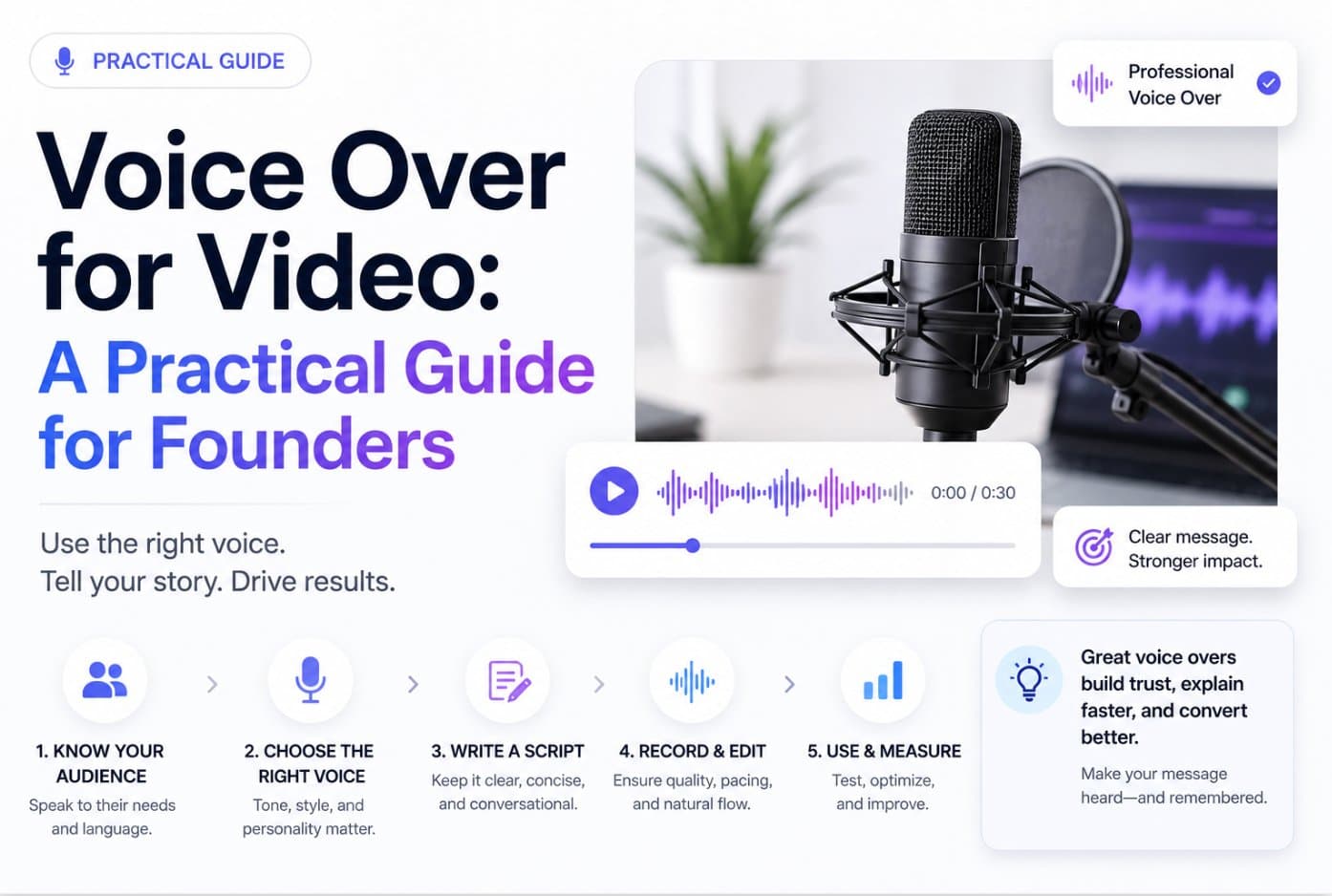
Recording and Editing a 15 Second Teaser Voice Track
Start with the script, not the microphone. A 15-second teaser usually needs roughly 35 to 40 words at a natural pace, but the exact fit depends on pauses, product names, and how much space the visuals need. Read the script aloud while watching the edit, then remove any phrase that explains what the viewer can already see.
Build a clean recording quickly
Use the quietest, least reflective room available. Soft furnishings reduce harsh reflections, and moving away from bare walls can help more than buying a more expensive microphone. Keep the microphone at a consistent distance, speak slightly past it rather than directly into it, and record several complete takes before assembling the final version.
Leave headroom during recording. A clean, moderately conservative capture gives you room to shape the voice later, while an overloaded recording can't be repaired cleanly. Capture the voice separately from the music bed so you can adjust both layers without damaging the narration.
Sync the voice to the picture before you mix. ITU-R BT.1359 guidance says audio can lead video by about 45 milliseconds or lag by about 125 milliseconds before sync becomes noticeable, according to this audio-for-video guide. Delivery targets are often tighter, roughly +40/−60 milliseconds, so don't assume a small export delay is harmless.
Editing rule: If the mouth, gesture, or product action lands late against the spoken word, fix the timing before adding more processing.
Mix for online playback
Measure integrated loudness and true peak, not just the loudest sample. Common online-video targets cluster around −14 LUFS integrated with a true-peak ceiling near −1 dBTP, as explained in these online-video loudness practices. Platforms may reduce louder mixes during normalization, and encoding can create clipping if the peak ceiling is too high.
Keep dialogue peaks around −6 to −3 dBFS while you balance the track with music. That range preserves space for plosives and transient emphasis while keeping speech intelligible over a restrained bed. If the music competes with the words, lower the music first. Don't solve a masking problem by aggressively boosting the narration.

Use a simple export checklist every time:
- Script fit: The final line finishes before the visual call to action disappears.
- Noise control: Remove obvious hums, clicks, and room distractions without making the voice sound processed.
- Music balance: The bed supports the mood and never competes with key words.
- Loudness: Check integrated LUFS and true peak after the full mix, not only on the isolated voice.
- Sync: Review the exported file from beginning to end, especially fast cuts and the final frame.
- Delivery file: Export the required video format from the same timeline used for the mix, then watch the downloaded file on the target channel.
For broader distributed production, keep scripts, takes, version names, and approvals in one shared workflow. This remote video production guide is useful when the person writing the script isn't the person recording or assembling the teaser.
Design the Voice Over for a Muted Feed First
Voice-over should not carry the only copy in a social teaser. On muted autoplay feeds, many viewers encounter the video without hearing its narration, so the visual hook, on-screen text, and product demonstration must communicate the claim independently.
Design the silent version first. Put the product problem or promise on screen, show the interface or outcome, and make the final action clear without relying on audio. Voice-over then becomes an enhancement layer for viewers who unmute, not a rescue system for an unclear edit.

That changes the brief dramatically. Instead of writing a complete 15-second narration, write a 6-to-10-word reinforcement line that adds emphasis or personality.
For example, the text layer might say:
- “Turn scattered launch assets into one teaser.”
- “Paste your page. Get a product video.”
- “Ship the update before the week disappears.”
The voice track might add only:
“That's the whole workflow.”
Or:
“No editing marathon required.”
The spoken line doesn't need to repeat every word on screen. It should give the viewer who turns on sound a human cue, a tonal lift, or a memorable phrase.
This approach also changes production economics. A short self-recorded clip is easier to capture cleanly than a full narration. AI TTS becomes more practical because pronunciation errors are easier to isolate and revise. A voice actor can still be valuable, but a long, polished read is harder to justify when the voice only reinforces the message.
Keep the first visual decision separate from the voice decision. The three-second hook framework can help you pressure-test the opening before you spend time tuning delivery. If the teaser doesn't make sense without sound, a better narrator won't fix its central problem.
Picking a Path and Shipping the Teaser
Choose the production path based on your publishing rhythm and the role your voice plays in the brand.
Self-recording is the right call when the founder is central to the product story, the team publishes frequently, and budget matters more than studio polish. Build a repeatable setup, keep the microphone position consistent, and accept that a natural take may be more persuasive than a perfect one.
Hire a voice actor when the launch is positioning-heavy, the product needs a controlled commercial identity, or the campaign will be adapted across languages and markets. The value isn't just a clean recording. It's interpretation, pronunciation, pacing, and the ability to deliver several versions that still sound like one campaign.
Use AI TTS when you're testing hooks, publishing product updates, or producing frequent variations. It's particularly useful when the script changes often and you need to hear a new version immediately. Review brand names, technical vocabulary, numbers, and pauses manually. Fast generation doesn't remove the need for editorial judgment.
Localization is the gap most voice-over guides skip. Independent reporting says 58% of clients need voice-overs in non-English languages, with Spanish at 40%, French at 22%, and German at 11% among the most requested languages, according to reporting on voice-over industry trends. Those figures are a practical prompt for founders launching on Product Hunt or selling into SaaS markets. Plan for at least one additional language before you lock the edit, especially if the on-screen copy will also need adaptation.
Use this checklist before the next teaser:
- Weekly founder-led cadence: Record yourself and standardise the setup.
- High-frequency experiments: Use AI TTS for fast hook and script variations.
- Major launch or brand-defining film: Bring in a voice actor.
- Multilingual distribution: Choose a path that supports consistent localization and pronunciation review.
- Muted-first channel: Make the text and visuals complete before adding narration.
For a URL-driven workflow, ShipTeaser analyzes a product landing page and generates a scripted, approximately 15-second teaser designed for quick download and posting. The system is built around silent motion graphics, so it fits the muted-first approach when voice-over would slow down a weekly publishing cycle.
Ship the voice track that matches your cadence, not the one that sounds most impressive in a demo.
Stop treating voice-over as the last-minute polish step. Decide whether you need founder authenticity, directed performance, or rapid iteration, then create the teaser around that constraint. Visit ShipTeaser to turn an existing product landing page into a short promotional video workflow you can repeat during your next launch week.