You've published four product videos, and every one has consumed the better part of a workday. The first required a script, the second needed a new screen-recording setup, the third drifted into a feature tour, and the fourth stalled while you searched for a thumbnail idea. By Friday, your AI YouTube channel has content, but no repeatable way to make the next video.
That distinction matters. AI can accelerate production, but it doesn't create a content strategy by itself. The channel becomes durable when each weekly product update enters a system that selects an angle, produces several formats, packages them for discovery, and sends performance data back into the next brief.
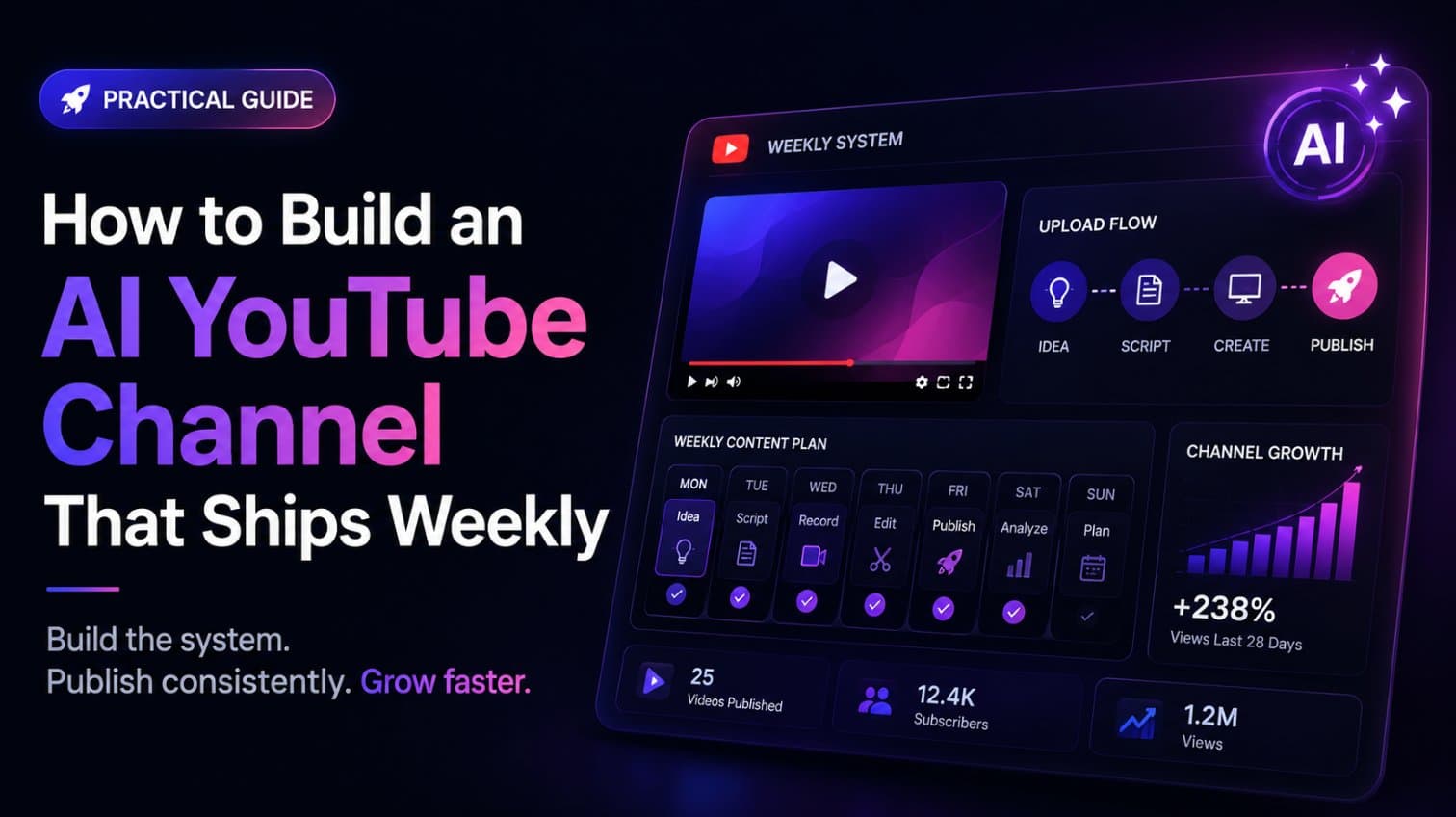
For a product-led channel, the most practical model is a weekly content pipeline: one feature, use case, or launch moment becomes a Short, a walkthrough, and social cutdowns. You keep the structure stable, vary the editorial angle, and reserve human judgment for the parts automation still handles poorly, including relevance, taste, accuracy, and the promise made to the viewer.
Why Most AI YouTube Channels Stall After Five Videos
The first month usually looks productive from the outside. A founder chooses a topic, asks an AI system for a script, assembles visuals, records or synthesizes narration, edits the result, writes metadata, and publishes. Then the same process starts again from an empty page.
By the fifth video, the problem isn't a lack of ideas. It's the absence of a production memory. Nobody knows which opening was tested, which feature created the clearest visual moment, which title matched search intent, or where viewers stopped watching. Each upload becomes an isolated creative task, so the team repeats work instead of accumulating judgment.
Practical rule: Use AI to remove repetitive production steps, not to remove editorial responsibility.
YouTube's scale makes that distinction more important. A 2026 industry compilation estimates about 120 million total channels worldwide, including 61.6 million serious creators and roughly 44 million channels publishing Shorts after the format launched in September 2020, as reported in YouTube channel statistics. Even a small competitive set is large enough that generic output gets lost quickly.
The gap between tools and systems
An AI tool generates an asset. A content system decides why that asset exists, which audience it serves, how it connects to the previous upload, and what the next experiment should be.
For a product channel, the system can start with a landing page or product update. It identifies one visible transformation, creates several hook options, builds a consistent sequence around the interface, renders the same idea in multiple aspect ratios, and records the resulting CTR, retention, clicks, and conversion signals.
That process also fits the platform's broader concentration. The 2026 YouTube channel rankings report MrBeast at about 512 million subscribers and T-Series at more than 350 billion total views, while several other channels exceed 100 million subscribers. Those figures aren't a target for a startup product channel. They're evidence that sustained packaging and repeatable formats matter more than treating every upload as a one-off event.
Three shifts fix the operating model
First, choose templates before you choose production prompts. Second, assign every week a defined publishing cadence. Third, create a learning loop where analytics determine the next angle rather than merely documenting the last result.
The channel then behaves more like a product release pipeline. One input produces several assets, every asset has a job, and the team improves the system instead of starting over.
The Three Video Formats That Compound Over Time
A weekly AI YouTube channel works best as a portfolio of formats, not one video stretched across every platform. Each asset should answer a different viewer need and carry a different success metric.
The core mix is straightforward:
- Discovery Short: A 30 to 60 second vertical video built around one hook, one product action, and one visible payoff. YouTube classifies vertical or square uploads as Shorts when they're up to 3 minutes long for videos uploaded on or after 15 October 2024, according to YouTube's Shorts classification guidance. For a weekly product system, staying within 30 to 60 seconds keeps the creative constraint clear.
- Product walkthrough: A 1 to 3 minute explanation that gives interested viewers enough context to understand the workflow, not just the headline. YouTube's official Shorts creation help confirms that short-form videos can run up to 3 minutes, so this version can remain concise while showing several product actions.
- Social cutdowns: 5 to 15 second clips for X and LinkedIn. These aren't miniature tutorials. They're pattern interrupts that expose the product moment and direct attention to the fuller asset or landing page.

Match format to intent
The Short earns the initial stop. Its packaging should emphasize a specific problem or transformation, such as “Stop recording product demos manually.” Measure the opening through early retention and watch behavior.
The walkthrough handles evaluation. It can show the before state, two or three actions, the result, and a direct next step. Average view duration, average percentage viewed, site clicks, and product conversions matter more here than raw reach.
The cutdown creates distribution outside YouTube. Keep the on-screen text legible without sound, show the product quickly, and use a single CTA. Its job is to generate qualified attention, not explain every feature.
For videos longer than 60 seconds, aspect ratio becomes a packaging decision. Google's guidance on longer Shorts explains that vertical and wider uploads are handled differently in the Shorts feed, while a wider 16:9 upload keeps the video in long-form when that's the creator's intent.
A strong weekly system uses one creative angle across all three assets, but changes the pacing and promise for each channel. That gives the audience repetition without forcing the same edit into incompatible viewing contexts.
Choosing a Niche That Survives the First 90 Days
A niche should give you enough material to publish consistently without making every upload sound like the previous one. For an AI YouTube channel, the best niche isn't just "AI." It's a repeatable audience problem that you can demonstrate visually and connect to meaningful search intent.

Score the niche before building the channel
Use four filters. Give each candidate a simple low, medium, or high score, then reject any idea that fails the first two.
- Audience overlap: Can you name the people who need this information and the problems they actively search for? “AI tools” is broad. “SaaS product demo videos for founder-led launches” is narrower and more actionable.
- On-screen proof: Can the viewer see the problem changing? Software workflows, design processes, automation sequences, and product launches tend to work because the interface provides concrete visual evidence.
- Source repeatability: Does new source material appear regularly through product updates, use cases, customer questions, or recurring workflows? A niche dependent on rare announcements will create an uneven publishing calendar.
- Editorial range: Can you cover tutorials, mistakes, comparisons, examples, templates, and decision guides without repeating the same claim?
Consider three possible directions. An AI productivity channel has broad audience overlap and abundant source material, but it faces heavy competition and can become generic. A SaaS product marketing channel has strong demonstrability and clear commercial intent, though it requires sharper knowledge of positioning. An AI-generated entertainment channel may offer high creative variety, but it can be harder to establish a defensible point of view and consistent product relevance.
The strongest choice is usually the niche where your expertise improves the source material. If you understand the buyer, workflow, or product category, AI can accelerate research and production while you supply the judgment that keeps the content credible.
Build a topic inventory
Before publishing, list distinct topics across several recurring angles:
- Creation: How to make the asset or complete the workflow.
- Examples: What a finished result looks like in a specific context.
- Mistakes: Where teams waste time or create unclear output.
- Templates: Repeatable structures viewers can adapt.
- Comparisons: Which approach fits a particular goal.
- Use cases: How different audiences apply the same product or method.
If you can't list 20 distinct weekly topics, the niche is probably too narrow for a sustained channel. The number isn't a performance promise. It's a planning test that exposes whether your idea has enough editorial depth before you invest in production.
The final sanity check is commercial. A channel can attract attention and still fail if the audience has no reason to click, subscribe, inquire, or buy. Pick a topic where the video naturally leads to a useful next action.
The niche decision should also leave room for topic clusters. A channel centered on product demo videos can cover creation, examples, tools, mistakes, templates, and comparisons, allowing each upload to reinforce the others rather than compete with unrelated subjects.
The Production Stack and Weekly Workflow
The production stack should turn one source into a controlled sequence of decisions. For a product channel, that source is usually a landing-page URL, a new feature, or a launch moment. The output is a scheduled YouTube upload supported by vertical and social versions.

Start with the product, not a blank script
Paste the product URL into the generation workflow and extract the strongest feature, transformation, or visual interaction. Don't attempt to explain the entire product in one video. A focused demonstration gives the script a clear promise and gives the editor a clear sequence.
Generate several hook angles around that moment. “Stop recording product demos manually” and “Turn your SaaS into a launch video in minutes” describe the same capability, but they appeal to different motivations. Select one angle before the script is written, then reuse that angle across the Short, walkthrough, title, thumbnail, and social cutdowns.
Separate automation from judgment
Automation should handle repetitive transformations:
- Input analysis: Read page copy, screenshots, visible brand cues, and the selected product interaction.
- Script generation: Build the sequence around hook, problem, product action, result, and CTA.
- Rendering: Apply consistent fonts, colors, transitions, typography, and template rules.
- Versioning: Export 16:9 and 9:16 formats from the same creative direction.
- Packaging: Draft the title, description, chapters, keywords, thumbnail copy, captions, and transcript.
- Distribution: Queue the YouTube upload and adapt the asset for X and LinkedIn.
Human checkpoints should remain at the angle, factual accuracy, visual clarity, and final quality stages. A system can describe a feature correctly while choosing a weak reason for the viewer to care. It can also exaggerate a product outcome if nobody reviews the wording.
The URL-to-publish sequence is:
URL → product analysis → angle → script → video → packaging → distribution → learning loop.
A consistent remote video production workflow helps when several people review the same asset asynchronously. Keep the brief, script, render, thumbnail options, approval notes, and final metrics attached to one record so next week's operator doesn't reconstruct the decision from scattered messages.
Feed evidence into the next brief
After publication, record thumbnail and title CTR, first 3 to 30 second retention, average view duration, average percentage viewed, profile and site clicks, and conversion to the product. Compare AI-assisted videos with manually produced videos on production time, cost per published asset, publishing frequency, CTR, retention, and conversions per 1,000 views.
The objective isn't to prove that AI videos automatically get more views. It's to increase the number of high-quality creative experiments your team can run while protecting editorial standards.
The Weekly Video Template and Script
A reusable script should make the product visible before the viewer has time to wonder what the video is about. The most reliable structure for a weekly product drop is:
Hook → problem → product moment → payoff → CTA.
The 30 to 60 second Short
Use this template as a working brief:
- 0:00–0:03, Hook: “Still recording every product demo by hand?”
- 0:03–0:10, Problem: “That turns one small feature update into a full production task.”
- 0:10–0:35, Product moment: Show the URL or product interface, then demonstrate two or three actions. Keep on-screen text aligned with what changes visually.
- 0:35–0:50, Payoff: “The result is a concise product video built around the feature your audience needs to understand.”
- 0:50–0:60, CTA: “Use this workflow for your next launch, then watch the full walkthrough for the complete process.”
For the SaaS demo example, the visual sequence could show a landing page, a selected feature, the generated scene, and the final branded video. The narration should explain the transformation, not recite every line of page copy.
The 1 to 3 minute walkthrough
The longer version can expand the same angle:
- State the problem and intended audience.
- Show the starting product page or interface.
- Explain why the selected feature is the strongest demonstration.
- Walk through two or three actions.
- Show the finished result in context.
- Mention one limitation or review point.
- Close with the next action.
That limitation matters. A candid walkthrough builds more trust than a flawless-sounding feature recital, especially when the viewer is evaluating a product for work.
For packaging, use a title formula such as primary keyword + clear outcome. A SaaS example is “How to Create a SaaS Product Demo Video in Minutes.” Open the description by stating exactly what the viewer will learn, then add product context, relevant feature keywords, the product link, and the CTA.
Use the same creative angle to generate 3 to 5 title variants, thumbnail copy, chapters for the longer version, captions, transcripts, and links to related videos. The product video script guide can support the scripting pass, but the final promise should come from the actual interface and audience problem.
Posting Cadence, SEO Packaging, and the Metrics That Matter
Cadence only helps when every upload earns attention quickly and delivers what its packaging promises. A practical weekly rhythm is one focused product theme, one Short, one walkthrough, and several cutdowns. Keep the day and review routine consistent enough that production becomes predictable, but use analytics rather than a generic “best time” claim to adjust publishing windows.
Package for the traffic source
CTR varies by niche and traffic source. A practical target across many creators is roughly 4 to 6%, while benchmark guidance places browse CTR at 6 to 9% for gaming and entertainment, 3 to 5% for education and tutorials, and 3 to 5% for business and B2B. Search CTR often runs 8 to 15% across categories, according to YouTube CTR benchmarks.
That means a business video with a lower browse CTR isn't automatically weak. Compare performance by source before changing the thumbnail or title. Search viewers arrive with a defined question, while browse viewers need a sharper interruption and clearer visual contrast.
Retention is the second diagnostic. A 2025 benchmark summary reports average video retention of 23.7%, with 16.8% of videos surpassing 50% retention, while healthy targets are 70% or higher for sub-one-minute videos and 45 to 60% for 5 to 10 minute videos, as detailed in YouTube retention benchmarks. For short product videos, put the promise in the first 3 to 5 seconds, remove generic introductions, and show the interface early.
| Packaging Element | Rule | Benchmark It Influences |
|---|---|---|
| Title | Put the primary keyword beside a specific outcome | CTR and search discovery |
| Thumbnail | Show one product moment and use short, readable copy | Browse CTR |
| First description lines | State exactly what the viewer will learn and include the primary keyword naturally | Search relevance and qualified clicks |
| Keyword cluster | Cover the problem, format, audience, and product context | Topic understanding |
| Chapters | Divide longer walkthroughs by meaningful actions | Navigation and average view duration |
| Captions and transcript | Make the spoken explanation readable and indexable | Accessibility and search context |
| Title variants | Prepare several promise-led alternatives before publishing | Packaging tests |
A topic cluster is more valuable than a random tag list. For “product demo videos,” build connected videos about creation, examples, mistakes, templates, and comparisons. Then link related uploads so the channel communicates a coherent audience problem rather than a collection of disconnected experiments.
For a broader video marketing best-practices workflow, keep one record of the creative angle, title options, thumbnail version, traffic source, retention curve, and downstream action. That record turns packaging from guesswork into an operating discipline.
Monetization, Learning Loops, and Your First 90 Days
An AI YouTube channel can monetize through several paths, but each requires a different kind of evidence. Advertising depends on platform eligibility and audience volume. Sponsorships depend on authority within a defined niche. Affiliate income depends on commercial intent and qualified clicks. A product-led channel has the clearest path when viewers can move from a demonstration to the creator's own product.
Don't treat all revenue signals as interchangeable. Subscriber growth can indicate audience fit, but it doesn't prove purchase intent. Views can indicate distribution, but they don't prove that the product solved a problem. Track the metric closest to the business outcome, then use retention and CTR to diagnose why that outcome is or isn't occurring.
Build the loop before chasing revenue
A useful learning loop has four parts:
- Record: Save the angle, hook, title, thumbnail, format, and publishing context.
- Review: Examine CTR, early retention, average view duration, clicks, and conversions.
- Interpret: Decide whether the issue was the promise, the opening, the explanation, or the offer.
- Change: Alter one meaningful variable in the next video and preserve what worked.
The channel's advantage comes from running better experiments, not from labeling every output “AI-generated.” Human review remains the quality control that protects credibility, especially when the product or subject requires context.
A practical 90-day plan
During the first month, establish the template and publish around one clear problem. Approve every angle manually, build the asset variations, and record baseline production time and packaging performance.
During the second month, test different openings, product moments, and title promises. Keep the audience and core topic stable enough that the results remain interpretable. Remove scenes that delay the demonstration, and preserve the strongest visual patterns.
During the third month, expand the best-performing topic cluster into adjacent questions. Add stronger internal connections between videos, refine the CTA, and evaluate whether viewers take the action that supports your business model.

Before publishing the first video, check five things: the hook names a real problem, the product appears early, the result is visible, the title promises a clear outcome, and the CTA asks for one next action. Then schedule the asset, review the data when available, and let the next brief respond to what viewers did.
The launch is only the first test. The compounding asset is the loop that remembers every test and improves the next release.
ShipTeaser turns an existing product landing page into a concise promotional video, using page copy, screenshots, and visible brand cues to create a ready-to-download asset. Use ShipTeaser to make your weekly product-video pipeline faster to repeat, then apply the same human review and analytics discipline to decide what you publish next.